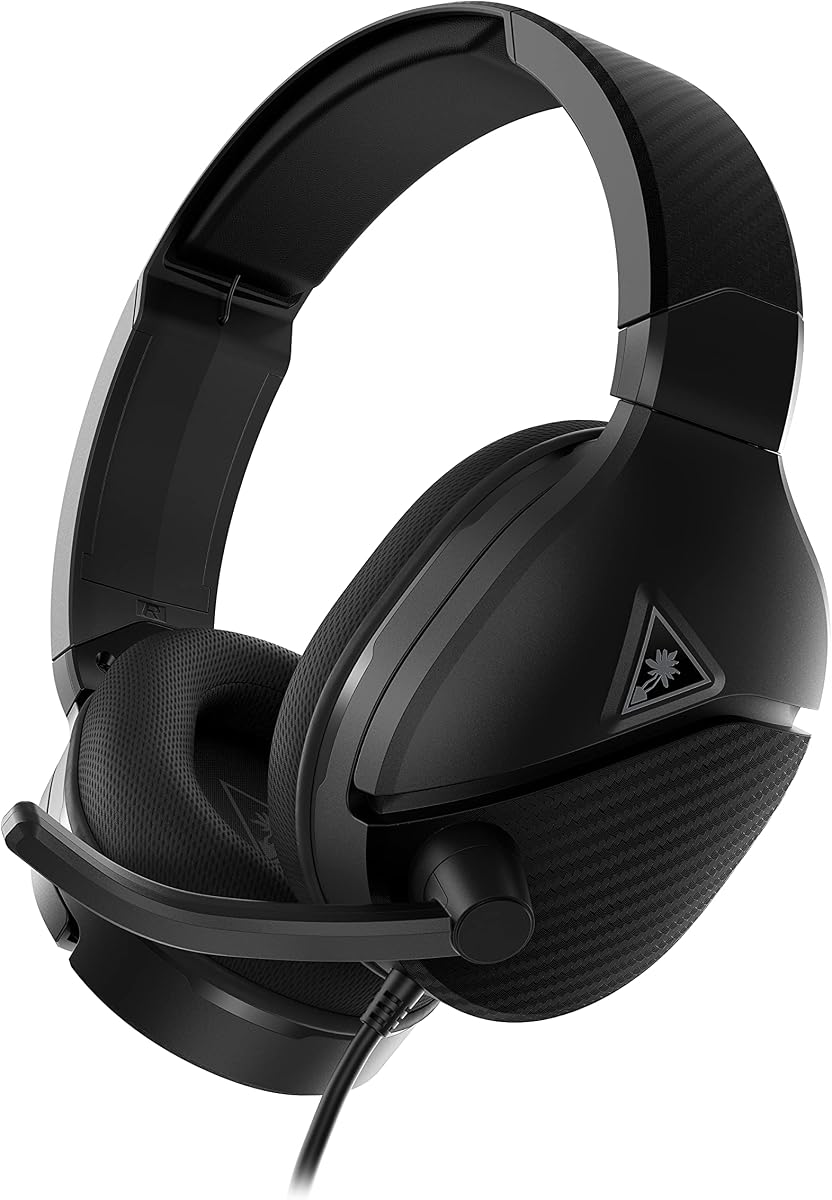
Turtle Beach Recon 200 Gen 2
4.4Editor score
Variable microphone monitoring
40mm amplified speakers
Flip-to-mute microphone
Multiplatform 3.5mm connection
Memory foam ear cushions
Compare 10 headsets with mic monitoring for gaming, streaming, broadcasting, and calls, with ratings, features, connectivity, comfort, and key trade-offs.
Headsets with mic monitoring let you hear your own voice through the headphones, helping you control speaking volume without removing the headset or looking away from your screen. They are especially useful for gaming, streaming, podcasting, broadcasting, remote work, and online meetings where clear, natural-sounding communication matters.
The list covers wired and wireless gaming headsets, studio monitoring models, and practical headsets for calls. We compared the supplied product information, focusing on confirmed monitoring features, microphone design, driver configuration, connectivity, comfort, platform support, and the usefulness of each headset for different kinds of voice communication.
Each pick highlights what its strongest users are likely to value, from affordable multiplayer gaming to broadcast-quality vocal reproduction. Ratings and feature details reflect the supplied listings, while monitoring support is treated as confirmed only when the product information explicitly identifies sidetone or a variable monitoring control.
4.4Editor score

5.0Editor score

4.2Editor score
This side-by-side comparison highlights each headset's monitoring status, major audio features, connection style, and intended use. Because some listings do not explicitly state whether monitoring is supported, buyers should verify that feature with the manufacturer before purchasing.
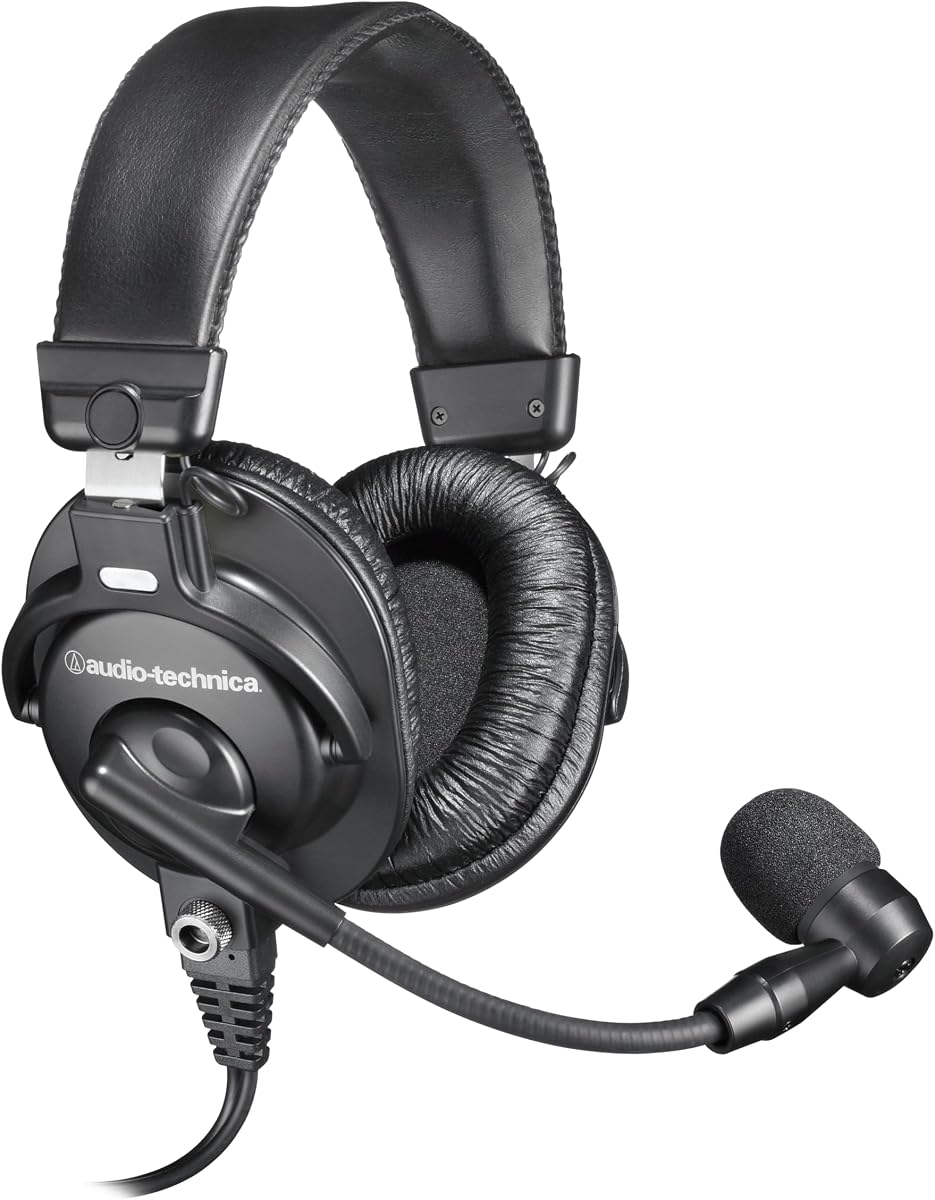

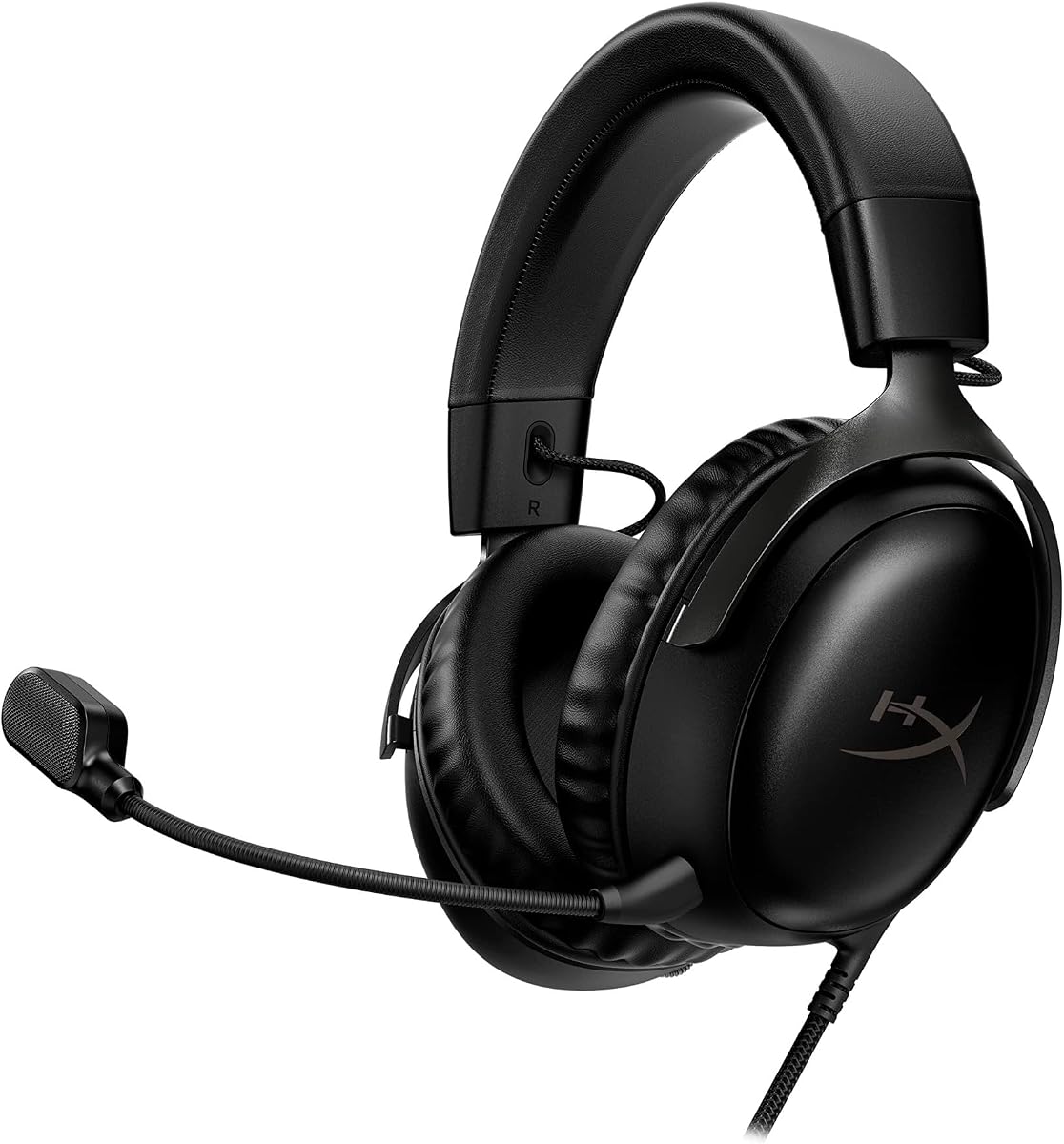


The Turtle Beach Recon 200 Gen 2 is a straightforward wired gaming headset with a 4.4 rating and one of the clearest confirmed monitoring features in this group. Its variable mic monitoring lets users hear their voice while adjusting the level, which is useful for preventing an overly loud or overly quiet presence during team chats. Amplified 40mm speakers, a high-sensitivity flip-to-mute microphone, and a 3.5mm connection make it a practical choice for console and PC gaming.
We may earn a commission when you buy through this link, at no additional cost to you.
The headset is built around uncomplicated features that work without complicated setup. Its fabric-wrapped memory foam cushions emphasize comfort, while the metal-reinforced headband adds durability without making the design feel excessively heavy. ProSpecs glasses-friendly cushions are another thoughtful detail for players who wear glasses, and the high-sensitivity microphone is designed to provide clear chat. A 3.5mm wired connection also gives it broad multiplatform potential, including use with Xbox and PS5 systems as described in the listing.
The main limitation is that it does not offer the flexibility of a wireless headset. There is no detachable microphone, advanced app-based voice processing, surround-sound software, or rechargeable battery mentioned in the supplied information. It also lacks the larger drivers, specialized tuning, and elaborate voice features found on more advanced gaming models. Those omissions matter if you routinely switch between devices or want highly processed team-chat audio.
Despite those limits, the Recon 200 Gen 2 offers a compelling combination of comfort, durable construction, and confirmed variable monitoring. It is particularly well suited to players who want a simple headset with a 3.5mm plug and a dedicated way to judge their speaking volume. Among the headsets in this roundup, it stands out as a strong all-around recommendation for accessible everyday gaming and voice communication.
Variable monitoring is the defining feature here. It gives the user direct control over how much of the microphone signal is heard through the speakers, making it easier to establish a natural speaking level without removing the headset.
Fabric-wrapped memory foam cushions, a lightweight reinforced headband, and glasses-friendly earpads make this a comfortable option for extended gaming sessions. The closed ear cups also help maintain a focused listening environment.
We may earn a commission when you buy through this link, at no additional cost to you.
The Audio-Technica BPHS1 is a broadcast-oriented stereo headset rated 4.4 by customers. Rather than trying to serve gaming, music, and studio recording with one set of controls, it concentrates on intelligible speech reproduction in noisy professional environments. Its dynamic cardioid boom microphone, closed-back circumaural cups, and neodymium magnetic components make it a credible choice for broadcast work, narration, and other applications where voice clarity is the priority.
We may earn a commission when you buy through this link, at no additional cost to you.
The microphone is tailored for intelligible vocal reproduction, and its cardioid pickup pattern helps reject sounds arriving from off-axis directions. That makes it useful when voices or other environmental noise could otherwise enter the recording. Closed-back ear cups help seal out crowd noise and background distractions, creating a more controlled monitoring environment. The boom arm can be positioned on either the left or right side, offering flexibility for different users and working positions.
Monitoring is not explicitly identified in the supplied listing, so buyers who require sidetone should not assume it is included. The headset also appears deliberately specialized, with a dynamic microphone and broadcast-focused construction rather than the gaming-oriented surround processing, detachable mic, or multi-device wireless functions found elsewhere in the list. Its simplicity may be an advantage in a controlled broadcast booth, but it is less obviously suited to buyers seeking broad consumer versatility.
The BPHS1 is recommended for users who care more about dependable vocal clarity and environmental rejection than gaming aesthetics or wireless freedom. If your work involves announcing, broadcasting, narration, or live communication in a busy setting, its cardioid dynamic microphone and closed-back design provide a focused tool. Confirm your interface and monitoring requirements before buying, especially if hearing your voice through the headset is essential.
The cardioid dynamic microphone is designed to favor speech arriving from the front while reducing off-axis sound. Combined with closed-back ear cups, it creates a focused environment for broadcast and professional voice work.
The boom-mounted microphone can be positioned on either side of the head. That flexibility is useful for different seating arrangements, recording spaces, and personal comfort preferences.
We may earn a commission when you buy through this link, at no additional cost to you.
The Audio-Technica ATH-M50xSTS XLR StreamSet combines the ATH-M50x headphone platform with a 20 Series-based cardioid condenser microphone. Its 4.2 rating reflects a headset designed for streamers and content creators who value accurate headphone reproduction and professional vocal articulation. The 45mm drivers, rare earth magnets, and copper-clad aluminum voice coils form the foundation of its studio-oriented sound.
We may earn a commission when you buy through this link, at no additional cost to you.
The microphone is based on Audio-Technica's 20 Series microphone family and is intended to provide clear, intelligible speech. Its flexible boom arm keeps the capsule close to the mouth, where a cardioid condenser pattern can help reject background noise. On the listening side, the headset promises deep, accurate bass, exceptional clarity, and detailed reproduction across an extended frequency range. That combination makes it appealing for live streaming, voice commentary, podcasting, and monitoring production audio.
The supplied product information does not explicitly mention a mic monitoring or sidetone control, which is the main caveat for this particular roundup. Its XLR-oriented StreamSet format may also require suitable recording equipment compared with a conventional USB gaming headset. It is not designed around gaming surround modes, wireless connectivity, or platform-specific chat controls. The more specialized design is intentional, but it narrows the set of ideal users.
The ATH-M50xSTS is a strong recommendation for streamers and creators who prioritize studio-grade monitoring and vocal quality over gaming-specific extras. It should appeal to anyone willing to integrate it with a serious recording setup. Before purchasing, verify that your interface and signal chain provide the required input and that sidetone is available in that chain if hearing your voice is essential.
The large-aperture 45mm drivers and extended frequency range support detailed monitoring across deep bass, clear mids, and articulate highs. This makes the headset better aligned with recording and production priorities than with game-specific sound effects.
A cardioid condenser microphone positioned close to the mouth provides the focus needed for intelligible streaming or commentary. The flexible boom arm helps keep that working position consistent throughout a session.
We may earn a commission when you buy through this link, at no additional cost to you.
The talomen Studio Monitor Headphones are a wired over-ear headset built for recording, podcasting, broadcasting, streaming, and audio mixing. With a 4.2 rating, they present a flexible creator-focused option: accurate monitoring tuning, a removable cardioid dynamic boom microphone, and compatibility with interfaces, mixers, laptops, PCs, and recording equipment.
We may earn a commission when you buy through this link, at no additional cost to you.
The sound is tuned for clear mids, balanced bass, and detailed highs, positioning the headset as a monitoring tool rather than a gaming-first model. Its detachable cardioid microphone is designed for voice isolation and clear communication during podcast recording, meetings, broadcasting, and streaming. A lightweight over-ear construction and soft memory foam cushions are also well matched to long recording, editing, and monitoring sessions where fatigue is a concern.
The listing does not state that the headset includes mic monitoring, so it should not be selected on that basis without further confirmation. Its all-wired design also lacks the convenience of a modern multi-device wireless headset. While broad equipment compatibility is useful, the actual audio path still depends on the connected interface, mixer, computer, or other source and whether that device provides the required input and output connections.
This headset makes sense for content creators who want one wired package for voice recording, podcasting, streaming, and production monitoring. The detachable mic and accurate tuning provide more specialized value than a basic communications headset. Buyers whose main requirement is sidetone should confirm support with the manufacturer, while those who prioritize clean vocal capture and long-session comfort will find a versatile creator-oriented package.
Compatibility with computers, audio interfaces, mixers, and recording equipment makes this a practical choice across production tasks. The detachable microphone also allows the headphones to be used independently when voice capture is not needed.
The stated tuning emphasizes clear mids, balanced bass, and detailed highs. That balance is useful for judging edits, recording narration, and monitoring voice content without a distinctly gaming-oriented profile.
We may earn a commission when you buy through this link, at no additional cost to you.
The HyperX Cloud III is a well-known wired gaming headset with a 4.3 rating and a 4.3 customer score reflected in the supplied data. It uses angled 53mm drivers tuned for dynamic gaming sounds, while its upgraded noise-canceling microphone and built-in mesh filter support clearer voice communication. The supplied platform list includes PC, PS5, and Xbox Series X|S.
We may earn a commission when you buy through this link, at no additional cost to you.
Comfort is central to the design, with memory foam ear cushions and an adjustable structure intended to prevent fatigue during long play sessions. The headset uses an aluminum frame for resilience and a flexible construction that should tolerate regular handling and travel. Audio features include spatial sound, while the microphone includes a mesh filter and an LED indicator that makes the muted state visible at a glance.
A notable limitation for this guide is that mic monitoring is not identified in the supplied information. The headset is also wired, with 3.5mm, USB-C, and USB-A options listed, so it lacks the freedom of a wireless design. Users should confirm whether monitoring is available through the relevant connection or system configuration rather than assuming every USB gaming headset provides sidetone.
The Cloud III is a strong option for gamers who prioritize comfort, a clear microphone, and broad wired platform support. Its reinforced frame and large memory foam cushions make it well suited to long sessions, while the visible mute indicator is a useful everyday detail. It is a dependable general-purpose gaming headset, although buyers whose primary requirement is confirmed monitoring should choose a model that explicitly documents sidetone.
HyperX tuned the angled 53mm drivers to accent dynamic gaming sounds. Combined with the stated spatial-audio support, they are designed to make movement, effects, and other in-game cues more prominent.
The 10mm microphone uses noise cancellation and a built-in mesh filter to reduce disruptive sounds. Its LED mute indicator provides immediate visual confirmation, although monitoring support is not stated.
We may earn a commission when you buy through this link, at no additional cost to you.
The Logitech G PRO X is a feature-heavy wired gaming headset rated 4.3, with emphasis on competitive team communication. Its detachable pro-grade microphone supports Blue VO!CE real-time processing that includes noise reduction, compression, and limiting. Paired with the included USB sound card and Logitech G HUB, it gives PC users substantial control over how their voice and game audio are presented.
We may earn a commission when you buy through this link, at no additional cost to you.
The supplied external sound card supports next-generation 7.1 and object-based surround sound on compatible Windows systems, along with downloadable professional EQ profiles and a customizable five-band EQ. Settings can be stored in onboard memory for tournament use. The headphones use 50mm PRO G drivers, while the construction combines an aluminum fork, steel headband, and choice between passive-noise-canceling leatherette or breathable velour memory foam pads.
This concentration on software makes the headset less universally convenient. The advanced microphone, surround, and EQ features require the external sound card, Windows PC, and G HUB. It is also not explicitly listed as supporting mic monitoring, and software-based voice processing is not the same thing as a dedicated sidetone function. Mobile use is possible through the included inline microphone cable, but that is a different arrangement from using the detachable boom mic.
The G PRO X is best for PC and tournament-minded gamers who want a clean broadcast-style voice chain and persistent audio profiles. It offers more control than most entry-level headsets and includes a carrying bag for travel. Players on other platforms or those seeking a simple, confirmed monitoring control may prefer a more straightforward model, but dedicated PC competitors will appreciate the deep software integration.
Blue VO!CE combines noise reduction, compression, and limiting for cleaner team communication. Saving EQ and voice profiles to the sound card's onboard memory makes the setup more convenient for repeated tournament use.
The aluminum fork and steel headband support long-term durability, while leatherette and velour pad options let users choose between isolation and breathability. A mobile inline mic cable and protective carrying bag round out the travel-oriented package.
We may earn a commission when you buy through this link, at no additional cost to you.
The Redragon H831 stands out in this roundup with a 5.0 rating and explicitly confirmed real-time mic monitoring, also called sidetone in the product information. That feature lets users hear their own voice through the headset, helping prevent shouting and making it easier to maintain a consistent volume for team chat, streaming, or calls.
We may earn a commission when you buy through this link, at no additional cost to you.
Connectivity is unusually versatile, with 2.4GHz wireless, Bluetooth 5.3, USB wired, and 3.5mm wired modes. The 2.4GHz mode is intended for low-latency play on PS5, PS4, PC, and Nintendo Switch, while Bluetooth supports phones and tablets. Its dual-mode design allows 2.4GHz gaming while Bluetooth remains connected for calls. The listed 53mm drivers support three acoustic modes: gaming, spatial, and stereo, offering different listening profiles for competition, cinematic content, and music.
The detachable microphone is omnidirectional and includes noise cancellation, which helps reduce constant background noise but may also pick up more off-axis sound than a tightly focused cardioid microphone. The stated latency is below 30 milliseconds, and the included 1.8-meter USB and 3.5mm cables support wired setups. A 1200mAh battery is rated for more than 45 hours of play, while the 360-gram weight and protein ear cushions target long-session comfort.
For buyers who want confirmed monitoring without giving up wireless freedom, the H831 is among the most compelling choices here. It suits competitive players, mobile users, and streamers who need to move between gaming and calls. It is less ideal for someone requiring a strict cardioid broadcast pattern or a completely battery-free setup, but its feature set is unusually well aligned with the core needs of this guide.
The monitoring feature lets users hear themselves in real time, reducing the likelihood of speaking too loudly. That direct feedback is particularly useful when balancing chat against loud game effects or music.
Four connection modes create a flexible bridge between consoles, PCs, phones, and tablets. Dual connectivity allows the headset to remain available for calls while preserving a low-latency gaming connection.
We may earn a commission when you buy through this link, at no additional cost to you.
The Turtle Beach Stealth 600 is a multiplatform wireless gaming headset with a 4.4 rating and an emphasis on endurance, customization, and convenient controls. Its 50mm Nanoclear drivers are described as delivering vibrant spatial audio, while the flip-to-mute microphone uses AI-based noise reduction for clearer communication. The headset supports Xbox, PS5, PC, and mobile use.
We may earn a commission when you buy through this link, at no additional cost to you.
Wireless functionality is a major strength. Low-latency 2.4GHz connectivity is joined by Bluetooth 5.4 and a QuickSwitch button for moving between wireless modes. The listed 80-hour battery life is especially notable for users who play frequently, and quick charging helps reduce downtime. A mappable wheel and mode button can be configured for frequently used functions, while built-in EQ modes and the Swarm II app expand the available audio controls.
Mic monitoring is not mentioned in the supplied product information, so it should be verified before purchase if sidetone is essential. The headset also depends on its app for advanced EQ and customizable functions, which may be a drawback for users who prefer a simple, self-contained setup. Its broad feature set can introduce more complexity than a basic wired headset, although the physical controls help keep everyday changes accessible.
The Stealth 600 is a strong recommendation for wireless gamers who want long intervals between charges, cross-device support, and deep customization. It suits console and PC players who also take calls or use a phone and value a flip-to-mute microphone. It is not the strongest choice for this guide's central feature without confirmation, but its long battery life and polished wireless controls make it an appealing general-purpose wireless headset.
An advertised 80-hour battery life reduces the frequency of charging compared with many wireless gaming headsets. Quick charging adds convenience for short gaps between sessions.
Mappable controls, built-in EQ modes, Superhuman Hearing, and a ten-band EQ through the Swarm II app provide several ways to tune the headset. Bluetooth 5.4 and QuickSwitch make it easier to move between gaming and everyday communication.
We may earn a commission when you buy through this link, at no additional cost to you.
The Logitech H390 is a straightforward USB headset for computer calls, meetings, media, and everyday productivity. Its 4.4 rating reflects a practical design centered on digital stereo sound, a rotating noise-canceling microphone, and a plug-and-play USB-A connection. It does not target gaming or studio recording, but it can be a sensible choice when clear communication matters more than advanced features.
We may earn a commission when you buy through this link, at no additional cost to you.
The rotating microphone can be moved out of the way when it is not needed, making the headset convenient for users who switch frequently between listening and speaking. Inline controls provide volume adjustment and a mute button without requiring software. The swivel-mounted leatherette ear cushions and adjustable headband are designed for extended use, and the 6.23-foot cable provides enough room to stand or stretch during a long conversation.
The important limitation is that the supplied information does not identify mic monitoring. Consequently, this is not a confirmed sidetone option despite its communication-focused design. It also lacks the surround processing, detachable broadcast microphone, wireless connectivity, and specialized gaming audio features found in more ambitious headsets. Its advantage is that it avoids setup complexity and software requirements.
The H390 is best for office calls, online meetings, Chromebook use, and basic computer audio. It is a straightforward choice for people who want physical controls and a rotating microphone without managing external sound cards or companion applications. It may not satisfy a gamer looking for positional audio or a creator needing studio vocal capture, but it handles its core communications tasks with simplicity.
The USB-A plug-and-play design requires no software installation, making the H390 accessible for everyday calls and meetings. Digital stereo drivers handle music and media as well as voice communication.
Inline volume and mute buttons keep essential adjustments close at hand. The rotating microphone also tucks neatly away, reducing visual clutter when it is not in use.
We may earn a commission when you buy through this link, at no additional cost to you.
The Razer BlackShark V2 X is a lightweight 3.5mm gaming headset rated 4.4, offering cross-platform support and a straightforward connection method. Its TriForce 50mm drivers are divided into separately tuned high-, mid-, and low-frequency sections, while a bendable HyperClear cardioid microphone places emphasis on the user's voice and reduces sound from the back and sides.
We may earn a commission when you buy through this link, at no additional cost to you.
Closed earcups and a close-fitting cushion seal help reduce noise leakage and improve isolation. At 240 grams, the headset is light enough for extended sessions, while the thicker headband padding and leatherette memory foam cushions add comfort. Its 3.5mm connection supports PC, Mac, PS4, Xbox One, and Nintendo Switch, although the listing notes that an Xbox One stereo adapter may be required separately.
The headset does not explicitly mention mic monitoring in the supplied information. Its 7.1 surround mode is also limited to Windows 10 64-bit systems, so console and Mac users should not assume the full positional effect is available. Compared with USB headsets, the direct 3.5mm connection is simple and broadly compatible, but it offers fewer device-specific controls and may depend on the source for microphone level and monitoring behavior.
The BlackShark V2 X is a good fit for lightweight, cross-platform gaming and users who prefer analog connectivity. Its cardioid microphone, comfortable cushioning, and positional-audio option on Windows make it a well-rounded general gaming choice. Those who require explicit sidetone support should confirm the feature with Razer before buying, while cross-platform players will appreciate how easily the headset moves between devices.
At 240 grams, the headset places relatively little weight on the head. Padded headband sections and leatherette memory foam cushions support comfort during longer gaming sessions.
The bendable HyperClear microphone uses a cardioid pattern to favor speech from the front while reducing off-axis sound. Closed earcups improve isolation and limit the amount of audio leaking into the surrounding area.
We may earn a commission when you buy through this link, at no additional cost to you.
The most important starting point is to confirm that mic monitoring is genuinely supported. After that, consider connection method, microphone quality, comfort, audio purpose, platform compatibility, and the controls available for changing monitoring and voice levels.
Mic monitoring, often called sidetone, routes a controlled portion of the microphone signal back through the headphones. It helps users hear their own voice, but it can also create echo if the source application or mixer is already performing a similar function. In this guide, the Turtle Beach Recon 200 Gen 2 explicitly offers variable monitoring, while the Redragon H831 provides real-time sidetone. For every other model, the supplied information does not confirm the feature, so buyers should check the manual, manufacturer page, or product support before relying on it.
A wired headset generally offers a direct and dependable connection, often with lower latency and no battery management. It is a sensible choice for stationary gaming, studio recording, and office calls. Wireless models offer freedom of movement and can support calls across several devices, but they introduce charging requirements, possible wireless interference, and dependence on the correct dongle or Bluetooth mode. The Redragon H831 covers both preferences through 2.4GHz, Bluetooth, USB, and 3.5mm connections, while the Turtle Beach Stealth 600 focuses on low-latency wireless and Bluetooth.
The pickup pattern determines which sounds the microphone emphasizes. Cardioid microphones favor sound from the front and reduce input from the back and sides, making them practical for noisy rooms and controlled speech. Dynamic microphones can handle energetic vocal performance and are common in broadcast headsets. Condenser microphones offer detailed vocal reproduction but generally require more careful gain and environmental control. Omnidirectional microphones pick up sound from all directions, so noise-canceling processing and close placement become especially important.
Driver size can influence the headset's character, although tuning, enclosure, and intended use matter as much as the number. The 50mm and 53mm models in this guide are geared toward gaming, with options for spatial or surround presentations. The Audio-Technica ATH-M50xSTS and talomen headset emphasize studio-style accuracy and balanced monitoring. Larger drivers are not automatically superior; a creator who edits recordings may value accuracy more than forceful bass, while a competitive gamer may prefer sound that emphasizes directional cues and dynamic effects.
Comfort becomes crucial during long gaming sessions, remote meetings, and editing work. Memory foam cushions can provide a soft seal, while leatherette tends to feel cooler and more isolating and fabric or velour is generally more breathable. Glasses-friendly designs reduce pressure from spectacle arms. Weight also matters: the Razer BlackShark V2 X is listed at 240 grams, while the Redragon H831 is listed at 360 grams. Headband adjustability, cushion pressure, and a stable boom position can matter more than a single specification.
A 3.5mm headset can be broadly compatible, although console microphones and controls may vary. USB headsets can offer inline controls and dedicated digital signal processing, but some advanced features require Windows or a companion application. The Logitech G PRO X depends on its external sound card, Windows PC, and Logitech G HUB for key voice and surround features. The Turtle Beach Stealth 600 uses an app for advanced EQ, while the Logitech H390 offers a more immediate plug-and-play experience.
For a wireless headset, battery life should be considered alongside charging habits and battery degradation over time. The Stealth 600 is listed with an 80-hour battery, while the H831 provides more than 45 hours and includes a 1200mAh battery. Long stated runtimes reduce interruptions, but fast charging and the ability to use a cable while charging can be equally useful. A permanently wired model avoids the issue entirely, which is why it may be preferable for an always-available office or studio.
A detachable microphone offers flexibility because it can be removed when the headset is used only for music or media. The ATH-M50xSTS, talomen, Logitech G PRO X, and Redragon H831 all feature detachable microphones. A boom-mounted design can usually be positioned more precisely than a fixed inline microphone, while a rotating microphone can be moved out of the way. Choose based on how often you speak, how you sit, and whether the headset also serves as ordinary headphones.
Begin by connecting the headset through the correct port, then set the microphone and monitoring levels low before speaking. If the headset has physical monitoring controls, adjust them gradually until your voice sounds clear and natural. If monitoring is handled by a USB sound card, interface, mixer, or application, use that device's controls instead. Make sure only one system adds sidetone, since two overlapping monitoring paths can produce an echo or doubled voice.
Position the microphone close to the mouth and slightly off to one side for a natural voice tone and better rejection of room noise. Test the result by speaking at your normal game-chat, streaming, or call volume. A good monitoring level should sound similar to how others hear you; it does not need to be so loud that it covers important game cues. For wireless models, confirm the active connection mode and check the battery before long sessions.
Clean the ear cushions and microphone grille according to the manufacturer's instructions, and avoid using harsh liquids that could damage foam, leatherette, or fabric. Store wired headsets with the cable loosely coiled, and use the supplied case where available. Wireless headsets should be stored in a dry place and charged periodically if they will not be used for an extended time. Keep the headband from being compressed and check the boom and connectors for looseness.
Mic monitoring, also called sidetone, sends part of your microphone signal back through the headset so you can hear your own voice. It helps you judge speaking volume without taking off the headset. Monitoring should be adjusted so your voice is clear without being excessively loud or covering important game sounds.
Monitoring adds your voice to the headphone playback, so it can feel louder or busier. Most controls let you balance the monitoring level with music, game effects, and calls. If the voice sounds doubled or echoing, check whether both the headset and an application are providing sidetone.
Yes, provided the headset or connected meeting application supports the required monitoring function. A headset with a dedicated sidetone control can be especially convenient because it works across games and calls. Test the setting before a meeting, and disable duplicate monitoring in the conferencing software if necessary.
Mic monitoring intentionally lets you hear your own voice, while echo cancellation attempts to prevent your voice from being heard back as an echo. They solve different problems. Monitoring is a user feedback feature, whereas echo cancellation is normally a processing function designed for the outgoing or incoming call signal.
Wireless headsets can support monitoring, but the feature must be explicitly implemented and may depend on the active connection mode. The Redragon H831 specifically provides real-time sidetone through its listed features. For other wireless models, verify the manual and manufacturer support because Bluetooth calls and 2.4GHz gaming connections may behave differently.
Not necessarily. A headset with built-in monitoring can work through its own connection, while a sound card or audio interface can add monitoring for compatible setups. Using both at once can create echo, so choose one primary monitoring path and set the other appropriately.
No. Hearing your own voice is not a universal feature of every gaming or wireless headset. Some provide a built-in sidetone control, while others may only support monitoring through a sound card, interface, mixer, or game application. Check the product specifications and platform requirements before purchasing.
Lower the monitoring level and move the microphone slightly away from the mouth if it is picking up too much breath or plosive noise. You can also reduce the microphone's gain at the source. A cardioid or dynamic microphone may provide more focused voice pickup than an omnidirectional model in a noisy environment.
The Turtle Beach Recon 200 Gen 2 is the most straightforward recommendation for a wired headset with confirmed variable monitoring, comfortable memory foam cushions, and broad multiplatform use. The Redragon H831 offers the richest combination of monitoring and connectivity, adding real-time sidetone, low-latency wireless, Bluetooth, USB, and 3.5mm operation. The Audio-Technica ATH-M50xSTS stands apart for creators who want accurate studio headphones and a high-quality cardioid condenser microphone.
The central principle is to verify monitoring before focusing on secondary features. Only two supplied listings explicitly confirm the feature, and a headset can sound excellent or feel comfortable without supporting sidetone. Next, consider whether you need a stable wired connection, wireless mobility, a focused broadcast microphone, accurate monitoring tuning, or dedicated chat processing. Those needs should determine whether a gaming, studio, creator, or communications-oriented model is the better fit.
Product features, ratings, compatibility, and availability can change, and current prices also vary between sellers. Before buying, confirm the current specification, platform support, required software, and monitoring behavior with the manufacturer or retailer. Checking those details at the point of purchase will help avoid a headset that looks appropriate but does not provide the exact mic-monitoring experience you need.