
VEVOR 72 Inch Motorized Projector Screen
4.5Editor score
Compact 72-inch display
Wireless and wired controls
160-degree viewing angle
Wrinkle-resistant PVC surface
Ready-to-mount assembly
An electric projector screen turns an ordinary wall into a large, controlled viewing surface, but the strongest choice depends on room size, projector format, and installation style. Important considerations include aspect ratio, screen gain, viewing angle, motor noise, remote controls, wrinkle resistance, and the dimensions of the housing.
This guide compares ten motorized projector screens across those practical features. It covers options from compact 72-inch and 92-inch models to expansive 120-inch and 150-inch displays, along with 4:3 and 16:9 formats, different control systems, and wall or ceiling mounting arrangements.
Each review highlights the most useful specifications, genuine advantages, and trade-offs associated with the listed model. The selections also show which products may suit restrained rooms, flexible living spaces, classrooms, offices, churches, or outdoor viewing. Product availability and prices can change, so confirm current details before buying.
4.5Editor score
4.8Editor score

4.3Editor score
As an Amazon Associate we earn from qualifying purchases.
The comparison below places all ten electric projector screens side by side, focusing on image dimensions, aspect ratio, motor controls, viewing angle, installation style, and the practical details that distinguish one model from another.


This 120-inch motorized projector screen has a 4.5 rating and stands out for offering a large image without making the motor controls unnecessarily complicated. Its 4:3 display measures 93.7 by 69.69 inches, making it especially relevant to older content, educational material, and applications where extra vertical space is useful.
We may earn a commission when you buy through this link, at no additional cost to you.
The screen uses four layers of matte PVC with a black backing designed to reduce light penetration. A 1.2 gain and 160-degree viewing angle support bright, consistent imagery across a broad audience area. The surface is also described as wrinkle resistant and easy to clean with soap and water, which is helpful in homes, classrooms, and temporary outdoor setups.
Its motor is rated at less than 42 decibels, while both a long-distance radio-frequency remote and a wall-mountable control panel provide convenient operation. A particularly useful feature allows the screen to stop before it is fully lowered, making it possible to use a smaller 16:9 presentation within the larger 4:3 surface. The trade-off is that buyers must ensure their projector can work with the chosen image area.
This is a strong choice for people who want flexibility more than strict widescreen matching. It suits home theaters, conference rooms, education, and backyard movies, provided there is adequate wall width, ceiling clearance, and a safe electrical location. The fully assembled plug-and-play design also reduces setup work, although careful measurement remains essential.
Stopping the motorized screen before full extension can be useful when matching a widescreen presentation to a larger 4:3 surface. This gives the owner more control over framing without replacing the entire screen.
A radio-frequency remote and wall panel make the screen approachable from different positions, while dual wall and ceiling mounting options help it fit both dedicated media rooms and multipurpose spaces.
We may earn a commission when you buy through this link, at no additional cost to you.
The DINAH 120 Inch Electric Projector Screen with Remote carries a 4.3 rating and focuses on the basic benefits of a motorized drop-down screen. It offers a generous 120-inch image, remote operation, and a retractable design that disappears when a projection surface is not required.
We may earn a commission when you buy through this link, at no additional cost to you.
Its primary attraction is straightforward convenience. A remote lowers or raises the screen, while the smooth and quiet motor allows it to be used in a home theater, office, or classroom without requiring someone to stand beside the housing. The screen is also marketed for 4K, 3D, and HD projection, making it relevant to current home entertainment systems.
The space-saving drop-down format is particularly useful in multipurpose rooms. Instead of leaving a large fixed screen visible, the surface can retract after a movie, lesson, or presentation. The main limitation is that the supplied specifications do not quantify gain, viewing angle, exact image dimensions, or the number of screen layers, so buyers seeking detailed technical comparisons should verify those points.
This model is best for consumers who value a large format, uncomplicated remote control, and a clean room more than highly technical screen engineering. It may suit apartments, offices, classrooms, and home theaters where the projector and room proportions are designed around a 120-inch surface. Confirm the actual viewable area and mounting space before ordering.
Retracting the screen preserves the visual character of a living room, office, or classroom when the projector is off. That makes the model more practical for shared spaces than a permanently visible frame.
Support for 4K, 3D, and HD source formats makes this an accessible choice for contemporary projectors, although the projector itself remains responsible for producing those image qualities.
We may earn a commission when you buy through this link, at no additional cost to you.
This 92-inch motorized screen has a 4.4 rating and offers one of the cleanest matches between a physical 16:9 projector and a conventional widescreen display. Its 80-by-45-inch image area is especially useful for modern movies, gaming, presentations, and television content.
We may earn a commission when you buy through this link, at no additional cost to you.
A high-contrast 1.3 gain surface is designed to optimize picture quality, while the stated 160-degree viewing angle helps maintain useful visibility from a wide range of seats. The included wireless remote lets users operate the screen from elsewhere in the room, and the product description highlights steady movement without jerking.
The screen supports both wall and ceiling installation, giving owners flexibility in a home theater, classroom, conference room, or public display area. Some of the less compelling features are left undefined, including a specific noise rating, gain behavior under ambient light, and detailed power specifications. The remote also appears to be a simple four-direction controller rather than a feature-rich stop-at-any-position system.
It is a sensible selection for buyers who want a familiar 16:9 image, a relatively manageable screen size, and useful specifications at a restrained cost. It is especially attractive for medium-sized rooms where a 120-inch display would feel overwhelming. Confirm that the 80-by-45-inch image area works with the intended projector and that the housing can be mounted safely.
A true 16:9 surface avoids unused side space for common widescreen media. That makes this model attractive for users who regularly watch modern films, play games, or display computer content.
The 160-degree viewing angle and dual mounting design allow the screen to work in rooms with widely dispersed seating. Wall installation can save ceiling space, while ceiling mounting can keep the screen clear of wall-mounted equipment.
We may earn a commission when you buy through this link, at no additional cost to you.
This 150-inch motorized electric rising projector screen carries a 4.3 rating and is the clear large-format option in the group. Its size is suited to dedicated home cinemas, event spaces, classrooms, exhibition areas, and outdoor screenings where a modest screen would feel inconspicuous.
We may earn a commission when you buy through this link, at no additional cost to you.
The 16:9 surface is made from four layers of polyester fabric designed to resist wrinkles and deformation. A 1.2 gain, compatibility with 3D, 1080p, 4K, and Full HD images, and a 160-degree viewing angle form the core image specification. The fabric is also described as scrubbable and straightforward to maintain.
Both wireless and wired controls can adjust the screen, and the motor is presented as energy efficient, smooth, and quiet. The metal casing is intended to resist deformation, while an extended power cord makes wall or ceiling positioning less restrictive. The primary trade-off is unavoidable: a screen this large demands a very large viewing distance, suitable projector brightness, and structurally secure mounting.
This is the premium choice for buyers who genuinely need a cinematic-scale image rather than simply the largest available model. Dedicated rooms, event venues, and spacious covered outdoor areas are better candidates than compact apartments. Measure the full wall or ceiling area, account for housing depth, and verify the projector's throw distance before installation.
A 150-inch 16:9 surface can create a dramatic focal point for dedicated theaters and event spaces. Its scale is most rewarding when seating is arranged to accommodate a wide viewing field and sufficient projector brightness.
The four-layer polyester construction is intended to remain flat and resist deformation. Scrubbable material also suits environments where the screen is used repeatedly for entertainment, teaching, or presentations.
We may earn a commission when you buy through this link, at no additional cost to you.
This 100-inch motorized projector screen has a 4.5 rating and presents a balanced combination of useful cinematic features and straightforward controls. Its 87-by-48.8-inch 16:9 viewing area is large enough for an engaging home theater without reaching the footprint of the 120-inch and 150-inch options.
We may earn a commission when you buy through this link, at no additional cost to you.
A 9.8-inch upper black drop helps frame the projected image and improve perceived contrast. The matte white PVC surface has a 1.1 gain, and the product claims a wrinkle-free finish, strong color reproduction, and a 160-degree viewing angle. These characteristics align well with 4K and 1080p HD source material.
Control comes from a radio-frequency remote and a prewired integrated inline switch. A metal housing supports wall or ceiling installation, giving users flexibility in living rooms, offices, classrooms, churches, and other spaces. The main practical drawback is the total size of 97 by 60 inches, which is considerably larger than the actual image, so mounting clearance needs to be checked carefully.
This model is a refined middle ground for buyers who want a substantial 16:9 image, useful framing features, and a relatively unobtrusive control setup. It is well suited to a dedicated media area or a carefully planned living room. Verify projector throw distance, screen height, and electrical placement before mounting.
The upper black drop helps keep projected content visually focused by creating a dark upper border. This can be particularly useful when the image needs a more theater-like presentation.
Owners can use the RF remote while seated or the integrated inline switch for quick adjustments. Having both options makes the screen easier to operate in rooms with different seating arrangements.
We may earn a commission when you buy through this link, at no additional cost to you.
This 120-inch 16:9 motorized screen has a 4.8 rating, the highest among the listed products, and it combines a large image with unusually comprehensive installation and control features. It is designed for 16:9 projectors ranging from 720p through 4K and 8K, with the surface explicitly presented as 4K and 8K ready.
We may earn a commission when you buy through this link, at no additional cost to you.
Its matte white vinyl has a 1.2 gain, black-backed fabric, and a claimed 175-degree viewing angle. Four-sided black masking borders help focus attention on the picture, while the wide viewing range should make it easier to serve a broad seating area. The recommended viewing distance is 10 to 12 feet, although the room's projector capability remains decisive.
The motor operates below 42 decibels and accepts commands from a long-range RF remote and a wall-mounted control panel. The remote can stop the screen at any position, avoiding the need to wait for full extension. Most notably, power inlets on both sides simplify electrical routing during wall or ceiling installation. The remote requires two AAA batteries, which are not included.
This is the strongest all-around choice for a buyer who wants a modern 16:9 screen and values flexible setup. It suits home theaters, classrooms, offices, churches, and covered patios. The product explicitly requires anchoring to wood studs or concrete, and mounting to drywall alone is unsafe, so proper structural support is non-negotiable.
Power inlets on both sides of the housing reduce the need to route wiring toward a single inconvenient side. This is particularly useful in rooms with irregular layouts or unusual outlet locations.
Stopping the screen at any position allows the visible image to be adjusted without waiting for a complete descent. The feature is useful for presentations, gaming, and widescreen content that does not require the entire surface.
We may earn a commission when you buy through this link, at no additional cost to you.
VIVOHOME's 100-inch motorized projector screen has a 4.3 rating and emphasizes durable construction, flexible placement, and a particularly long remote range. Its 87-by-49.2-inch 16:9 viewing area is comparable to the other 100-inch choices, giving modern projectors a familiar widescreen target.
We may earn a commission when you buy through this link, at no additional cost to you.
The pre-paired remote is listed as stable at distances up to 82 feet, making it useful in large classrooms, meeting rooms, and home theaters. The wall-mountable remote is supported by included screws, while a 3.28-foot power cord offers some electrical placement flexibility. The screen can be mounted horizontally or vertically on a wall or ceiling.
Its three-layer waterproof PVC fabric is designed to resist creases and changes in temperature or humidity, and the surface is wipe-clean. An 8mm metal casing helps protect the screen during storage and transport. The specification also lists CE, GCC, UL, FCC, and ROHS compliance, giving institutional buyers useful documentation. Remote batteries are not included, and a temporary odor may occur after unpacking.
This is a strong fit for users who need a durable screen across changing environments rather than a specialized home-cinema finish. Its long control range and multiple mounting orientations are especially attractive in larger rooms. Let the product air after opening and confirm that the included fasteners are appropriate for the wall structure.
An 82-foot stated remote range is helpful in spaces where users cannot easily reach a wall panel. The radio-frequency approach also avoids the need to point the controller directly at the screen.
The waterproof three-layer PVC construction is intended to tolerate creasing and variations in temperature and humidity. That makes the screen suitable for multipurpose indoor spaces and covered outdoor entertainment.
We may earn a commission when you buy through this link, at no additional cost to you.
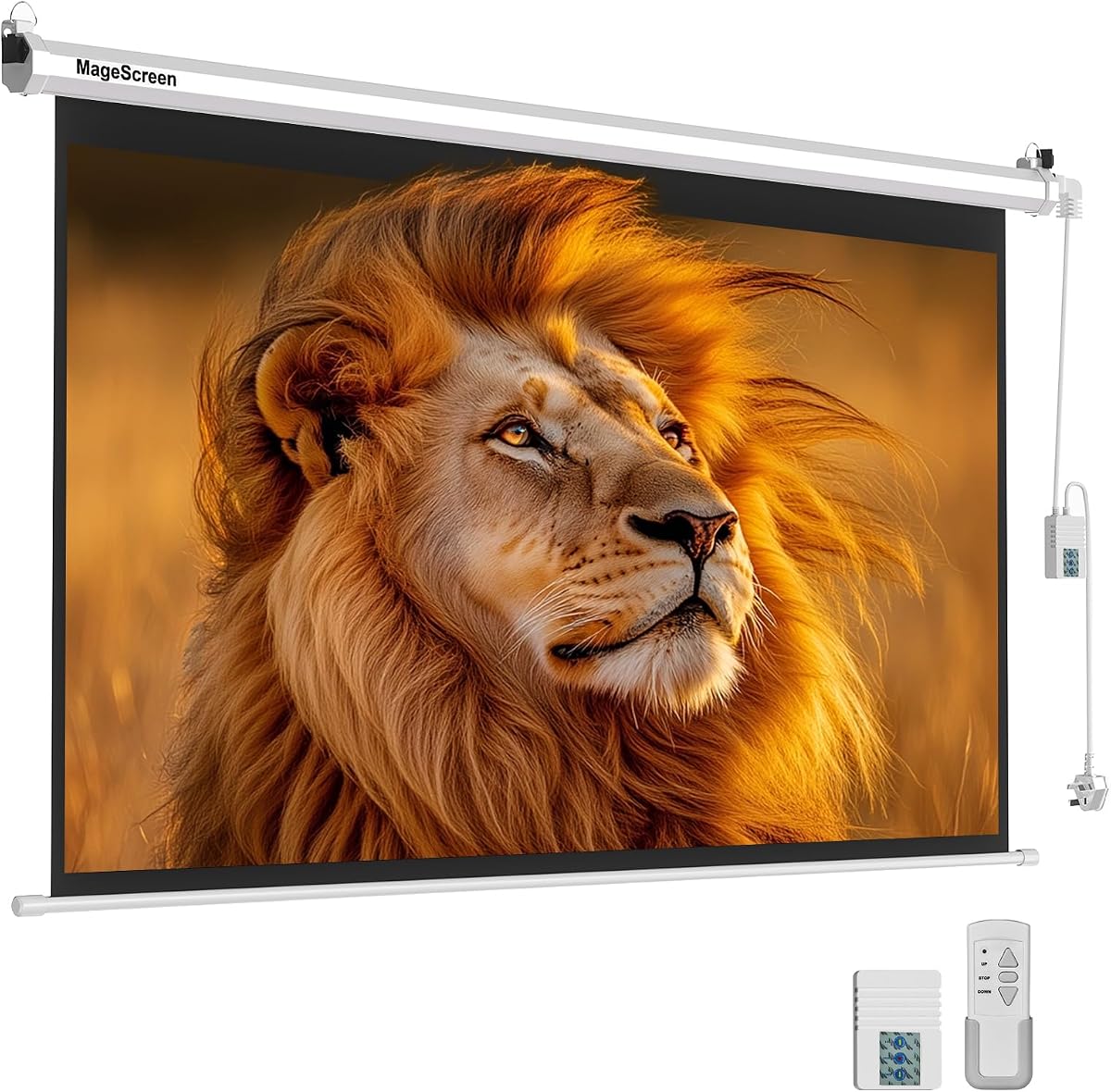
The VEVOR 72-inch motorized projector screen has a 4.5 rating and is the most compact option in the comparison. Its smaller size makes it easier to accommodate in apartments, offices, bedrooms, and modest home theaters where a 100-inch or larger housing would dominate the room.
We may earn a commission when you buy through this link, at no additional cost to you.
The high-reflectivity, wrinkle-free PVC material is advertised for 4K and 3D high-definition viewing, and the screen offers a 160-degree viewing angle. These specifications support use in shared rooms with more than one comfortable viewing position, although the product does not provide a formal gain value in the supplied information.
Control is handled through a wireless remote with a listed range of 164 feet or 50 meters, as well as a wired panel. The long radio-frequency range is particularly useful in larger spaces. The screen arrives fully assembled and ready to hang on a wall, reducing the work involved compared with assembling a housing and fabric separately.
This is the best budget-oriented choice for someone who values motorized convenience in a smaller footprint. It is less compelling for buyers seeking a true widescreen cinema experience, because the 4:3 ratio may leave side space with modern 16:9 content. Measure the intended projector image and wall area before ordering.
A 72-inch 4:3 screen can provide a substantial image without requiring the wall width associated with larger models. It is a practical option for compact rooms and temporary presentation spaces.
Because the screen arrives assembled, buyers can concentrate on selecting a secure location and connecting power. Wireless and wired control options add convenience without requiring a complicated setup.
We may earn a commission when you buy through this link, at no additional cost to you.
This 100-inch motorized projector screen has a 4.4 rating and distinguishes itself with a claimed 178-degree viewing angle, the widest listed in the group. Its 87-by-48.8-inch 16:9 image area gives modern projectors a conventional widescreen target while accommodating a broad audience.
We may earn a commission when you buy through this link, at no additional cost to you.
The four-layer premium PVC matte surface uses a black backing to reduce light penetration and has a 1.2 gain. A long-range RF remote and wall panel control an energy-saving motor listed below 42 decibels. The remote can stop the screen before it reaches the bottom, and a dedicated inching mode makes small movements easier to execute.
Power interfaces on both sides are intended to simplify wiring for wall and ceiling installations. The manufacturer specifically notes that two people are required for installation, which is sensible for a full-size housing. The remote uses two AAA batteries that are not included, and the recommended projector type is medium to long focal length.
This model is well suited to wide rooms, offset seating, gaming rooms, classrooms, and offices. It is also a practical option for weddings, churches, and outdoor screenings when the installation is protected. The standout combination of wide viewing and fine movement control should appeal to buyers who want more precise screen positioning.
Inching mode allows the screen to move in shorter increments than a full press-and-hold cycle. It is useful for aligning the image with furniture, a projection surface, or a deliberately framed area of the room.
The stated 178-degree viewing angle is designed to preserve image visibility from a broad spread of positions. It can reduce the need to arrange every seat directly in front of the projector.
We may earn a commission when you buy through this link, at no additional cost to you.
This 94-inch electric projector screen carries a 4.5 rating and offers a well-proportioned 16:9 image that falls between the compact 92-inch model and the larger 100-inch selections. Its 81.89-by-46.06-inch viewable area supports contemporary movies, games, presentations, and television content.
We may earn a commission when you buy through this link, at no additional cost to you.
The matte white PVC surface has a 1.1 gain, a stated 160-degree viewing angle, and is described as wrinkle-free and yellow-staining-free. It is compatible with LED, LCD, and DLP projectors, giving it broad relevance across different projection technologies. The screen can be used indoors or outdoors, provided electrical equipment and the screen itself remain suitably protected.
A prewired power cord with an integrated switch offers direct control, while an RF remote provides operation from across the room. Its solid metal casing uses a dual-purpose design for wall or ceiling installation. The product does not list dual-side power inputs, an inching mode, or a remote that stops at an intermediate position, so buyers who prioritize those functions should look elsewhere.
This is a balanced choice for medium rooms and users who want a familiar widescreen image without an oversized housing. It suits home offices, classrooms, compact theaters, event spaces, and outdoor movies. Verify the available wall dimensions, the projector's image size at the intended throw distance, and the location of a safe outlet before installation.
Support for LED, LCD, and DLP projectors makes the screen less dependent on one projection technology. The 1.1 gain surface is also a conventional choice for rooms where controlling ambient light remains a practical concern.
The integrated inline switch and radio-frequency remote cover both immediate and remote operation. This makes the screen easy to manage in rooms where users move between a lectern, seating area, and presentation station.
We may earn a commission when you buy through this link, at no additional cost to you.
The right electric projector screen is the one that matches the projector, room, viewing distances, and installation constraints. Comparing image size, aspect ratio, gain, viewing angle, motor controls, and mounting requirements is more useful than focusing on a single headline specification.
Screen size should be based on the distance from the projector to the first or central seating row, the width of the room, and how immersive the intended experience should be. A 72-inch 4:3 screen can work well in a compact room, while 100-inch and 120-inch 16:9 models suit medium and large spaces. A 150-inch image requires a dedicated viewing area, substantial projector brightness, and careful placement of the seating.
Match the screen to the room rather than to the largest advertised number. Measure the mounting area, allow room for the housing, and consider whether the image will overpower the space.
A 16:9 screen aligns naturally with modern home theater, gaming, and computer content. A 4:3 screen provides a taller and somewhat narrower image, which can suit older media, education, or a projector configured for that ratio. Some large electric screens allow the projection to stop at an intermediate position, offering flexibility between widescreen and taller formats.
Check the projector's native aspect ratio and preferred image size. Avoid assuming that a larger screen automatically creates a better image.
Gain describes how much light the screen reflects into the viewing area. Models in this guide range from 1.1 gain to 1.3 gain, with several using 1.2 gain. Higher gain can make a projected image feel brighter, but viewing conditions and projector calibration still matter. Matte white surfaces are broadly practical for controlled indoor rooms, while ambient light should not be treated as completely solved by a higher gain number.
Use gain as one factor alongside projector brightness, room paint, and the size of the image. A correctly exposed image is more important than chasing a specification in isolation.
Viewing angle indicates how broadly the screen can be seen before brightness, color, or contrast becomes less consistent. The listed screens claim angles ranging from 160 to 178 degrees, which can help in rooms with dispersed seating or an off-center projector. Wider specifications do not eliminate the need for a properly positioned projector, but they can make room layout less restrictive.
Consider where people will actually sit. Wider angles are useful in classrooms and living rooms, while a controlled theater with centered seating may benefit from other qualities instead.
A motorized screen should lower and raise smoothly, quietly, and predictably. Some options include a wall-mounted panel, while others add a wired switch, an RF remote, or both. RF remotes are convenient because they usually do not require direct line of sight, and long-range control can be valuable in larger rooms. Batteries for several remotes are not included, so keep that small ongoing cost in mind.
The most useful control is the ability to stop the screen at any position. Inching modes can provide even finer positioning, while a simple up-and-down remote may be sufficient for fixed viewing setups.
The screen surface should be flat, wrinkle resistant, easy to wipe clean, and compatible with the size of the projector image. Matte PVC and polyester constructions are common in this category, while black backing is intended to reduce light penetration. The metal housing also matters because it protects the rolled screen and supports wall or ceiling mounting. Material descriptions alone do not guarantee performance, but they provide a useful basis for comparing durability.
Look for layered construction, black backing, and straightforward cleaning instructions. Avoid pulling the fabric forcefully during setup or allowing debris to collect around the roller.
Measure the overall housing dimensions, not merely the diagonal image size. Ensure the selected area can accommodate the casing, motor, brackets, power cable, and service clearance. Some models offer power inlets on both sides, which can simplify unusual electrical layouts. Ceiling installation requires a secure overhead attachment, while wall installation depends on the wall material and the weight of the housing.
Anchor into wood studs or concrete where required, and never rely on unsupported drywall. Follow the supplied instructions, use appropriate fasteners, and have two people present when the product specifies a two-person installation.
The screen should support the projector's native output and recommended throw distance. A 120-inch diagonal image may need different focal characteristics than a 72-inch image, and brightness requirements grow as the projected area expands. Some models specifically recommend a medium- or long-focal-length projector. Resolution labels such as 4K, 8K, 3D, or Full HD describe compatibility rather than image quality produced by the screen alone.
Consult the projector manual and calculate the image size at the planned mounting distance. This prevents an expensive mismatch between the lens, screen, and available space.
Begin by identifying a secure mounting location, checking the full housing dimensions, and confirming the electrical outlet can reach the supplied power cord. Install the brackets according to the manual, using fasteners appropriate for wood studs, masonry, or other listed surfaces. If two people are required, assemble and lift the housing together rather than attempting to support it alone.
Lower the screen fully when a projector is in use, and leave adequate distance between the lens and surface to avoid burns, hotspots, or obstruction. Use the remote, wall panel, or inline switch to stop the screen at the desired position. For precise alignment, use the projector's keystone, lens shift, and image-position controls rather than forcing the screen into an incorrect frame.
Keep the surface clean with a soft cloth and the recommended soap-and-water method for models that permit it. Avoid abrasive cleaners, sharp objects, and excessive moisture. Do not press on the fabric or pull it from the housing, and retract the screen when it is not in use to limit dust, creasing, and accidental damage.
A motorized screen is more convenient for frequent users because it can be lowered and stored with a remote, switch, or wall control. It is particularly helpful in ceiling-mounted installations where reaching a manual pull cord would be inconvenient. A manual screen may still be simpler and less expensive for occasional viewing, so the benefit depends on how often the screen is used.
Choose 16:9 when using modern projectors for widescreen movies, games, streaming, and computer content. A 4:3 screen can suit older media, certain educational applications, or setups with a narrower projected image. Some larger electric screens can stop partway down, but the projector should be configured for the final image area rather than relying on an improvised crop.
A comfortable distance depends on personal preference, screen resolution, projector brightness, and seating layout. Many home-theater viewers use a 100-inch 16:9 screen at roughly 9 to 12 feet from the image, but the correct result comes from balancing immersion, subtitle readability, and field of view. Test the intended position whenever possible and adjust projector zoom and image placement accordingly.
Screen gain indicates how strongly a surface reflects projected light toward viewers. A higher gain can produce a brighter-looking image, but it does not automatically produce better color or contrast. Projector brightness, ambient light, room surfaces, calibration, and screen color all influence the final result, so gain should be considered alongside those factors.
Several models in this guide are marketed for outdoor movie viewing, but the screen and electrical system still require appropriate protection. Moisture, direct sunlight, wind, insects, and temperature changes can damage fabric or create installation hazards. Use a covered location, secure the housing firmly, protect power connections from moisture, and bring the screen indoors when conditions become unsuitable.
Professional installation is not always required, but a 100-inch or larger housing can be heavy and awkward. The manufacturer may specify two people for lifting, and every installation needs secure structural anchoring. If you are uncertain about ceiling loads, electrical work, studs, masonry, or drywall support, hiring a qualified installer is safer than guessing.
An RF remote uses radio-frequency communication and generally does not need to point directly at the screen, making it convenient in large or dark rooms. An infrared remote normally requires a line of sight to the screen housing or receiver. For electric projector screens, the practical advantage of RF is easier operation from different seating positions.
Install the housing level, avoid pulling or pressing the fabric, and retract the screen gently. Keep the surface clean and store it covered when it will not be used for long periods. Some listings specify wrinkle-resistant or wrinkle-free materials, but careful handling still helps preserve a smooth surface and extends the useful life of the screen.
The 120-inch dual-power model is the most feature-complete choice, combining a 16:9 image, a wide viewing angle, quiet motor, flexible power routing, and precise remote positioning. The 72-inch VEVOR model stands out as the best budget option for smaller rooms, while the 150-inch electric rising screen serves buyers who want the largest possible display and layered fabric construction.
For most home theaters, the 100-inch and 94-inch 16:9 models offer an easier balance between usable image size, room proportions, and conventional widescreen content. Prioritize the exact viewable dimensions, projector throw distance, viewing angle, motor controls, and safe mounting structure before considering decorative features or headline size claims.
Finally, confirm the current listing, technical specifications, dimensions, included accessories, and current price before purchasing. Motorized screens are an investment in the entire room, and the best model is the one that fits physically, pairs correctly with the projector, and remains easy to operate.