
ZORNHER X Mloong MX301 PRO
4.7Editor score
Around 60g balanced shell
PAW3315 tracking sensor
Wired Bluetooth and 2.4GHz
Looking for the best Lightweight Mouse under 60 Grams for FPS? Compare weight, sensors, polling, wireless latency, grip, battery life, and features.
A lightweight mouse can help FPS players move quickly, stop precisely, and reduce the fatigue associated with long sessions. The best models combine a weight around 60 grams or less with a dependable sensor, responsive clicks, stable wireless performance, and a shape that suits the player’s preferred grip.
The products in this guide were compared using the specifications and features supplied for each model. The evaluation covers weight, sensor resolution, polling or report rate, connection modes, click design, grip style, battery life, programmable controls, and the practical compromises that distinguish each mouse.
Each review explains the strongest reasons to consider a particular model, along with its limitations and likely audience. The list includes wired, wireless, and tri-mode options for different budgets and setups, while ratings and other product information may change over time.
4.7Editor score

4.4Editor score

4.6Editor score
This side-by-side comparison highlights the principal differences among the ten shortlisted mice, including their stated weight, tracking hardware, connection flexibility, and competitive-oriented features.


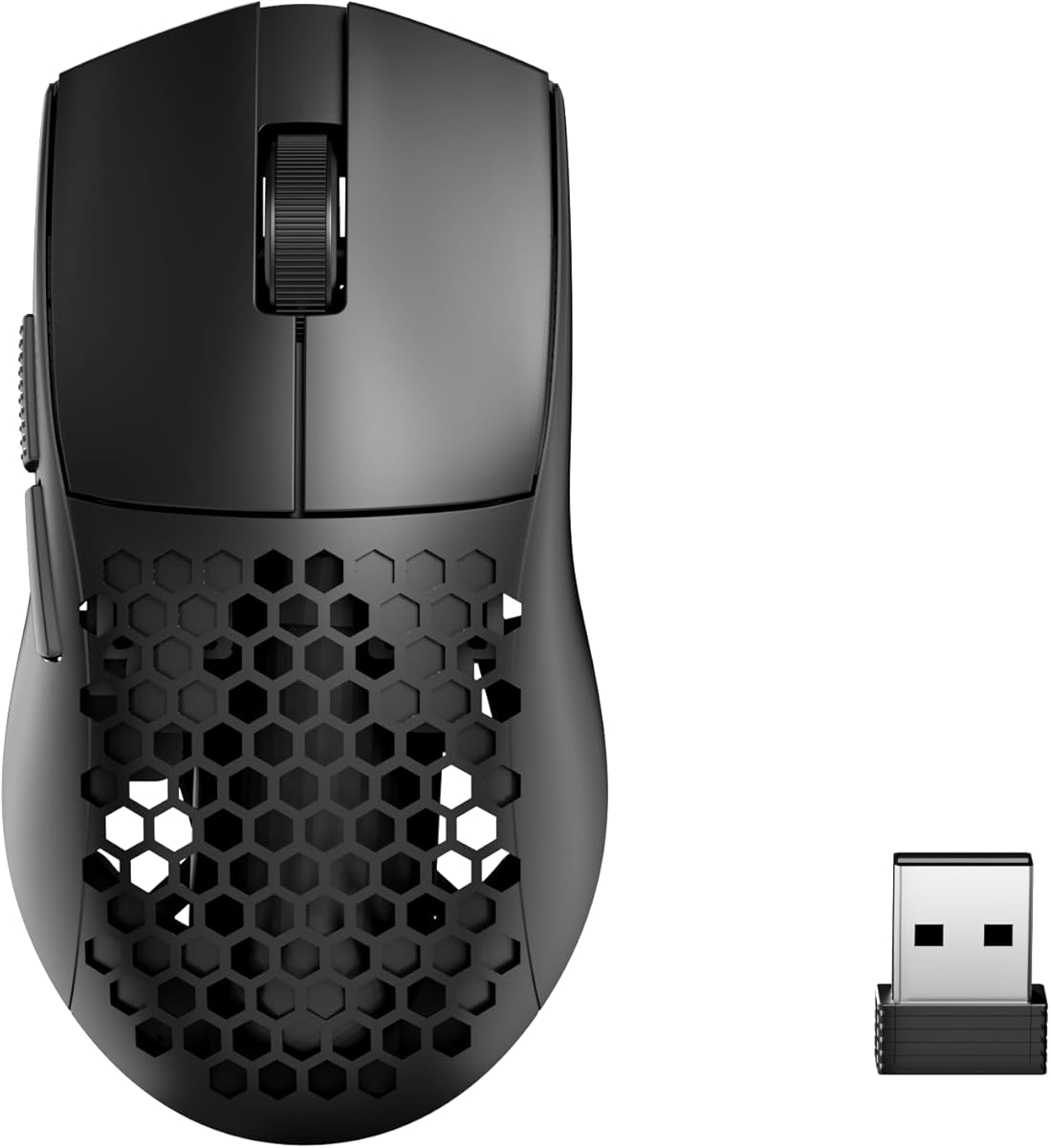

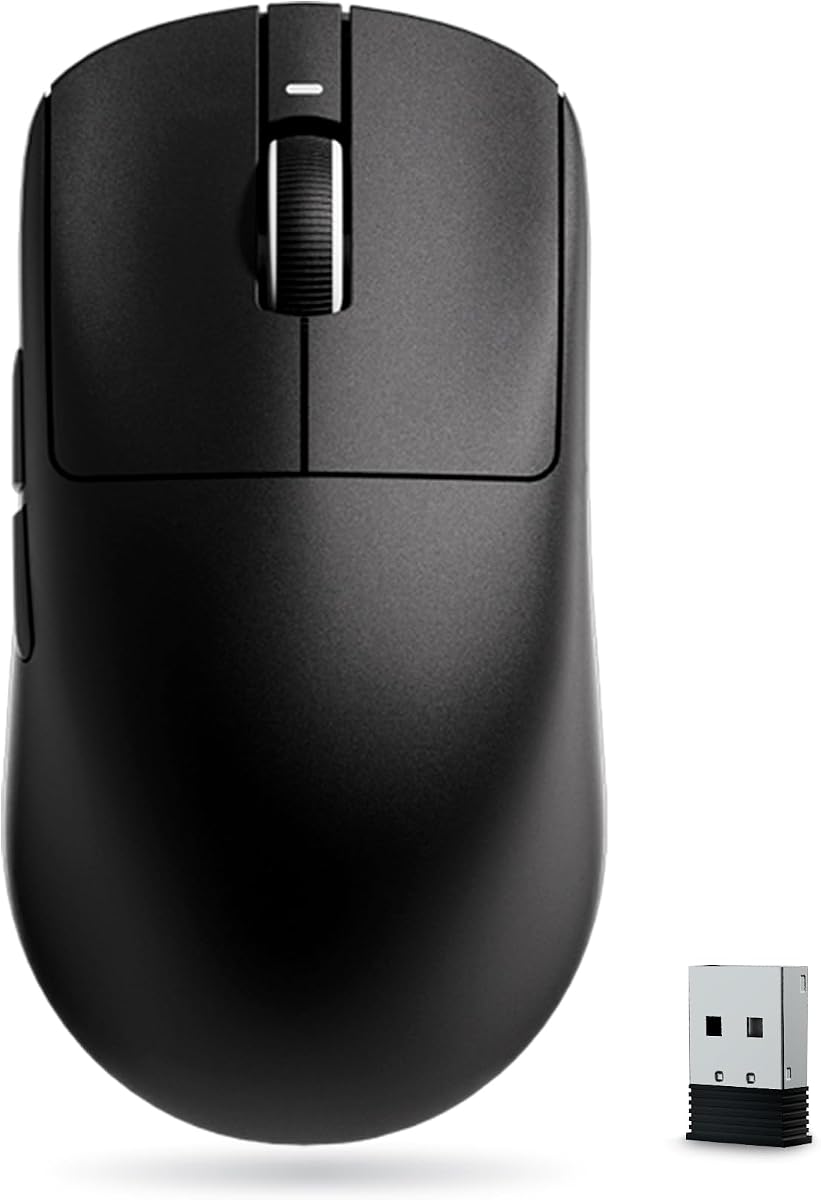

The ASUS ROG Harpe Ace Mini combines a 49-gram chassis, a compact semi-symmetrical shape, and an optical sensor specified for competitive aiming. Its supplied rating is 4.4, but the more important appeal is the combination of low mass and a shape refined from the larger ROG Harpe Ace. It is intended for fingertip and claw grips, particularly for players who want a smaller esports mouse without moving to a fundamentally different layout.
We may earn a commission when you buy through this link, at no additional cost to you.
The ROG AimPoint Pro optical sensor is listed at 42,000 DPI and includes track-on-glass technology. That combination matters in an FPS because a light mouse can reveal small corrective movements clearly, provided the sensor reads those movements consistently. The shell construction is designed to minimize fatigue while maintaining control, and the right-handed semi-symmetrical form gives fingertip users a compact target while still offering enough support for claw grip.
Connectivity is one of the strongest parts of the package. The mouse supports wired USB Type-C, low-latency 2.4GHz wireless, and Bluetooth, allowing it to serve competitive sessions as well as ordinary productivity. The supplied information also notes support for up to three devices and an Omni Receiver that can link multiple supported devices. Its stated battery life of up to 105 hours makes it a practical choice for players who do not want to charge routinely.
The main compromise is handedness: this model is explicitly designed for right-handed users. Its compact size may also feel too small for players accustomed to full-size mice, even if their hands are technically small. Still, for a right-handed FPS player seeking a sub-60-gram body, precise tracking, versatile connectivity, and a professional design lineage, the Harpe Ace Mini is the strongest all-around recommendation in this group.
The 42,000-DPI AimPoint Pro sensor is suited to fast flicks, micro-adjustments, and precise stopping. Its track-on-glass capability also gives players another usable surface option when a dedicated mouse pad is not immediately available.
The 49-gram design targets quick directional changes, while tri-mode connectivity lets users choose a wired connection, performance-focused 2.4GHz wireless, or battery-friendly Bluetooth depending on the task.
We may earn a commission when you buy through this link, at no additional cost to you.
The Razer Orochi V2 is built around portability and endurance, with a supplied rating of 4.4 and a listed weight below 60 grams before the battery is included. It is particularly attractive to FPS players who alternate between gaming, work, and travel and want a mouse that can remain connected for extended periods. The compact shape and low mass support quick movement without requiring a large desk footprint.
We may earn a commission when you buy through this link, at no additional cost to you.
Razer’s 5G Advanced 18K DPI optical sensor is designed for responsive tracking and precise aiming. The mouse can operate over Razer HyperSpeed Wireless for competitive games or standard Bluetooth for everyday productivity. Its second-generation mechanical switches are rated for up to 60 million clicks, giving it a conventional tactile feel that may appeal to players who prefer mechanical switches over optical alternatives.
Battery flexibility is especially unusual. The hybrid battery compartment accepts either an AA or AAA battery, allowing the user to balance runtime against the additional mass of a larger cell. The stated endurance reaches up to 950 hours over Bluetooth and up to 425 hours over HyperSpeed wireless. That makes the Orochi V2 unusually well suited to travel, although wireless operation means the final handling weight will depend on the chosen battery and mode.
It is not the most flexible option for players who want a wired fallback. There is no stated USB wired gaming connection, so competitive users are dependent on either HyperSpeed wireless or Bluetooth. Even so, the Orochi V2 offers a rare combination of low weight, a proven esports brand, strong tracking specifications, and exceptional battery flexibility. It is a particularly good match for mobile setups and players who value uptime over high-refresh polling.
The hybrid slot accepts AA or AAA cells, giving users practical control over the final weight. The sub-60-gram figure excludes battery mass, so players should account for that added weight when evaluating handling.
HyperSpeed wireless serves low-latency competitive play, while Bluetooth prioritizes longer use for productivity and travel. That separation makes the mouse adaptable across workdays, tournaments, and commutes.
We may earn a commission when you buy through this link, at no additional cost to you.
The ZORNHER X Mloong MX301 PRO offers a balanced approach to the sub-60-gram category. It weighs around 60 grams, uses a PAW3315 optical sensor, and supports wired, Bluetooth, and 2.4GHz connections. Its 4.7 supplied rating is the highest among the listed products, making it an appealing budget-oriented choice for FPS players who value a stable, grippy chassis over the absolute lightest construction.
We may earn a commission when you buy through this link, at no additional cost to you.
One of the product’s most interesting features is its carbon fiber-inspired texture. The visual treatment is intended to improve the tactile feel and reduce the inexpensive appearance associated with some lightweight plastic shells. A set of anti-slip grip tape is also included, which can be useful for players who want more security during fast swipes or who use a less conventional grip style.
The MX301 PRO is positioned as a balanced mouse rather than an extreme ultralight. Its stated design goal is to avoid the floating sensation some very light shells can create while still supporting quick movement. That makes it potentially easier to control for a new player or for someone who values deliberate correction over the absolute fastest possible movement. TTC switches supply crisp tactile clicks, while the web-based driver keeps customization relatively lightweight.
The package is unusually complete for a budget model. It includes a carrying case, grip tape, USB Type-C cable, 2.4GHz receiver, manual, and warranty card. Its limitations are the modest PAW3315 specification and the fact that the stated weight is around 60 grams rather than clearly below it. Even so, it offers an attractive combination of grip, accessories, three connection modes, and balanced handling for value-conscious FPS players.
The shell is designed to balance rapid movement with a stable sense of control. That middle ground can be useful for players who find extremely light mice difficult to stop accurately.
The included carrying case, grip tape, cable, and receiver make the package suitable for both travel and immediate desktop use. The surface texture also gives the mouse a more distinctive feel than a plain, smooth shell.
We may earn a commission when you buy through this link, at no additional cost to you.
The INPHIC IN10P is a feature-dense 60-gram gaming mouse aimed at players who want high polling, a capable sensor, programmable controls, and multiple connection methods in one package. Its supplied rating is 4.1, which is lower than several alternatives here, but the underlying specification sheet is extensive. The combination makes it worth considering for players who value adjustability and connectivity more than established esports pedigree.
We may earn a commission when you buy through this link, at no additional cost to you.
The PAW3395 optical sensor supports a maximum of 26,000 DPI across six selectable levels. In 2.4GHz mode, the listed polling rate reaches 8,000Hz, with a tracking speed specification of 650 inches per second. A custom Kunpeng KP950B chip handles the processing, while the driver exposes sensitivity, polling, and other core parameters. The switches are stated to have been tested for 100 million clicks, adding reassurance about long-term use.
Unlike many ultralight designs, the IN10P uses a solid shell rather than a perforated or honeycomb structure. The stated advantages are lower dust buildup and easier internal protection. Connectivity includes Bluetooth 5.0, 2.4GHz wireless, and a Type-C wired mode, allowing the mouse to move between a gaming PC, laptop, or tablet. Its built-in 400mAh battery is listed for up to 120 hours of use, with an RGB indicator that can also show low-power and DPI status.
The honest drawback is that its stated 60-gram weight sits at the upper edge of the requested category rather than below it. The supplied rating also suggests that some buyers may have found reasons to be less satisfied, although the data does not identify a specific weakness. Overall, the IN10P appeals to configurable FPS players who want a non-perforated 60-gram body, high-refresh wireless, and broad platform support in a single package.
The 8,000Hz wireless polling specification and software-adjustable controls target players who like to tune response settings. The PAW3395 sensor and broad DPI range support both fine correction and faster movement.
The unperforated shell is designed to reduce exposure to dust while preserving a 60-gram weight. That may be attractive to players who prefer easier maintenance over the visual and structural approach of a honeycomb design.
We may earn a commission when you buy through this link, at no additional cost to you.
The Logitech G PRO X Superlight 2 is a 60-gram wireless gaming mouse built around Logitech’s established lightweight pro-gaming platform. Its supplied rating is 4.5, and the specification list emphasizes 8,000Hz polling, a 44,000-DPI HERO 2 optical sensor, USB-C charging, and up to 95 hours of battery life. For FPS players who recognize the Logitech G Pro design language, it remains an obvious high-end reference point.
We may earn a commission when you buy through this link, at no additional cost to you.
The HERO 2 sensor tracks above 888 inches per second and supports up to 44,000 DPI, with calibration that avoids smoothing, acceleration, and filtering. Those characteristics are valuable for players who need raw movement to translate directly into aiming corrections. Zero-additive PTFE feet are designed to create a smooth glide over compatible surfaces, while LIGHTFORCE hybrid switches deliver a tactile click without the feel of a conventional fully mechanical switch.
The mouse supports 8,000Hz wireless polling and is also compatible with Logitech’s POWERPLAY system. Battery life is listed at up to 95 hours, although players who regularly use the highest polling rate may need to charge more often than casual competitors would. Its shape and construction reflect collaboration with esports professionals, giving it a more mature competitive design than many of the newer alternatives in this roundup.
The primary disadvantage is cost relative to budget-focused models, combined with the potential need to use Logitech software for some configuration preferences. Its 60-gram weight also lands exactly at the stated threshold rather than comfortably beneath it. Even so, the combination of sensor quality, smooth feet, polling speed, battery life, and proven pro-gaming credentials makes it an excellent choice for players seeking a refined, established lightweight setup.
The G PRO X Superlight 2 is presented as an evolution of a championship-oriented wireless design. Its shape, feet, switches, sensor, and polling options are all oriented toward consistent movement during competitive play.
The HERO 2 sensor, high tracking speed, and PTFE feet form a focused movement system. That makes the mouse suitable for players who value direct tracking and a smooth glide over extra lifestyle features.
We may earn a commission when you buy through this link, at no additional cost to you.
The Redragon M725 is a 49-gram honeycomb gaming mouse with a symmetrical shape, two side buttons, and support for Type-C wired, Bluetooth 5.1, and 2.4GHz wireless connections. Its supplied rating is 4.4. While its 8,000-DPI maximum is modest compared with the high-resolution sensors in this guide, the low weight, flexible connectivity, and programmable controls make it a practical FPS option for players who want essential features without a complex enthusiast platform.
We may earn a commission when you buy through this link, at no additional cost to you.
The hollow honeycomb shell is designed to reduce weight and promote airflow during long sessions. Its symmetrical form can be held in a variety of ways, including fingertip, claw, and relaxed palm approaches, and the stated 49-gram weight should make fast directional changes relatively easy. The shell may also appeal to players who enjoy a more ventilated design than a solid, sealed chassis.
Five DPI levels are listed at 400, 800, 1,600, 2,400, and 4,000 DPI, with software support for changing the five main controls. Those buttons can be assigned to hotkeys, media functions, and multi-key macros, while five configuration profiles allow users to switch setups. This flexibility is useful for FPS players who regularly move between games, streaming tools, and productivity applications.
There is no stated high polling rate, and the 8,000-DPI ceiling is well below the sensors used by several competitors. Players seeking maximum sensor resolution or extreme wireless refresh rates should look elsewhere. Even with those limits, the M725 offers a compelling combination of 49-gram handling, three modes, a symmetrical grip, and five customizable buttons at an accessible tier.
The honeycomb structure reduces mass while allowing airflow around the hand. This construction approach distinguishes the M725 from solid-shell ultralights while retaining a symmetrical, versatile shape.
Five programmable buttons and five profiles cover common FPS shortcuts, streaming commands, and work functions. Redragon’s dedicated software provides customization without requiring advanced hardware knowledge.
We may earn a commission when you buy through this link, at no additional cost to you.
The Redragon M916 combines a 49-gram body, a sensor reaching 26,000 DPI, and a stated 4,000Hz report rate. It carries a 4.5 supplied rating, making it one of the stronger-rated products here. Unlike the M725, its headline specifications are clearly oriented toward competitive shooters, particularly players who want a high-resolution sensor and faster wireless data transmission.
We may earn a commission when you buy through this link, at no additional cost to you.
The default DPI stages are 1,000, 2,000, 4,000, 8,000, and 26,000, and the software supports a broader range from 100 to 26,000. That flexibility allows users to begin with a manageable sensitivity and then increase precision as needed. A Nordic flagship chip and Redragon’s 4K transmission technology form the basis for the stated report rate, which is intended to make fast movement feel more immediate.
The mouse provides Bluetooth and 2.4GHz nano-receiver connectivity, both oriented toward wireless freedom. Five programmable buttons, including two side buttons, can be reassigned to game actions, media controls, or work shortcuts. Its natural, hand-shaped shell is designed to reduce fatigue over extended gaming or work sessions, and dedicated driver software handles button, hotkey, media, and DPI customization.
One limitation is the absence of a stated wired connection, which reduces flexibility for players who want a guaranteed low-latency cable option. Full configuration also depends on Redragon’s software, so buyers who prefer a minimal software footprint may find the M725 more convenient. Nevertheless, the M916 combines a very low weight, high maximum DPI, 4,000Hz wireless reporting, and practical remapping controls into an appealing competitive option.
Five predefined DPI levels make it simple to move between general desktop use and precision aiming. The full 100-to-26,000-DPI software range provides additional room for players who want fine-grained control.
The stated 4,000Hz report rate targets quick input transmission in 2.4GHz mode. Combined with the 49-gram shell, it gives the M916 a performance-focused profile without a high-refresh sensor limit.
We may earn a commission when you buy through this link, at no additional cost to you.
The ATK VXE Dragonfly R1 SE+ weighs 55 grams and measures 120.6 by 64.1 by 37.6 millimeters. Its dimensions and symmetrical body are specifically described as suitable for medium and small hands. With a 4.4 supplied rating, it stands out as a compact everyday and gaming mouse rather than one chasing extreme polling rates or maximum sensor resolution.
We may earn a commission when you buy through this link, at no additional cost to you.
The PAW3395 SE sensor supports a 10-to-18,000-DPI range with fine adjustment steps. A Beken chip and Smart Speed X wireless technology support stable low-latency communication, although the stated polling rate is limited to 1,000Hz in both wired and wireless modes. For most players, that is sufficient for responsive aiming, but it places the R1 SE+ below models advertising 4,000Hz or 8,000Hz data rates.
The mouse supports wired, 2.4GHz wireless, and Bluetooth modes, with Windows and Mac compatibility. Its built-in 520mAh battery is listed for up to 70 hours of continuous use at 1,000Hz. Huano Blue Glow V2 switches provide a crisp rebound, while an FSWITCH E10 optical scroll wheel and programmable side and main buttons add control. Swift PTFE feet are intended to support smooth movement.
Its biggest limitation is clearly the 1,000Hz ceiling. Players who insist on the lowest possible wireless latency should favor a higher-polling model. The trade-off is balanced by the 55-gram weight, compact dimensions, strong sensor resolution, and flexible connectivity. The Dragonfly R1 SE+ is especially well suited to smaller-handed players who find many full-size ultralight mice uncomfortable.
The stated dimensions reduce the risk of a cramped grip, while the 55-gram weight supports quick movement. The symmetrical shape also allows users to adopt a more flexible hand position.
The Dragonfly R1 SE+ focuses on a stable 1,000Hz connection, a capable PAW3395 SE sensor, and flexible three-mode operation. It prioritizes practical response and compact handling over headline refresh rates.
We may earn a commission when you buy through this link, at no additional cost to you.
The Razer Viper V4 Pro is a 49-gram wireless esports mouse with a 4.6 supplied rating and an unusually advanced competitive specification set. It combines a true 8,000Hz polling option, Razer HyperSpeed Wireless Gen-2, a Focus Pro 50K optical sensor, optical scroll actuation, and fourth-generation optical switches. It is the most feature-forward premium option in this guide.
We may earn a commission when you buy through this link, at no additional cost to you.
The stated polling rate is supported by 55% lower latency compared with the previous generation, according to the supplied product information. The Focus Pro 50K sensor tracks at up to 930 inches per second and supports up to 90 G of acceleration. Frame Sync aligns sensor data with the PC to reduce latency, while the 50,000-DPI ceiling provides ample range for both fine adjustments and faster movement.
The optical scroll wheel uses light-based actuation rather than a conventional mechanical wheel, supporting more consistent tracking and greater durability. Gen-4 optical switches provide a tactile click feel and are rated for a 100-million-click lifespan. Razer Synapse 4 is available for PC and Mac, with sensitivity controls, mouse rotation, and fine one-DPI-step adjustments. The package includes grip tape, a HyperSpeed receiver, and a USB Type-A to Type-C cable.
Battery life depends heavily on the selected mode. Razer lists up to 180 hours at 1,000Hz and up to 45 hours at 8,000Hz, so maximum-refresh users will need to charge more often. Its premium tier also places it beyond most casual purchases. Even with those caveats, the combination of 49 grams, true 8,000Hz polling, 50,000-DPI tracking, optical controls, and Razer’s competitive software makes it the most aggressively performance-oriented recommendation here.
The 8,000Hz option places this mouse among the most performance-focused models in the comparison. Frame Sync, HyperSpeed Wireless Gen-2, and the 50K sensor work together to support quick, consistent input.
The optical scroll wheel and Gen-4 optical switches reduce reliance on mechanical contact points. Their stated durability makes them well suited to players who use scroll-wheel movement and click frequently.
We may earn a commission when you buy through this link, at no additional cost to you.
The GLORIOUS Model O Eternal combines a 55-gram honeycomb shell, a symmetrical shape, wired connectivity, and customizable dual-zone RGB lighting. Its supplied rating is 4.4. It is a strong option for FPS players who enjoy visual personalization and a familiar gaming-mouse layout but do not need wireless connectivity or extreme polling rates.
We may earn a commission when you buy through this link, at no additional cost to you.
The 12,000-DPI optical sensor provides a practical range for different sensitivity preferences, while the symmetrical design supports fingertip, claw, or relaxed palm positioning. The shell is stated to be up to 35% lighter than competing models, using the hollow construction to reduce mass without sacrificing the overall structure. Its shape is designed for fast swipes, precise stops, and controlled movement.
Lighting is the model’s clearest lifestyle and customization feature. Dual RGB zones illuminate the flared side panels and can be configured through quick button shortcuts or Glorious CORE software. Six remappable buttons allow players to assign abilities, utilities, and shortcuts, and the mechanical switches are rated for 80 million clicks with a focus on crisp feedback and resistance to double-click problems.
The major limitation is that it is wired only, with no stated 2.4GHz or Bluetooth mode. There is also no high polling rate in the supplied specifications, so it is not aimed at players optimizing every millisecond of wireless input. Its advantage is a straightforward, colorful, and lightweight experience with generous remapping. For a stationary gaming setup, the Model O Eternal remains a distinctive and capable FPS option.
Dual-zone RGB lighting adds visual customization while the 55-gram shell remains focused on low handling weight. The symmetrical form makes the mouse adaptable to several common grip styles.
Wired operation removes the need to manage wireless power or connectivity. Six programmable buttons and a 12,000-DPI sensor provide the core competitive controls without a complicated feature set.
We may earn a commission when you buy through this link, at no additional cost to you.
Choosing an ultralight FPS mouse involves balancing speed, control, tracking, grip, connectivity, and endurance. The most useful specification is not always the largest number; it is the combination of features that suits your sensitivity, hand size, desktop setup, and play schedule.
Weight affects the entire feel of a mouse, but the stated figure may not describe what you will hold during a match. Some manufacturers count the bare mouse, while others include a battery, receiver, cable, or other components. The Razer Orochi V2 is explicitly listed as under 60 grams excluding battery weight, which means the final handling mass depends on the AA or AAA cell selected. The Logitech G PRO X Superlight 2 and INPHIC IN10P are listed at exactly 60 grams, while the ASUS ROG Harpe Ace Mini, Redragon M725, Redragon M916, and Razer Viper V4 Pro are listed at 49 grams.
Choose based on the complete setup, not the headline number. A 49-gram wired or low-latency wireless mouse may feel extremely light, whereas a 55- or 60-gram model with a battery can feel more substantial. Very light shells can accelerate swipes, but some players find them harder to stop accurately. If you are new to ultralight designs, a balanced model near 55 or 60 grams may be easier to control than the absolute lightest option.
DPI expresses how many tracking counts the sensor registers per inch of movement. A higher maximum does not automatically mean a better mouse, because most players operate at a much lower effective sensitivity, and the in-game sensitivity multiplier also changes the result. The list ranges from an 8,000-DPI maximum on the Redragon M725 to 50,000 DPI on the Razer Viper V4 Pro, with the ASUS model offering 42,000 DPI, Logitech offering 44,000 DPI, and several other models falling between 18,000 and 26,000 DPI.
Prioritize sensor consistency, tracking speed, and usable DPI steps rather than chasing the highest ceiling. Competitive players often want a lower range for fine adjustment and the ability to raise it for fast turns. Check whether the mouse offers onboard selection, software adjustment, or a practical collection of preset levels. A very broad range is useful, but only if the mouse tracks cleanly and lets you return to a known sensitivity without hassle.
Polling rate describes how frequently a mouse reports input to the computer, while report rate is a related term sometimes used by manufacturers. The ATK VXE Dragonfly R1 SE+ is listed at 1,000Hz, the Redragon M916 at 4,000Hz, and both the Logitech G PRO X Superlight 2 and Razer Viper V4 Pro at 8,000Hz. Other models in the list do not provide a corresponding headline figure. These numbers describe data frequency, not movement quality, so the sensor, shape, and connection stability still matter.
For competitive shooters, higher polling can reduce input delay and make very small corrections feel more immediate. It may also increase power use, which is why the Razer Viper V4 Pro’s stated endurance falls from 180 hours at 1,000Hz to 45 hours at 8,000Hz. A high-refresh mouse is most valuable in a stable low-latency setup. Players using Bluetooth, shared USB ports, or an unstable wireless environment may gain less than the maximum polling number suggests.
Wired, 2.4GHz wireless, and Bluetooth serve different priorities. A wired mouse provides a direct connection and avoids wireless power management, making the GLORIOUS Model O Eternal a simple choice for a stationary gaming desk. Tri-mode models such as the ASUS ROG Harpe Ace Mini, INPHIC IN10P, Redragon M725, and ATK VXE Dragonfly R1 SE+ can move between gaming and productivity environments. The Razer Orochi V2 offers two wireless modes, while the Redragon M916 focuses on Bluetooth and 2.4GHz operation.
For a tournament desk, 2.4GHz wireless is generally the relevant mode because it is designed for low-latency input. Bluetooth is more useful for travel, office work, and devices where power efficiency matters. If you already use a gaming laptop or desktop with a reliable wired connection, do not pay for wireless capabilities you will never use. Conversely, a lightweight wireless mouse can make a mobile setup more pleasant when long cable management is undesirable.
Grip is a crucial factor because even an excellent sensor cannot compensate for a mouse that causes discomfort or forces an awkward hand position. The ASUS ROG Harpe Ace Mini uses a compact semi-symmetrical shape optimized for fingertip and claw grips, especially for smaller hands. The ATK VXE Dragonfly R1 SE+ is similarly compact, with stated dimensions suited to medium and small hands. The GLORIOUS Model O Eternal and Redragon M725 use symmetrical bodies that can accommodate more varied grip styles.
Palm grip generally benefits from a longer body and more rear support, while fingertip grip favors a smaller, lighter shape that allows rapid repositioning. Claw grip sits between those approaches and benefits from clear side contours and accessible buttons. Do not select by appearance alone. Compare the dimensions with the mouse you use now, account for your hand size, and consider whether a small shape will reduce fatigue or create pressure during long sessions.
The list covers mechanical, hybrid, and optical switch approaches. The Razer Orochi V2 uses second-generation mechanical switches rated for 60 million clicks, the ZORNHER MX301 PRO uses TTC switches, and the GLORIOUS Model O Eternal uses mechanical switches rated for 80 million clicks. The INPHIC IN10P states that its switches were tested for 100 million clicks, while the Razer Viper V4 Pro uses Gen-4 optical switches with a stated 100-million-click lifespan. The ATK model uses Huano Blue Glow V2 microswitches.
Click feel is subjective, so consider sound, tactile force, and actuation speed together with durability. Optical switches can offer consistent operation and fast actuation, but a player who prefers a traditional mechanical response may be happier with a conventional design. Button count also matters. The Redragon M725, M916, and GLORIOUS Model O Eternal offer five or six programmable controls, which is useful for ability-heavy games but unnecessary for basic shooters.
Battery endurance varies dramatically. The Razer Orochi V2 lists up to 950 hours over Bluetooth and 425 hours over HyperSpeed wireless, while the Razer Viper V4 Pro lists up to 180 hours at 1,000Hz and 45 hours at 8,000Hz. Other stated figures include 120 hours for the INPHIC IN10P, 105 hours for the ASUS ROG Harpe Ace Mini, 95 hours for Logitech G PRO X Superlight 2, 70 hours for the ATK VXE Dragonfly R1 SE+, and up to 425 hours for the Razer Orochi V2 on its faster wireless mode.
Look at endurance in the mode you will actually use, since Bluetooth and high-refresh 2.4GHz operation can produce very different results. Removable batteries improve convenience because they can be replaced without a cable, while built-in rechargeable systems simplify the shape and reduce protruding battery bulk. A model that lasts several weeks between charges may be more practical than one with a very high polling rate but frequent charging requirements.
Software determines how easily you can assign DPI stages, buttons, polling rates, and other settings. Redragon provides dedicated configuration software for the M725 and M916, Glorious CORE handles the Model O Eternal, ASUS uses its ROG software, Logitech uses its G Hub ecosystem, and Razer Synapse 4 supports the Viper V4 Pro. The ZORNHER MX301 PRO uses a lightweight web-based driver, while the INPHIC IN10P is described as fully programmable through its driver.
A large software package is valuable only if it improves your setup. Dedicated tools can make profile switching, macro assignment, and sensitivity changes easier, but they also add setup time and a dependency on the manufacturer. The M725 and M916 bundle hardware that expands everyday usefulness, including grip tape and a receiver. Also consider whether the mouse supports your operating system and whether you prefer onboard controls that remain useful without software.
Begin by configuring the mouse before entering a competitive session. Install the appropriate driver, set the in-game sensitivity, select a comfortable DPI stage, and assign only the side or auxiliary buttons you can access without changing your grip. If the mouse has multiple wireless modes, reserve 2.4GHz for gaming and use Bluetooth for general productivity. A brief calibration or tracking test on the intended surface can reveal inconsistency before a match begins.
Use a consistent, unobstructed tracking surface. The supplied specifications mention track-on-glass support for the ASUS mouse, while other models are best evaluated on a suitable pad or other predictable surface. Clean the feet periodically so dust does not create drag or uneven gliding. Keep the receiver or cable within a clear path, and avoid placing the mouse against a desk edge, where rapid lateral movement could cause it to fall.
For long sessions, take short breaks and allow your hand and forearm to relax. A lighter mouse can reduce the effort of movement, but it does not prevent fatigue caused by a tense grip or awkward posture. Keep the mouse clean, recharge it according to the manufacturer’s guidance, and update software when needed. Avoid unnecessary weight additions, grippy stickers, or accessories that can unbalance the shell, especially on a 49-gram model.
Not automatically. A 49-gram mouse can support faster swipes and easier repositioning, but some players find an extremely light shell harder to stop precisely. A well-balanced 60-gram model may feel more controllable for a particular grip style. The best choice depends on your sensitivity, hand size, and comfort as much as the stated weight.
No. A high polling rate can reduce input delay and make small corrections feel immediate, but aiming also depends on the sensor, shape, grip, sensitivity, and connection stability. Players should use the highest practical polling rate rather than assuming a larger number always produces a visible competitive advantage.
Yes, when the connection is stable and the mouse is positioned well. The 2.4GHz mode is the performance-oriented wireless option on many of the listed models and is generally more appropriate for gaming than Bluetooth. Wired mode remains useful for players who want a direct connection and do not need wireless flexibility.
No. Small-handed players may benefit from compact designs such as the ASUS ROG Harpe Ace Mini or ATK VXE Dragonfly R1 SE+, provided the dimensions suit their hand. A mouse that feels compact but causes finger pressure or prevents control is not a good match, so grip comfort should take priority over weight alone.
Neither construction is universally better. Honeycomb shells can reduce weight and promote airflow, while solid shells may be easier to protect from dust and often feel more uniform. The best choice depends on handling preference, build priorities, and the quality of the specific design rather than the shell pattern itself.
High maximum DPI gives players room to change sensitivity, but the sensor must still track consistently at the level they use. Many effective competitive configurations use moderate DPI values, so a broader range is useful rather than essential. Players should select a level that permits controlled movement without requiring large hand motions.
It depends on the mouse, polling rate, and battery type. A model such as the Razer Orochi V2 can operate for many hundreds of hours in Bluetooth mode, while an 8,000Hz configuration on the Razer Viper V4 Pro is listed for a much shorter 45 hours. Check the stated endurance for the exact connection and performance mode you use.
Grip tape, a carrying case, and a suitable tracking surface can improve confidence and setup quality. The ZORNHER MX301 PRO includes all three categories of accessory, while several Redragon and Razer models include grip tape. Accessories should not add excessive weight or unbalance the mouse, and they should not be used to cover the sensor or feet.
The ASUS ROG Harpe Ace Mini is the strongest all-around option because it combines a 49-gram compact shape, a 42,000-DPI sensor, and three-mode connectivity. The ZORNHER X Mloong MX301 PRO stands out for balanced handling, grip features, and a generous accessory package, while the Razer Viper V4 Pro leads the premium group with true 8,000Hz polling and a 50,000-DPI sensor.
Prioritize the complete experience rather than the largest specification. Players with smaller hands should examine shape and grip, frequent travelers may value the Razer Orochi V2’s battery flexibility, and competitive users who need maximum wireless refresh may prefer the Viper V4 Pro. Wired-only options, removable batteries, programmable buttons, sensor precision, and mouse feet can all influence which model feels best over time.
Product listings, ratings, availability, and prices can change, so verify the current specifications and prices before purchasing. Check the final weight, operating system support, wireless mode, battery expectations, and return terms. The right choice is the lightweight mouse that feels comfortable, tracks consistently, and supports the way you actually play.