
Calibrite Display 123
4.0Editor score
Guided 1 2 3 workflow
Supports two displays
USB C connectivity
Before-and-after comparison
Our Colorimeter for Monitor Calibration guide compares 10 colorimeters for accuracy, HDR support, software, workflows, and ease of use in 2026.
A colorimeter for monitor calibration measures the colors and brightness your display produces, then creates a profile that helps software interpret those colors consistently. The best results come from a device whose sensor range, software, calibration targets, and supported workflows suit your monitor and the way you work.
We compared all ten products by examining their stated sensor capabilities, supported display technologies, calibration controls, software features, workflow coverage, and practical extras. The list includes straightforward photo and design tools, advanced HDR and video instruments, and combined capture-to-edit kits for photographers and filmmakers.
Each pick reveals a different balance of capabilities, from simple guided calibration to professional control over luminance, gamma, white point, and video standards. Product availability and prices change, so check the current listing and confirm compatibility with your display, operating system, and creative software before buying.
4.0Editor score

4.3Editor score

4.0Editor score
This side-by-side comparison highlights sensor range, display compatibility, software depth, and specialized workflow features, helping you identify the right colorimeter for photography, design, video, HDR, or a complete capture-to-edit process.



The Calibrite Display 123 combines an approachable guided workflow with practical tools for photo editing and color-accurate viewing. Its 4.0 rating reflects a generally useful package for users who want dependable calibration without navigating an elaborate control panel. The device supports up to two displays, includes a USB C connection, and is designed around a straightforward 1 2 3 software workflow.
We may earn a commission when you buy through this link, at no additional cost to you.
The strongest feature is the way the product turns color management into a repeatable process. Users can select brightness targets such as Native or Photo, position the colorimeter on the screen with its adjustable counterweight, and follow the software through the measurement sequence. A built-in before-and-after check makes the result easier to evaluate by showing the visible difference rather than relying only on technical pass-and-fail messages.
Its limitations center on scope rather than basic usability. The supplied information does not position it as a high-luminance instrument for measuring displays up to 10,000 nits, nor does it list advanced broadcast tone curves and detailed video controls. That makes it more appropriate for ordinary editing monitors and dual-screen creative workspaces than for demanding HDR grading environments or specialist color pipelines.
This is a strong recommendation for photographers, designers, and general creative users who want a direct route to a more neutral display. If you use two displays, appreciate a compact USB C device, and prefer clear guidance over extensive manual tuning, the Display 123 offers the most approachable balance in this roundup. Its rating is modest, but its feature set fits creators who value simplicity.
The guided sequence, selectable brightness targets, and comparison view give beginners useful checkpoints. The result is a calibration process that feels manageable while still supporting regular color correction for photo editing and general design work.
Supporting two displays makes the device particularly attractive to editors who divide tasks across a laptop and an external monitor. Consistent profiling on both screens can reduce confusion when moving between color-critical applications.
We may earn a commission when you buy through this link, at no additional cost to you.
The Calibrite Display Plus HL is designed for creators whose displays extend beyond ordinary brightness levels. Its 4.0 rating is paired with a specification sheet centered on professional flexibility: an advanced high-luminance sensor, measurement up to 10,000 nits, and compatibility with LCD, mini-LED, OLED, Apple XDR, and super-bright displays.
We may earn a commission when you buy through this link, at no additional cost to you.
Calibrite PROFILER expands the feature set with Basic and Advanced modes. Users can adjust white point, luminance, contrast ratio, and gamma, create custom patch sets, and rely on shared presets for repeatable team workflows. Video-oriented features include Rec.709 support and BT.1886 tone curve options for Rec.2020 workflows, while Quick Check, Profile Validation, Uniformity Check, and Profiler Manager add useful verification tools.
The trade-off is complexity relative to simpler guided calibrators. Its extensive options may feel unnecessary for a user who only wants a dependable starting point for a standard display. The supplied information also does not provide the same high-luminance capability for every product in the list, so the extra sophistication is most meaningful when your monitor genuinely benefits from HDR or very bright output.
Choose the Display Plus HL if you edit HDR video, grade on mini-LED or OLED panels, work with XDR displays, or need a repeatable standard across several monitors. For video colorists and serious photographers who want direct control over highlights, blacks, gamma, and luminance, it is the most capable premium instrument in this guide.
A measurement range reaching 10,000 nits allows the device to evaluate displays whose highlights exceed the reach of basic colorimeters. That matters when brightness, black levels, and highlight roll-off must remain consistent during grading.
Profile validation, uniformity checks, and quick verification routines give users more than a one-time profile. These tools can help confirm that a display continues to behave as expected after adjustment.
We may earn a commission when you buy through this link, at no additional cost to you.
The Datacolor Spyder Monitor Calibrator offers one of the fastest paths to a calibrated display, with a stated calibration time of about 90 seconds. Its 4.2 rating reflects a well-rounded feature set that combines speed, modern panel compatibility, and adaptable controls for both novices and experienced users.
We may earn a commission when you buy through this link, at no additional cost to you.
Compatibility is a major strength. The device supports a wide range of laptop and desktop displays, including OLED, mini-LED, and Apple Liquid Retina XDR screens, along with current Windows and Mac operating systems. The ambient light sensor tracks changes in room lighting and can warn you to recalibrate or automatically apply a custom profile based on the current light level, which helps maintain an appropriate viewing setup.
A distinctive feature is DevicePreview TM Beta, which simulates how photographs may appear on other devices using the calibrated screen. That makes the product interesting for photographers who want a quick reference beyond their own display. It is also important to understand the limitations: the feature is labeled beta, while the supplied information gives no explicit extreme-luminance measurement figure comparable to the Display Plus HL.
This Spyder is a strong all-around choice for users with contemporary Windows or Mac displays who value speed. Novices can use the preset calibration option, while professionals can adjust settings for greater control. Choose it when broad display support and automatic adaptation to changing room light matter more than the deepest HDR-oriented video controls.
The ambient light sensor adds value beyond a one-time measurement. By responding to light shifts, it can keep the display's brightness and contrast aligned more closely with the conditions in which you are working.
A roughly 90-second process suits quick routine maintenance. Presets help new users begin, while customizable settings give experienced editors room to tune the result for their own workflow.
We may earn a commission when you buy through this link, at no additional cost to you.
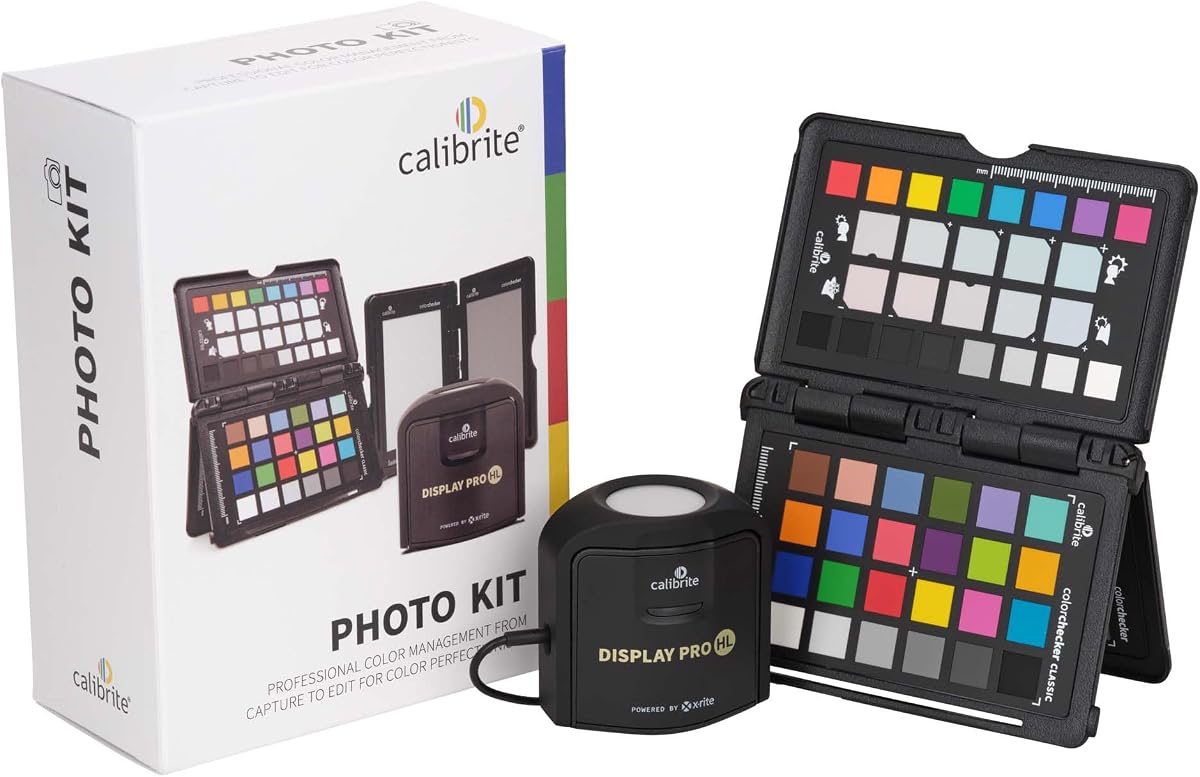
The Calibrite Photo Kit is the highest-rated product in this guide at 4.5, and its appeal comes from joining two color-management stages rather than offering a colorimeter alone. It includes the Display Pro HL colorimeter and ColorChecker Passport Photo 2, creating a package for photographers who want consistency from capture through RAW editing and final display review.
We may earn a commission when you buy through this link, at no additional cost to you.
The ColorChecker Passport Photo 2 supports custom camera profiles for RAW still workflows, consistent white balance, and an exposure reference. The Display Pro HL calibrates and profiles modern laptop and desktop displays, including mini-LED, OLED, and Apple XDR technologies. Together, these components can reduce color guesswork when changing locations, lighting conditions, or working sessions.
This is a more extensive system than a simple monitor profiler. Users who only edit on one standard display may find that they need only part of the kit, while photographers who repeatedly shoot RAW material can benefit from aligning camera profiles with display profiles. Calibrite PROFILER supplies familiar monitor controls and presets, including customizable white point and gamma targets.
It is best suited to photographers who want a repeatable capture-to-edit process rather than a one-off display correction. The combination is especially relevant when the same images move from camera RAW files into editing software and then onto modern high-performance monitors. For that user, the kit offers greater workflow coherence than a colorimeter used alone.
The kit addresses color at both ends of the photographic process. A camera profile can establish a more consistent source image, while display profiling helps ensure that the edited result appears as intended.
White balance and exposure references reduce variation between sessions and locations. This repeatability is valuable when a photographer cannot guarantee identical lighting from one shoot to the next.
We may earn a commission when you buy through this link, at no additional cost to you.
The Calibrite Creator Kit pairs the straightforward Display 123 colorimeter with the ColorChecker Passport Video 2. Its 5.0 rating makes it the highest-rated option in the roundup, and the bundle is designed for hybrid creators who want a common color reference from filming through post-production rather than only a monitor calibration tool.
We may earn a commission when you buy through this link, at no additional cost to you.
On set, the Passport Video 2 helps establish white balance, verify exposure, and match multiple cameras in changing or mixed lighting. In the edit, the Display 123 creates a monitor profile through its guided workflow. Together, they support a more unified path across footage, still images, editing, grading, design, and delivery across different displays and software platforms.
The main limitation is that the kit does not offer the extreme-luminance measurement or advanced video tone-curve controls found in the dedicated premium models. It is therefore better suited to conventional creative workflows than to specialist HDR calibration. Its strength is not simply adding more calibration targets, but connecting capture references to a practical display correction.
This kit is a compelling recommendation for videographers, photographers, and hybrid creators who need dependable color standards across cameras and monitors. It is especially attractive when white balance and exposure continuity matter on set and the same team member needs a simple way to calibrate the editing display. The result is an approachable package with unusually strong workflow cohesion.
The Passport Video 2 creates an on-set visual reference, while the Display 123 profiles the screen used for post-production. That connection can reduce the trial-and-error cycle between recording and correction.
Matching cameras with a common reference is useful when a production uses more than one body or works through a mixed lighting setup. Consistent capture references make later comparisons and corrections more dependable.
We may earn a commission when you buy through this link, at no additional cost to you.
The Calibrite ColorChecker Display Pro is a traditional professional colorimeter whose central advantage is measurement repeatability. Its 4.2 rating aligns with a product designed for users who care about obtaining consistent profiles on the same display and across different display types. It works with ccProfiler or i1Profiler software.
We may earn a commission when you buy through this link, at no additional cost to you.
Its physical design is unusually versatile. A rotatable diffuser arm can serve as a tabletop stand for projector profiling, provide a cover for the instrument optics, and support ambient light measurement. An integrated tripod mount extends the setup options for larger venues, allowing the device to be positioned more conveniently when profiling projectors.
The tradeoff is that the supplied feature information does not emphasize the newest display technologies, automated light-level workflows, or extreme HDR measurement found elsewhere in the guide. It is a professional instrument, but its listed benefits are centered on repeatability and projector versatility rather than the broad control panels offered by newer premium models.
This device makes sense for established color-management workflows that use ccProfiler or i1Profiler, particularly if projector profiling or ambient light measurement is important. It is also attractive to users who value physical mounting options and stable optical performance over cloud-style device simulation or modern multi-display automation.
The optical design is intended to produce repeatable results on a given display and across multiple display types. Consistent measurement behavior is essential when profiles must remain dependable as a workstation changes.
The diffuser arm and tripod mount extend the device into projector profiling and venue work. That physical versatility can make it more useful in studios, presentation spaces, and production environments.
We may earn a commission when you buy through this link, at no additional cost to you.
The Datacolor Spyder5PRO is a mature choice for photographers and designers who want a fast, understandable calibration process. Its 4.3 rating reflects a focused package built around RGB monitor profiling, room-light monitoring, multi-display analysis, and a five-minute full calibration that fits comfortably into a routine editing schedule.
We may earn a commission when you buy through this link, at no additional cost to you.
The software determines an optimal monitor brightness based on room lighting, helping users preserve visibility in shadow detail and highlights. Its Display Analysis feature can evaluate and compare multiple laptop and desktop monitors, while a before-and-after evaluation lets you inspect the calibration using your own photographs rather than a generic sample image.
Compared with high-end HDR instruments, its limitations are visible in the specification list. The supplied data does not mention measurement up to 10,000 nits, advanced broadcast tone curves, or extensive luminance and contrast controls. It is therefore better positioned for conventional color-accurate editing than for specialist high-luminance grading.
Despite those boundaries, it remains a persuasive everyday professional tool. Photographers can see the effect on images they care about, designers can compare display performance, and the five-minute process reduces the friction of regular recalibration. It is particularly well suited to users who want practical guidance and visual evidence without navigating deeply technical settings.
The before-and-after comparison helps connect calibration to the work you actually do. Seeing familiar photographs makes subtle shifts easier to judge than memorizing abstract chart results.
Room-light monitoring determines a suitable display brightness for the current environment. This supports better shadow and highlight visibility while reducing the need for manual adjustments throughout the day.
We may earn a commission when you buy through this link, at no additional cost to you.
The ASUS ProArt CaliContrO MCA02 is unusual because it combines a colorimeter with monitor on-screen display controls and the ASUS Dial. Its 1.5 rating is the lowest in this roundup, but the hardware specification includes a measurement range up to 10,000 nits and compatibility with LED, OLED, mini-LED, and other modern panel types.
We may earn a commission when you buy through this link, at no additional cost to you.
The 3-in-1 design aims to simplify a creator desk. Hardware and software calibration are handled through ASUS software, while a five-way navigator and shortcut key provide OSD access. The integrated ASUS Dial can also be assigned shortcuts for precise control within compatible creator software. A reversible USB C connection supports straightforward attachment to compatible displays.
Its main concern is the low rating, which may reflect buyer experience, early product maturity, or issues not visible in the supplied specifications. The listing also provides less information about validation, profile management, video standards, and multi-monitor controls than competing premium tools. Those omissions make it harder to compare confidently with established professional colorimeters.
The clearest audience is an ASUS ProArt user who values an integrated desk accessory and already uses compatible ASUS creator software. For everyone else, the broader selection and more detailed workflow support of the Spyder or Calibrite professional options may justify further research. Check current owner feedback and software compatibility before making a final choice.
The device reduces desk clutter by bringing profiling and OSD navigation into one unit. That integration is particularly convenient when the rest of the workstation is built around ASUS ProArt hardware and creator applications.
The stated 10,000-nit range supports modern high-brightness displays, although the limited 1.5 rating and shorter feature list warrant checking recent owner feedback. Capability on paper should be weighed against the product's practical reception.
We may earn a commission when you buy through this link, at no additional cost to you.
The Datacolor Spyder4Pro focuses on the essentials of display profiling with a 4.2 rating and an emphasis on repeatability. Its full-spectrum color sensor supports automated color and brightness calibration, while one device can be used with multiple displays. This makes it a practical option for creators who want consistent profiles across more than one screen.
We may earn a commission when you buy through this link, at no additional cost to you.
The fourth-generation sensor design uses double-shielded color filters to move closer to CIE color standards and improve long-term stability. Datacolor states that average accuracy is improved and consistency between Spyder units is better. The ReCAL feature helps users repeat the calibration process as the display changes, simplifying routine maintenance.
The limitation is its age relative to several products in the list. The supplied information does not mention modern high-luminance ranges, OLED, mini-LED, XDR, advanced video tone curves, or sophisticated multi-monitor validation. It may suit standard editing displays well, but a user with a newer display type should confirm compatibility and feature expectations before purchase.
For photographers and designers who value stable automated measurements and a simple sensor that can serve several monitors, the Spyder4Pro remains a sensible choice. Its strongest argument is consistency rather than expansive functionality. Recalibration is quick, the core workflow is focused, and the product avoids requiring users to manage a large set of specialist controls.
Double-shielded filters and stated improvements in unit-to-unit consistency support dependable results. Stable measurements are especially useful when the same profile must work reliably over time.
Moving the sensor between screens avoids the expense and clutter of maintaining separate devices. It also simplifies the routine of matching displays used for different parts of a creative project.
We may earn a commission when you buy through this link, at no additional cost to you.
The Datacolor Spyder X Pro is built for creators who want accurate color without a steep learning curve. Its 4.4 rating is among the strongest in this guide, and the product combines a lens-based color engine, room-light monitoring, automatic profile changing, and a wizard-based workflow that can complete calibration in a minute or two.
We may earn a commission when you buy through this link, at no additional cost to you.
The defining feature is accessibility. A single-click process and 12 predefined calibration targets give first-time users a clear route to an accurate starting point, while SpyderProof allows a before-and-after evaluation using personal images. Automatic profile changing responds to shifts in ambient light, and Spyder X software can calibrate multiple laptops and desktop monitors.
As with several other conventional Spyder models, the supplied specifications do not claim a 10,000-nit range, advanced HDR controls, or broadcast tone curves. It is better suited to photography, general design, and standard creative editing than to demanding reference monitoring. Its value comes from accessibility and automation rather than specialist measurement features.
The Spyder X Pro is an excellent first colorimeter for a photographer, student, designer, or home editor. It removes many of the decisions that make professional calibration feel intimidating and provides a fast way to establish repeatable color. Users who later need advanced HDR and video control can move to a more specialized instrument.
The wizard, one-click process, and predefined targets help new users get started. Because the device can complete a calibration in a minute or two, routine adjustments are also less likely to be postponed.
Room-light monitoring and automatic profile changing help the display adapt as conditions change. This reduces the need to repeatedly set brightness by hand when you move between different lighting conditions.
We may earn a commission when you buy through this link, at no additional cost to you.
The right colorimeter depends on your display technology, creative discipline, required brightness range, number of monitors, and preferred level of software control. Consider these factors before narrowing your choice.
Start by confirming that the colorimeter and its software explicitly support the type of display you own. OLED and mini-LED panels behave differently from conventional LCDs, while high-brightness Apple XDR and other super-bright displays may require a colorimeter with a greater luminance range. Compatibility should cover both the panel category and the operating system used by your workstation.
Choose a model specifically listed for your display, and verify whether projector profiling is also relevant to your setup.
Luminance capability matters most if you edit HDR content or work on a very bright monitor. The Calibrite Display Plus HL and the ASUS ProArt CaliContrO MCA02 are listed with measurement up to 10,000 nits, while the other products focus on conventional display calibration. Basic photo editing does not necessarily require extreme range, but accurate highlight evaluation can benefit from it.
Prioritize a high-luminance sensor for professional HDR grading; prioritize simplicity and accessibility for ordinary editing.
The software experience determines how easily you can create, save, validate, and select profiles. Guided workflows suit users who want a quick and dependable starting point. Advanced modes benefit colorists, photographers, and designers who want direct control over white point, luminance, contrast ratio, gamma, and custom patch sets.
Balance usability with control rather than assuming the largest number of settings will produce a better result for your experience level.
Photo workflows often prioritize consistent whites, reliable shadow detail, camera profiles, and general display neutrality. Video workflows may also require broadcast targets, tone curves, and sustained control of highlights and blacks. Products such as the Calibrite Display Plus HL list Rec.709 and BT.1886 options, while the Photo Kit and Creator Kit add capture references for camera matching and white balance.
Choose a display-focused colorimeter for editing only; consider a combined kit when capture references and camera matching are part of your process.
Multi-display support matters if you divide editing, browsing, communication, and preview tasks across several screens. The Display 123 supports up to two displays, while the Spyder5PRO, Spyder4Pro, Spyder X Pro, and Display Plus HL all include some form of multi-monitor capability. Confirm that the software supports your preferred display arrangement and switching method.
For two simple editing screens, the Display 123 is a focused option; for larger professional suites, look for profiling and validation features designed for multiple displays.
Room-light monitoring can recommend a suitable brightness or apply a profile associated with the current lighting level. The Spyder Calibrator, Spyder5PRO, and Spyder X Pro all offer ambient-light-related functions. Automated profile changing can make a calibrated setup more practical in rooms where daylight or artificial lighting varies.
Choose automatic light adaptation if you work at different times of day, and remember that software automation should still be reviewed after major changes in your workspace.
A successful measurement is only one part of a trustworthy workflow. Visual before-and-after comparisons help users connect the calibration result to familiar photographs. Dedicated tools such as Quick Check, Profile Validation, Uniformity Check, Display Analysis, and SpyderProof provide different ways to verify performance or compare screens.
Prioritize validation when color accuracy is mission-critical, and use visual comparisons to confirm that the final display feels appropriate for your work.
A colorimeter corrects the display, but a ColorChecker can also provide a reference during image capture. The Passport Photo 2 supports custom camera profiles and RAW workflows, while the Passport Video 2 helps with white balance, exposure reference, and matching cameras. A bundled system can reduce gaps between capture, editing, and final output.
Add capture control only when you shoot regularly and need a shared reference; otherwise, a capable monitor colorimeter is the more focused purchase.
Begin by letting the display warm up and operate at a stable brightness. Position your workspace away from direct sunlight or strong colored light, then install the supplied software and connect the colorimeter using its specified cable or adapter. Check that the application recognizes the device before opening any editing application that may compete for display control.
Follow the guided calibration sequence exactly as directed. The software will normally guide you through display settings, target placement, measurement, profile creation, and verification. Keep the colorimeter in the specified position, avoid touching the sensor during readings, and remain present until the process and any validation checks are complete. Apply the resulting profile through your operating system or color-managed application.
Recalibrate on a regular schedule and whenever the display settings, ambient lighting, or physical arrangement changes substantially. Clean the sensor gently according to the manufacturer's instructions, protect the device from impact and moisture, and store it in a stable environment. Before a critical project, compare the display visually and run the software's validation or before-and-after checks to confirm that the profile remains effective.
A modern monitor may look accurate out of the box, but its factory settings are usually designed for general viewing rather than a personalized editing target. A colorimeter measures your specific display and creates a profile for your chosen brightness and viewing environment. This can reduce uncertainty when editing photographs, designing graphics, or grading video.
The appropriate interval depends on how often you use the display and how stable your environment is. Regular users should recalibrate periodically and whenever they notice a visible change. An extra check is sensible after changing brightness, moving the monitor, altering room lighting, updating display hardware, or adjusting operating-system color settings.
Yes, if the included software supports multi-display profiling. Several products in this guide can create profiles for more than one screen, although their controls and automation differ. You should calibrate each display separately, select the correct profile in your operating system, and verify that both screens are matched for the work you are doing.
It is strongly beneficial when editing HDR or using a display capable of extremely bright highlights. Devices listed with measurement up to 10,000 nits can evaluate more of that range than basic instruments. For conventional photo editing on standard displays, that extreme capability may be unnecessary, so focus on compatibility and reliable everyday profiling instead.
A ColorChecker is most useful when you need a reference during image or video capture. A photo-oriented kit can help create custom camera profiles and establish white balance, while a video-oriented kit can support exposure references and camera matching. If you only need to correct a display, a dedicated colorimeter is usually the more focused option.
Yes. Bright sunlight, nearby lamps, and colored ambient light can change how a display appears and may make a target brightness less suitable. Closing blinds and using neutral lighting can improve consistency, while products with ambient-light monitoring can recommend or apply brightness-related profiles as conditions change.
No. A wider measurement range is most relevant to HDR, very bright panels, and high-end video work. For standard photo editing, a simpler device with a guided workflow and dependable validation may serve you better. Choose according to your actual display, workflow, and need for manual control rather than the largest specification alone.
A correct profile can initially make colors look less vivid because the display is now rendering a standardized version rather than an enhanced factory setting.
This appearance does not automatically mean the calibration failed. Use the software's comparison and validation tools, review the active profile, and compare the display under consistent lighting before changing color-management settings.
The Calibrite Display 123 is the most approachable choice for standard creative work, particularly when two displays need consistent profiles. The Datacolor Spyder5PRO stands out for its fast workflow, room-light monitoring, display comparison tools, and personal-image evaluation, while the Calibrite Display Plus HL offers the deepest stated control for HDR, high-luminance displays, and professional video.
Choose based on your actual workflow rather than a single headline specification. Photographers may prioritize camera profiles and repeatable RAW capture with the Photo Kit, hybrid creators may favor the combined capture reference and monitor profiling in the Creator Kit, and established ccProfiler or i1Profiler users may prefer the ColorChecker Display Pro's repeatability and projector features.
Before buying, verify operating-system compatibility, supported display types, luminance requirements, multi-monitor behavior, and the depth of software control you need. Then check current listings and recent owner feedback, since product details and prices can change. Whichever model you choose, the real value comes from a repeatable calibration routine and a properly managed viewing environment.