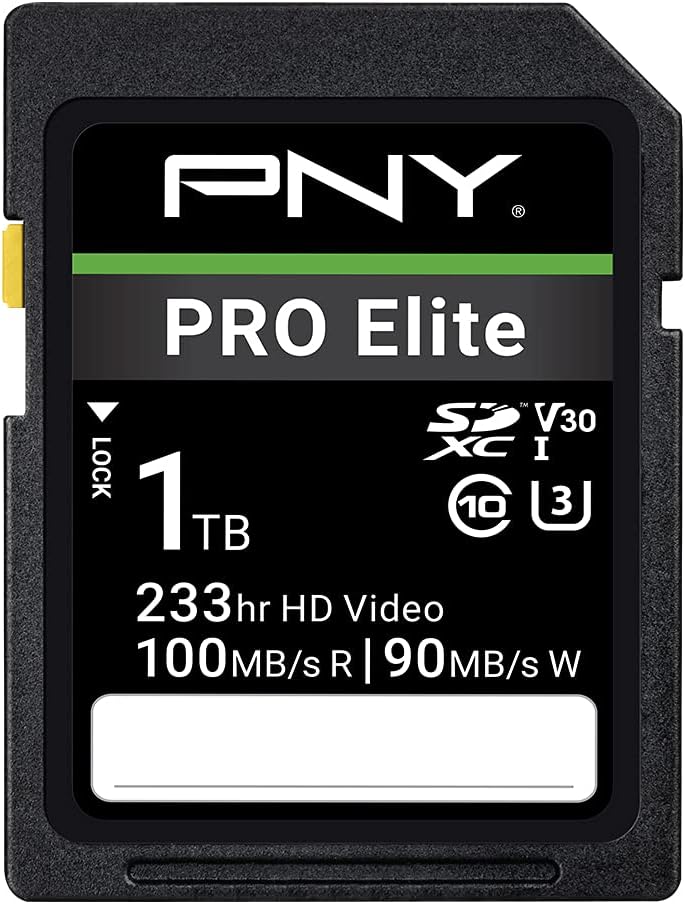
PNY 1TB PRO Elite C10 U3 V30 SDXC Flash Memory Card
4.3Editor score
Up to 100MB/s reads
Up to 90MB/s writes
C10, U3, V30 ratings
4K UHD video support
Discover the best 1TB SD Cards for cameras, gaming, and mobile storage, with expert comparisons of speed, capacity, durability, and compatibility today.
A 1TB SD card offers enough room for extensive photo libraries, high-resolution video, portable game saves, and demanding mobile workflows in one compact format. However, nominal capacity alone does not guarantee reliable performance. Speed class, sustained write capability, device compatibility, and durability determine whether a card can handle your workload consistently.
This guide compares ten full-size and microSD options from SanDisk, Lexar, PNY, Amazon Basics, and GIGASTONE. We evaluated the stated read and write speeds, UHS ratings, video classes, application performance, physical protection, and intended uses. The list includes standard UHS-I cards, faster UHS-II models, full-size SDXC cards, and compact microSD choices.
Each pick reveals where it stands out and where compromises appear, helping you match a card to cameras, action cameras, Android devices, Nintendo Switch systems, drones, or computers. Product pricing and promotions can change at any time, so verify current listings and your device requirements before purchasing, especially for work involving irreplaceable footage.
4.3Editor score

4.8Editor score

4.9Editor score
The table below compares all ten cards by format, headline transfer speed, sustained video rating, and application or workload suitability. It provides a quick way to identify the right interface, speed tier, and device focus before reading the detailed reviews.


The SanDisk Extreme PRO 1TB SDXC is our strongest all-around recommendation, combining a 4.8 rating with performance aimed at demanding photographers and videographers. Its headline specifications include read speeds up to 200MB/s and write speeds up to 140MB/s, while C10, U3, and V30 classifications make it suitable for burst photography and 4K UHD workflows.
We may earn a commission when you buy through this link, at no additional cost to you.
The card is particularly attractive for users who need more than basic file storage. Its stated offload speed can shorten the wait after a shoot, and the 140MB/s write capability provides ample margin for sequential photo bursts and high-resolution video. The V30 rating guarantees a sustained 30MB/s video rate, provided the host device and file attributes also support the intended recording format.
One important limitation is that headline transfer figures depend on the entire connection chain. Compatible devices and suitable interfaces are required to approach the quoted read speed, while the camera determines realistic write performance. The standard UHS-I interface also means this card is not the fastest option for a professional UHS-II workflow, though it remains versatile and broadly compatible.
This is the card to choose when you want a capable full-size SD card for 4K video, burst photography, general creative storage, and reasonably quick file transfers without moving to a premium UHS-II model. It is especially well suited to users with cameras, laptops, and card readers that support UHS-I. Buyers seeking the absolute fastest transfers should examine the UHS-II alternative, while those needing the smallest footprint should choose a microSD model.
Read and write speeds are high enough to support demanding capture sessions while remaining within the mainstream UHS-I ecosystem. The 200MB/s read figure is especially useful for moving large batches of photos or footage from a compatible card reader to a computer.
The V30 designation indicates a sustained write rate of 30MB/s for compatible video recording. Actual 4K support still depends on the camera, codec, bitrate, resolution, frame rate, and other file attributes.
We may earn a commission when you buy through this link, at no additional cost to you.
The SanDisk Extreme 1TB microSD combines a 4.8 rating with broad compatibility across phones, tablets, action cameras, and devices that accept full-size SD cards through the included adapter. Its stated read speed reaches 190MB/s, and write speed reaches 130MB/s, placing it among the stronger conventional UHS-I options in this roundup.
We may earn a commission when you buy through this link, at no additional cost to you.
The card supports 4K and 5K UHD recording when the host device, file attributes, and other factors permit. It also carries an A2 rating, indicating a higher application-performance tier designed for faster loading and more responsive operation when compatible Android devices run apps directly from the card. That feature makes the card more versatile than a simple video-storage choice.
Compatibility deserves attention. The listing specifically states that it works with Nintendo Switch but not Nintendo Switch 2. Some cameras and legacy devices also impose their own capacity restrictions, so it is wise to confirm support for 1TB media before relying on the card in specialized equipment. The adapter is convenient but does not turn the underlying card into a UHS-II product.
Choose this microSD when you need a single high-capacity card across many portable devices or want more storage than most cameras provide. It is a good fit for 4K-capable action cameras, compatible Android hardware, Nintendo Switch use, and photographers who prefer a small removable format. It may not be the right choice for devices that require UHS-II, newer Switch hardware, or sustained write performance beyond its V30 rating.
The included SD adapter expands compatibility with full-size cameras and computers. That flexibility makes the card practical for users who alternate between compact mobile devices and larger creative equipment without carrying separate storage formats.
The A2 classification is designed to improve app launch and random operation on supported Android hosts. Results vary with the device, application, interface, and workload, so a host that does not support A2 will not receive the full benefit.
We may earn a commission when you buy through this link, at no additional cost to you.
The SanDisk Extreme PRO 1TB UHS-II is the premium selection for professional and enthusiast workflows that can benefit from a faster interface. It carries the highest rating in the group at 4.9, supports up to 280MB/s read speeds, and offers up to 150MB/s write speeds for burst photography and demanding production work.
We may earn a commission when you buy through this link, at no additional cost to you.
Its V60 classification is the key differentiator. That rating indicates a sustained 60MB/s write rate designed for real-time recording with enabled UHS hosts, including supported 4K UHD and 6K workflows. The product information also identifies prosumer and professional MIL and cinema cameras as intended users, making this a more specialized card than a general-purpose UHS-I model.
The trade-off is hardware compatibility. A UHS-II card can usually operate in a UHS-I slot, but it may be limited to the slower interface there. Reaching the advertised transfer rates requires a camera, card reader, and host interface that support the necessary standards. Its premium positioning can also make it less economical for casual storage, where the faster capability would go unused.
Buy this card if you shoot demanding video, produce continuous bursts, or regularly move large media files and own compatible professional equipment. It is the strongest choice for users who need more headroom than V30 provides. If your devices are limited to UHS-I, a mainstream card can deliver a better practical experience without paying for an interface you cannot use.
V60 doubles the sustained write target associated with V30. This extra margin can be valuable for high-bitrate 4K or 6K production, provided the camera, codec, and selected recording settings stay within the supported workflow.
The UHS-II interface can greatly improve offloading times when paired with a compatible reader and computer. For large shoot days, the reduced transfer wait can be as valuable as the card's in-camera write performance.
We may earn a commission when you buy through this link, at no additional cost to you.
The Lexar Silver 1TB SD card pairs a 4.6 rating with a strong balance of speed, capacity, and physical protection. It advertises read speeds up to 205MB/s and write speeds up to 140MB/s, placing it close to the leading mainstream UHS-I cards while using a full-size SDXC format.
We may earn a commission when you buy through this link, at no additional cost to you.
Its V30 rating supports up to 4K 60FPS recording when the camera and other file settings allow it. The stated compatibility with Canon, Sony, Nikon, and other devices makes this an appealing general-purpose card for photographers and videographers who switch between camera systems or use legacy SD equipment alongside newer hardware.
The card is also listed as wearproof, drop-proof, temperature-proof, x-ray-proof, shockproof, magnetic-proof, and vibration-resistant. Those protections make it suitable for mobile production and travel, while Lexar Recovery Tool and a limited lifetime warranty add useful support for managing stored data. As with every speed claim, actual results depend on the reader, interface, host, and operating conditions.
This is a strong pick for users who want fast 4K workflows without moving to UHS-II. It may be especially useful for photographers who value broad camera compatibility, durable construction, and recovery software. If you need sustained writes beyond V30, operate a high-end cinema camera that exploits UHS-II, or intend to use the card primarily for mobile application storage, a more specialized option may fit better.
The emphasis on compatibility with several major camera brands makes this a practical shared card. Check the camera manual anyway, since individual models can impose resolution, codec, file-size, or capacity restrictions.
The card's stated resistance to shock, drops, temperature extremes, magnetic fields, X-rays, vibration, and wear supports use outside a controlled studio. No card is indestructible, so protective cases and sensible handling remain important.
We may earn a commission when you buy through this link, at no additional cost to you.
The PNY PRO Elite 1TB SDXC is our best budget-oriented full-size recommendation. Its 4.3 rating is lower than those of several competitors, but the card provides the essential combination of 1TB capacity, UHS-I compatibility, U3 and V30 performance, and 4K UHD video support.
We may earn a commission when you buy through this link, at no additional cost to you.
Advertised speeds reach 100MB/s for reads and 90MB/s for writes. These figures are well suited to transferring batches of photographs, moving moderate amounts of video, and handling burst-mode HD photography. Its V30 class supplies the sustained 30MB/s write rate needed for supported real-time 4K recording, subject to the host camera and file configuration.
The clear limitation is speed relative to cards reaching 205MB/s, 280MB/s, or other higher read figures. A premium card can reduce offloading time and may offer more write headroom. The PNY also lacks an A2 application-performance classification, making it less compelling for running apps directly from the card on compatible phones.
This card is best for photographers and videographers who need a large, dependable-looking general-purpose capacity without paying for premium UHS-II performance. It suits point-and-shoot cameras, DSLRs, HD-enabled camcorders, and other SDXC hosts. Choose a faster model for large 4K production files or frequent transfers, but the PNY remains a capable value choice for 1TB storage.
A V30 card is designed around a sustained 30MB/s write rate, making it a common baseline for supported 4K workflows. Confirm that your camera, resolution, frame rate, and codec fall within the card's recommended use.
The 1TB format reduces the need to rotate media during long shoots or travels. The trade-off is slower headline transfers than premium alternatives, so budget-conscious users should assess how often they move large batches of files.
We may earn a commission when you buy through this link, at no additional cost to you.
The Lexar Blue 1TB microSDXC is a well-rounded option for phones, tablets, cameras, and other microSD-enabled devices. Its 4.7 rating reflects a favorable balance of features, including up to 160MB/s reads, V30 video performance, and an A2 rating for application use on compatible Android hardware.
We may earn a commission when you buy through this link, at no additional cost to you.
The A2 classification differentiates it from cards that only emphasize sequential media transfers. It is designed to provide a higher minimum level of random read and write operations, which can make app launches and multitasking feel more responsive when supported. The 160MB/s peak read rate can also speed up moving Full HD and 4K files, although the listing notes that peak performance requires a select Lexar 2-in-1 USB 3.1 reader.
Physical protection is another strength. The card is described as resistant to temperature, water with an IPX7 rating, X-rays, vibration, magnetic fields, shock, drops up to 1.5 meters, and wear. A 10-year limited warranty and lifetime access to Lexar Recovery Tool add further support, although no recovery guarantee should replace routine backups.
This card fits users who want a compact, large-capacity card for everyday mobile storage, app performance, and 4K media rather than the highest possible transfer speed. It is less suitable if your workflow requires a full-size SD adapter included with the product or sustained writes above the V30 class. Otherwise, it delivers useful flexibility in a durable microSD package.
A2 performance can benefit apps stored directly on a supported microSD card, especially when the device's internal storage is constrained. Host software, device speed, and app behavior ultimately determine the visible improvement.
The listed environmental protections make the card suitable for travel, action cameras, and regular mobile use. Maintaining a backup remains essential because physical protection reduces certain risks but cannot prevent every form of data loss.
We may earn a commission when you buy through this link, at no additional cost to you.
The Amazon Basics 1TB microSDXC is an appealing general-purpose option because it combines an adapter, 1TB capacity, and modern application and video classifications. Its 4.6 rating places it among the stronger choices in the group, particularly for Android devices and cameras that can benefit from a V30 and A2 card.
We may earn a commission when you buy through this link, at no additional cost to you.
Lab-tested read speeds reach 100MB/s, with UHS-I, U3, V30, and A2 performance classifications. The card is described as optimized for high-bitrate video, burst photography, RAW files, time-lapse sequences, and smooth 4K UHD playback. These claims still depend on the camera or phone, the selected settings, and whether files can actually be written at the required rate.
The product information gives a useful capacity explanation: a nominal 1TB card provides at least 908GB of usable space because operating-system formatting and binary-versus-decimal calculations create a difference. This is normal and should not be treated as a manufacturing defect. The listed durability includes shock resistance, IPX6 water resistance, operation from -10°C to 80°C, X-ray resistance, and magnetic-field resistance.
This is a sensible pick for value-conscious users who want a modern A2 microSD, an included full-size adapter, and enough space for extensive media. It may not satisfy users seeking premium transfer speed, and the listing expressly excludes Nintendo Switch 2 compatibility. For older Nintendo Switch models, cameras, Android phones, tablets, and other compatible microSD hosts, it remains a practical generalist.
A nominal 1TB card is not expected to show exactly one terabyte in every operating system. The stated usable capacity of at least 908GB provides a more realistic baseline when comparing storage needs.
The card targets both media capture and app responsiveness. V30 supports qualifying video recording, while A2 addresses random operation on compatible hosts, giving it broader utility than a card designed only for sequential file transfer.
We may earn a commission when you buy through this link, at no additional cost to you.
The SanDisk Ultra 1TB microSD is a straightforward high-capacity option for Android phones, tablets, and cameras focused on Full HD media. It has a 4.7 rating and advertises read speeds up to 150MB/s, giving it enough transfer capability for everyday media management without reaching premium write specifications.
We may earn a commission when you buy through this link, at no additional cost to you.
Its Class 10 designation supports Full HD recording and playback when the host device and file attributes allow it. The product information specifically positions the card as useful for storing more hours of Full HD video and for moving large batches of images, with an example of transferring up to 1,000 photos per minute under stated internal test conditions.
The A1 application class is the main distinction from newer A2 cards. It represents a lower random-operation tier, so it may not deliver the same app-launch responsiveness as the Lexar Blue, Amazon Basics, or PNY PRO Elite Prime options. For sequential media, however, the difference may be less noticeable, particularly when files are already organized in a way that benefits from sequential reads.
Choose the Ultra when large storage, broad device support, and Full HD use matter more than maximum sustained video throughput. It is not intended for Nintendo Switch 2, and older Nintendo Switch systems may support it. It also lacks the V30 or V60 classifications highlighted by several alternatives, so verify the requirements of high-bitrate 4K cameras before using it for demanding production work.
At 1TB, the card can hold extensive photo collections, media files, and app data in a small removable format. The included adapter adds flexibility when moving between microSD devices and full-size SD hosts.
The Class 10 rating is appropriate for many Full HD recording and playback tasks. High-resolution 4K, high-bitrate recording, and professional codecs may require a card with a higher video speed class.
We may earn a commission when you buy through this link, at no additional cost to you.
The GIGASTONE 1TB SDXC Pro Series is a full-size card aimed at 4K UHD recording, camera transfers, and users who want a large-capacity general-purpose option. Its 4.6 rating and V30 classification make it a credible match for compatible cameras that meet the sustained 30MB/s video requirement.
We may earn a commission when you buy through this link, at no additional cost to you.
The listing advertises transfer speeds up to 150MB/s, but it does not provide a distinct maximum write-speed figure. That makes the card easier to recommend for general transfers and sustained V30 workloads than for photographers who need a clearly stated burst-write specification. As always, real performance varies with the camera, reader, interface, file size, and host.
The physical design is standard SD at 32mm by 24mm, and the stated use cases include digital point-and-shoot cameras, HD camcorders, DSLRs, and PCs. Its listed protections cover water, temperature, X-rays, shock, and magnetic fields, and the package includes a mini case for storage or transport. These features make it practical for travel and fieldwork.
The title also references five years of free data recovery, but buyers should examine the current terms, eligibility, and procedures before assuming coverage applies. This card is best for 4K-capable cameras and photographers who value capacity, included protection, and recovery support over premium UHS-II speed. It may be less appealing for high-end burst workflows requiring a documented maximum write rate.
The V30 class is the key technical requirement for this card, indicating a sustained 30MB/s write rate. Camera codec, resolution, frame rate, and file attributes determine whether a particular 4K mode is supported.
The full-size format works directly in many cameras and computers, while the mini case can help protect the card during transport. It is still wise to keep a second card and maintain backups of important footage.
We may earn a commission when you buy through this link, at no additional cost to you.
The PNY PRO Elite Prime 1TB microSDXC is a strong hybrid for users who need one card for video, photos, files, and mobile applications. It has a 4.6 rating, an A2 classification, and stated read and write speeds of up to 200MB/s and 150MB/s when used with the specified PNY Performance Prime card reader.
We may earn a commission when you buy through this link, at no additional cost to you.
The card's C10, U3, and V30 ratings support demanding media workflows, including qualifying 4K video recording. A2 performance is designed to enable faster app launches and better operation when apps run directly from the card on compatible Android devices, making it more versatile than a conventional video card. The included SD adapter expands compatibility with full-size cameras, desktops, and laptops.
The stated device list includes Android smartphones and tablets, action cameras, surveillance cameras, drones, and computers. It is not compatible with Nintendo Switch 2. Maximum transfer performance is tied to the recommended reader and host environment, so owners should not expect 200MB/s from every USB port or camera. Capacity limits in particular drones and cameras should also be checked.
This is a compelling choice for a creator who alternates between a drone, action camera, phone, and computer while still needing a compact card. It offers more application capability and higher stated writes than many competing microSD options. If your devices only need basic Full HD storage, a less expensive A1 or Class 10 card may be sufficient, but for mixed workflows this PNY model is better balanced.
The combination of A2, U3, and V30 allows the card to serve both sequential media workloads and supported mobile applications. This makes it useful for creators who do not want separate storage for files and app data.
The quoted 200MB/s read and 150MB/s write figures are tied to the PNY Performance Prime microSD card reader. A compatible host and interface are necessary to approach those results.
We may earn a commission when you buy through this link, at no additional cost to you.
Choosing a 1TB SD card involves balancing format, speed class, sustained performance, physical protection, and host compatibility. The largest capacity does not automatically make a card appropriate for every camera, and peak read speed alone does not guarantee smooth recording or responsive applications.
Full-size SD cards are roughly 32mm by 24mm and fit cameras, camcorders, desktop computers, and other full-size SD hosts. MicroSD cards are much smaller and are common in phones, tablets, action cameras, drones, Nintendo Switch systems, and compact cameras. Many microSD products include an SD adapter, allowing use in a full-size slot, but the adapter does not change the card's underlying speed interface or rating.
The term SDXC applies to the higher-capacity SD family, including 1TB cards. Before buying, inspect every device that will hold the card and confirm both physical format and maximum supported capacity. Older equipment may reject large capacities even when it accepts standard SDXC cards. Adapters also do not make microSD cards suitable for devices that require a full-size card exclusively.
Class numbers describe minimum capabilities, while UHS and Video Speed Class ratings provide more relevant guidance for modern cameras. U3 indicates a minimum write performance suited to demanding photo and video workflows. V30 guarantees a sustained 30MB/s write rate, V60 guarantees 60MB/s, and V90 guarantees 90MB/s for compatible video recording. A card may have a high read speed but a video rating that is too low for a selected resolution, codec, and bitrate.
Do not assume that 4K UHD written on the packaging guarantees every 4K mode. Support depends on camera support, codec, frame rate, bitrate, file attributes, and the host device. For demanding 4K or 6K workflows, the V60 SanDisk Extreme PRO UHS-II is the clearest high-end choice in this group, while V30 cards are more appropriate for mainstream supported recording.
Read speed matters when transferring media from a card to a computer or moving files between devices. Write speed matters while recording video, saving burst photographs, copying files onto the card, and running application workloads. A card that reads quickly but writes slowly may still stall a recording session, particularly if the camera fails to maintain its requested bitrate.
Manufacturer speed figures are usually based on internal testing and may require specific readers, interfaces, host devices, file sizes, or workloads. The SanDisk Extreme PRO UHS-II leads the listed read category at up to 280MB/s, while several UHS-I models reach 190MB/s to 205MB/s. The PNY PRO Elite Prime requires its named reader to approach its quoted 200MB/s read and 150MB/s write figures.
UHS-I and UHS-II describe different bus interfaces. A UHS-II card has additional contacts and can deliver much higher transfer rates in compatible equipment, but it usually falls back to UHS-I limits when inserted into a UHS-I slot. This means buying a premium UHS-II card does not guarantee premium performance from every reader, camera, or adapter.
The SanDisk Extreme PRO UHS-II is the only dedicated UHS-II choice in this guide. It makes the most sense for professional cameras, compatible readers, and workflows that regularly move large files. For broad compatibility, particularly when changing between older and newer equipment, the UHS-I cards are easier to deploy and generally offer a lower cost.
Application Performance Class ratings matter when a phone or tablet runs apps directly from a memory card. A1 represents a lower random-operation tier, while A2 sets higher minimum read and write input/output requirements. The Lexar Blue, Amazon Basics, and PNY PRO Elite Prime carry A2 ratings, whereas the SanDisk Ultra and GIGASTONE Pro Series are listed with A1.
App performance is not the same as sequential media throughput. A card can deliver strong read and write speeds yet offer only A1, while another can have a lower headline transfer figure but better random operations. Device support is also essential. If the phone, tablet, camera, or operating system does not support the rating or cannot use the card for apps, the potential benefit will not materialize.
Memory cards travel in bags, pockets, vehicles, and outdoor environments, so physical protection matters. Options in this guide advertise combinations of water, temperature, shock, drop, vibration, wear, X-ray, and magnetic resistance. These ratings reduce risk in particular conditions but do not make any card waterproof in every situation or immune to loss, and a protective case remains useful during travel.
Recovery software and warranty terms can add value. Lexar lists its Recovery Tool with both the Silver and Blue cards, while the GIGASTONE title references a five-year free data recovery offer whose current terms should be verified. Warranty length and recovery availability should be considered alongside regular backups, especially for professional footage that cannot be recreated.
A 1TB card is a large amount of storage, but not every device that accepts microSD or SDXC media will accept a card of this capacity. The Amazon Basics listing specifically reminds buyers to check maximum supported capacity and states that the card is not compatible with Nintendo Switch 2. Camera and drone manuals often include approved capacity ranges, bitrate limitations, or file-size restrictions.
Nominal capacity is also not the amount shown by every operating system. The Amazon Basics card is described as providing at least 908GB of usable space for the 1TB version because formatting and binary-versus-decimal differences affect the displayed result. This is expected and should be considered when calculating how many hours of video or how many RAW files the card can hold.
Before inserting a new card, format it in the device or computer that will primarily use it. This establishes a compatible file system and reduces the chance of fragmented storage or unexpected recording interruptions. Use the camera's menu rather than a computer when possible, particularly for devices that depend on a particular format, and avoid interrupting the formatting process.
Handle the card by its edges and keep the contacts clean. Do not bend, twist, or force it into a slot. When recording, leave enough free space for the file system and for temporary data, and stop recording normally before changing cards or removing media. For transfers, use a compatible high-speed reader and connection, then wait until the move is complete before ejecting the card.
Protect important work with backups. Maintain at least one additional copy on a computer, cloud service, or separate drive, and consider using two cards when recording an event that cannot be repeated. Keep cards in a protective case, avoid moisture and extreme conditions, and periodically check free space. If a card becomes unusually slow, disappears, or reports errors, stop using it and replace it rather than repeatedly stressing the device.
A 1TB card provides substantial room for 4K footage, but the recording time depends on the codec, bitrate, frame rate, and resolution. The card must also maintain the required write speed, making V30 or V60 cards more appropriate than basic Class 10 models. Always confirm the camera's supported media and file-size requirements.
You can use a microSD card in a full-size SD slot when a compatible adapter is included or available. Performance still depends on the card's interface, the adapter, the camera, and the host connection. The adapter does not upgrade the card to UHS-II or add a higher sustained video rating.
These Video Speed Class ratings identify minimum sustained write rates of 30MB/s, 60MB/s, and 90MB/s, respectively. Higher ratings provide more headroom for demanding high-bitrate video, but only when the camera and recording settings support that workflow. A faster read specification does not replace an appropriate sustained write class.
Some original Nintendo Switch models support compatible 1TB microSD cards, but Nintendo Switch 2 is explicitly excluded by several products in this guide. MicroSDXC support, formatting, and capacity can also vary by original Switch model. Check the console's official guidance and format the card in the console before storing games.
Storage systems report capacity using different calculation methods, and operating systems reserve a small amount of space for formatting and file-system metadata. The Amazon Basics card in this guide lists at least 908GB as its usable 1TB capacity. The visible result will also vary by the device and file system used.
No. A faster card is useful only when the host device, reader, interface, and workload can exploit the additional speed. For basic file storage, a mainstream UHS-I card may be sufficient, while UHS-II or higher-capacity microSD performance becomes valuable for professional video, rapid transfers, or supported mobile applications.
Format the card in the camera, recorder, or computer that will use it, and confirm that the device supports its capacity and file system. Leave some free space and avoid interrupting the formatting or file-transfer process. For critical footage, test the card with a short recording and verify that the resulting files play back correctly.
No. Water, shock, temperature, and wear resistance can reduce particular risks, but cards can still fail because of defects, wear, accidental formatting, or device problems. Recovery tools and warranties may help in eligible situations, yet important footage should always be copied to more than one location.
The SanDisk Extreme PRO UHS-I is the strongest overall choice because it combines large capacity, 200MB/s reads, 140MB/s writes, and V30 performance in a broadly compatible full-size format. The PNY PRO Elite SDXC serves as a practical budget option for mainstream 4K and photography workflows, while the SanDisk Extreme PRO UHS-II serves professionals who need V60 sustained performance and much faster offloading.
Your priorities should determine the rest of the shortlist. The SanDisk Extreme microSD and PNY PRO Elite Prime microSD are strong for portable mixed workflows, while the Lexar Blue and Amazon Basics are attractive when A2 app performance is important. The Lexar Silver and GIGASTONE Pro Series suit full-size camera users, and the SanDisk Ultra provides a large, straightforward microSD option for everyday Full HD storage.
Before buying, verify physical format, maximum device capacity, video class, read and write requirements, and adapter needs. Product prices and promotions change, so compare current listings while treating the performance and compatibility information as the more stable basis for your decision. Keep a backup strategy in place no matter which high-capacity card you select.