
HAPPRUN Native 1080P Bluetooth Projector
4.3Editor score
Native 1080P resolution
Up to 200-inch image
Bluetooth 5.3 audio
Discover the best projector for PS5, with ten options compared for picture quality, gaming performance, brightness, connectivity, portability, and setup.
A projector designed for PS5 gaming should do more than display a large image. It needs enough brightness, low-enough latency, responsive controls, and convenient HDMI connectivity to make fast games feel convincing. Resolution matters too, but clarity, contrast, motion handling, and sound can have an equally noticeable effect on the overall experience.
This guide compares ten projectors suitable for connecting a PS5, from compact entry-level models to brighter home-theater and dedicated gaming systems. The evaluation focuses on stated resolution, brightness, refresh rate, input lag, operating features, audio, installation flexibility, and supported connections rather than subjective claims that cannot be verified.
The list shows how each option fits different gaming spaces and priorities. Some emphasize portability, some built-in streaming, and others focus on low latency, bright 4K imagery, or richer home-cinema equipment. Product listings and promotions change over time, so readers should confirm current specifications, availability, accessories, and PS5 compatibility before buying.
4.3Editor score

4.3Editor score

5.0Editor score
This side-by-side comparison covers the key specifications that matter when connecting a PS5: display resolution, brightness, motion performance, connectivity, smart features, portability, and installation options. The table reveals which products focus on budget portability, bright 4K gaming, smart streaming, or dedicated home-theater performance.





The HAPPRUN Native 1080P Bluetooth Projector is a straightforward, budget-conscious option for turning a PS5 into a large-screen entertainment system. Its 4.3 rating reflects a generally positive reception, while native 1920 by 1080 resolution provides a useful baseline for console games, movies, and streaming devices. The projector can create images up to 200 inches, making it practical for bedrooms, apartments, and casual gaming rooms.
We may earn a commission when you buy through this link, at no additional cost to you.
The main attraction is its combination of native Full HD output and portable construction. An included HDMI cable allows the PS5 to connect directly, and a compatible streaming stick can provide access to apps without changing the basic game source. Built-in stereo speakers cover basic audio, while Bluetooth 5.3 can add wireless headphones or speakers when a more private or fuller sound is wanted.
Its limitations are equally important. The product does not include a TV stick, and Bluetooth cannot be used to mirror PS5 video. It also lacks a stated gaming-specific refresh rate or input-lag specification, so buyers who care about competitive shooters or fast competitive multiplayer should not assume it offers the same responsiveness as a dedicated gaming projector. Screen mirroring and app behavior may also depend on the source device and HDCP requirements.
This is a sensible selection for casual PS5 players, renters, and anyone who wants a simple portable screen without a complex smart-projector ecosystem. The included HDMI cable and three installation choices make it easy to try on a desk, tripod, or ceiling mount. It earns the budget recommendation because it prioritizes native 1080P, portability, and a large image over gaming telemetry and premium picture processing.
The HAPPRUN connects to the PS5 through its HDMI input, and the supplied cable reduces the need for an immediate extra purchase. A Fire TV Stick, Chromecast, or another compatible streaming device can be added for entertainment apps, although the stick is sold separately.
Its compact enclosure and low weight suit bedrooms, apartments, backyards, and travel. Desktop, tripod, and ceiling installation options make it easier to adapt the projector when the available space changes.
We may earn a commission when you buy through this link, at no additional cost to you.
The TMY Native 1080P Mini Portable Projector is appealing for buyers who want a ready-made PS5 entertainment kit rather than a projector and separate screen. It has a 4.3 rating and supports native 1080P, while the included 80-inch foldable screen creates a defined surface for gaming and movies. Its broad device support also allows the same unit to serve media players, laptops, streaming sticks, and consoles.
We may earn a commission when you buy through this link, at no additional cost to you.
The included screen is the standout practical feature. It folds for storage and travel, making it easier to build a temporary console setup in a bedroom, living room, or outdoor area. The projector itself can display images from 32 to 220 inches and includes HDMI and USB ports. Two-way Bluetooth adds flexibility because it can connect to external speakers or operate as a Bluetooth speaker for music, podcasts, and audiobooks.
Users should understand that Bluetooth is for audio, not PS5 video transmission. Screen mirroring may also fail on protected streaming content, and compatible streaming sticks or HDMI adapters are more dependable for those applications. Although the product supports PS5, no specific refresh rate or input-lag figure is provided, so it is better suited to console entertainment and general gaming than to latency-focused competitive play.
The TMY is a strong choice for buyers who value a complete, portable package. The included screen removes an obvious setup step, while the 1080P native panel and wide image range are suitable for a large PS5 display. Those who already own a good screen or prioritize competitive gaming specifications may prefer a model designed specifically for those needs.
The bundled 80-inch screen makes the package more useful than a bare projector. It can be unfolded for immediate play and folded away when the room needs to serve another purpose.
Two-way Bluetooth lets the projector send sound to headphones or speakers and also function as a standalone wireless speaker. This makes it useful for private gaming, group viewing, and casual listening.
We may earn a commission when you buy through this link, at no additional cost to you.
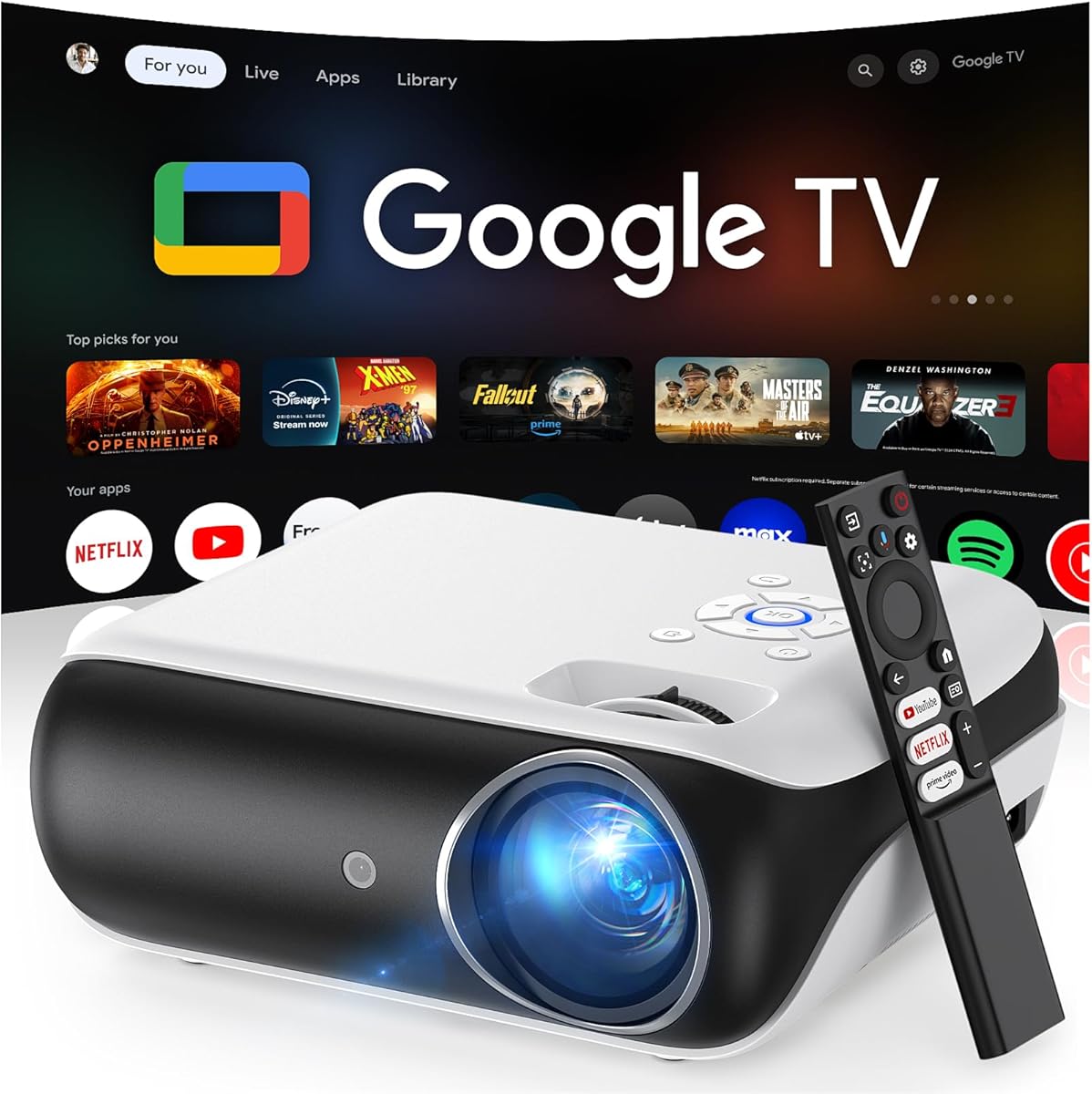
The HAPPRUN Official Licensed Google TV projector is designed for users who want one device to handle both PS5 gaming and streaming. Its 4.4 rating is among the stronger results in this list. The integrated Google TV platform provides direct access to Netflix, Prime Video, YouTube, Hulu, and other applications, while a voice assistant can simplify navigation, searches, volume changes, and app launches.
We may earn a commission when you buy through this link, at no additional cost to you.
The projector supports 4K content and produces 400 ANSI lumens, offering a reasonably bright image for controlled indoor environments. Wi-Fi 6 is included for streaming and casting, and Bluetooth 5.2 can connect external audio or headphones. A built-in five-watt speaker provides a simple fallback for games and shows, although a separate sound system can improve the cinema experience.
It supports USB drives, smartphones, computers, tablets, and game consoles, so connecting the PS5 is straightforward through the general media ecosystem. However, the product data does not list a gaming refresh rate or input-lag figure. Its 300-inch maximum and short-throw positioning can create a dramatic image, but the 400-ANSI-lumen output is less suited to bright rooms than the 1300-, 2000-, 2400-, or 3200-ANSI options in this guide.
This HAPPRUN is best for a living room where gaming, streaming, and voice navigation are equally important. It offers the most integrated smart-TV experience in the roundup without requiring a separate streaming stick. Buyers should favor it for convenience and compactness, while competitive players seeking explicit latency specifications should look toward the BenQ TK710 or ASUS H1.
Licensed Google TV applications are built into the projector, reducing the need for a separate streaming device. The PS5 remains the straightforward source for games, while the smart platform handles everyday entertainment.
A Google Voice Assistant can open applications, search for content, adjust volume, and provide basic information. Wi-Fi 6 also supports smooth streaming and wireless casting across supported devices.
We may earn a commission when you buy through this link, at no additional cost to you.
The XuanPad Smart Mini projector combines native 1080P output, 4K support, automatic setup features, and a compact body. Its 4.2 rating suggests that buyers appreciate its convenience, though it is not among the most highly rated models here. For PS5 users who want a small projector that can be moved easily, the detachable 360-degree stand is a distinctive feature.
We may earn a commission when you buy through this link, at no additional cost to you.
The optical system uses a three-piece double-sided nano-high-lens lens, a high-precision LCD display, and color-gamut reconstruction technology. Projected image sizes are stated at 40 to 200 inches. AI autofocus is claimed to capture focus in about three seconds, while one-touch 6D auto keystone correction adjusts skewed images. These features are especially useful when the projector is placed at an angle or in a temporary location.
The projector includes licensed application support, including compatibility with Netflix, YouTube, and Prime Video, plus wireless mirroring and HDMI. Bluetooth 5.2 handles audio, and dual-band 2.4 and 5GHz Wi-Fi supports streaming and mirroring. As with many portable projectors, no exact input lag or gaming refresh rate is provided, so the model cannot be evaluated against the BenQ on published gaming metrics.
XuanPad is a good fit for PS5 players in apartments, dorm rooms, and travel setups where quick placement matters. Its automatic correction reduces setup friction, and the removable stand adds unusual projection angles for walls, ceilings, or portable screens. Those wanting objective gaming specifications and higher brightness should instead examine the BenQ or ASUS.
AI autofocus and 6D auto keystone correction handle two common portable-projector problems. The result is a more practical setup when the device cannot be placed perfectly square to the viewing surface.
The detachable 360-degree stand allows adjustment for wall, ceiling, and outdoor-screen arrangements. It can also be removed quickly, helping the projector fit into a backpack for travel.
We may earn a commission when you buy through this link, at no additional cost to you.
The 2400 ANSI 4K Projector is built for people who want a bright, sophisticated home-theater setup that can also serve as a PS5 display. Its 4.6 rating is the second-highest among these products. Six-color light engine technology, a premium LCD optical system, and a seven-layer lens are claimed to deliver 2400 ANSI lumens with improved edge-to-edge uniformity.
We may earn a commission when you buy through this link, at no additional cost to you.
Its picture engine analyzes frames in real time and adjusts tone mapping, color curves, and brightness for different content. Support for 4K HDR10+ decoding adds useful dynamic-range features, while AI-based motion processing is intended to reduce blur, tearing, and ghosting in fast games. The smart system provides access to more than 1,000 compatible applications, including licensed Hulu, YouTube, and Prime Video, and includes 64GB of internal storage.
Audio is unusually substantial for a projector. Dual 35-watt speakers, a 1200cc acoustic chamber, dedicated low-frequency drivers, Dolby Audio, and HDMI eARC support create the possibility of a self-contained entertainment system. A 3D ToF and CMOS sensor system handles autofocus, auto keystone correction, and obstacle avoidance, while the automatic lens cover protects the optics when the unit is switched on or off.
This model is well suited to living rooms where ambient light, large image size, sound, and advanced streaming matter alongside PS5 gaming. It is more elaborate and power-hungry than the compact choices, and its 4K language refers to support and decoding rather than a stated native 4K panel. Nevertheless, the strong brightness, motion features, and audio make it a compelling premium all-in-one entertainment option.
The 2400-ANSI-lumen output is a major step up from compact portable projectors. Adaptive brightness modes allow the image to be adjusted for daytime rooms, evening viewing, or quieter operation.
AI-based motion processing is designed to make rapid action appear smoother and reduce visible blur and ghosting. Although no exact input-lag number is supplied, the feature set is clearly oriented toward gaming and action movies.
We may earn a commission when you buy through this link, at no additional cost to you.
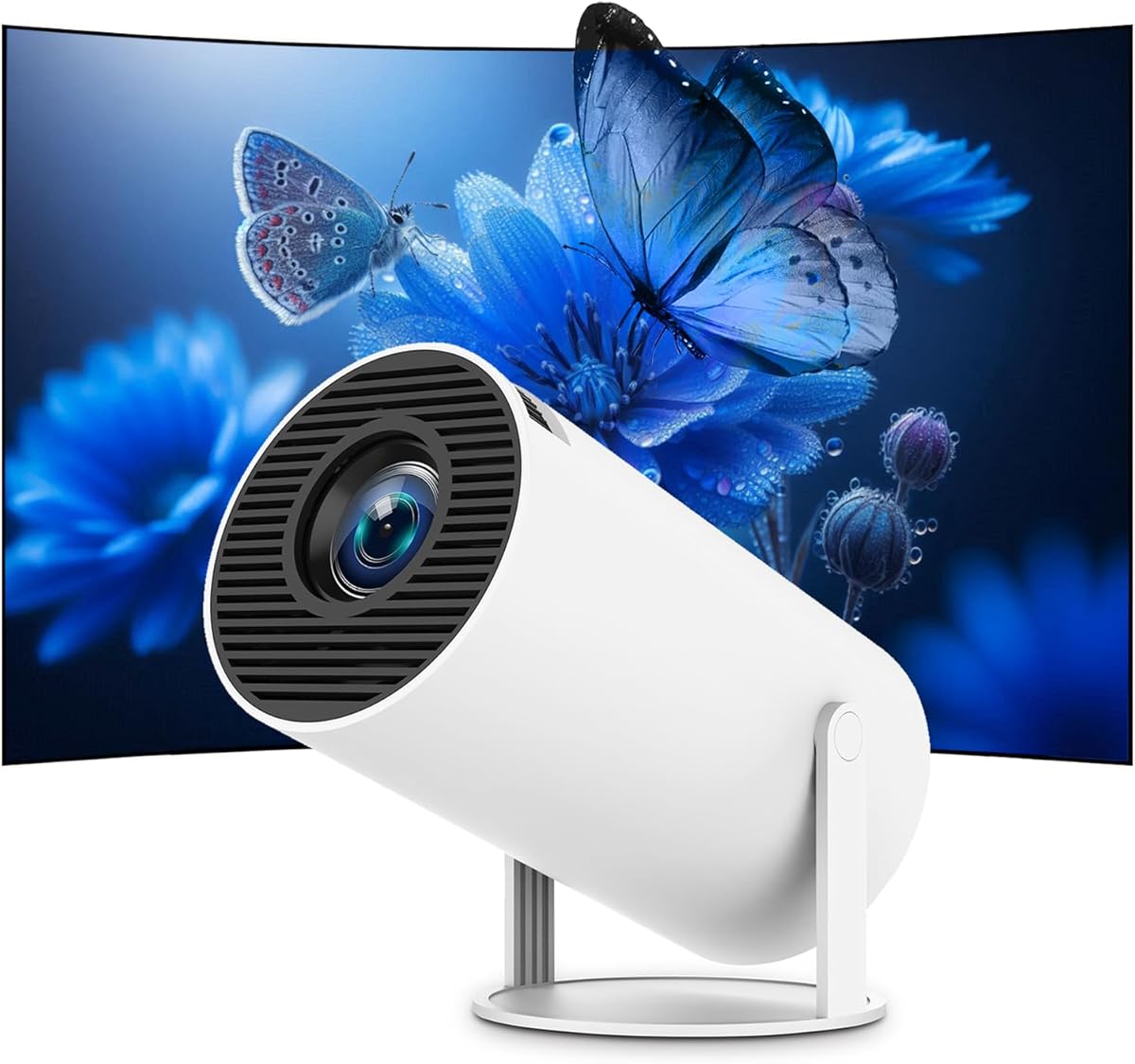
The Mini Projector with Android 11 is a compact entertainment option for PS5 users who also want direct access to streaming applications. It carries a 4.3 rating and includes a built-in Netflix app, Android 11, Wi-Fi 6, and Bluetooth 5.0. Direct projection from compatible iPhone and Android devices is supported, giving the system more flexibility than a simple media-only model.
We may earn a commission when you buy through this link, at no additional cost to you.
Its most unusual physical feature is the 180-degree rotation, which allows projection toward walls, ceilings, and inclined surfaces. Automatic keystone correction adjusts the rectangle when the projector is not positioned squarely. Together, these features make it easier to establish a large display in a bedroom, compact apartment, or temporary entertainment area without extensive manual adjustment.
The 4K designation indicates supported content, while the product information does not specify native panel resolution or a measured brightness rating. It also lists neither a refresh rate nor input lag. As a result, it is difficult to compare it objectively with the BenQ TK710 or ASUS H1 for fast competitive gaming. Wireless casting can also be affected by network conditions and source-app restrictions.
This projector is most appropriate for console players who prioritize a small footprint, built-in streaming, flexible orientation, and automatic geometry correction. It can serve as a casual gaming display or a portable media system. Anyone who regularly plays twitch shooters, values high-refresh gaming, or wants dependable brightness in a sunlit room should prioritize a higher-tier gaming projector with published performance figures.
Android 11 and the built-in Netflix app let users open common streaming content directly on the projector. This keeps the entertainment setup compact, while the PS5 can still provide the game feed through HDMI.
The rotating body and automatic keystone correction make the projector adaptable to imperfect rooms. A wall, ceiling, or angled surface can become a screen with little manual geometry work.
We may earn a commission when you buy through this link, at no additional cost to you.
The BenQ TK710 stands out as the most clearly gaming-focused projector in this guide. It has a 4.3 rating, true 4K UHD capability, HDR10 and HLG support, and a stated 4ms response time at 1080p. The 240Hz mode makes it particularly compelling for fast PS5 games when the console is operating at 1080p output.
We may earn a commission when you buy through this link, at no additional cost to you.
Its 3200 ANSI-lumen laser source is the highest brightness figure listed among these products. That makes it suitable for a living room with some ambient light rather than only a fully darkened media room. The laser system also avoids frequent lamp replacements, while Dynamic Function is said to adjust light-source output for improved contrast. Color coverage is listed at 95% Rec.709.
Not every PS5 mode reaches the headline 240Hz figure. At 4K and 60Hz, the stated input lag is 16ms, which remains responsive for many console experiences but is not identical to the 4ms 1080p specification. This distinction matters for buyers deciding whether to prioritize 4K image fidelity or maximum competitive gaming performance.
The BenQ is the strongest recommendation for a PS5-focused home theater where both picture quality and published gaming responsiveness matter. It outclasses the portable models on brightness and provides clearer evidence of low-latency capability. It is the Editor's Choice because the combination of true 4K, 3200 ANSI lumens, HDR, and high-refresh gaming creates the most balanced premium setup for console users.
The strongest gaming figures apply to a 1080p output mode. For 4K console graphics, the stated 16ms input lag still supports responsive play, but competitive users may decide which picture mode matters more.
A 3200-ANSI-lumen laser source is well suited to screens in rooms where lights cannot always be turned off. It also removes the routine lamp-replacement concern associated with conventional projector lamps.
We may earn a commission when you buy through this link, at no additional cost to you.
The NICPOW 2000 ANSI projector combines high stated brightness with broad device compatibility, making it a practical option for PS5 gaming, outdoor movies, and everyday streaming. Its 4.3 rating reflects solid user reception. The 2000 ANSI lumens provide ample brightness for controlled indoor rooms and outdoor viewing after dark, while 4K decoding support expands the range of compatible source content.
We may earn a commission when you buy through this link, at no additional cost to you.
The projector supports HDMI, USB, AV, smartphones, tablets, laptops, DVD players, streaming sticks, and the PS5. It also offers one-step screen mirroring without requiring a Wi-Fi network and dual-band 2.4 and 5GHz Wi-Fi for other wireless use. A 25% zoom function and a stated 50-to-300-inch range make it possible to adjust the image without relocating the unit each time.
Built-in dual stereo speakers provide an audio starting point, and Bluetooth can connect to external speakers for a more substantial sound system. Touch-sensitive top controls improve direct access to settings. As with most projectors in this category, the listing does not provide a precise input-lag or refresh-rate figure, so fast competitive gaming is not its clearest selling point.
The NICPOW is best for a flexible shared display that must work with many sources, especially in brighter conditions and at large sizes. Its 2000 ANSI lumens and extensive media support make it a more serious all-purpose option than the smallest projectors. Competitive players should choose only after confirming their latency expectations, while general console users gain a versatile screen for gaming, films, and presentations.
The 25% zoom function helps fit the projected picture to a wall or screen without moving the projector. A stated maximum of 300 inches supports large backyard and room-filling displays.
One-step wireless mirroring can be used without a Wi-Fi network, while HDMI covers the direct PS5 connection. Dual-band Wi-Fi adds another route for compatible phones, tablets, and streaming content.
We may earn a commission when you buy through this link, at no additional cost to you.
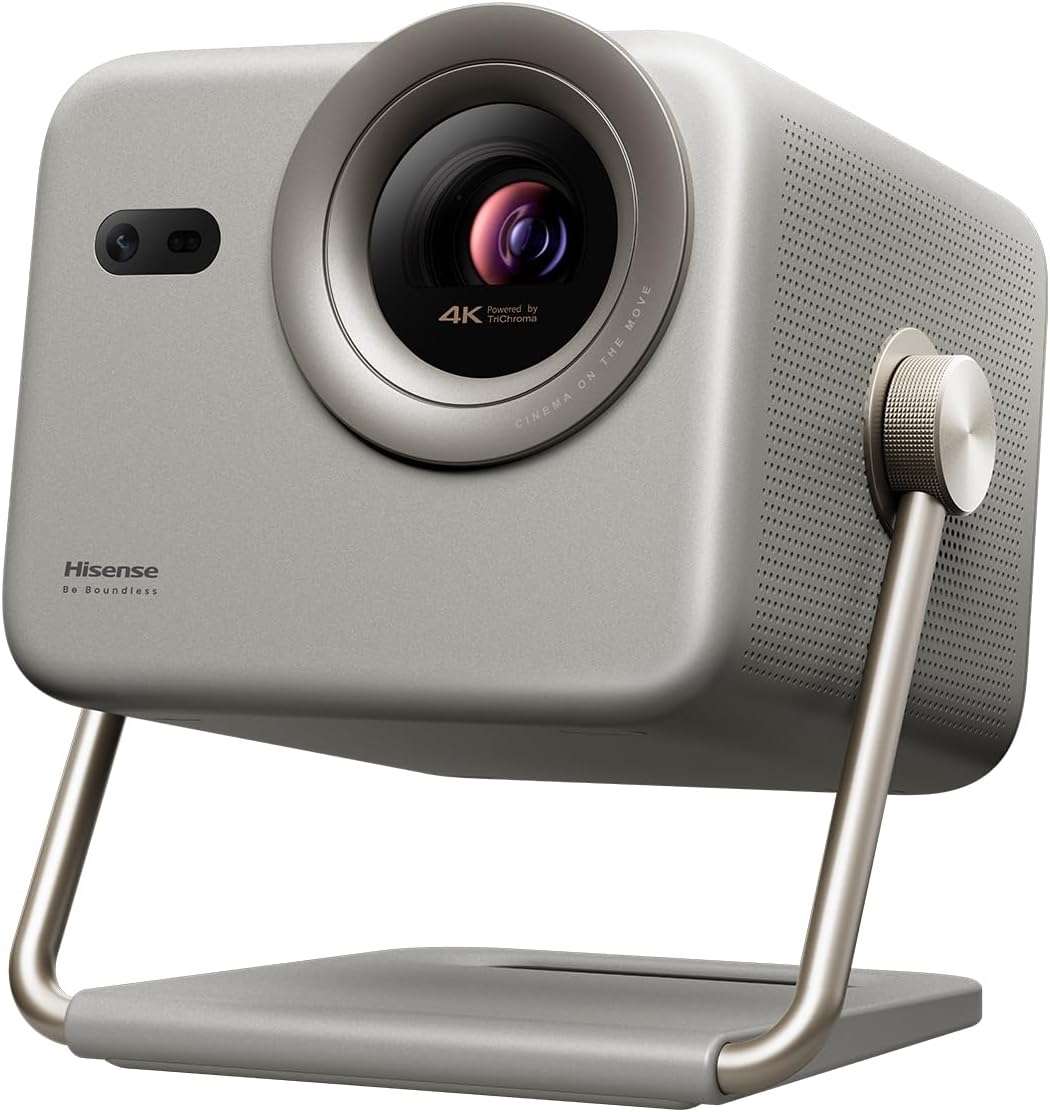
The Hisense M2 Pro is a premium lifestyle projector with a 4.7 rating, the highest in this guide. Its triple-laser light source, 4K UHD resolution, Dolby Vision, and optical zoom distinguish it from conventional entry-level projectors. The result is aimed at buyers who want a sophisticated image for PS5 games, movies, and streaming in one relatively portable system.
We may earn a commission when you buy through this link, at no additional cost to you.
The MCL38 triple-laser design uses 2.07 million DLP micro mirrors to create sharp images up to 200 inches. AI PQ enhancement and frame-by-frame color analysis are intended to improve detail, skin tones, and overall image coherence. Dolby Vision dynamically adjusts brightness, contrast, and color, while the 1.0-to-1.3 optical zoom range changes framing without sacrificing 4K sharpness.
Hisense states that the DLP-based system is designed for responsive gaming with smooth performance and minimal lag, but it does not publish a precise input-lag number in the supplied information. Its 1300 ANSI lumens are lower than the BenQ TK710, NICPOW, and 2400-ANSI model, making a dim viewing environment more appropriate. Active 3D support is another distinctive feature, though compatible DLP-Link shutter glasses are required.
The Hisense makes the most sense for picture-focused PS5 players who also enjoy streaming, films, and sophisticated smart-TV features. Its optical zoom, triple-laser source, and intelligent screen adjustments offer more refinement than portable models can provide. It is the top-rated product here, but the BenQ may remain the better choice for buyers who prioritize published gaming latency and brighter output.
The three-laser light engine is designed to produce vivid color and strong clarity. AI color enhancement processes the image frame by frame, while the DLP platform maintains fine structural detail.
The 1.0-to-1.3 optical zoom range allows the framing to be adjusted while maintaining 4K sharpness. That makes the projector easier to adapt to different room sizes and screen positions.
We may earn a commission when you buy through this link, at no additional cost to you.
The ASUS H1 is a dedicated home-entertainment and console-gaming projector with a perfect 5.0 rating in the supplied data. It combines native 1080P output, 3000 lumens of brightness, a 120Hz refresh rate, and explicit PS5 compatibility. The 1.2x zoom and adjustable 40-to-200-inch image make it particularly practical for fixed home installations.
We may earn a commission when you buy through this link, at no additional cost to you.
Its RGB LED light source is stated to last up to 30,000 hours and avoids fade-related concerns associated with some older light sources. Color coverage is listed at 125% Rec.709 and 125% sRGB. A built-in 10-watt speaker supplies basic audio, but the richer two-HDMI, VGA, audio, RS232, RJ-45, and USB arrangement reveals its broader home-theater and installation potential.
The 120Hz refresh rate supports smooth console gaming and distinguishes the H1 from many portable projectors that do not state a gaming refresh rate. However, the product information does not provide an exact input-lag measurement, so the BenQ remains easier to compare on published latency. Native 1080P also means 4K console content is displayed at the projector’s native resolution rather than a stated 4K pixel grid.
The ASUS H1 is a strong premium recommendation for PS5 owners who prioritize high refresh, bright images, flexible image sizing, and professional-style connectivity. It works especially well as a living-room or dedicated media-room display. Choose it for smooth high-refresh presentation and installation flexibility; choose the BenQ when true 4K output and explicit 4ms gaming response are the higher priorities.
The 120Hz refresh rate is designed to produce smoother movement than standard projector panels. It gives the H1 a clear gaming identity even though the supplied details do not list a precise input-lag figure.
A 1.2x zoom allows the 40-to-200-inch image to be resized without moving the projector. Two HDMI 2.0 ports also make it easier to retain the PS5 while connecting another source.
We may earn a commission when you buy through this link, at no additional cost to you.
The right PS5 projector depends on the room, screen, game genres, and level of portability. Resolution and brightness are only the beginning; latency, color, motion, audio, correction features, and reliable source connections determine whether the system feels good in everyday use.
Native resolution describes the number of pixels the projector actively produces, while 4K support indicates that compatible source material can be accepted and processed. The HAPPRUN standard model and TMY mini projector offer native 1080P, the BenQ TK710 and Hisense M2 Pro provide true 4K UHD output, and several other products list 4K decoding or support without claiming a native 4K panel. For a PS5, this distinction matters because a game rendered at 4K still benefits from a 1080P projector, but it will not gain the same visible pixel detail as it would on native 4K hardware.
ANSI lumens provide a standardized brightness measure that is more useful than vague marketing terms. The compact HAPPRUN Google TV lists 400 ANSI lumens, the Hisense M2 Pro reaches 1,300, the NICPOW offers 2,000, the premium 4K model offers 2,400, and the BenQ TK710 reaches 3,200. A brighter projector is better for a bright living room, sports viewing, or casual daytime use, while a fully dark media room can produce an excellent image with a less powerful unit.
Refresh rate and input lag are the most useful published indicators for responsive PS5 gaming. The BenQ TK710 states 4ms at 1080p and 240Hz, with 16ms at 4K and 60Hz. The ASUS H1 provides a 120Hz refresh rate. Other projectors emphasize motion enhancement or smooth operation but do not provide equivalent timing figures. Fast action games, competitive shooters, fighting games, and sports can make input lag more noticeable, while story-driven or cooperative games may be less sensitive to it.
A projector must render not only sharp images but also convincing contrast, color, and motion. HDR10, HDR10+, HLG, and Dolby Vision are among the advanced formats represented in this guide. The BenQ combines true 4K with HDR10 and HLG, while the Hisense adds Dolby Vision and frame-by-frame color enhancement. The 2400-ANSI model uses an AI picture engine and HDR10+ frame optimization. These features can improve the presentation, but the correct picture mode and suitable ambient light remain important for seeing their intended effect.
Maximum image size alone does not determine whether a projector works in a particular room. A compact unit may project as little as 32 inches, while the largest stated range reaches 300 inches. Optical or digital zoom lets users resize the image without moving the projector, which is valuable when the viewing surface changes. The ASUS offers a 1.2x zoom, the NICPOW a 25% zoom, and the Hisense a 1.0-to-1.3 optical zoom. Placement distance, throw ratio, and the included screen also influence the final result.
Built-in streaming can simplify an entertainment system by eliminating the need for a separate stick or box. The HAPPRUN Google TV, XuanPad, mini Android 11 projector, 2400-ANSI model, and Hisense M2 Pro offer integrated applications. A PS5 still needs an HDMI connection for games, but built-in apps can cover the rest of the household’s viewing. Platform usability, app availability, and regional licensing can vary, and protected apps may still be easier to reach through an external streaming device.
Projector speakers range from basic stereo systems to more elaborate 2.1 configurations. The ASUS has a 10-watt built-in speaker, the HAPPRUN Google TV includes a five-watt speaker, and the 2400-ANSI model uses dual 35-watt speakers with dedicated low-frequency drivers. Bluetooth is common throughout the list and can add convenient headphone or speaker options. However, Bluetooth is for audio, not PS5 video transmission, and a separate sound system can provide clearer dialogue, stronger bass, and a wider soundstage.
Where the PS5 will be played strongly affects the projector choice. The XuanPad weighs 1.89 pounds and includes a detachable 360-degree stand, while several mini models fit into a backpack. Fixed installations benefit from wider connectivity, automatic keystone correction, obstacle avoidance, lens protection, and multiple mounting options. The TMY bundle includes an 80-inch foldable screen, making temporary setups more convenient, while the ASUS offers more professional connection options for a permanent media room.
Begin by placing the projector on a stable surface directly opposite the intended screen. Connect the PS5 with the supplied or suitable HDMI cable, select the correct HDMI input, and allow the projector to complete its startup and focus process. If the image is skewed, use automatic keystone correction or adjust the physical angle. For the clearest result, use a proper projection screen or a flat, neutral wall, and keep ventilation openings unobstructed.
After connecting the console, review the projector’s display and gaming settings. Choose the resolution and refresh-rate mode that suits the game and your preferences, then configure the picture mode for the room’s lighting. Avoid raising sharpness or contrast simply to compensate for excessive ambient light. Connect Bluetooth headphones or speakers for private play when needed, and keep Bluetooth strictly in its audio role. For streaming, open the built-in applications or connect a compatible streaming stick through HDMI.
Good care extends the life of the projector and keeps gaming sessions reliable. Clean the lens with a soft, lint-free cloth, avoid touching it with bare fingers, and keep the unit away from dust, moisture, and direct heat. Allow airflow around the intake and exhaust, and do not operate the device in an enclosed space. Check the PS5, cable, and input selection whenever the console fails to appear, and consult the product manual for bulb, laser, filter, or lens-protection service guidance.
Many projectors work automatically with the PS5 through HDMI, but enabling the intended resolution and refresh-rate mode can improve the result. A projector that supports 1080p at 120Hz or 240Hz may require a compatible output mode and game support. Picture settings should also match the room, since a very bright or dark preset can make fast motion harder to judge. Check both the console and projector manuals for supported formats.
No, a native 1080P projector can still receive and display a 4K signal, but it will not show the same pixel detail as native 4K hardware. Many games also run at performance modes that do not render at full 4K. Resolution should therefore be balanced against brightness, input lag, refresh rate, and price. A strong 1080P gaming projector may deliver a better experience than a dimmer 4K model if the room and console mode are taken into account.
Bluetooth generally handles audio rather than the PS5 video feed. The PS5 should be connected through HDMI so the console can send its picture and sound to the projector. Bluetooth headphones or speakers can then be paired for alternative or private audio, subject to the projector’s supported pairing behavior. Streaming-device and phone-mirroring support is a separate question and can be affected by HDCP, app, or device restrictions.
A fully dark media room can make a lower-output projector look excellent, while a living room with daylight benefits substantially from higher ANSI-lumen output. The most controlled option is to darken the room, but a brighter projector provides more flexibility when lights are on or some ambient light is unavoidable. Contrast, color, and screen quality also influence perceived brightness, so comparing ANSI figures is more useful than relying on vague brightness terminology.
Lower input lag is most noticeable in competitive shooters, fighting games, sports titles, and other fast-response genres. The BenQ TK710 lists 4ms at 1080p and 16ms at 4K and 60Hz, making its specifications easy to assess. The ASUS H1 lists a 120Hz refresh rate but no exact delay. Players who are highly sensitive to delay should use the projector and PS5 in a fixed, low-latency mode and avoid unnecessary processing chains.
A portable projector can be perfectly suitable for casual or travel gaming when native 1080P, a stable HDMI connection, and acceptable viewing conditions are priorities. Models with autofocus, automatic keystone correction, built-in streaming, and flexible stands make temporary setups easier. For daily competitive gaming, a brighter system with published refresh and latency figures is usually a stronger choice. The best portable model depends on whether convenience or dedicated performance matters more.
A dedicated screen generally gives more consistent color, contrast, and image geometry than an ordinary painted wall. The TMY bundle includes an 80-inch foldable screen for temporary use, while fixed installations may benefit from a larger pull-down or fixed surface. A smooth white wall can still work well in a dark room, provided it is flat and clean. The screen should also be large enough to avoid forcing the projector into an extreme image size.
They can for many users, particularly when the projector includes a licensed smart platform and the desired applications are available. However, app libraries, interfaces, performance, and regional availability can vary by model and platform. A streaming stick remains useful if a particular service is missing, if a preferred interface is needed, or if an external device provides a more dependable connection. The PS5 still connects directly by HDMI for games.
The best choices depend on the kind of PS5 room being created. The HAPPRUN Native 1080P stands out as a budget portable option, the BenQ TK710 offers the clearest dedicated gaming specifications, and the ASUS H1 provides a premium 120Hz home-theater alternative. Between them, they cover value-oriented, performance-focused, and high-refresh installation needs.
Prioritize the factors that affect the intended use. Competitive players should examine input lag, refresh rate, and the console’s supported output modes. Living-room users should look more closely at ANSI brightness, HDR, color, and built-in sound, while travelers and renters benefit from compact size, automatic correction, and a bundled screen. Built-in streaming and Bluetooth can round out the system but should complement rather than replace a solid core connection.
Finally, verify current specifications, accessories, app availability, and the latest product listing before purchasing, since features and promotions can change. Confirm that the projector supports the desired PS5 resolution and refresh mode, inspect the included cables, and plan the viewing space carefully. A properly placed projector with realistic settings will deliver a more satisfying result than a more advanced model set up poorly.

