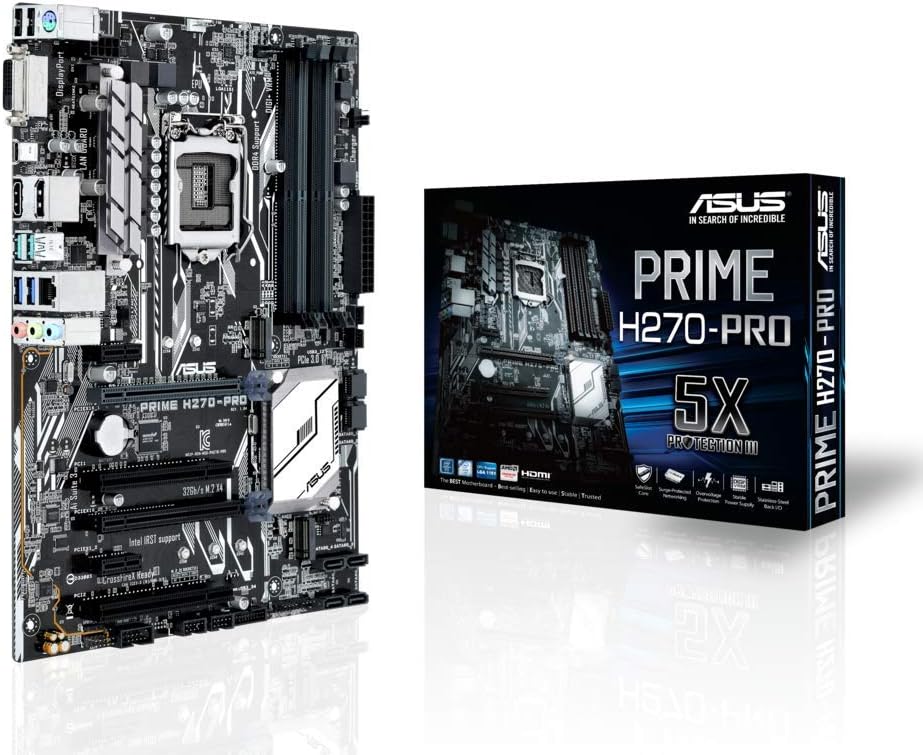
Asus Prime H270-PRO DDR4
4.3Editor score
64GB dual-channel DDR4
Comprehensive display connectivity
USB 3.1 Type-C support
5X Protection III safeguards
Our H270 Motherboards guide compares ten LGA1151 models for CPU support, memory, expansion, connectivity, and features, helping you choose with confidence.
H270 motherboards provide a platform for building a PC around compatible sixth- or seventh-generation Intel Core processors. A good board balances expansion options, memory support, connectivity, cooling, and practical onboard features, making it important to compare more than just the chipset name before making a purchase.
This guide examines ten H270 motherboards using the supplied specifications, focusing on processor compatibility, DDR4 capacity, M.2 storage, display outputs, networking, audio, expansion slots, and gaming-oriented features. It covers established models from ASUS, ASRock, MSI, and GIGABYTE alongside several broadly described H270 alternatives.
Each review shows what distinguishes the board, including the strengths that appeal to builders and the limitations that may affect particular users. The top selections highlight especially useful combinations of features, but current prices and availability change, so shoppers should verify listing details and their complete hardware configuration before buying.
4.3Editor score

4.4Editor score

4.3Editor score
The comparison below places all ten boards side by side, highlighting processor support, memory configuration, storage options, graphics support, and the connectivity features most relevant to an H270 build.


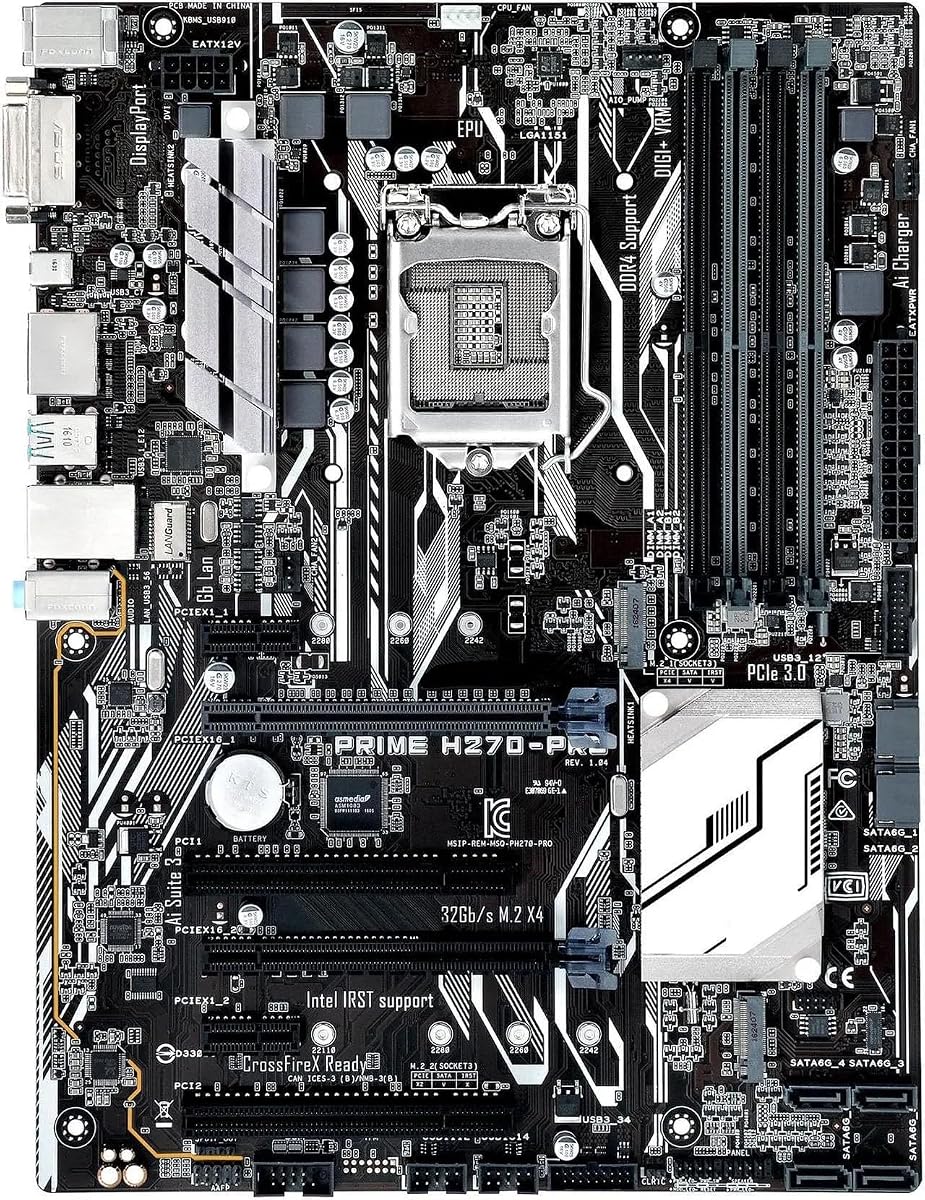


The ASRock H270 PRO4 combines an LGA1151 platform with a generous selection of expansion and storage connectors, making it a practical foundation for a system that may receive more than one add-in card. It carries a 4.2 rating, and its most appealing details are the two PCIe x16 slots, three PCIe x1 positions, one SATA Express connector, and an Ultra M.2 position.
We may earn a commission when you buy through this link, at no additional cost to you.
Its storage arrangement offers a useful degree of freedom. The board includes six SATA3 connectors, one SATA Express port, and an Ultra M.2 slot advertised as supporting PCIe Gen3 x4 and SATA3 storage. That mixture can accommodate traditional hard drives, SATA solid-state drives, and a high-bandwidth M.2 drive, subject to device and processor compatibility. The two full-length PCIe slots also provide room for a discrete graphics card and an additional expansion or graphics device.
One important qualification is the supplied description identifies the chipset as Intel Z270 even though the product is presented as an H270 PRO4. Its memory specification is also limited in the provided information to dual-channel DDR4 at 2133 speed, and it explicitly mentions support for sixth-generation Intel Core processors rather than stating the same broad processor coverage as several competing models. Buyers should therefore check the exact processor support matrix and current board specification before purchasing.
The ASRock is most appropriate for a builder who values expansion slots and storage connections more than advanced onboard display outputs or elaborate RGB integration. Its selection of legacy and modern interfaces provides solid flexibility for an H270-era PC. It earns a place near the top because the supplied hardware list is notably comprehensive, although the chipset labeling and processor-support ambiguity should be resolved before checkout.
Two PCIe x16 slots and three PCIe x1 slots create room for multiple devices. This makes the board attractive for planned upgrades, specialized add-in cards, or a multi-graphics configuration where the remaining slots and system support allow it.
Six SATA3 ports, SATA Express, and an Ultra M.2 position let a builder combine conventional and compact storage. The M.2 slot's stated PCIe Gen3 x4 and SATA3 support broadens the kinds of drives that may be used.
We may earn a commission when you buy through this link, at no additional cost to you.
The Asus Prime H270-PRO DDR4 is a well-rounded ATX motherboard for users who want broad processor support, a generous stated memory limit, and more than one way to connect a display. It holds a 4.3 rating and supports seventh- and sixth-generation Intel Core i7, i5, i3, Pentium, and Celeron processors through the LGA1151 socket.
We may earn a commission when you buy through this link, at no additional cost to you.
Its standout specification is the claimed ability to hold 64GB of dual-channel DDR4-2133 memory. That is useful for a workstation-style build, a content-creation system, or simply a computer configured with several memory modules. The rear panel is also unusually varied, listing two USB 2.0 ports, two USB 3.0 Type-A ports, USB 3.0 Type-C, USB 3.1 Type-A, Ethernet, PS/2, DVI-D, HDMI, and DisplayPort.
The board also emphasizes reliability through 5X Protection III, described as a hardware safeguard covering multiple aspects of the system. That does not remove the need to select compatible processors and memory, but it adds a reassuring design focus. The principal omission in the supplied data is M.2 storage support, which may discourage builders who want a compact NVMe or Intel Optane drive.
This Prime H270-PRO is a strong recommendation for a general-purpose desktop that could use flexible integrated graphics connections, a broad set of ports, and memory headroom. It suits users who value a mature, practical feature set over a highly stylized gaming presentation. Compared with boards offering dual M.2 slots, it is less compelling for compact storage-heavy builds, but its processor range and connectivity make it an excellent balanced option.
DVI-D, HDMI, and DisplayPort give the board several options for processors with integrated graphics. A dual-monitor arrangement may also be possible, subject to the outputs and capabilities of the selected processor.
The stated 64GB dual-channel DDR4-2133 maximum is more useful for demanding productivity applications than entry-level browsing. Builders should still verify supported module capacities, layouts, and memory timings in the final manufacturer documentation.
We may earn a commission when you buy through this link, at no additional cost to you.
The ASUS ROG Strix H270F Gaming is a feature-rich ATX board aimed at enthusiasts who want modern storage, refined cooling controls, coordinated lighting, and stronger physical support for a large graphics card. It has a 4.2 rating and distinguishes itself through dual M.2 slots, front-panel USB 3.1, Intel Optane compatibility, AURA Sync RGB lighting, and ROG SupremeFX S1220A audio.
We may earn a commission when you buy through this link, at no additional cost to you.
Storage and peripheral support are particularly strong. Dual M.2 positions allow a builder to consider more than one compact drive, while the front-panel USB 3.1 connector can simplify access to high-speed external devices. Intel Optane Memory compatibility adds another possible avenue for hybrid storage configurations. AURA Sync support, an additional RGB header, and a 3D-printing-friendly mount appeal to builders who treat a motherboard as part of a coordinated personal computer design.
Physical and thermal details receive similar attention. FanXpert 4 provides dynamic fan calibration and system cooling optimization, while a patented Safe Slot uses injection molding and metal framing to reinforce the primary PCIe slot for heavyweight graphics cards. The board's eight-channel HD audio uses Japanese capacitors, and the stated two-way AMD CrossFireX capability provides an additional consideration for builders using compatible graphics hardware.
The Strix H270F is best for a gaming or enthusiast system where RGB integration, robust expansion, premium audio, and carefully managed cooling matter. It may feel excessive for a basic office PC, and the visual identity will not appeal equally to everyone. Even so, it combines more practical connectivity and enthusiast conveniences than many simpler alternatives, making it a convincing pick for a deliberately equipped build.
Dual M.2 slots, Intel Optane compatibility, and front-panel USB 3.1 create a flexible peripheral foundation. Users should confirm supported M.2 modes and lane-sharing limitations for the final configuration.
The reinforced Safe Slot is designed to better support a heavy graphics card. FanXpert 4 adds practical control over cooling behavior, which can help builders tune noise and airflow around their chosen components.
We may earn a commission when you buy through this link, at no additional cost to you.
The MSI H270 Gaming PRO Carbon combines support for seventh- and sixth-generation Intel Core, Pentium, and Celeron processors with a gaming-oriented ATX design. Its 4.0 rating is the lowest numeric score among the rated models in this list, but the board still presents a recognizable package of DDR4 support, Steel Armor, Mystic Light, Audio Boost 4, Nahomi 2 audio, and gaming LAN with LAN Protect.
We may earn a commission when you buy through this link, at no additional cost to you.
The Steel Armor treatment serves both a visual and practical purpose by reinforcing selected areas of the board and contributing to its industrial appearance. Mystic Light and Mystic Light Sync add coordinated lighting that can complement other compatible components, while Audio Boost 4 and Nahomi 2 indicate a focus on onboard sound. Gaming LAN with LAN Protect is intended to support responsive network use and more dependable network functionality.
The supplied specifications are less detailed than those of several ASUS, GIGABYTE, and ASRock entries. The description confirms the socket and processor families, DDR4 support, HDMI, USB 3, and CrossFire, but it does not enumerate the number of memory slots, SATA connectors, M.2 positions, rear-panel ports, or expansion slots. That limited documentation should prompt buyers to check the complete manufacturer manual and board layout.
For a gamer who likes MSI's styling and wants a straightforward LGA1151 platform, this motherboard can be a sensible choice. Its main appeal is the combination of processor support, protected networking, and familiar gaming visual elements. It is not the easiest recommendation for buyers requiring M.2 storage or extensive documented connectivity, so those users should validate specifications carefully before ordering.
Steel Armor reinforces the board visually and physically, while Mystic Light and Mystic Light Sync support coordinated illumination. This makes the board more suitable for a visible gaming installation than a purely utilitarian office system.
Gaming LAN with LAN Protect emphasizes network stability, while Audio Boost 4 and Nahomi 2 provide onboard audio features. Their practical impact depends on the speakers, headphones, network equipment, and software selected for the build.
We may earn a commission when you buy through this link, at no additional cost to you.
The ASUS Prime H270-PLUS is one of the most broadly useful H270 boards in this guide, combining dual M.2 storage, Intel Optane Memory compatibility, front-panel USB 3.0, reinforced expansion hardware, and advanced fan control. It has a 4.4 rating, the highest numeric score among the products with published ratings, and supports an ATX build with LGA1151 processor and DDR4 memory.
We may earn a commission when you buy through this link, at no additional cost to you.
Its dual M.2 arrangement is the central attraction. It creates room for compact high-speed storage and may allow a second M.2 drive to serve a different role, subject to the board's lane and device-sharing requirements. Intel Optane compatibility expands the storage conversation, while onboard front-panel USB 3.0 provides a convenient way to connect compatible cases and accessories at high speed.
Cooling and reliability are handled with equal attention. FanXpert 2 PLUS offers advanced dynamic fan control, allowing builders to tune system cooling more closely to their components and preferences. The 5X Protection III suite provides hardware-level safeguards intended to improve component longevity and reliability. A reinforced Safe Slot protects the primary PCIe area against damage associated with heavyweight graphics cards, and onboard 3D-printing mounts add a customizable option for visible build elements.
This motherboard is a strong fit for a general-purpose gaming or productivity PC that wants fast storage without moving to a more complex platform. It is less appropriate for someone seeking a current-generation processor ecosystem, since its LGA1151 foundation limits CPU choices to supported Intel families. Within those constraints, however, it offers a highly attractive balance of storage, cooling, protection, and practical expansion features.
Dual M.2 slots are particularly useful when a system needs both a primary operating-system drive and a secondary high-speed drive. Intel Optane compatibility can also appeal to builders interested in cache-like acceleration for compatible workloads.
FanXpert 2 PLUS is intended to give users more control over cooling behavior. Careful setup can help balance quiet operation, temperatures, and airflow around the processor, graphics card, and other heat-producing components.
We may earn a commission when you buy through this link, at no additional cost to you.
The GIGABYTE GA-H270-Gaming 3 offers a straightforward H270 foundation with support for seventh- and sixth-generation Intel Core processors. It has a 4.3 rating, and the supplied details highlight four-slot dual-channel DDR4 memory, USB 3.1 Type-C, two-way CrossFire graphics support, and Killer E2500 gaming networking.
We may earn a commission when you buy through this link, at no additional cost to you.
The four-DIMM memory arrangement is the board's most useful planning feature. A builder can install multiple memory modules rather than being limited to two, while dual-channel operation remains part of the stated configuration. USB 3.1 Type-C on the supplied connectivity list is convenient for modern peripherals and may align well with cases that provide a matching front-panel connector. The Killer E2500 network controller reflects the board's gaming focus.
Graphics expansion is another highlighted area. Two-way CrossFire support can appeal to users comparing a multi-graphics configuration, although it is a niche path that requires compatible cards, suitable drivers, and a case with enough room. As with the other H270 boards, the processor's integrated graphics or a dedicated graphics card will determine which display outputs can actually be used.
The GA-H270-Gaming 3 is best for a builder seeking a recognizable, established board with flexible memory placement and modern USB connectivity. It may not be the first choice when dual M.2 storage is essential, because M.2 support is not stated in the supplied information. Buyers should confirm every port and connector, including SATA count, audio configuration, PCIe slot layout, and M.2 availability, against the board documentation.
Four DIMM positions offer more configuration options than a two-slot layout and can suit users who prefer matched pairs or additional capacity. The board's stated dual-channel architecture should still be considered when choosing modules and populating slots.
USB 3.1 Type-C adds a current connector standard, while Killer E2500 networking targets online gaming priorities. The value of either feature depends on the peripherals, network service, and case selected for the finished system.
We may earn a commission when you buy through this link, at no additional cost to you.
This motherboard is presented as a replacement option for the ASUS Prime H270-PRO rather than as a conventional new retail board with a full manufacturer feature list. It has no published customer rating, so its value cannot be compared numerically with the rated models. Its defining features are an optimized power layout, advanced heatsink, and a design intended to replace a damaged board.
We may earn a commission when you buy through this link, at no additional cost to you.
The supplied description emphasizes professional construction and an ability to address chips damaged by poor contact, short circuits, or burnouts associated with dust and static electricity. It also describes a high-quality component layout optimized for multi-core processors, which is intended to support stable behavior during demanding workloads. An advanced heatsink increases the available dissipation area and is presented as a means of managing thermals under heavy load.
This is a specialized product, and that specialization creates the main purchasing risk. The listing does not provide a full port map, memory layout, storage count, expansion-slot inventory, processor support matrix, BIOS details, or a normal set of board-specific specifications. It also refers to restoring factory settings and cleaning memory and CPU contacts if display or boot issues occur, suggesting that the intended buyer may already have an installation and a known configuration.
The board makes the most sense for someone replacing a damaged Prime H270-PRO and needing a close functional match to an existing system. For a new build, a clearly documented retail model from the established manufacturers in this guide would offer far less uncertainty. A prospective buyer should compare dimensions, socket placement, connectors, BIOS behavior, memory support, and every rear and internal I/O option before treating it as a drop-in replacement.
The board is explicitly framed as a replacement for the Prime H270-PRO, making an existing system the most likely use case. Matching the original board's physical arrangement and connections is essential before installation.
A larger heatsink area and an optimized multi-core power layout are the principal technical claims. These features are particularly relevant when replacing a board expected to operate continuously or under sustained processor load.
We may earn a commission when you buy through this link, at no additional cost to you.
The H270 Performance Motherboard is an ATX LGA1151 board with DDR4 support, M.2 connectivity, and a stated maximum memory capacity of 64GB. Its title specifically names compatibility with the i5-7400, i3-7300, i5-6600, and i3-6300 processors, giving buyers a more concrete idea of its intended systems than listings that mention only the socket and chipset.
We may earn a commission when you buy through this link, at no additional cost to you.
The supported processor list spans different points in Intel's sixth- and seventh-generation families. It suggests that the board could serve an inexpensive upgrade where a compatible earlier processor is already owned, or a new legacy build assembled around one of the named chips. DDR4 memory and M.2 storage support create a practical foundation, while the ATX format offers a familiar size for standard desktop cases.
Documentation is the largest limitation. The supplied product data contains only a general motherboard label and does not describe the number of SATA connectors, rear-panel ports, PCIe slots, M.2 lane configuration, power connectors, VRM arrangement, audio codec, networking controller, BIOS behavior, or supported memory speed. It also has no customer rating, leaving no visible evidence of long-term buyer experience in the provided listing data.
This board is a candidate for a straightforward budget-oriented build only after thorough compatibility checking. Prospective buyers should locate the manual and confirm that every selected component will work together, especially regarding memory modules, M.2 drive types, processor power requirements, case fit, and display output. Without those details, its broad headline specification is useful but insufficient for confident comparison with fully documented alternatives.
Named support for four processors helps narrow the board's intended role. This makes it easier to reuse a compatible chip or plan a system around a specific processor, although exact support beyond those names should still be confirmed.
M.2 support allows compact storage on an older platform. Buyers should verify whether the slot accepts SATA or PCIe drives, whether it shares lanes with another connector, and which boot behavior applies.
We may earn a commission when you buy through this link, at no additional cost to you.
The H270 Motherboard 64GB is a minimally described LGA1151 DDR4 board centered on Intel's H270 platform. The listing identifies 64GB memory support, which is the main stated specification beyond the socket, chipset, and memory generation. It does not include a published customer rating, so buyers receive no visible performance or reliability history from the supplied data.
We may earn a commission when you buy through this link, at no additional cost to you.
At its core, the product appears intended as an entry point for a legacy Intel build. LGA1151 provides an established processor platform, while DDR4 avoids the need to source older DDR3 memory. A claimed 64GB ceiling offers enough theoretical capacity for a broad range of productivity and enthusiast configurations, although supported module organization and memory speeds are not described.
The lack of detail is significant for a motherboard. No information is supplied about SATA connectors, M.2 support, PCIe expansion, networking, audio, display outputs, VRM phases, heatsinks, BIOS options, fan headers, rear I/O, or operating-system support. These omissions make it difficult to compare the board's practical value with well-documented premium models. Even basic fit can depend on the exact ATX dimensions, connector positions, and case clearance.
The board may appeal to a buyer who already knows the target system and can independently verify all compatibility details. For a first-time builder, a better-documented option is generally safer because unexpected adapters or missing connectors can complicate assembly. Treat this listing as a starting point rather than a complete specification, and obtain the manual, board photos, BIOS instructions, and a clear warranty policy before ordering.
LGA1151, H270, and DDR4 establish the basic requirements for using a compatible sixth- or seventh-generation processor. That simplicity can be useful when a builder already owns a CPU and memory.
Because the listing provides very few specifics, buyers should confirm expansion, storage, I/O, firmware, and power connections independently. A compatible socket alone does not guarantee that every other component in the planned system will work as intended.
We may earn a commission when you buy through this link, at no additional cost to you.
The H270-PLUS Motherboard provides an LGA1151 H270 platform with DDR4 memory support, M.2 storage, and a stated capacity of 64GB. Its title lists the i3-6100, i3-6300, i5-6500, i5-7500, and i7-6700 processors, giving it one of the broader explicit CPU lists among the less-documented boards in this roundup.
We may earn a commission when you buy through this link, at no additional cost to you.
The processor range covers entry-level, mainstream, and higher-level sixth- and seventh-generation chips. That makes the board potentially flexible for a first-time legacy builder, an upgrade using an existing processor, or a system assembled around a specific i7. M.2 support provides a route to compact storage, while DDR4 and 64GB of stated capacity accommodate both ordinary desktop use and more memory-intensive configurations.
As with the other broadly described H270 models, the supplied information does not reveal the board's full physical design. There are no stated details about expansion slots, SATA connectors, networking, audio, rear-panel ports, fan headers, BIOS features, power phases, display outputs, or M.2 lane sharing. The listing also provides no customer rating, so there is no visible user-review evidence in the supplied data to offset those uncertainties.
This board is most appropriate for a buyer willing to perform careful verification or who already understands the exact target configuration. Before purchasing, check physical dimensions, I/O availability, supported memory organization, M.2 compatibility, graphics output, and case clearance. A fully documented model such as the ASUS Prime H270-PLUS or GIGABYTE GA-H270-Gaming 3 is easier to evaluate, but this option may still serve a suitable legacy build after its complete specification is confirmed.
The listed processors span i3, i5, and i7 models, giving buyers several performance levels within the LGA1151 ecosystem. This can simplify planning around an existing chip or a preferred processor budget.
A stated 64GB DDR4 ceiling and M.2 support cover two central building-block needs: memory capacity and compact storage. Exact memory speeds, module configurations, and M.2 interface details still require verification.
We may earn a commission when you buy through this link, at no additional cost to you.
Choosing an H270 motherboard starts with the processor and memory you already own, then expands to storage, expansion, connectivity, cooling, and physical layout. The right board is the one that supports your complete hardware plan without unnecessary complexity or unresolved compatibility issues.
In short, match the exact processor and chipset before comparing features.
Choose enough memory for the workload and confirm slot count before buying modules.
Check drive interface, lane sharing, and boot support before finalizing storage.
Count current and future expansion devices, then confirm physical clearance and slot support.
Match the board's display and USB ports to the processor, case, and every intended peripheral.
Treat networking and audio features as secondary unless your workload specifically benefits from them.
Prioritize documented cooling, power delivery, and clearance over decorative heatsink claims.
Verify the full case layout, not just the nominal motherboard size, before ordering.
Before assembly, confirm that the processor, DDR4 memory, CPU cooler, graphics card, storage devices, and power supply are all supported by the motherboard. Read the board manual, identify the correct CPU socket and memory slots, install the processor and cooler according to the instructions, and confirm that the power-supply cables match the motherboard's connectors. ESD precautions, including avoiding contact with exposed circuitry and working on a nonconductive surface when practical, help reduce static-related risk.
Enter the BIOS after the first successful boot to confirm the detected processor and memory capacity, enable the intended boot device, and check the date and time. Update the firmware only after researching compatibility and following the manufacturer's instructions, since an interrupted update can prevent startup. Configure fan curves, memory settings, and storage behavior as needed, then install operating-system and chipset drivers from appropriate sources. If the system fails to display, reseat memory and processor-related components, verify the power connections, and use the board's diagnostic guidance without repeatedly changing several settings at once.
After installation, keep airflow unobstructed, clean dust from heatsinks and vents periodically, and monitor temperatures during sustained tasks. Update the operating system and essential software, use current endpoint protection, and avoid unnecessary BIOS changes once the system is stable. Before any major hardware change, save important data and document the current settings. H270 platforms are established designs, so thoughtful maintenance and careful compatibility checking can keep an otherwise older platform useful and dependable.
H270 motherboards generally support compatible sixth- and seventh-generation Intel Core processors through the LGA1151 socket, and some models also list Pentium and Celeron support. The exact processor list depends on the board model and BIOS, so check the manufacturer's compatibility table before purchasing. A CPU physically fitting the socket is not enough; the board must explicitly support that specific processor.
H270 and Z270 can both provide strong performance because the main differences involve platform features rather than everyday processor speed. H270 is often considered for builds that do not need Z270's more advanced tuning, overclocking, or multi-GPU features. The best choice still depends on the board's VRM, connectivity, expansion, storage, and cooling design rather than the chipset label alone.
No. H270 motherboards use DDR4 memory and are not compatible with DDR5 modules. A physical fit in the slot does not establish electrical compatibility. Confirm the supported memory generation, maximum capacity, module speeds, and recommended population before installing RAM.
Only if the chosen processor lacks integrated graphics or the system needs a more capable discrete card for gaming, video editing, 3D work, or multiple high-resolution displays. A processor with integrated graphics can often use the motherboard's display outputs, provided the board has the required connector and the processor itself supports that output. Software requirements should also be checked before relying on integrated graphics.
They can run many modern games, but final performance depends much more on the selected CPU, graphics card, memory, cooling, and game settings than on the H270 label. Older dual-core and low-end processors may limit performance regardless of motherboard quality. A current graphics card and a suitably capable LGA1151 processor can produce a capable gaming system, though newer platforms offer additional upgrade paths.
Compare the replacement against the original board's dimensions, socket position, rear I/O, internal headers, expansion slots, M.2 placement, and power connectors. Also verify BIOS behavior, memory support, display outputs, and case clearance. A listing that mentions only the target model and general features may not reveal every difference that affects a drop-in installation.
It depends on the specific motherboard. Some models have two DIMM slots, while the GIGABYTE GA-H270-Gaming 3 is listed with four, and several products state support for up to 64GB. Check the manual for the maximum capacity per slot, supported module organization, and recommended configurations before purchasing memory.
XMP can make supported memory run at its advertised performance profile, but it is not required for the system to function. Without enabling the appropriate profile, modules may run at a slower default speed. Stability depends on the memory, CPU memory controller, board BIOS, and other components, so test any overclocked or profile-based setting after changing it.
The ASUS Prime H270-PLUS stands out for its balanced feature set, combining dual M.2 storage, Intel Optane compatibility, advanced fan controls, and hardware protection. The Asus Prime H270-PRO DDR4 is a polished premium alternative for builders prioritizing 64GB memory support and broad display connectivity, while the GIGABYTE GA-H270-Gaming 3 offers a practical four-DIMM layout, USB 3.1 Type-C, and gaming networking.
For a feature-heavy gaming system, the ASUS ROG Strix H270F Gaming adds dual M.2 support, front-panel USB 3.1, reinforced graphics-slot construction, RGB customization, and premium audio. The ASRock H270 PRO4 is attractive when expansion and SATA connectivity matter most, though its listed chipset and processor wording require careful verification. The less-documented H270 options should only be considered after confirming the manual, ports, memory layout, and exact hardware compatibility.
Current prices and availability can change, and an older motherboard listing may include outdated details, third-party sellers, or revised hardware revisions. Before purchasing, compare the live listing, manufacturer documentation, warranty terms, and exact board revision against your CPU, memory, case, graphics card, and storage. With those checks completed, one of these H270 platforms can provide a dependable foundation for a well-matched legacy Intel build.