
Logitech H390
4.4Editor score
Rotating noise-canceling microphone
Inline volume and mute controls
Simple USB-A plug-and-play setup
Swivel-mounted leatherette cushions
Our guide compares the best headsets for Teams meetings across sound quality, comfort, noise control, connectivity, battery life, and setup ease for users.
Headsets for Teams meetings should make your voice clear, your setup simple, and long conversations comfortable. The best option depends on your work environment, connection method, microphone needs, and whether mobility or wired reliability matters more than wireless freedom.
We compared all ten products using the supplied specifications, focusing on Teams compatibility, microphone noise control, connection options, battery life, comfort, controls, and suitability for different workspaces. The list includes wired models, wireless headsets, USB receivers, and premium hybrid options.
Each review highlights the strongest use case and any meaningful trade-offs, helping you move from general features to a confident choice. Ratings and configurations reflect the supplied product information, while current prices and availability can change at any time.
4.4Editor score

4.1Editor score

4.5Editor score
The table below compares all ten headsets across their primary connection style, microphone approach, core platform compatibility, and key convenience features. It is designed to make the differences clear before you examine detailed reviews.


The Lenovo Wireless VoIP Headset combines explicit Microsoft Teams Open Office certification with a lightweight over-ear design and flexible wireless connectivity. Its 4.1 rating reflects a broadly capable headset, particularly for users who want a dedicated receiver, multipoint Bluetooth, and long battery endurance without moving into the premium tier.
We may earn a commission when you buy through this link, at no additional cost to you.
Its standout feature is the combination of dual Bluetooth connections and a supplied USB-A receiver. You can connect to two devices through Bluetooth or use the receiver for a straightforward computer connection. The supplied specifications note that the USB-A receiver is required for all Microsoft Teams functionality, so it should not be treated as an optional accessory. A three-microphone noise-suppression system is designed to reduce distractions and keep your voice clear in shared offices or busy homes.
Comfort is another strength. At 140 grams, the headset avoids the bulk associated with many over-ear work models, while adjustable memory-foam earcups and a flexible headband should improve the fit across long sessions. Replaceable earcups are also useful because foam and leatherette coverings wear over time, and replacing them can extend the useful life of the headset without replacing the entire unit.
The principal trade-off is the explicit Teams certification caveat: the USB-A receiver must be used for full Teams functionality. A buyer without an available USB-A port should verify that a compatible adapter is part of the setup. Even so, the combination of certification, multipoint connectivity, noise suppression, replaceable cushions, and up to 31 hours of talk time makes this a strong overall recommendation for hybrid workers and daily meeting attendees.
The receiver creates a predictable path for Teams meetings, while Bluetooth multipoint allows the headset to remain useful with a phone or second computer. That makes it suitable for users who move between devices without wanting to rebuild their audio setup every morning.
The 140-gram weight, adjustable memory-foam cushions, and replaceable earcups focus on repeated daily use rather than a one-time home-office purchase. Those details can matter more than extra features for someone who spends hours in calls.
We may earn a commission when you buy through this link, at no additional cost to you.
The Logitech H390 is a straightforward wired USB headset for people who value dependable setup over wireless flexibility. Its 4.4 rating is strong for a simple work headset, and the combination of a rotating noise-canceling microphone, inline call controls, and plug-and-play USB-A connection covers the essential needs of a Teams meeting.
We may earn a commission when you buy through this link, at no additional cost to you.
The H390 does not ask you to pair devices, charge a battery, or install special software. Connecting the USB-A plug to a compatible computer makes the headset ready for calls, meetings, music, and other listening. Inline controls allow you to adjust volume or mute without opening software, while the rotating boom microphone can be moved away from the face when it is not needed.
Its audio design also serves beyond a single communication app. The digital stereo drivers are intended to provide balanced sound for music and calls, and the 28mm-style on-ear proportions make the headset relatively light without adding a large over-ear structure. The adjustable headband, swivel-mounted ear cushions, and leatherette pads are designed for hours of use, while the cushions are easy to clean.
The trade-off is obvious: the 6.23-foot cable restricts movement compared with a Bluetooth headset, and the USB-A plug is less universal than modern USB-C. It also does not offer active noise cancellation, multipoint pairing, or a rechargeable battery. For a fixed desk, however, those limitations are minor. The H390 is a compelling budget recommendation for anyone who wants a simple, durable, low-friction Teams headset.
A direct USB connection removes pairing delays, charging concerns, and wireless dropouts. For a fixed workstation, that predictable behavior can make daily meetings faster and less distracting.
The rotating noise-canceling microphone and inline mute and volume controls are useful during live conversations. They put everyday actions directly on the cable rather than inside a meeting application.
We may earn a commission when you buy through this link, at no additional cost to you.
This Upgrade ANC and ENC Wireless Headset offers one of the broadest feature combinations in the list, including hybrid active noise cancellation, environmental noise cancellation, Bluetooth 5.4, a Qualcomm USB-A dongle, and a physical flip-to-mute microphone. Its 4.3 rating reflects a strong all-around package for noisy work environments.
We may earn a commission when you buy through this link, at no additional cost to you.
The difference between ANC and ENC is important. ANC is intended to reduce incoming background noise so you can focus, while ENC helps clean up your transmitted voice. The headset offers three ANC modes, giving users some flexibility in different settings. The 270-degree rotating microphone can be positioned close to the mouth, and flipping it upward provides an immediate, physical mute action that is easy to confirm at a glance.
For computers, the included Qualcomm dongle offers a more stable, low-latency path than relying on built-in Bluetooth. The headset can also maintain two connections through the dongle and Bluetooth, allowing a user to move between a computer and phone. Its 33-foot range, Bluetooth 5.4 implementation, and 35-hour talk-time specification make it well suited to long shifts, travel, and hybrid routines.
There are limitations. The USB dongle is not compatible with landlines or desk phones, and the connection method is designed for PC and Mac computers rather than traditional telephone equipment. The fast charge requires approximately two hours, while a full charge supports up to 35 hours of talk time or 50 hours of music. Even so, the combination of active noise control, physical mute, multipoint connectivity, and dedicated receiver makes this an appealing choice for mobile workers who regularly move between noisy locations.
Hybrid ANC targets distracting sound entering your ears, while ENC focuses on keeping your transmitted voice clean. Together, they are especially useful in coffee shops, family workspaces, and other unpredictable environments.
The low-latency Qualcomm receiver is useful when computer Bluetooth is absent or restricted. Multipoint connectivity then allows the same headset to handle calls arriving on a phone.
We may earn a commission when you buy through this link, at no additional cost to you.
The Jabra Evolve 20 is a wired headset that emphasizes uncomplicated setup, recognizable work-focused design, and direct Microsoft Teams certification. It carries a 4.3 rating and is a sensible fit for organizations that prefer a stable USB connection over wireless pairing and battery management.
We may earn a commission when you buy through this link, at no additional cost to you.
Its newest practical advantage is support for both USB-A and USB-C, reducing the chance that you will need an extra adapter when moving between an older desktop and a modern laptop. The headset offers straightforward call and volume controls, and its 28mm speakers are designed to produce fuller sound than many basic office headsets. Noise-canceling microphones focus on the critical task of making your voice intelligible to the other side of a meeting.
The supplied information also highlights lightweight comfort and a choice of foam or leatherette earcushions. That flexibility lets buyers consider whether they prefer the softer feel of foam or the easier-cleaning surface of leatherette. Since the headset is intended for long meetings, comfort and practical controls are more meaningful than decorative features.
As a wired model, it will not satisfy someone who wants to pace around a room or switch seamlessly between a phone and computer. It also lacks the battery life, active noise cancellation, and multipoint freedom of the premium wireless choices. The tradeoff is acceptable for users who remain at a desk and value instant setup, broad USB compatibility, and certified Teams performance.
Connecting a wired headset removes the need to manage charging, pairing, and radio connections. It is a particularly practical approach for hot-desking workers who simply plug into whichever approved computer is available.
The option between foam and leatherette cushions allows some personalization. Foam may suit users who prioritize a softer feel, while leatherette can be easier to wipe down regularly.
We may earn a commission when you buy through this link, at no additional cost to you.
The Logitech Zone Vibe 100 is designed for people who want a headset to serve both work and personal listening. It supports Microsoft Teams, Google Meet, and Zoom, uses multipoint Bluetooth, and includes a flip-to-mute microphone. Its 3.8 rating is lower than several alternatives here, but that should be considered alongside its broader lifestyle positioning and larger speaker drivers.
We may earn a commission when you buy through this link, at no additional cost to you.
Audio is a major selling point. The 40mm drivers are intended to create fuller music and media sound with deep bass, crisp highs, and low distortion, while beamforming technology and digital signal processing help your voice remain clear during meetings. The design is intentionally less corporate than some work headsets, with modern colors and a lightweight over-ear profile that can transition from a call to music or entertainment.
Wireless convenience comes through multipoint Bluetooth, allowing you to retain connections to more than one device. A flip-to-mute microphone gives the headset a visible privacy control, and memory-foam earpads are designed to remain comfortable when meetings run long. The product also contains post-consumer recycled plastic, which may appeal to environmentally conscious buyers.
The major limitation is battery endurance. At up to 18 hours of talk time, it offers the shortest rated talk duration in this group, and no cable is included for a potential wired fallback. The Zone Vibe 100 therefore makes more sense for hybrid users who value sound quality and appearance than for people who need one charge to cover several long days of calls.
The larger 40mm drivers and lightweight over-ear construction distinguish this model from a purely task-oriented office headset. That makes it useful for remote workers who also listen to music during breaks.
Compatibility with Teams, Meet, and Zoom broadens its usefulness across different meeting environments. The flip-to-mute microphone offers a quick physical answer when a conversation turns private.
We may earn a commission when you buy through this link, at no additional cost to you.
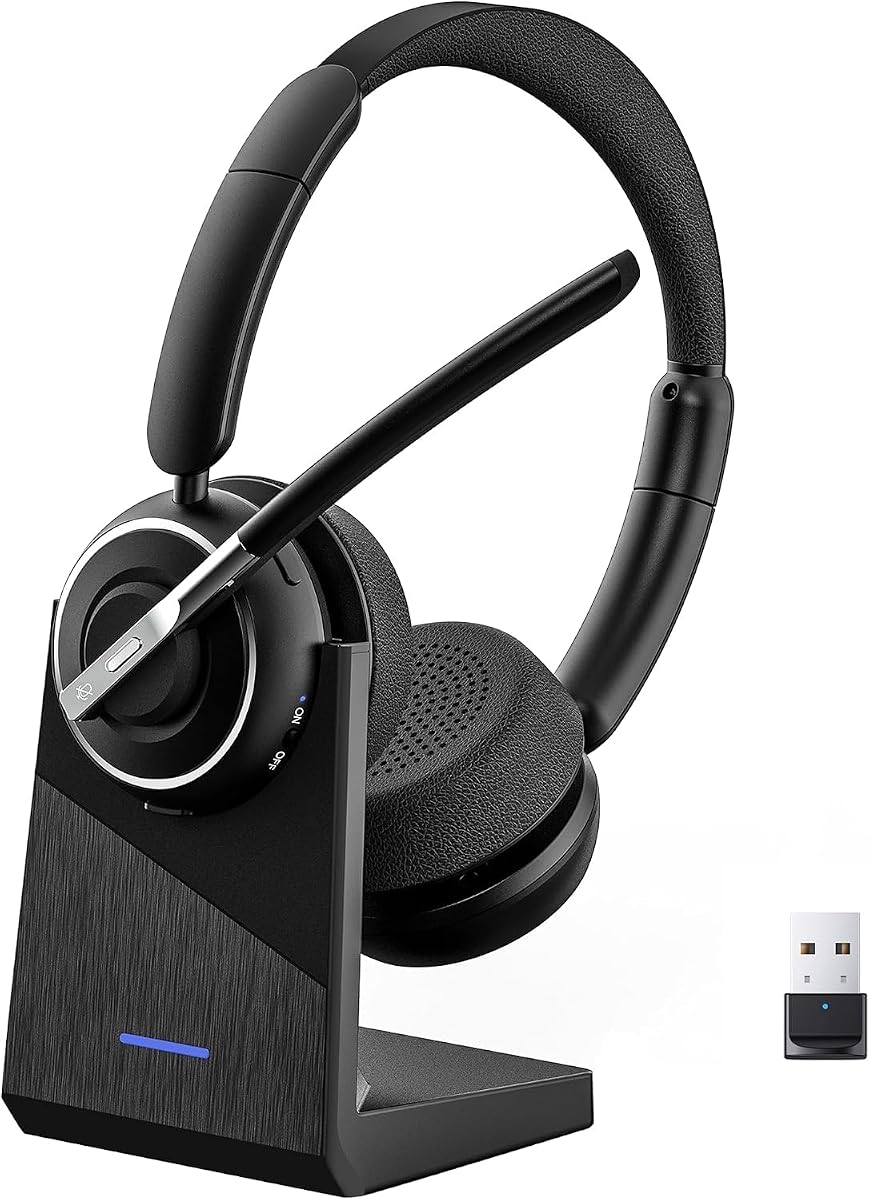
This Wireless Headset with Mic for Work combines a high 4.6 rating with multipoint connectivity, a dedicated USB-A adapter, environmental noise cancellation, and up to 40 hours of talk time. It is aimed at remote employees, hybrid teams, and frequent travelers who need one headset to cover computer meetings and mobile calls.
We may earn a commission when you buy through this link, at no additional cost to you.
The 600mAh rechargeable battery is one of its strongest specifications, with a full charge expected in roughly two hours using the included desktop stand. It can also operate while charging, although the supplied guidance recommends powering it off for optimal safety and battery longevity. The stand itself reduces desk clutter and gives the headset a consistent place to recharge between calls.
Environmental noise cancellation focuses on reducing distractions such as household activity, pets, and background conversation. A one-touch microphone mute control adds a fast privacy action, though it activates only during calls. Bluetooth 5.3 and a 33-foot operating range support flexible movement, while simultaneous laptop and smartphone pairing makes device switching more convenient.
The headset also emphasizes comfort with an adjustable headband, memory-foam earcups, and breathable protein-leather cushions. Its flexible boom microphone supports voice clarity, while a multifunction button can access smartphone voice assistants. The USB dongle is for computers rather than landlines, and the overall feature set depends on interpreting wireless controls correctly. With strong battery life and included charging stand, it is an excellent fit for users who spend long stretches in back-to-back meetings.
A 40-hour talk-time target covers multiple workdays between full charges. The included stand encourages a consistent charging routine and keeps the headset accessible at your desk.
Environmental noise cancellation targets the voices and sounds that commonly disrupt remote calls. The flexible boom microphone and one-touch mute complement that focus on practical call quality.
We may earn a commission when you buy through this link, at no additional cost to you.
The Logitech Zone 301 is a lightweight wireless headset for users who want more adjustment than a basic Bluetooth work headset provides. Its 3.9 rating reflects a capable overall package, while LogiTune support for microphone level, sidetone, equalizer settings, and firmware updates is a meaningful advantage for technically inclined users.
We may earn a commission when you buy through this link, at no additional cost to you.
Two beamforming microphones on the extended boom work with noise-canceling algorithms to reduce background sound in homes and shared workspaces. The 30mm dynamic drivers are tuned for clear audio across calls and everyday listening. A 30-meter wireless range provides plenty of room to move around a home or office, and multipoint Bluetooth lets you switch between a computer and phone.
The Zone 301 weighs 122 grams, and its enlarged earpads and padded headband are designed for extended use. Replaceable earpads add long-term maintenance value, allowing worn cushions to be renewed separately. LogiTune is central to the experience, but it also means the headset is not entirely zero-configuration: users who want the microphone and sound profile precisely tuned will benefit most from the software.
Battery life is the clearest compromise. The headset provides up to 20 hours of listening and 16 hours of talk time, with a five-minute quick charge adding one hour of talk time. That is adequate for a normal day when charging is regular, but it is shorter than several wireless rivals. The Zone 301 is best for buyers who prioritize customization, a lightweight fit, replaceable cushions, and broad wireless movement over several-day battery endurance.
Microphone level, sidetone, and equalizer adjustments can improve the way a headset sounds to the listener and how your own voice feels. Those controls make LogiTune more than an update utility.
At 122 grams with enlarged pads and a padded headband, the Zone 301 is designed to reduce the fatigue associated with bulky headsets. Replaceable cushions help preserve comfort over time.
We may earn a commission when you buy through this link, at no additional cost to you.
The Wireless Charging Base Headset stands out for its stated 65-hour battery life and a complete charging system that includes a desk base. Its 4.5 rating reflects a well-rounded headset designed for long shifts, customer support work, online classes, and back-to-back virtual meetings.
We may earn a commission when you buy through this link, at no additional cost to you.
Its AI noise-canceling microphone is intended to reduce office chatter, keyboard sounds, and household distractions so your transmitted voice sounds more professional. The headset supports Bluetooth 5.2 and includes a USB dongle for computers without built-in Bluetooth. The dongle provides a stable connection up to 49 feet, while the charging base conveniently stores it near your computer.
Battery life is the defining feature. You can recharge through the base at a desk or use the included USB-C cable while traveling. A 270-degree rotating microphone and reversible ear hook allow a more personalized fit, which is useful for people who prefer a single-ear configuration or want to reposition the microphone for different tasks.
On the software and hardware side, responsive controls allow users to answer calls, adjust volume, activate a voice assistant, and mute the microphone. The headset is listed as compatible with Teams, Zoom, Google Meet, and Webex. Its main trade-off is that Bluetooth 5.2 is not the newest specification in the group, and the listed 49-foot range trails some multipoint alternatives. Even so, the combination of long battery life, charging base, flexible wearing options, and strong voice-focused features makes this an appealing choice for intensive daily call use.
The charging base provides a stable home for both the headset and its USB dongle. That organization can make it easier to keep a wireless work setup ready between meetings.
The reversible ear hook and 270-degree rotating microphone let you change how the headset sits. Accessible mute and volume controls reduce the need to interact with software during urgent moments.
We may earn a commission when you buy through this link, at no additional cost to you.
The PrancyBt Wireless Headset has the highest listed rating in the roundup at 4.9 and focuses on voice clarity, wireless mobility, and easy controls. It is designed for work from home, computer-based call centers, travel, and online meetings on major communication platforms.
We may earn a commission when you buy through this link, at no additional cost to you.
The central feature is a noise-reducing microphone that the supplied information says filters up to 99.9% of surrounding interference. While that figure is a manufacturer specification rather than an independent result, it indicates a strong focus on clean transmission in coffee shops, busy workplaces, and other distracting locations. A one-click mute control offers immediate privacy, although the feature is restricted to active calls or meetings.
The headset supports Bluetooth and a USB dongle for computers that lack native wireless connectivity. Its stated range is 33 feet, and the supplied information notes that the dongle is designed exclusively for Windows. It also supports music, podcasts, and video meetings through applications including Zoom, Microsoft Teams, Webex, and Skype. Battery life is listed at up to 35 hours, making it suitable for consecutive meetings and extended shifts.
Comfort features include an adjustable headband, soft protein-foam earpads, a lightweight construction, and 270-degree rotatable earcups. The main caveats are the Windows-only dongle and the lack of compatibility with desk phones and landlines. The high rating should not be treated as a guarantee that every environment will be perfectly quiet, but based on the provided features, this is a strong pick for users who prioritize microphone performance, ratings, and straightforward meeting compatibility.
The noise-reduction system is especially relevant in shared offices and homes where background speech is difficult to control. Clearer outgoing audio allows coworkers to focus on your words rather than your surroundings.
Rotating earcups and protein-foam cushions help distribute pressure during long wear. Bluetooth handles mobile use, while the dongle provides a dedicated path for compatible Windows computers.
We may earn a commission when you buy through this link, at no additional cost to you.
The Lenovo Dual Mode Wireless ANC Headset 6550 is the most feature-focused premium headset in the group. It combines Microsoft Teams Open Office certification, hybrid active noise cancellation, environmental noise cancellation, a USB-C receiver, Bluetooth dual connectivity, and fast charging. Its 4.5 rating reflects a strong balance of work features and comfort.
We may earn a commission when you buy through this link, at no additional cost to you.
Its hybrid ANC system is intended to reduce distracting background sound in busy offices, cafes, and travel environments, while ENC helps keep your voice natural and clear. A USB-C Bluetooth audio receiver gives users a dedicated computer path, and the headset can maintain two active device connections while storing as many as eight paired devices. That combination makes switching between a work laptop, personal computer, and phone remarkably flexible.
Battery performance is also strong. The headset can deliver up to 60 hours of music playback with ANC off or 36 hours with ANC on. Five minutes of quick charging supplies up to two hours of playback, which is useful when a short break falls between meetings. Physical call controls and certified Teams optimization make the device appropriate for users who depend on Microsoft Teams throughout the workday.
Comfort is supported by a pressure-relieving headband, rotating earcups, and plush memory-foam cushions. The trade-offs are that turning ANC on reduces maximum talk time, and the included receiver is USB-C rather than USB-A. Some older computers may therefore require an adapter. For anyone willing to make that small accommodation, the 6550 is a premium recommendation with unusually strong noise control, flexible device management, and polished long-session ergonomics.
Hybrid ANC reduces incoming environmental sound, while ENC helps clean up your outgoing microphone signal. The combined approach is valuable in offices, cafés, airports, and busy homes where consistency matters.
A five-minute charge can add up to two hours of playback, while two active connections and eight stored pairings reduce the friction of moving among work and personal devices.
We may earn a commission when you buy through this link, at no additional cost to you.
The right headset depends on how you work, where your meetings occur, and how much mobility you need. The most useful purchase starts with call quality and then balances comfort, connection reliability, controls, and battery requirements.
Start by confirming that the headset works with the way your organization uses Teams. Some products are explicitly Microsoft Teams certified, including the Lenovo Wireless VoIP Headset, the Jabra Evolve 20, and the Lenovo 6550. The Lenovo Wireless VoIP Headset specifically requires its USB-A receiver for all Teams functionality, while other models connect through standard Bluetooth, a supplied receiver, or a wired USB interface. Certification is useful when device managers need a headset with documented platform support, but it is not the only factor affecting call quality. You should also consider the operating system, meeting application version, USB port availability, and whether your organization restricts unapproved peripherals.
Your voice is the part of a headset that other meeting participants notice most, so the microphone deserves careful attention. The Jabra Evolve 20 and Logitech Zone 301 use noise-canceling or beamforming microphones, while the Lenovo 6550 combines hybrid ANC with environmental noise cancellation. Several wireless models also use ENC to reduce distracting sounds during transmission. These technologies are particularly useful in shared offices, home workspaces with children or pets, and call-center environments. Physical mute controls add another layer of privacy because they let you visibly silence the microphone without searching through meeting controls. Note that one-touch mute on some models only operates during an active call, and the 6550 and PrancyBt also specify this limitation.
Wired headsets such as the Logitech H390 and Jabra Evolve 20 offer the simplest setup and eliminate battery charging, Bluetooth pairing, and radio interference. They are well suited to fixed desks and users who value a stable connection more than mobility. Wireless headsets add freedom to pace, stand during long conversations, and move between meetings away from a computer. Their trade-offs include charging, radio range, multipoint complexity, and possible setup restrictions on managed computers. If your laptop lacks convenient Bluetooth, a supplied USB receiver can solve that problem. If your computer is fixed and always within cable reach, a wired headset may still be the most dependable and least complicated option.
Wireless does not always mean pure Bluetooth. The Lenovo Wireless VoIP Headset includes a USB-A receiver, the Upgrade ANC ENC Headset includes a Qualcomm USB-A dongle, the PrancyBt dongle is restricted to Windows, and the Lenovo 6550 uses a USB-C receiver. Meanwhile, the Jabra Evolve 20 supports both USB-A and USB-C for wired connections. Check the physical port on your regular computer rather than assuming every USB connector is interchangeable. A dongle can also bypass restrictive Bluetooth settings, but it may take up a valuable port. The 6550 may require an adapter on systems without USB-C, and the first Lenovo model requires its receiver for full Teams functionality.
Battery life should be matched to the length and frequency of your workday. The Wireless Charging Base Headset leads the group with a stated 65-hour battery and a dedicated charging base, while the Wireless Noise Cancelling Headset offers 40 hours and a 33-foot range with a 600mAh battery. The Upgrade ANC ENC model supports up to 35 hours of talk time, PrancyBt is also listed at 35 hours, and the Lenovo 6550 provides 36 hours with ANC enabled. Shorter options include the Logitech Zone 301 at 16 hours and Zone Vibe 100 at 18 hours. If your schedule is light, a shorter rating may still be sufficient. If you have several meetings a day, quick charging and a convenient dock can be more important than a headline number.
A headset that sounds excellent but becomes uncomfortable will still be a poor daily tool. The lightest over-ear option here is the Logitech Zone 301 at 122 grams, while the first Lenovo headset weighs 140 grams. The Upgrade ANC ENC and Wireless Charging Base models offer rotatable microphones and flexible adjustments, and the Zone 301, Lenovo 6550, and Zone Vibe 100 use memory-foam or plush cushioning. Leatherette and protein-leather surfaces may feel smooth and be easier to wipe clean, while foam can offer a softer feel. Replaceable earcups are valuable because headset cushions often wear before the electronics do. If possible, consider your glasses, hair, preferred earcup pressure, and whether you wear the headset on one or both ears.
Good controls save time when a meeting begins unexpectedly. Physical mute, volume, call-answer, and voice-assistant controls appear across many of the wireless models, and the Upgrade ANC ENC headset uses a flip-to-mute boom. That mechanism is easy to verify visually and can be preferable to a software button. Multipoint Bluetooth lets you connect to two devices at once, while the Lenovo 6550 goes further by storing up to eight paired devices. Some controls remain device-specific: certain multifunction buttons operate with smartphones rather than computer applications, and some mute controls work only during active calls. Check which functions you expect to use in Teams so you are not disappointed by an app-specific limitation.
A headset used for Teams may also handle music, training videos, podcasts, and entertainment. The Logitech Zone Vibe 100 uses 40mm drivers and is explicitly designed to balance work and play, while the Jabra Evolve 20 uses 28mm speakers and the Zone 301 uses 30mm drivers. Larger drivers do not automatically guarantee better microphone quality, but they can support a more satisfying full-range listening experience. If your main priority is speech clarity, focus on microphone technique and noise control. If you want one headset to handle music and calls equally well, consider driver size, sound profile, comfort, and how easily the device transitions between work and leisure use.
Begin by charging the headset according to its instructions, pairing Bluetooth if that is the method you intend to use, and selecting the headset as both the microphone and speaker in your Teams meeting settings. If a USB receiver is included, connect it directly to the computer before opening the call. A physical mute indicator and a quick test recording can help confirm that your microphone is working and that background sound is being reduced as expected. Keep the microphone boom positioned near your mouth, and avoid rotating or folding it until you have confirmed the mute behavior for that particular model.
For daily care, wipe the earcups and headband with a soft, slightly damp cloth, but avoid pushing moisture into the cushions, controls, charging contacts, or ports. Remove replaceable earcups when possible and clean them separately according to the manufacturer guidance. Do not use harsh liquids or abrasive materials, and allow the headset to dry fully before charging. If you use a wireless model, remove its USB dongle when it is not needed and store it in the supplied base or another protected place. Keeping the boom clear of cables and storing the headset where it cannot be crushed will reduce long-term wear.
Periodically test the microphone with a short recording, check the remaining battery, and confirm that firmware and software remain current when the manufacturer provides an update utility. For models with configurable EQ, sidetone, or microphone level, make small adjustments and record a sample rather than changing many settings at once. If a meeting begins with unclear audio, check the selected input and output devices first, then move to a quieter location or adjust the microphone position. These simple checks resolve many common headset issues before you need to reconnect the device or restart the meeting.
No, many headsets work with Teams through standard Bluetooth or USB audio, but certification provides additional confidence about platform compatibility and call controls. The Jabra Evolve 20 and both Lenovo Teams-certified models may be preferable for managed business environments. If your organization uses approved equipment lists, verify the exact model before purchasing.
Choose a wired headset if you work at a fixed desk and want charging-free, pairing-free operation. Choose a wireless model if you need to move around, switch between a computer and phone, or travel regularly. A supplied USB receiver can make a wireless headset more dependable on computers with restricted Bluetooth settings.
ANC, or active noise cancellation, primarily reduces incoming background noise so you hear less distraction. ENC, or environmental noise cancellation, focuses on processing the microphone signal so your voice is transmitted more clearly. The most useful models combine both approaches, although the exact effect depends on the environment and implementation.
It depends on the headset and computer. Some models use standard Bluetooth, some support wired USB, and others include a dedicated receiver. The Lenovo Wireless VoIP Headset specifically requires its USB-A receiver for all Teams functionality, while the Lenovo 6550 includes a USB-C receiver. Confirm your computer's port before ordering.
The right amount depends on meeting length and charging frequency. Around 16 to 18 hours may be sufficient for one workday with regular charging, while 35 to 40 hours offers more flexibility across busy schedules. The 65-hour Wireless Charging Base Headset is aimed at intensive users who want the greatest freedom from the charger.
Choose a headset with a noise-reducing or beamforming microphone, position the boom close to your mouth, and use its physical mute control when needed. A quieter room is still best when available, but hybrid ANC and ENC can reduce distracting sounds in coffee shops, shared offices, and homes with background activity.
Comfort depends on weight, pressure, fit, and personal preference. The Logitech Zone 301 is among the lightest over-ear models here, while the Logitech H390 uses a lighter on-ear format. Try a headset if possible, consider glasses and hair, and look for adjustable headbands, soft cushions, and replaceable earpads.
Yes, if it supports the required connection methods. Multipoint Bluetooth models can remain connected to a computer and smartphone, while dedicated USB receivers provide a stable computer path. Some buttons and mute functions are device-specific, so confirm compatibility and control behavior before relying on seamless switching.
The strongest overall choice is the Lenovo Wireless VoIP Headset because it combines explicit Microsoft Teams Open Office certification, multipoint Bluetooth, a USB-A receiver, noise suppression, long battery life, and replaceable comfortable earcups. The Logitech H390 is the best budget option for a fixed desk, while the Lenovo 6550 is the most premium choice thanks to hybrid ANC, a USB-C receiver, multi-device memory, and fast charging.
Prioritize call quality and connection method before secondary features. A quiet office may make a simple wired headset ideal, while a noisy home or mobile routine benefits from noise cancellation, a dedicated receiver, and physical mute controls. Long schedules also justify paying closer attention to weight, cushioning, replaceable pads, battery life, and a convenient charging solution.
Finally, check current prices, availability, computer ports, and organizational equipment policies before ordering. Ratings and specifications can change as products and software evolve, and special promotions can make one headset more affordable than another. The right choice is the one that combines clear communication, dependable connectivity, and enough comfort for your normal meeting schedule.