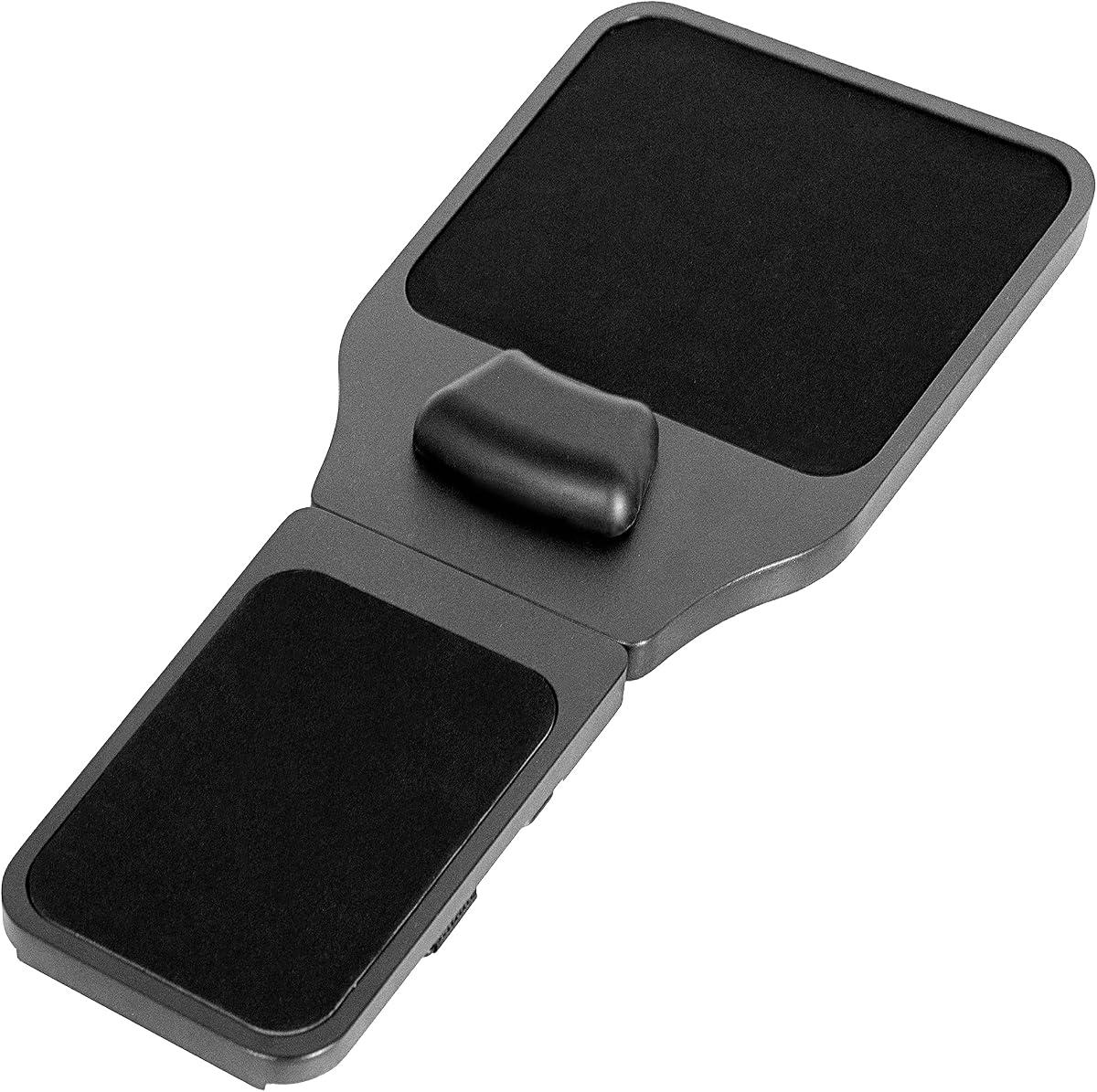
VIVO Black Wooden Arm Rest Mouse Pad
4.1Editor score
Adjustable wooden platform length
Memory foam wrist cushion
Chair-arm mounting straps
An armrest mouse pad combines a mouse surface with elevated support for the hand, wrist, or forearm. Chair-mounted platforms can reduce desk clutter, while desktop models bring cushioning closer to users who spend long hours working, studying, gaming, or browsing. A good choice should feel supportive without interfering with natural mouse movement.
The products in this guide were compared using their listed dimensions, materials, support systems, mounting methods, surface designs, and customer ratings. The list includes true chair-arm platforms as well as compact desktop mouse pads with integrated wrist rests, because both approaches can suit different desks, chairs, and working styles.
Each review explains the strongest feature, useful limitations, and the type of user most likely to benefit. Ratings and availability can change over time, and the best choice ultimately depends on chair shape, desk layout, mouse size, preferred installation method, and how much wrist elevation feels comfortable.
4.1Editor score

4.3Editor score

4.7Editor score
As an Amazon Associate we earn from qualifying purchases.
The comparison below separates chair-mounted platforms from desktop wrist-rest pads and highlights their support type, installation needs, dimensions, and compatibility with different mouse setups.


The VIVO Black Wooden Arm Rest Mouse Pad with Wrist Cushion, MOUNT-MS02D is a full chair-arm platform rather than a conventional desktop pad. It carries a 4.1 customer rating and stands out for its substantial wooden construction, adjustable length, and more extensive support area. It is designed for people who want the mouse and part of the forearm to rest together instead of reaching repeatedly for a pad placed farther forward on the desk.
We may earn a commission when you buy through this link, at no additional cost to you.
Its platform can be adjusted from 19 to 21.8 inches, giving the user a way to align the mouse area and wrist cushion with a particular armrest. Memory foam is incorporated into the top surface, creating a padded landing zone that responds to pressure. Three Velcro straps secure the unit to chair arms with a stated maximum circumference of 11.8 inches, while the platform can be moved to either side for dominant-hand use.
The design is not entirely devoted to mouse control. Its extended surface can also hold pens, keys, a phone, and other small objects, which may be helpful on a compact desk. The tradeoff is that this is a more involved accessory than a small desktop pad. It requires a compatible chair arm, enough clearance around the armrest, and some care when positioning the straps. The adjustable wooden body is substantial, so buyers should also consider whether their chair allows the platform to sit securely without interfering with the armrest’s movement.
This is the strongest choice in the guide for someone specifically seeking a true armrest mouse platform with a refined wooden construction and wrist cushion. It is less suitable for users with narrow, unusual, or highly movable chair arms. Subject to those conditions, the combination of adjustability, hand dominance options, forearm support, and a practical storage area makes it the most complete chair-mounted design reviewed.
Mounting the platform on a chair arm keeps the mouse surface closer to the user’s shoulder and elbow. That can reduce reaching and make the mouse, wrist, and forearm feel like part of one supported workstation rather than separate desktop elements.
The sliding length range and reversible placement accommodate different arm lengths and dominant hands. It is a more flexible chair-mounted option than one with a fixed footprint, although users should confirm their chair-arm dimensions before buying.
We may earn a commission when you buy through this link, at no additional cost to you.
The MROCO Ergonomic Mouse Pad with Gel Wrist Rest is a desktop solution that offers a 4.6 customer rating, a 9.4-by-8.1-inch footprint, and a conventional raised wrist area. It fits neatly between a keyboard and the edge of a desk, providing enough room for broad mouse movements while keeping the wrist on a soft, supported surface. It is a practical alternative for people who do not want to attach anything to their chair.
We may earn a commission when you buy through this link, at no additional cost to you.
The cushion uses soft gel enclosed in Lycra fabric. According to the product information, the covering remains smooth and non-sticky, which should make repeated hand movement feel more consistent than an exposed or tacky cushion. The top surface also uses a fine Lycra texture intended to support cursor accuracy with wired, wireless, optical, and mechanical mice. Its PU base grips the desktop and is designed to resist sliding during ordinary work or gaming.
Comfort depends on fit. A gel wrist rest is less universally comfortable than a low-profile pad, particularly for users who prefer flat mouse movement or have hands that do not naturally rest along a raised edge. The fixed cushion height cannot be adjusted, and the product does not lift the mouse to armrest height. Its reinforced edges are designed to resist fraying, but users should still clean the fabric carefully and avoid abrupt pulls around the seams.
This pad is best for a conventional workstation where the mouse sits directly on the desk but the wrist needs a defined support zone. It combines tracking performance, stable placement, and a well-covered gel cushion without requiring special installation. Buyers who want a chair-mounted platform should look elsewhere, while those seeking an easy desktop upgrade will find a balanced, well-rounded option here.
The combination of a finely textured top and non-slip PU base addresses two common causes of imprecise movement. A surface that grips the desk remains in position while the mouse glides over the fabric, supporting controlled work and gaming.
The Lycra-covered gel cushion gives the hand a defined place to settle between clicks. Because comfort varies by hand shape and desk height, users should adjust their chair and keyboard position before assuming that any raised wrist rest will automatically reduce fatigue.
We may earn a commission when you buy through this link, at no additional cost to you.
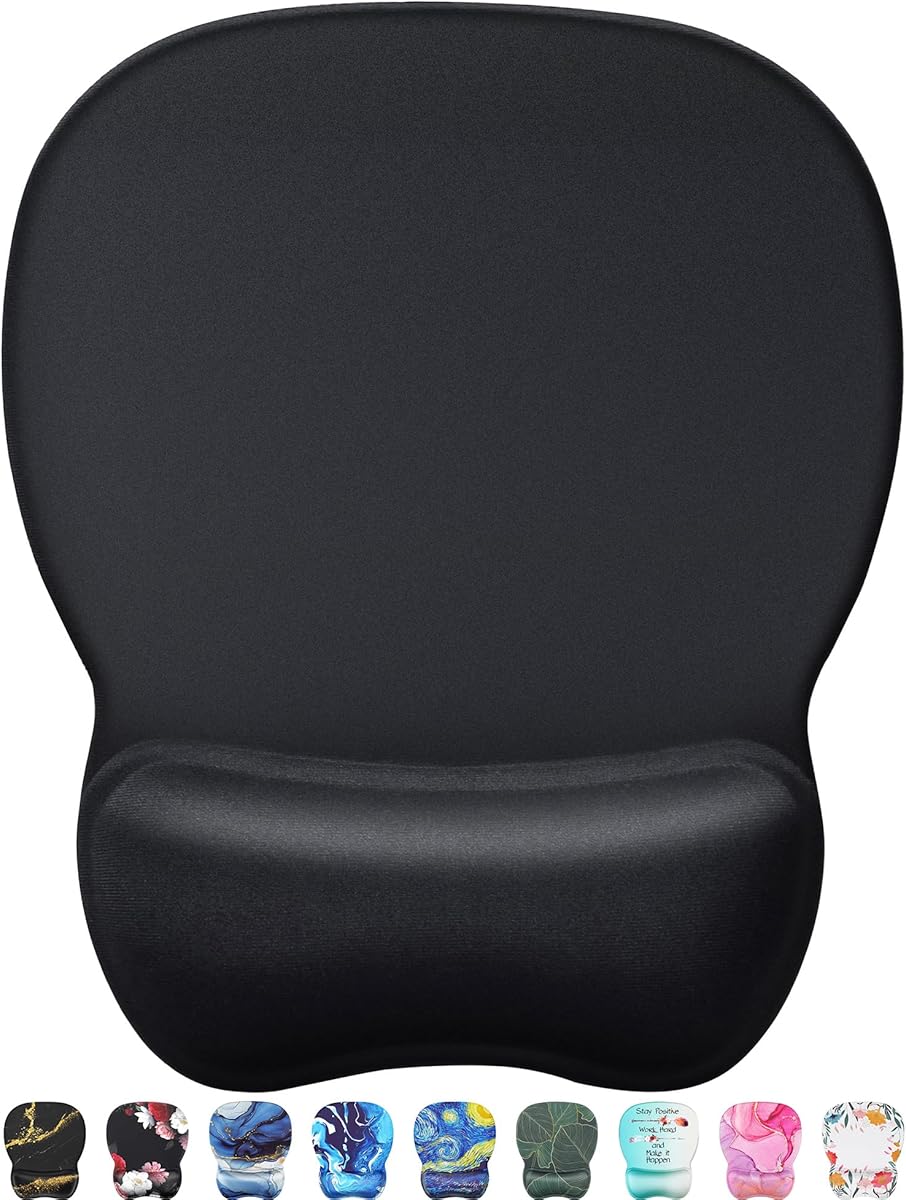
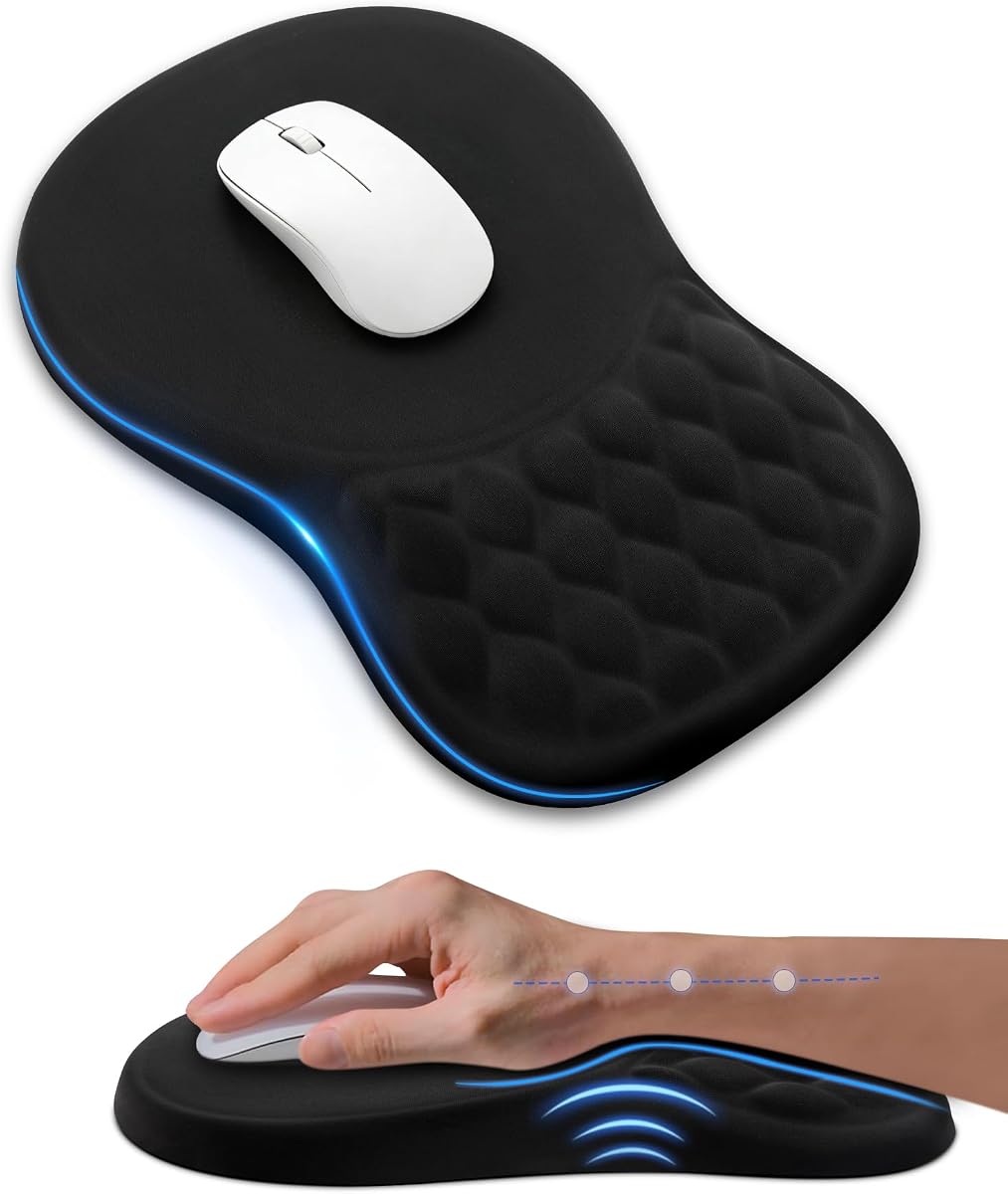
The black ergonomic mouse pad with a sloped memory foam wrist rest has a 4.5 customer rating and an 11.14-by-7.6-inch footprint. Its distinguishing feature is the gradual slope between the tracking surface and the cushion. Rather than meeting the mouse area at a sharp vertical edge, the design gives the wrist a more continuous transition, which may appeal to users who find abrupt wrist-rest edges uncomfortable.
We may earn a commission when you buy through this link, at no additional cost to you.
The memory foam is described as responsive, molding to the wrist and rebounding after use. Above it, a silky Lycra surface creates a low-friction area intended to improve mouse glide and tracking across different mouse types. The anti-slip PU base is intended to remain secure on glossy and wooden desks, reducing the small movements that can make cursor placement feel less precise. Its relatively broad surface also gives the mouse room to travel without frequent repositioning.
This is still a desktop pad rather than a true armrest platform. It cannot raise the mouse to chair-arm height, and the sloped support cannot be repositioned. The cushion may also feel different as the foam adapts over time, which is relevant to buyers comparing a memory-foam design with a firmer gel option. As with any wrist rest, the user’s posture and desk height remain important; a supportive surface cannot compensate for a keyboard placed too high or too far away.
The pad is a strong fit for home offices, study spaces, creative desks, and setups where the mouse is used for long sessions. It combines a useful amount of movement space with a more gradual wrist transition than many conventional pads. For anyone seeking a true chair-mounted armrest, however, the installation-heavy options later in the guide are more directly aligned with the keyword.
The sloped cushion encourages the hand to enter the mouse area gradually instead of dropping against a hard vertical edge. That geometry may be more comfortable for users who prefer subtle elevation and continuous support.
An 11.14-by-7.6-inch surface accommodates standard productivity tasks and lighter gaming. The stable PU backing helps maintain that usable area by resisting movement on the desk.
We may earn a commission when you buy through this link, at no additional cost to you.
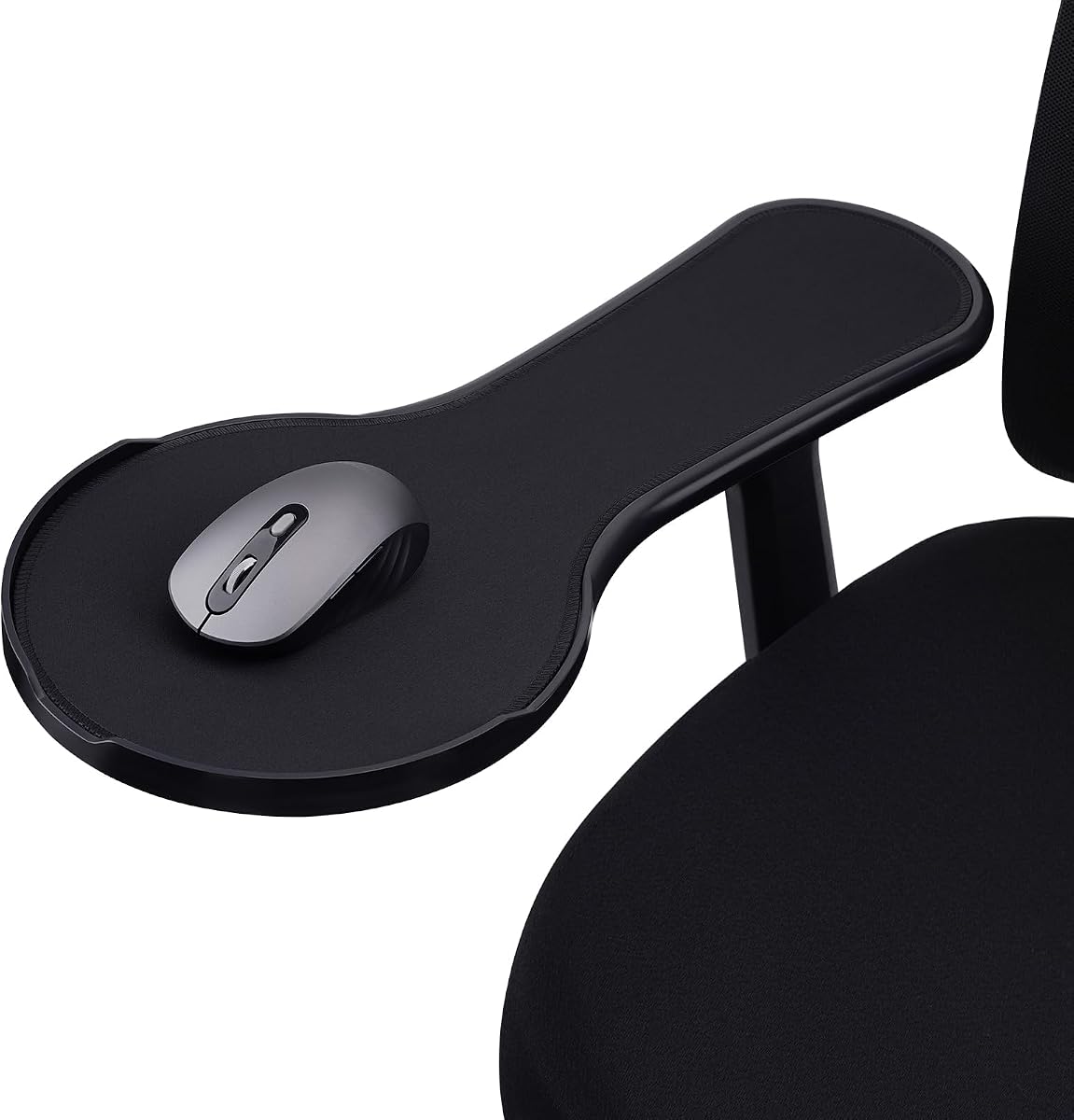
The adjustable chair arm rest mouse pad combines a 4.3 rating with a wide, adjustable platform and a mouse-retaining baffle. It is designed to transform an existing chair arm into a compact workstation, making it one of the most direct answers to the armrest mouse pad concept. Unlike a small desktop pad, it can hold the mouse in approximately the same horizontal zone as the user’s forearm.
We may earn a commission when you buy through this link, at no additional cost to you.
The listed platform measures 18.9 inches long, while its width can vary from 5.4 to 8.7 inches. That range offers space for standard and gaming mice while adapting to different armrest profiles. A circular baffle helps stop the mouse from sliding off the outer edge, and a memory foam cushion provides a soft wrist landing area. Installation uses two sizes of Velcro straps along with zip ties, allowing users to choose a secure fit without complicated hardware.
Its main limitation is that it only works with chair armrests that provide a suitable shape and enough clearance. The adjustable platform and multiple attachment methods improve the chance of a good fit, but they cannot compensate for an unusually narrow arm, one that lacks a flat upper section, or one that moves in a way that pulls the mouse surface out of alignment. The listed material is ABS, which is functional and straightforward but does not offer the same visual warmth or tactile character as wood.
This is the most versatile chair-mounted selection in the guide. It suits users who want the mouse beside the arm, need a larger surface for a gaming mouse, or prefer not to reach across the desk. The anti-fall baffle and adjustable width add practical value, while the tool-free installation keeps setup manageable. It is a strong choice for anyone whose chair arms closely match the product’s intended mounting style.
The circular baffle is a meaningful improvement over a completely flat chair platform because it creates a physical stop at the edge. It is especially useful when a large mouse is being moved quickly or when the platform is not perfectly level.
Adjusting the platform from 5.4 to 8.7 inches wide gives the mouse more lateral freedom than a narrow armrest. The longer design also creates a useful shared zone for the wrist and forearm.
We may earn a commission when you buy through this link, at no additional cost to you.
The ergonomic chair arm mouse tray has a 4.4 customer rating and focuses on a straightforward way to place mouse control directly over a chair arm. It is a chair-only product, and that restriction keeps the design simple. The aim is to provide forearm support so the upper limbs can relax while the user works rather than reaching toward a mouse pad positioned elsewhere on the desk.
We may earn a commission when you buy through this link, at no additional cost to you.
Installation is based on passing straps through the base of the tray and fastening them around the armrest. Two strap sizes are included, with zip ties provided as a backup. This gives users more than one way to address differences in chair-arm shape. The tray itself is adjustable, allowing the mouse area to be aligned with the user’s preferred hand position. Instructions are included for users who want a visual reference during setup.
The main omission is a dedicated mouse-retaining feature. The adjacent adjustable chair model in this guide includes a circular anti-fall baffle, whereas this product’s description does not mention one. It may therefore be less forgiving when the mouse is moved quickly or the chair arm is angled. Buyers who are especially concerned about a mouse dropping should look closely at whether the tray has a raised perimeter or other containment.
This tray is most attractive to users seeking a simple, inexpensive way to experiment with chair-mounted mouse control. It avoids complicated assembly and provides several fastening options. The recommendation is strongest for a compatible chair with a broad, relatively flat armrest and for a mouse user who prioritizes forearm relaxation over elaborate storage or extra anti-fall features.
The included straps and backup zip ties make installation approachable for most users. Securing the base around the armrest allows the tray to function as an extended working surface without permanent modification to the chair.
Keeping the mouse close to the arm can reduce the distance required to reach. The adjustable tray makes it easier to align that surface with the user’s dominant hand and preferred posture.
We may earn a commission when you buy through this link, at no additional cost to you.
The black ergonomic mouse pad with gel wrist support has the highest listed customer rating in this roundup at 4.7. It is not a chair-mounted armrest platform, but it is a capable desktop alternative for users who want a defined place for the wrist without installing hardware. The 10.2-by-7.6-inch size is compact enough for smaller desks while still offering enough room for regular mouse movement.
We may earn a commission when you buy through this link, at no additional cost to you.
Its contoured gel cushion follows the natural curve of the wrist and is designed to return to shape after use. Above the cushion, a fine fabric surface supports controlled movement with the mouse. A non-slip rubber base grips flat desktops and helps reduce shifting during quick movements and repeated clicking. The product description also notes a range of artistic designs, although the specific listing shown here is black.
The fixed cushion height may not feel equally supportive for every hand. Some users need only a slight elevation, while others want more pronounced support; a compact gel pad cannot offer the height and lateral space of a chair-arm platform. Its tracking area is also smaller than some of the larger desktop options. As a result, buyers using very large gaming mice or requiring a broad sweep may prefer a larger model.
This is a good choice for students, office workers, and casual users who want an easy comfort upgrade in a modest footprint. The strong customer rating, straightforward setup, responsive cushion, and stable base provide a convincing package. It is best understood as a budget-friendly desktop wrist-support option rather than a literal chair-mounted accessory, but it serves many of the same ergonomic goals.
The 10.2-by-7.6-inch footprint reserves less desk area than a broad gaming pad. That makes the product easier to integrate into a compact office or study arrangement without losing the benefit of a raised wrist zone.
The fabric top provides the surface for cursor control, while the rubber base limits movement underneath it. The gel cushion adds support without requiring any installation or complicated adjustment.
We may earn a commission when you buy through this link, at no additional cost to you.
The EooCoo ergonomic mouse pad with memory foam support carries a 4.6 customer rating and combines a raised wrist rest with a dense tracking surface. It is designed for users who spend substantial time moving between work, study, and gaming. Memory foam is intended to relieve wrist pressure while the denser top texture is meant to improve tracking accuracy with wired, wireless, optical, and mechanical mice.
We may earn a commission when you buy through this link, at no additional cost to you.
The double-layer construction is intended to improve wear resistance and overall durability. A non-slip PU base helps the pad remain in place, so the user can move the mouse without frequently correcting the pad’s position. Together, these features create a conventional ergonomic mouse pad that focuses on the fundamentals: support, stable footing, consistent tracking, and reduced fraying around frequently used areas.
One limitation is that the supplied product information does not state the pad’s exact dimensions. That makes it harder to confirm whether it will leave sufficient space for a large gaming mouse or fit neatly beside a keyboard. It also has no chair-mounting components. Memory foam support can feel comfortable to one user and overly soft or warm to another, making it difficult to judge suitability without knowing personal preferences.
The EooCoo is a sensible option for a standard desk setup where wrist support and dependable tracking matter more than a large gaming surface. Its 4.6 rating, broad device compatibility, and non-slip foundation make it a well-rounded budget-category choice. Buyers should compare the overall footprint with their available desk area and monitor mouse movement to ensure the surface is neither cramped nor positioned too far from the keyboard.
A denser tracking texture can help the mouse register smaller movements consistently. The stated compatibility with common wired and wireless device types also makes it broadly usable across productivity and gaming setups.
The double-layer design focuses on a common weak point: repeated rubbing near the edges. A PU base then adds stability beneath the pad, creating a more controlled environment for frequent mouse movement.
We may earn a commission when you buy through this link, at no additional cost to you.
The TECKNET ergonomic mouse pad with wrist rest and massage design combines a 4.5 rating with an 12-by-8-inch surface. Its most recognizable feature is the elevated cushion, which includes massage beads and sits at an eight-degree tilt. The design is intended to support the palm and wrist while creating a more comfortable place for the hand during long office, study, or gaming sessions.
We may earn a commission when you buy through this link, at no additional cost to you.
The built-in beads are described as helping reduce arm fatigue and improve air circulation around the hand. Beneath them, memory foam and fabric provide the underlying support. The product information also states that the tilt is intended to reduce discomfort during long use. A non-slip PU base keeps the entire structure stable, while the large surface accommodates standard mice, vertical mice, and gaming mice. The design is described as suitable for both left- and right-handed users.
The massage elements are the main source of uncertainty. Some users may find the raised texture genuinely soothing, while others may find it distracting or less comfortable during rapid clicking. The tilt is also not adjustable, so it cannot be tuned for different desk and chair heights. Importantly, the product description acknowledges that actual comfort varies with hand shape, habits, posture, and desk height. An angled pad cannot correct an otherwise poor workstation setup.
This product is most interesting for users who want a desktop pad with more visual and tactile character than a standard gel rectangle. It offers a generous tracking area, a distinctive support mechanism, and a stable base. It is less suitable for those who prefer a completely flat surface or want to fine-tune the angle. With correct chair and keyboard positioning, it can serve as a useful alternative to conventional foam or gel designs.
The tilted surface positions the hand and wrist at a slightly different angle than a flat pad. That geometry may reduce abrupt extension, but it works best when the desk, chair, and keyboard are already aligned correctly.
The raised bead pattern adds a tactile element to the wrist area. It may feel beneficial during periods of extended use, although users sensitive to pronounced cushion textures should consider whether the design suits their preferences.
We may earn a commission when you buy through this link, at no additional cost to you.
The TECKNET ergonomic mouse pad with wrist support has a 4.6 rating and a 9.44-by-8.46-inch footprint. It is designed for office and gaming use, with memory foam forming the raised wrist support and a coated tracking surface intended to provide accurate, easy mouse control. Its relatively contained size also makes it more portable than many broad desk mats, which is useful for people who move between workspaces.
We may earn a commission when you buy through this link, at no additional cost to you.
The top has a waterproof coating that can help protect against accidental spills and makes routine cleaning easier. Beneath the pad, a wave-pattern rubber base is designed to improve friction and limit sliding. Reinforced edges are intended to prevent deformation and extend usable life. Together, these practical details make the pad appealing for users who want a simple support surface that can withstand frequent daily handling.
The product description makes broad claims about reducing pain, but comfort should be considered in context. Memory foam height and firmness can feel different depending on wrist shape, mouse size, and desk elevation. A fixed cushion cannot adapt to every posture, and the pad does not support the forearm in the way a chair-mounted platform does. Its smaller tracking area may also require more frequent resets when using a large gaming mouse.
This is a good general-purpose choice for a smaller desk, travel setup, or conventional office. The supportive foam, easy-clean surface, stable base, and portable size make it particularly convenient. Users searching specifically for an elevated platform beside a chair arm should consider the chair-mounted models, but for a straightforward desktop accessory, this TECKNET option provides a balanced feature set.
The waterproof coating adds a practical layer of protection against accidental liquids. It can make everyday maintenance simpler, especially in an office or shared study environment where the pad is used frequently.
At 9.44 by 8.46 inches, the pad is easier to store and carry than a large desk mat. It offers enough room for common office mice while fitting more readily into compact or temporary setups.
We may earn a commission when you buy through this link, at no additional cost to you.
The Kensington Duo Gel Mouse Pad with Wrist Rest has a 4.5 customer rating and a distinctive one-inch raised gel pillow. The dimensions listed in the product information are 7.625 inches wide by 9.625 inches long by 1 inch tall. It is a desktop accessory designed to provide a shaped support area for scrolling and clicking, with a soft blue finish and a two-tone appearance.
We may earn a commission when you buy through this link, at no additional cost to you.
The gel pillow is designed to match the natural curve of the hand and wrist. A ventilation channel runs through the support area to help keep the hand cooler and drier, an especially relevant feature for longer work or gaming sessions. The outer finish is soft and easy to wipe clean, making routine maintenance uncomplicated. Compared with many low-profile memory foam pads, the substantial one-inch rise creates a pronounced support surface.
That height can be a benefit or a drawback. Users who rest their palm heavily against the cushion may appreciate the fuller support, while those who move the mouse with a flatter hand position may find the edge too high. The 7.625-inch width is also modest for large gaming mice or users who prefer wide sweeping motions. It has no chair attachment, so the product is best understood as a classic gel wrist-rest pad.
The Kensington is a strong final recommendation for someone who values a cool, cleanable, and visibly defined wrist support over portability or chair integration. Its gel construction and ventilated design offer a familiar ergonomic format, and the product has a solid customer rating. Users should compare the one-inch height with their current wrist position and make sure the narrower tracking area suits their mouse.
The ventilation channel helps air move through the raised gel area, which can make the pad more comfortable during extended use. This feature distinguishes it from solid foam designs that do not emphasize airflow.
The gel pillow follows the natural curve of the wrist and hand, creating a more pronounced resting point than a flat surface. The one-inch height offers generous elevation but may require users to adjust their mouse position.
We may earn a commission when you buy through this link, at no additional cost to you.
The most important decision is whether you want a true chair-mounted platform or a desktop mouse pad with a raised wrist area. After making that distinction, consider chair fit, support height, mouse clearance, surface texture, and how much maintenance the design requires.
Choose a chair platform for a dedicated workstation, or a desktop model for flexibility. The two categories can even work together when a user travels frequently or wants a compact option away from a home office.
Measure the chair arm before ordering and compare it with the product’s installation information. If the chair has a retractable or highly adjustable arm, confirm that the mouse platform will remain level when the arm is raised.
Look for a support profile that suits your normal hand position. If you already use a high mouse position, choose a similarly elevated platform; if you prefer flat mouse movement, avoid an unnecessarily tall cushion.
Measure your mouse and compare it with the stated pad dimensions. A product that looks supportive but leaves too little tracking room may disrupt precision and make long sessions less comfortable.
Choose a smooth, controlled surface for office work and a slightly textured one when more deliberate mouse feedback is preferred. Stability should be judged together with tracking, not as a separate feature.
Select a cushion based on the feel you prefer rather than on a single material label. If you share a workspace or drink near the computer, an easy-clean surface may be more valuable than a complex ergonomic shape.
Fast gamers should prioritize an anti-fall feature and a wide platform. General office users may find a secure PU base sufficient, especially with a conventional desktop pad.
For a chair model, confirm that the mounting method works on either arm. For a desktop model, place the keyboard and mouse in the intended arrangement and keep the wrist support on the side that will actually be used.
Begin by adjusting your chair, keyboard, and screen so the mouse is at a comfortable distance from your body. For a desktop pad, place the keyboard close enough that your forearm does not have to stretch across the desk, then position the wrist support where the hand naturally settles between movements. For a chair platform, secure it to the intended armrest, align the mouse with your dominant hand, and tighten the straps gradually without creating a visible edge that presses against the arm.
Let the support fit your natural position rather than forcing the wrist into a fixed angle. Keep the mouse sensor on the smooth tracking area and avoid dragging it over the raised gel or foam. For chair-mounted products, make sure the platform sits level and that the mouse cannot pass over a retaining edge. If the support feels too high or low, adjust the chair, keyboard, or platform position before adding extra support.
Clean desktop pads according to the manufacturer’s instructions, using a soft, lightly dampened cloth for fabric and avoiding harsh chemicals. Remove loose dust from chair platforms with a dry cloth or a soft brush, and check the straps and baffle for trapped debris. Do not immerse memory foam, gel, or wooden components. Allow the pad to dry fully before reinstalling or using it, and inspect the base and attachment points periodically for loosening or wear.
An armrest mouse pad is a mouse surface designed to sit on, or provide support similar to, a chair armrest. It may include a raised wrist cushion, an adjustable tray, and straps or ties for mounting. Unlike a conventional desktop pad, it can keep the mouse near forearm level and reduce the distance required to reach it. Some listings in this guide are desktop alternatives for shoppers whose chairs lack suitable armrests.
They can be comfortable when the platform is correctly aligned with the chair and the user’s dominant hand. The mouse should sit near the natural position of the hand, while the forearm rests without pressing against a sharp edge. Individual comfort varies, so check the platform dimensions, chair-arm shape, and available adjustment before choosing. A model with a padded landing zone is likely to feel more approachable than a completely rigid extension.
Most mouse pads in this guide support common gaming mice, but chair platforms need enough width for the device. The adjustable chair platform offers a range of 5.4 to 8.7 inches in width, while the TECKNET massage-design pad provides a 12-by-8-inch desktop area. Users should also consider mouse weight because a heavier gaming mouse may be easier to control on a broad surface with a retaining baffle.
They are helpful because chair armrests vary in width, shape, and circumference. Velcro straps allow the platform to be repositioned, while zip ties can add security when an armrest has a shape that makes the strap difficult to tighten. The VIVO, adjustable chair, and simple chair tray options include multiple fastening approaches. Users should still confirm compatibility with their specific chair before ordering.
Neither is universally better. Gel feels firmer and more springy, while memory foam tends to conform gradually and create a softer sensation. Hand size, desk height, and personal preference matter more than the material name. A sloped foam design may suit users who dislike abrupt edges, while a ventilated gel pillow may feel better for people who prefer a defined curve and enhanced airflow.
Many chair-mounted models can be installed on either armrest, including the VIVO design, which explicitly supports left- or right-handed placement. The mounting hardware and available space around the chair arm determine whether reversal is practical. Desktop pads vary more widely, so users with a left-handed setup should check the shape and support orientation before buying.
Choose a platform with a raised perimeter or dedicated anti-fall baffle, and make sure the mouse is placed fully on the tracking surface. The adjustable chair platform in this guide includes a circular baffle for this purpose. Level installation, secure straps, and a stable base also help, but no platform can eliminate the need for sensible mouse placement and careful movement.
Yes, but follow the product-specific care instructions and avoid soaking foam or gel. A soft, lightly dampened cloth is generally suitable for wiping fabric surfaces, while a dry cloth can remove loose dust from chair platforms and wooden components. Do not apply harsh chemicals, and make sure moisture does not enter seams or cushion openings. Let the surface dry completely before use.
The VIVO Black Wooden Arm Rest Mouse Pad is the most feature-rich premium option, combining a long adjustable platform, a memory foam wrist cushion, chair-arm straps, and left- or right-handed placement. The adjustable chair platform is the editor’s choice for a versatile and practical workstation, particularly because its width adjustment, anti-fall baffle, and multiple mounting methods support different mice and armrests. For buyers wanting a simpler desktop solution, the compact gel pad offers a strong customer rating and straightforward comfort.
Prioritize the design that matches your actual environment. A true chair platform is the most direct answer when you want the mouse at arm level, but it requires a compatible chair and careful installation. A desktop pad is easier to carry and simpler to position, yet it cannot raise the mouse to forearm height. Within either format, support shape, tracking area, mouse size, and attachment stability should be matched to your desk and working habits.
Before making a final decision, check the current product details, availability, and pricing, because catalog information can change. Read the dimensions, included hardware, material descriptions, and care instructions closely rather than relying only on the appearance in a product image. The most comfortable result comes from combining the right support surface with proper chair height, close keyboard placement, and a neutral working posture.
