
CORSAIR RS120 ARGB
4.6Editor score
Daisy-chained PWM connections
Eight ARGB LEDs per fan
Up to 72.8 CFM airflow
Explore the best Corsair case fans for quiet cooling, RGB lighting, radiator setups, and flexible airflow control in this detailed 2026 buying guide today.
Corsair case fans combine airflow, pressure capability, controllable speeds, and coordinated lighting in options suited to everything from compact gaming systems to elaborate custom builds. The right fan depends on whether you prioritize maximum cooling, a clean cable layout, visible illumination, or a balance of performance and operating noise.
This guide compares ten Corsair models using the specifications and product information supplied for each listing. It covers 120mm and 140mm formats, standard and thick fan designs, conventional and reverse rotors, ARGB and RGB lighting, AirGuide airflow, magnetic dome bearings, and the different iCUE LINK connection systems.
Each entry explains where that model stands out, identifies the considerations that may affect compatibility, and clarifies which type of builder is most likely to benefit. Product ratings are included where available, while availability and prices can change, so confirm the current listing and your system requirements before purchasing.
4.6Editor score

4.6Editor score

4.7Editor score
The comparison below highlights each fan's format, lighting, airflow, speed control, and connection style to make the major differences easier to assess.


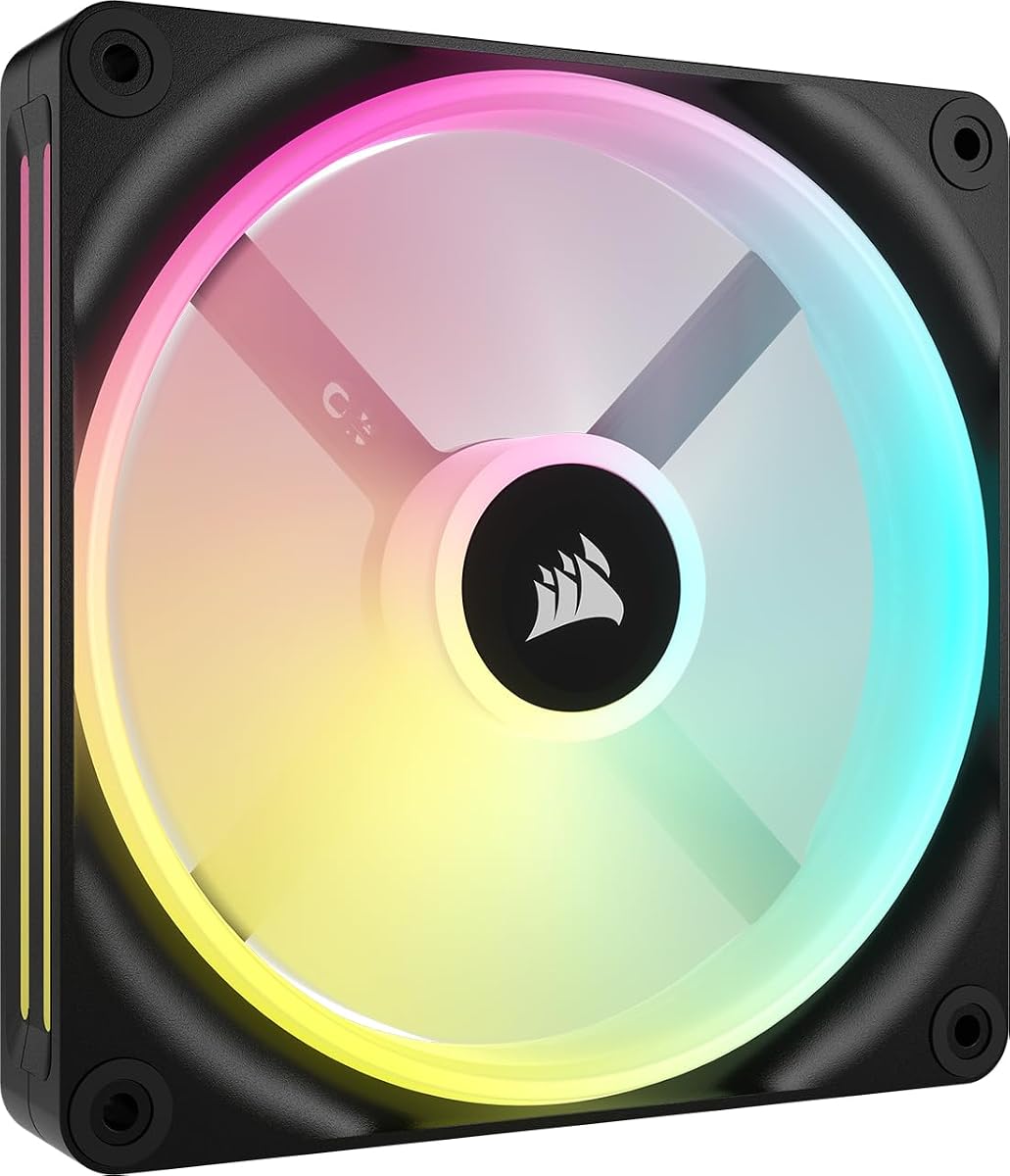


The CORSAIR RS120 ARGB triple pack is a well-rounded option for builders who want recognizable Corsair airflow characteristics without relying on the more elaborate iCUE LINK ecosystem. Its supplied rating is 4.6, and the specifications position it as a capable general-purpose fan: it reaches up to 2,100 RPM, produces up to 72.8 CFM of airflow, and offers 2.8mm-H2O of static pressure.
We may earn a commission when you buy through this link, at no additional cost to you.
Its practical strength is the connection layout. Daisy-chaining lets multiple fans communicate through a single four-pin PWM connector and one +5V ARGB connector, reducing the number of headers required on the motherboard. Eight LEDs per fan provide customizable lighting through a compatible motherboard's ARGB control, while CORSAIR AirGuide vanes are intended to focus airflow toward hot components or through a radiator or heatsink.
There are trade-offs compared with the premium iCUE LINK models in this list. It does not include a system hub, and its lighting is limited to eight LEDs per fan rather than a dual-loop arrangement. The listed 2.8mm-H2O static pressure is also lower than several thicker or higher-speed competitors, so it may require more care when paired with a dense radiator.
This is a strong recommendation for a new build that needs several matching 120mm fans, standard PWM control, and attractive ARGB illumination without a complicated lighting network. It suits case intake and exhaust positions particularly well, and its radiator capability makes it a credible option for a moderately restrictive cooling setup.
Using one PWM and one ARGB connection for a bank of fans keeps the rear panel less cluttered and reduces the need for splitters. It also makes the triple pack straightforward to distribute among intake and exhaust positions.
Anti-vortex vanes are designed to direct air toward components that generate heat. The result is useful in both conventional case airflow positions and radiator or heatsink installations.
We may earn a commission when you buy through this link, at no additional cost to you.
The CORSAIR iCUE Link LX120 RGB triple pack is the most complete lighting-focused recommendation in this guide. It carries a 4.6 rating, reaches up to 2,400 RPM, produces 69.9 CFM of airflow, and has 5.22mm-H2O of static pressure, giving it a stronger radiator-oriented specification than the standard RS120.
We may earn a commission when you buy through this link, at no additional cost to you.
The included iCUE LINK System Hub is a major convenience for coordinated builds. Bridge connectors allow the fans to link directly to one another, and the hub connects the bank with a single cable. Each fan has 18 LEDs divided between inner and outer loops, creating a more layered appearance than a basic eight-LED ARGB fan. These lighting features can be synchronized with other compatible iCUE RGB devices.
This richer integration is also the main compromise. A builder who only wants conventional motherboard ARGB may find a standard connection simpler, while the iCUE ecosystem offers the most benefit when lighting control and tidy multi-device synchronization are priorities. The product's own specifications do not provide a noise figure, so quieter-operation claims should be evaluated through the magnetic dome bearing feature and the practical benefits of precise speed control rather than a stated decibel rating.
Choose the LX120 RGB when you want high-speed 120mm cooling, a tidy linked installation, and rich synchronized lighting without separately sourcing a system hub. It is especially attractive for showcase builds using radiators or several case fans, and the included hub reduces the setup friction associated with building a coordinated iCUE system.
The included hub and bridge connectors allow several fans to behave as one coordinated bank. This is especially helpful when the case contains multiple iCUE-compatible lighting products.
With 5.22mm-H2O of static pressure and speeds up to 2,400 RPM, this model has the figures needed for radiator mounting. Precise PWM control also allows the balance between cooling output and sound to be adjusted.
We may earn a commission when you buy through this link, at no additional cost to you.
The white version of the CORSAIR RS120-R ARGB is designed for builders who want the lighting side of a reverse rotor fan to remain visible at the front of a case. Its supplied rating is 4.7, and the core cooling specification consists of speeds up to 2,100 RPM, airflow up to 65.8 CFM, and static pressure of 2.81mm-H2O.
We may earn a commission when you buy through this link, at no additional cost to you.
Reverse rotor construction changes the visual orientation of the fan without introducing the iCUE LINK hub or proprietary lighting network. Eight ARGB LEDs provide customizable effects through a compatible motherboard, and daisy-chaining simplifies connections when all three fans share the same location or mounting plan. Zero RPM mode support can also stop the fans when compatible PWM signals indicate that cooling is not required.
The limitation is that 2.81mm-H2O of static pressure is lower than the figures offered by the LX120 RGB, LX120-R RGB, RX140 RGB, and RS120 MAX. The fan remains suitable for radiator use according to its supplied information, but a dense radiator may favor a higher-pressure model. The eight-LED configuration is also less elaborate than the LX family's dual loops.
The RS120-R ARGB white triple pack is a compelling fit for light-themed systems that use front intake fans and value a clean view of the illuminated face. It gives you the distinctive reverse appearance, standard ARGB compatibility, and daisy-chain convenience without committing to the full iCUE LINK system.
The reversed rotor keeps the illuminated side in view when the fan is mounted as an intake. This makes it particularly useful behind a mesh or tempered-glass front panel.
Zero RPM mode support lets compatible control software stop the fans during periods of low demand. PWM speed adjustment provides further control when the system requires only moderate cooling.
We may earn a commission when you buy through this link, at no additional cost to you.
The black CORSAIR RS120-R ARGB triple pack provides the same reverse-rotor and lighting concept as the white version in a finish that blends naturally with many gaming systems. Its listing carries a 4.6 rating, while the fan reaches up to 2,100 RPM, moves up to 65.8 CFM, and provides 2.81mm-H2O of static pressure.
We may earn a commission when you buy through this link, at no additional cost to you.
The most immediate benefit is visual. Because the rotor faces the opposite direction from a conventional fan, the RGB side remains visible when the fan is used as an intake. Eight LEDs can be customized through the motherboard's built-in ARGB control, and daisy-chaining reduces the number of separate connections needed for a three-fan group.
For cooling-focused builds, note that airflow and static-pressure figures are slightly below those of the standard RS120 ARGB. The 65.8 CFM maximum is still meaningful for a 120mm case fan, and the listed pressure supports radiator placement, but builders with especially restrictive radiators may want a model with a higher pressure rating.
This black RS120-R set is best for a conventional dark build that uses visible front intake fans and wants reverse orientation plus standard ARGB. It delivers the essential visual and control benefits without requiring the more involved iCUE LINK ecosystem, making it a flexible middle-ground option.
The black finish is designed to blend with dark frames, radiators, and internal components while allowing the illuminated fan face to act as a deliberate visual feature.
Daisy-chain support lets the triple pack share PWM and ARGB connections in many case layouts. That can simplify installation and preserve header capacity for other accessories.
We may earn a commission when you buy through this link, at no additional cost to you.
The CORSAIR iCUE Link QX140 RGB brings 140mm airflow and unusually detailed lighting to a single-fan package. Its supplied rating is 4.4, and the listed performance includes speeds from 400 RPM up to 2,000 RPM, airflow up to 82.5 CFM, and 3.79mm-H2O of static pressure.
We may earn a commission when you buy through this link, at no additional cost to you.
Thirty-four RGB LEDs are divided across two light zones, and the Time Warp lighting mode is designed to create a moving, strobing effect. That illumination is controlled through iCUE LINK, while bridge connectors allow the fan to join other compatible QX140 units and connect through a system hub. The magnetic dome bearing is designed to reduce friction at low speeds, while Zero RPM PWM support can eliminate fan noise under light loads.
The primary drawback is that the iCUE LINK System Hub is not included with this single-fan listing. A builder buying one isolated fan can still benefit from its cooling and lighting design, but a coordinated multi-fan setup requires additional hardware. Its maximum speed also trails the 2,400 RPM ceiling of the LX120 models, although the larger 140mm frame moves more listed airflow at lower speeds.
The QX140 RGB is best for a builder who wants a large-format fan with elaborate synchronized lighting and quiet low-load behavior. It is particularly suitable for spacious cases with 140mm mounting options and for users already invested in the iCUE LINK ecosystem or willing to add its hub.
The 34 LEDs are divided between two separate light zones, enabling more dimensional effects than a basic perimeter-only illumination. The Time Warp mode is one of the standout visual features.
The fan can be adjusted from 400 RPM to 2,000 RPM and is rated to move up to 82.5 CFM. The broad control range allows the cooling profile to be adapted to different workloads.
We may earn a commission when you buy through this link, at no additional cost to you.
The CORSAIR iCUE Link LX120-R RGB is the most feature-rich premium option here, combining a reverse rotor, dual lighting loops, a three-fan kit, and a 4.7 supplied rating. It reaches up to 2,400 RPM, delivers up to 66.7 CFM, and provides 4.72mm-H2O of static pressure for radiator-capable performance.
We may earn a commission when you buy through this link, at no additional cost to you.
Its reverse rotor keeps the lighting fully visible in intake positions, while 18 LEDs per fan form inner and outer loops that can be synchronized with compatible iCUE RGB devices. Bridge connectors support direct fan-to-fan linking and a unified connection through the iCUE LINK System Hub. The magnetic dome bearing is designed to minimize friction and support quiet operation, and Zero RPM mode can stop the fans under compatible low-load conditions.
Compared with the standard LX120 RGB, this model sacrifices some listed maximum airflow for the reverse visual design while retaining high speed and strong static pressure. It is not the largest-airflow option in the guide, and the coordinated lighting experience depends on the appropriate hub and software setup. These considerations matter if cooling output is your sole priority.
The LX120-R RGB is the top recommendation for a premium showcase build that places fans behind a front panel. It combines the visual refinement of a reverse rotor with serious speed control, substantial radiator pressure, dual-loop illumination, and a matched set of three fans in one coordinated package.
The reversed motor orientation exposes the illuminated face when the fan is used as an intake. Combined with dual light loops, it creates one of the most refined appearances in the comparison.
With 4.72mm-H2O of static pressure and speeds up to 2,400 RPM, the fan can serve radiator positions. Its lighting-oriented design also makes it valuable in a display case where appearance matters as much as cooling.
We may earn a commission when you buy through this link, at no additional cost to you.
The CORSAIR iCUE Link RX140 MAX RGB is a thick 140mm fan designed around the idea that a larger blade can move substantial air without requiring the same rotational speed as a thinner design. It has a supplied rating of 4.5 and a listed maximum airflow of 102.9 CFM while operating at up to 1,600 RPM.
We may earn a commission when you buy through this link, at no additional cost to you.
Its five-millimeter increase over standard fan thickness allows for a larger blade, and the product information notes that this can reduce noise because the fan may spin more slowly to produce equivalent airflow. Eight RGB LEDs are placed behind a frame window so the lighting can be seen from the side. Magnetic dome bearings and iCUE LINK bridge connectors support a refined, connected installation.
The trade-off is physical clearance. A 30mm-thick fan is not interchangeable with every standard 140mm mounting position, so radiator thickness, filter depth, and case design need to be checked before selection. The 2.38mm-H2O static-pressure figure is also lower than several standard-thickness models here, despite the thicker construction.
This fan makes the most sense in a spacious case that can accommodate its thick frame and where high listed airflow is the priority. It is a specialized alternative rather than a universal upgrade, and it is best paired with a compatible iCUE LINK hub and software environment for full lighting integration.
The larger blade and thicker frame are intended to improve airflow efficiency. Reaching up to 102.9 CFM at a lower 1,600 RPM ceiling illustrates the benefit of this design approach.
A built-in side window gives the eight RGB LEDs a visible viewing angle. This is especially useful where a standard face-on fan position would conceal the lighting.
We may earn a commission when you buy through this link, at no additional cost to you.
The CORSAIR RS120 MAX is a cooling-focused 120mm fan for builders who need more pressure without moving into the iCUE LINK lighting platform. It carries a 4.6 rating and combines a 30mm thickness, speeds up to 2,000 RPM, airflow up to 72 CFM, and static pressure of 4.2mm-H2O.
We may earn a commission when you buy through this link, at no additional cost to you.
The additional five millimeters of thickness accommodates a larger blade, improving the fan's ability to move air through restrictions. Liquid crystal polymer construction adds rigidity and is intended to reduce blade vibration, while AirGuide vanes help direct airflow toward components or through radiators and heatsinks. A standard four-pin PWM header provides familiar control without requiring a proprietary lighting hub.
The main limitation is again clearance. Its thick frame may not fit locations designed for standard-thickness fans, and the single-fan package does not provide the convenience of a matched triple set. Because it does not include RGB lighting, it may not suit builds in which coordinated illumination is a central requirement.
The RS120 MAX is a strong recommendation for radiator mounting, dense heatsinks, and restrained builds that place performance ahead of lighting. It combines a meaningful static-pressure rating with precise PWM control and a durable, vibration-conscious construction.
The 4.2mm-H2O static-pressure specification makes the fan particularly relevant to radiators and other obstructed paths. AirGuide vanes add direction to the air once it enters the fan.
Liquid crystal polymer is used for its strength and rigidity. The reduced vibration is intended to support stable airflow and efficient cooling under sustained operation.
We may earn a commission when you buy through this link, at no additional cost to you.
The CORSAIR iCUE Link RX140 RGB offers a balanced combination of large-format airflow, radiator-capable pressure, and integrated lighting. It has a supplied rating of 4.7, reaches up to 1,700 RPM, moves up to 95.7 CFM, and provides 3.79mm-H2O of static pressure.
We may earn a commission when you buy through this link, at no additional cost to you.
The standard 140mm format makes this model more broadly compatible than the thicker RX140 MAX, while still delivering substantial airflow for case intake, exhaust, and radiator positions. AirGuide vanes focus airflow toward the components that need it, and the white frame offers a clean option for light builds. Eight RGB LEDs and a side window keep the lighting visible from common mounting angles.
The system hub is not included with the single-fan listing, so users interested in a linked bank of fans will need the appropriate iCUE LINK hardware. Its listed maximum speed is lower than that of the LX120 models, but the larger fan format produces more listed airflow. The main decision is therefore between format, pressure, and integrated iCUE behavior rather than raw rotational speed.
The RX140 RGB is an excellent general-purpose choice for a white 140mm build that wants substantial airflow, solid pressure, and coordinated lighting. It is particularly well suited to radiator and large-airflow positions where 95.7 CFM and 3.79mm-H2O are more relevant than maximum RPM.
At up to 95.7 CFM, the fan is designed to move a large volume of air. The 140mm size can be especially effective in cases with generous rear and front mounting options.
The 3.79mm-H2O static-pressure rating helps the fan push through obstructions such as high-density radiators. This makes it more versatile than a basic case-air fan.
We may earn a commission when you buy through this link, at no additional cost to you.
The CORSAIR iCUE LINK QX140 RGB double-fan starter kit is the most convenient way to begin a coordinated 140mm lighting build because it includes two fans and an iCUE LINK System Hub. Its title identifies a renewed white package, and no customer rating is supplied for this particular listing.
We may earn a commission when you buy through this link, at no additional cost to you.
As a starter kit, it addresses a common installation issue: a builder does not need to select compatible fans and source the hub separately. The two 140mm fans can contribute substantial case airflow while their RGB effects are coordinated through the iCUE LINK platform. The magnetic dome bearing named in the title also indicates attention to low-speed friction and operating smoothness.
Renewed status is the central factor to consider. A renewed item can be a sensible way to obtain a complete coordinated package, but buyers should review the listing's condition details carefully and understand the applicable return protections. The absence of a listing rating also means there is less visible customer history to evaluate for this exact package.
This kit is best for a builder who specifically wants the QX140's 140mm format, detailed RGB appearance, and the included hub as a straightforward starting point. It is less appropriate for shoppers who prioritize the most heavily reviewed condition, require standard ARGB, or want to compare detailed fan specifications before committing.
The package pairs two 140mm fans with the system hub, giving a new iCUE LINK build a coordinated foundation. It is useful for a first installation or a planned expansion.
Because this is a renewed package, inspect the available condition information before purchase. Confirm that the fans, hub, cables, and mounting hardware are all included and match your needs.
We may earn a commission when you buy through this link, at no additional cost to you.
The right Corsair fan depends on case clearance, cooling placement, desired lighting system, and the number of headers available. Compare size, pressure, airflow, connection method, and build style before selecting a model.
Fan size determines whether a model can be installed in the first place. The 120mm options are more universally compatible and often reach higher rotational speeds, while the 140mm models listed here offer greater stated airflow through larger frames. A 140mm fan can be attractive for spacious cases, radiators, and front or rear positions designed around that format, but it cannot replace a 120mm fan in a 120mm mounting location.
Choose 120mm for broad case compatibility and higher-speed performance, or 140mm for maximum listed airflow in a compatible chassis.
The RS120 MAX and RX140 MAX are 30mm-thick designs, five millimeters thicker than a standard fan. Greater thickness can accommodate a larger blade and improve airflow efficiency, but it reduces compatibility with tight radiators, filters, and shallow fan mounts. Measure the available depth and compare it with the manufacturer's fitment guidance before assuming a thick model will fit.
Verify radiator and filter clearance before choosing any thick fan, and use a standard-thickness alternative when space is limited.
Static pressure indicates how effectively a fan can push air through restrictions. Models with higher listed pressure, such as the LX120 RGB at 5.22mm-H2O, are especially relevant to radiators and dense heatsinks. Standard case intake and exhaust positions may not require the same pressure, and airflow becomes more important when the goal is moving a large volume of air through an open case.
Prioritize higher static pressure for dense radiators and obstructed paths, while focusing on total airflow for open case positions.
Airflow and rotational speed describe different aspects of performance. A 140mm model can move a high listed volume of air at a lower maximum RPM, while a 120mm model can operate at 2,400 RPM for a more aggressive cooling response. High speed is not automatically quieter or better, so use PWM curves to find an appropriate balance for your case and workload.
Compare both figures, then use fan curves to balance cooling response, airflow, and operating noise rather than selecting by RPM alone.
The list covers two distinct lighting approaches. Standard +5V ARGB fans, including the RS120 and RS120-R models, use compatible motherboard ARGB control. iCUE LINK products offer more integrated cable management and coordinated effects, but they require the appropriate hub or an existing compatible setup. The QX140 double-fan package includes a hub, while several single-fan listings do not.
Choose motherboard ARGB for a straightforward setup, or iCUE LINK for coordinated lighting and cleaner multi-device connections when the required hub is included or planned.
Reverse rotor fans are intended primarily for intake positions where the illuminated side remains visible. The RS120-R and LX120-R models can make a front-installed fan bank look cleaner, particularly behind a tinted or partially transparent panel. Conventional fans generally present the illuminated side differently and may be preferable for exhaust positions, depending on the desired visual direction.
Use reverse rotors for visible front intakes, and choose a conventional rotor when exhaust orientation or a specific lighting direction is more important.
Conventional RS-series fans offer motherboard-controlled ARGB and daisy-chaining, while iCUE LINK fans communicate through bridge connectors and a system hub. Before buying several fans, count the available PWM and lighting headers, identify internal extension points, and check how many cables your chosen arrangement will require. This is particularly important in compact cases where cable space is limited.
Count PWM, ARGB, and USB headers before purchasing, and include any required hub or extension cable in your compatibility plan.
Several models use Corsair's magnetic dome bearing, which is intended to reduce friction and support low-speed operation. Zero RPM mode support is also available on some reverse fans, allowing them to stop when the system indicates that cooling is unnecessary. These features are particularly useful for quieter desktops and systems that spend time idle, but compatibility depends on the fan control software, motherboard, and PWM signal behavior.
Favor magnetic dome bearings for smooth low-speed use, and verify Zero RPM support before expecting complete fan shutdown during idle periods.
Begin by confirming that the selected fan size and thickness match the intended mounting locations. Check radiator dimensions, filter depth, and available frame clearance before installation. Connect the fans to the correct PWM and lighting headers, and consult the motherboard manual to identify the proper software for speed curves, lighting synchronization, and any Zero RPM behavior.
For daisy-chained models, connect the supplied cables in the specified order and avoid extending the chain beyond the manufacturer's supported configuration. For iCUE LINK fans, use the included bridge connectors and attach the bank to an appropriate LINK System Hub. Install the fans in a balanced intake-and-exhaust layout, then use software to create a gradual PWM curve that increases speed as component temperatures rise.
Keep the blades and frame clear of cables, filters, and radiator fins, and do not force a fan into an incompatible opening. Periodically check for dust buildup, unusual vibration, or interference with moving components. Clean cautiously with compressed air or a soft brush while the system is powered off, and avoid pulling on the lighting or power cables. Confirm that every fan spins freely and that the software correctly reports all connected devices after maintenance.
The RS120 and RS120-R models use +5V ARGB connections and require a compatible motherboard ARGB header or controller. They should not be treated as 12V RGB devices merely because both formats support lighting. Confirm the connector and voltage markings before connecting anything, especially when using adapters or third-party lighting controllers.
No. The LX120 RGB triple pack and the renewed QX140 double-fan starter kit include an iCUE LINK System Hub. The individual QX140 RGB, RX140 RGB, and RX140 MAX RGB listings state that the hub is sold separately. Standard RS-series models do not use the same hub-based connection system.
A reverse fan reverses the orientation of the rotor so its illuminated face remains visible when the fan is mounted as an intake. A conventional fan places the illuminated face according to its normal rotor orientation. Reverse designs are usually chosen for front intake positions in showcase systems, while standard fans remain practical for exhaust and less visible locations.
No. A 140mm fan requires a compatible 140mm mounting area, and a 120mm fan cannot safely be used as a substitute in a 140mm position. The reverse also does not apply: 120mm and 140mm fans are different sizes with different mounting patterns. Measure the chassis and radiator carefully before selecting a format.
They can be, because both are 30mm thick and therefore need more clearance than standard fans. Radiators, dust filters, and shallow mounting areas may not provide enough room. Check the relevant clearance requirements and the dimensions of the complete cooling assembly before installation, rather than judging only by the fan's nominal diameter.
Zero RPM mode allows supported fans to stop completely when the control system sends an appropriate PWM signal. It is useful at low loads, but it does not imply silence during active cooling because the fans still need to spin when temperature or airflow demand rises. Actual sound also depends on the case, radiator, mounting, speed curve, and surrounding components.
Using the same model generally gives a more uniform appearance and can make performance easier to balance. Reverse fans are often reserved for front intakes so their lighting is visible, while conventional fans can fill exhaust positions. The essential point is to maintain a sensible balance between the amount of air entering and leaving the case.
It can be appropriate because the package includes two QX140 RGB fans and an iCUE LINK System Hub, providing a ready-made foundation. The condition is renewed rather than new, and the listing has no supplied customer rating. Review the condition description, included components, and return terms carefully before choosing it over a new package.
The CORSAIR RS120 ARGB stands out as the best balanced budget-oriented choice, combining 72.8 CFM of listed airflow, AirGuide vanes, eight LEDs, and simple daisy-chaining. The LX120 RGB is the editor's choice for integrated cooling and lighting, while the LX120-R RGB takes the premium position with its reverse rotor, dual loops, high speed, and strong radiator pressure.
Prioritize size and thickness first, then match static pressure to the installation. Use a standard 120mm or 140mm fan for broad compatibility, consider a thick model for high-airflow or restricted positions, and check radiator clearance before buying. For lighting, standard ARGB offers simplicity, while iCUE LINK provides coordinated effects and a cleaner multi-device cable network.
Finally, review the current listing, rating availability, package contents, and compatibility details before purchasing. Product availability and prices change over time, and the same model may appear in different pack sizes or conditions. Checking those details ensures that the selected Corsair case fan kit matches both your case and your priorities.