
128GB Gaming MicroSDXC TF Memory Card
4.5Editor score
Explicit Steam Deck compatibility
Up to 100MB/s read speed
Waterproof and shockproof design
Our Steam Deck Micro SD Card guide compares ten cards for capacity, speed, durability, compatibility, and value, helping you choose confidently for gaming.
A microSD card can give a Steam Deck more room for games, saves, mods, videos, and other content, but the best choice depends on more than capacity alone. Read speed, sustained performance, physical durability, device compatibility, and the card’s advertised performance class all influence the experience.
This guide compares ten microSD cards using the supplied capacity, speed, compatibility, durability, warranty, and performance-class information. It covers UHS-I options designed for ordinary microSD use, a microSD Express card for compatible hosts, and several capacities ranging from 128GB to 1TB.
The selections show which cards emphasize accessible capacity, transfer speed, gaming-focused features, or broad everyday utility. Although ratings and specifications provide a useful starting point, actual results depend on the host device, reader, game format, and operating system, while prices and promotions can change.
4.5Editor score

4.8Editor score

4.8Editor score
The comparison below places all ten cards side by side, emphasizing capacity, stated read speed, performance ratings, and practical features relevant to expanding a Steam Deck library.




The SANDISK 1TB Extreme combines one of the largest capacities in this guide with a 4.8 rating and advertised read speeds of up to 190MB/s. That combination makes it a natural choice for a Steam Deck owner who wants considerable room for games and media without needing several smaller cards. The included full-size adapter also simplifies transfers to compatible computers and card readers.
We may earn a commission when you buy through this link, at no additional cost to you.
Its headline transfer rate is supported by SanDisk QuickFlow Technology, although the card must be paired with a host or reader capable of reaching the advertised speed. The card also provides up to 130MB/s write performance, U3 and V30 ratings, A2 application performance, and support for high-resolution 4K and 5K video workflows. These characteristics go beyond basic file storage and make the card relevant to users who also move images or video between devices.
There are important limitations to recognize. The 190MB/s figure reflects conditions that can exceed the normal UHS-I interface limit, so a Steam Deck may not deliver that number. Performance also varies with the host interface, usage conditions, file attributes, and reader. As with every card, the 1TB label describes the manufacturer’s decimal capacity, and the operating system will report less usable space.
This is the recommendation for buyers who want a generous amount of storage and strong headline specifications in a single card. Choose the 512GB SanDisk Extreme instead if 1TB is unnecessary, or consider a more modest option when the Steam Deck will hold only a few games. Even with those considerations, the 1TB model stands out as the most flexible high-capacity card here.
A 1TB card is suited to users who want to keep multiple titles, media files, and saved data together. It reduces the need to swap cards frequently, although the installed game size and the free space available on the handheld should determine whether that capacity is truly necessary.
The advertised 190MB/s read speed can shorten file transfers when the host and reader support it. For ordinary use, the U3, V30, and A2 classifications remain useful indicators of the card’s intended performance level.
We may earn a commission when you buy through this link, at no additional cost to you.
The SANDISK 256GB Ultra is a straightforward capacity expansion card with a 4.7 rating and advertised read speeds of up to 150MB/s. It is designed for a broad range of devices, including Android phones, tablets, Chromebooks, and Windows laptops, making it a flexible option for a Steam Deck setup that also needs to work with other hardware.
We may earn a commission when you buy through this link, at no additional cost to you.
The card’s A1 rating identifies it as suited to everyday application and file-loading tasks. It can also handle Full HD video recording, and its compatibility with the SanDisk MobileMate USB 3.0 microSD reader supports convenient file transfers. For users who want somewhere to store phone files, the SanDisk Memory Zone app provides file viewing, access, and backup functionality.
Its 256GB capacity is less generous than the 512GB and 1TB options, and A1 is a lower performance class than A2. The supplied information also does not provide a maximum write speed, making the card less compelling for buyers who prioritize intensive file writes or specialist video workflows. Nevertheless, the read-speed claim is strong enough for routine game transfers and media use.
The Ultra is a good fit for a player who wants a familiar, versatile card without moving into the largest-capacity category. It makes more sense than a 128GB option when several games or a mixed media collection are planned, while 512GB or 1TB models become preferable when minimizing card swaps is the priority.
Unlike cards positioned mainly around a specific game or console, the Ultra is advertised for broad compatibility with phones, tablets, Chromebooks, and Windows laptops. That makes it convenient for users who move their stored files among several types of hardware.
The 150MB/s read-speed claim and A1 class suit routine loading and file access. The Memory Zone app and included adapter add convenience for organizing and transferring content.
We may earn a commission when you buy through this link, at no additional cost to you.
The SanDisk 128GB Extreme is a compact option with a 4.8 rating, up to 160MB/s read speed, and up to 90MB/s write speed. Its combination of A2 performance, U3 speed class, and V30 video class gives it a more advanced specification profile than many similarly sized general-purpose cards.
We may earn a commission when you buy through this link, at no additional cost to you.
The card is advertised as 4K UHD and Full HD ready, which makes it useful for handheld gaming and for anyone who also records high-resolution video. It is built and tested for temperature, water, shock, and x-ray resistance, offering reassuring durability characteristics for a device that may be carried regularly. A full-size adapter is included, and the SanDisk Memory Zone app is available for file management.
The main limitation is capacity. At 128GB, this card will not hold a large number of modern game installations, so many users will fill it quickly. Its maximum transfer rates also require compatible devices, and real-world performance depends on the host interface and operating conditions. The included description does not mention specific Steam Deck support, so compatibility should be confirmed before purchase.
This Extreme model is most attractive to a user who wants a smaller, resilient card with strong performance classes but does not need extensive storage. It works well for a carefully managed selection of titles, portable media, or backup files, while buyers expecting a large library should move to the 512GB or 1TB versions.
A2, U3, and V30 ratings make this card suitable for file-heavy use beyond simple document storage. The 4K UHD and Full HD support claims are particularly relevant to buyers who may also use the card in cameras or other recording devices.
Temperature, water, shock, and x-ray resistance provide useful protection in a mobile setup. These features do not eliminate the need to handle the card carefully, but they strengthen its suitability for frequent transport.
We may earn a commission when you buy through this link, at no additional cost to you.
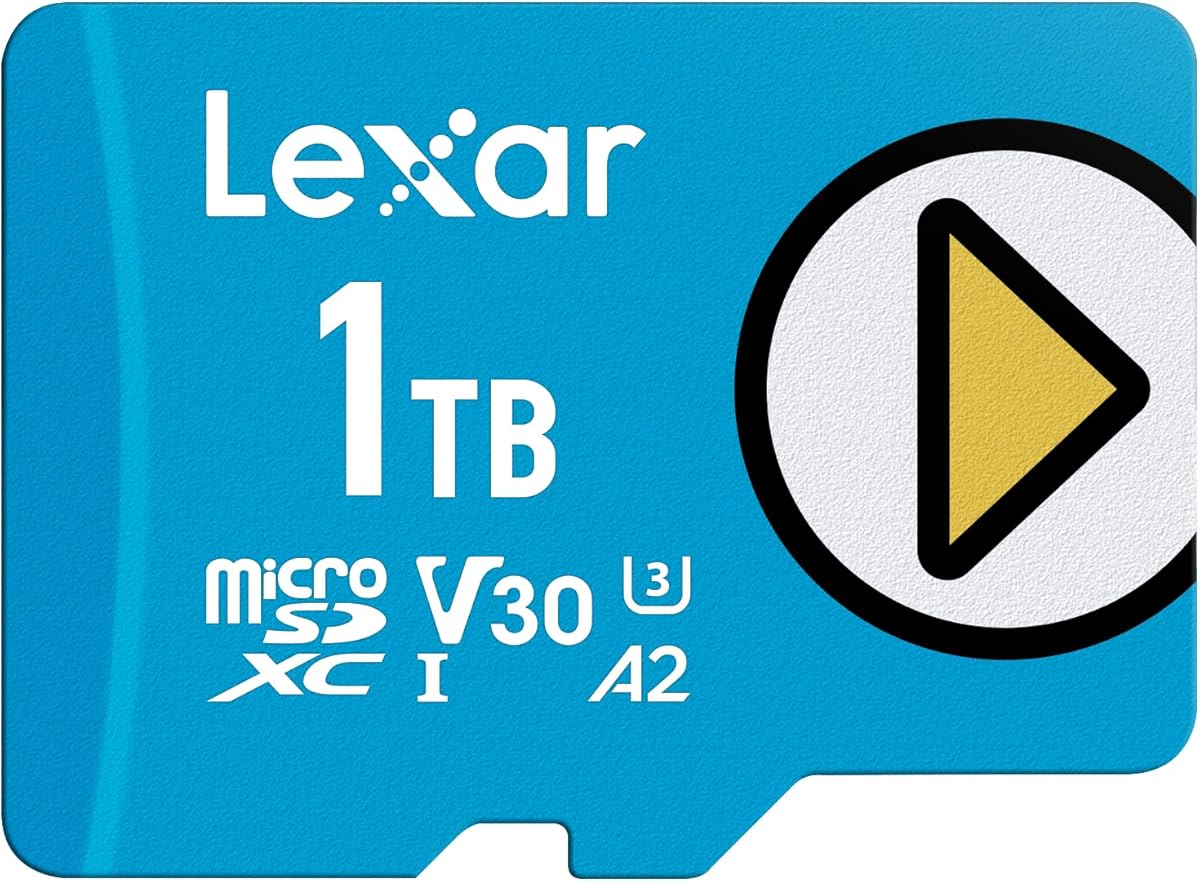
The Lexar 1TB Play Blue combines a large capacity with gaming-focused features and a 4.5 rating. Its advertised read speed reaches up to 160MB/s, while A2 performance is intended to support quicker game and app access. This makes it a practical high-capacity choice for users who want fewer card changes and broad compatibility.
We may earn a commission when you buy through this link, at no additional cost to you.
The card is explicitly compatible with Nintendo Switch 1, smartphones, and tablets, although that does not amount to a specific Steam Deck compatibility statement in the supplied information. It supports 4K use and carries V30 and UHS-I classifications. The manufacturer also highlights temperature resistance, waterproofing, and x-ray protection, giving the card a durable profile for portable storage.
Compared with the highest-rated cards in the guide, its 4.5 rating is a little lower, and the product details do not state a maximum write speed. That missing specification makes it harder to compare with cards offering both read and write figures. A2 performance and 160MB/s reads still provide a useful foundation for game storage and media transfers.
Choose the Play Blue when 1TB capacity, A2 performance, and 4K support matter more than having the highest stated rating. It is especially relevant to buyers who want one card for several compatible devices. If explicit Steam Deck support is the deciding factor, verify the device and current card guidance before committing to this model.
The 1TB capacity is the main attraction, allowing a gaming handheld to hold a broader selection of installed titles and media. Buyers should still leave free space available and check the game sizes they plan to store.
A2 performance and a claimed 160MB/s read speed target faster loading and access. UHS-I, V30, and 4K support also make the card suitable for a broader mix of gaming and media storage.
We may earn a commission when you buy through this link, at no additional cost to you.
The 128GB Gaming MicroSDXC TF Memory Card is one of the most straightforward matches for the search topic because its supplied information explicitly names Steam Deck compatibility. Its 4.5 rating, A2 performance class, and up to 100MB/s read speed provide a clear gaming focus without relying on specialized interface claims.
We may earn a commission when you buy through this link, at no additional cost to you.
The card is also listed as compatible with Nintendo Switch models other than Switch 2, ROG Ally, Android phones, tablets, and retro game emulators. That broad list makes it relevant to a mixed-device gaming setup. Its UHS-I interface is conventional and widely understood, while the included full-size SD adapter simplifies use with laptops, handheld consoles, and compatible readers.
Capacity is the central compromise. At 128GB, the card is best for a selective library, emulator setup, or a smaller group of portable games. It can also support stable 4K UHD and 1080p recording and playback, although the supplied information presents this as general support rather than a guarantee of recording performance in every host. The card is also described as waterproof, shockproof, temperature-resistant, and x-ray safe.
This is the most direct recommendation for someone who specifically wants a card advertised for Steam Deck use and does not need substantial storage. It is easier to justify than a larger card when only a few titles or a modest media collection are planned. Buyers should still consider moving to 256GB or 512GB if minimizing future card swaps is important.
Steam Deck is listed directly in the compatibility information, along with several other handheld and mobile platforms. That explicit support makes this a convenient choice for users who prioritize clear device matching over maximum capacity.
The UHS-I interface, A2 class, and 100MB/s read-speed claim create a balanced baseline for game storage. These specifications are particularly useful for buyers who want a conventional card without paying attention to specialized Express compatibility.
We may earn a commission when you buy through this link, at no additional cost to you.
The Lexar 1TB Play stands out with advertised read speeds of up to 205MB/s and write speeds of up to 140MB/s. Those are among the strongest conventional UHS-I figures in this comparison, giving the card a compelling specification profile for buyers who move substantial game and media collections regularly.
We may earn a commission when you buy through this link, at no additional cost to you.
Its A2 rating supports the stated gaming and application focus, while 1TB provides ample room for games, videos, movies, music, and other content. The card is compatible with portable gaming devices, smartphones, tablets, and Nintendo Switch 1, with the product information explicitly noting that it is not compatible with Nintendo Switch 2. Full HD and 4K capture and transfer are also highlighted.
The card’s 4.3 rating is the lowest among the ten selections, which is worth considering even though it still reflects generally positive customer feedback. As with every headline speed in this guide, reaching 205MB/s depends on a compatible host interface and suitable conditions. The card is also a UHS-I product, so it should not be confused with the much faster Express option later in the list.
This Lexar Play model is most compelling for a buyer who wants abundant storage, strong stated read and write figures, and A2 performance in a single conventional card. It is a sensible choice for a large Steam Deck library, but users who place greater weight on customer rating or explicit Steam Deck compatibility may prefer another option.
Up to 205MB/s reads and 140MB/s writes are useful claims for large transfers. Compatible host hardware remains essential for approaching those figures, and typical handheld or reader performance may be lower.
A 1TB card can consolidate a large collection of installations and media. The capacity is best paired with routine file management because operating systems reserve some reported space and games can grow through updates.
We may earn a commission when you buy through this link, at no additional cost to you.
The Lufasnd 256GB microSD Express Card is the specialized speed option in this guide, with claimed read speeds of up to 880MB/s and write speeds of up to 600MB/s. It is explicitly marketed for Steam Deck, ROG Ally, Nintendo Switch 2, and other compatible devices, making it visually and technically distinct from the UHS-I cards.
We may earn a commission when you buy through this link, at no additional cost to you.
The product information states that the card is backward compatible with standard UHS-I microSD slots. That matters because a card with Express capabilities can still be used in an ordinary slot, though it will operate at the speed supported by that host and interface. The card also targets demanding 4K and 8K video workflows, professional cameras, and high-bitrate content, with thermal management designed to help maintain performance during intensive tasks.
The enormous headline numbers should not be read as guaranteed Steam Deck transfer rates. They require Express-compatible devices and readers, while a standard UHS-I host will deliver much lower results. Its 4.4 rating is also lower than the strongest conventional UHS-I options, and a two-year limited warranty is shorter than the warranty periods advertised by several rivals.
Choose this card when compatibility with Express hosts matters or when its specialized performance has a clear purpose in your workflow. For a Steam Deck equipped with a standard UHS-I slot, it functions as a conventional card without delivering its maximum advertised speed. The relatively small 256GB capacity further positions it as a performance-focused choice rather than the most practical large library.
The 880MB/s read and 600MB/s write figures require compatible Express hardware and suitable operating conditions. In a standard UHS-I slot, the card remains usable but the host becomes the limiting factor.
The stated thermal-management design targets sustained performance during gaming and recording. Users should still follow host-device temperature guidance and avoid leaving cards in unsuitable environmental conditions.
We may earn a commission when you buy through this link, at no additional cost to you.
The SANDISK 512GB Extreme offers a more balanced version of the 1TB Extreme recommendation. It retains a 4.8 rating, advertised read speeds of up to 190MB/s, write speeds of up to 130MB/s, and A2 performance, while 512GB can be a more practical capacity for a single handheld library.
We may earn a commission when you buy through this link, at no additional cost to you.
The card includes an adapter and uses SanDisk QuickFlow Technology to support elevated offload speeds with compatible hardware. It is U3 and V30 rated for high-resolution video workflows, including 4K and 5K UHD-ready use when the connected equipment supports those formats. As with the 1TB version, actual performance depends on the host device interface, reader, file attributes, and usage conditions.
Compared with the 1TB card, the main trade-off is simply how many files can be stored. Compared with smaller 128GB and 256GB options, it offers more room without moving into the highest-capacity class. The supplied information also states compatibility with Nintendo Switch but not Nintendo Switch 2, and it does not explicitly name Steam Deck compatibility, making device verification sensible before purchase.
This 512GB model is ideal for buyers who want a large but more selective game collection, especially alongside the 4.8 rating and strong transfer specifications. It may be the most sensible capacity point for a Steam Deck user who does not need 1TB. Those prioritizing the absolute lowest price may still find smaller cards more economical.
512GB provides room for a substantial selection of games and media while avoiding the commitment of 1TB. It is a practical choice for users who prefer to keep one card but do not need maximum capacity.
The 190MB/s read and 130MB/s write claims pair with U3, V30, and A2 ratings. These features make the card suitable for game transfers and high-resolution media workflows when the host can support the stated performance.
We may earn a commission when you buy through this link, at no additional cost to you.
The TEAMGROUP A2 Pro Plus 1TB is an explicitly named Steam Deck option with a 4.3 rating and clearly stated performance figures. It offers up to 160MB/s read speed and 110MB/s write speed through a UHS-I interface, while also carrying U3, V30, and A2 classifications.
We may earn a commission when you buy through this link, at no additional cost to you.
Its 1TB capacity is well suited to a large collection of games, and the product title identifies the Steam Deck, Nintendo Switch, gaming devices, tablets, and smartphones among its intended applications. The included adapter is useful for moving files into a computer or compatible reader. The card is also positioned for 4K shooting, making it relevant outside gaming if the device supports the required standards.
The main limitation is the limited detail provided in the product listing. There is no elaborate discussion of physical protection, warranty, or management software in the supplied information, although the named performance classes and read/write ratings are enough to establish its basic capability. Its 4.3 rating is tied for the lowest in the guide, which may give cautious buyers pause despite the strong specifications.
This is a solid recommendation for a user who values a clearly documented 1TB capacity, explicit Steam Deck compatibility, and useful write performance. It is particularly suitable for users who also need the card for 4K capture. Buyers who place more emphasis on customer rating or longer warranty coverage may prefer the SanDisk Extreme 512GB or Samsung PRO Plus 512GB.
Steam Deck appears directly in the product title, making the intended gaming use unambiguous. The UHS-I interface also avoids requiring specialized Express hardware for a standard card.
The stated 110MB/s write speed is useful when transferring or organizing substantial collections. As with the read rating, reaching it depends on the host, reader, file conditions, and interface.
We may earn a commission when you buy through this link, at no additional cost to you.
The Samsung PRO Plus Sonic The Hedgehog 512GB combines a 4.8 rating with a balanced 512GB capacity and advertised speeds of up to 180MB/s read and 130MB/s write. It is positioned as a premium gaming card and explicitly mentions compatibility with the original Nintendo Switch and Steam Deck, making its intended use clear.
We may earn a commission when you buy through this link, at no additional cost to you.
The Sonic the Hedgehog theme is cosmetic, but the underlying features are substantial. All cards in the listed family include a full-size SD adapter, and Samsung Magician Software provides product authenticity verification and drive health monitoring. That software can be a meaningful advantage for buyers who want an additional way to check their card and manage its condition.
The six-proof protection claim covers the card against multiple environmental hazards, including water and extreme temperatures, while the ten-year limited warranty is among the longest coverage periods advertised in the guide. Actual transfer speeds still depend on the connected host and reader. Also, 512GB is less than the 1TB offered by several alternatives, so buyers planning a very large library may prioritize capacity over this particular combination of warranty and software.
This Samsung card is the premium pick for a Steam Deck owner who values customer rating, strong read and write claims, long warranty coverage, and management software. It is also a sensible all-around choice for action cameras and drones. The themed design may be appealing to Sonic fans, but the card’s broader specifications are what make it worth shortlisting.
Samsung Magician Software adds authenticity verification and drive health monitoring. These features can help buyers confirm that the card is recognized and keep an eye on its condition over time.
The advertised six-proof protection and ten-year limited warranty create a reassuring ownership package. Coverage terms and exclusions should still be reviewed through the seller and manufacturer before purchase.
We may earn a commission when you buy through this link, at no additional cost to you.
The right card balances usable capacity, read performance, device support, durability, and the cost of managing several cards. The most important starting point is how much storage you actually need, followed by the interface your hardware supports.
Choose capacity based on realistic use. More space reduces card swapping, but unused capacity is not a performance benefit. In short, buy enough room for your current library plus room for updates, not the largest available card by default.
Prioritize a clearly stated read speed and the performance class relevant to your use. Do not pay solely for a headline number that the handheld cannot reach, and confirm that a card supports the interface used by your devices.
Use write speed as a tie-breaker when transferring large files regularly. For a standard UHS-I setup, any card with a credible published write figure and appropriate classes is generally more useful than a card whose main appeal is an unreachable maximum.
For a standard Steam Deck setup, a well-performing UHS-I card is usually the more relevant choice. Choose Express when a compatible device or creator workflow genuinely supports it and you have a clear reason to use the higher transfer capability.
A2 is a useful advantage for game and app access, but it does not override capacity, compatibility, or durability needs. In short, favor A2 for modern gaming workloads while keeping the entire card specification in view.
Match the card to the highest-resolution device you actually use. A gaming-focused card can support video, but a creator who regularly records demanding formats should prioritize the necessary sustained write speed and host compatibility.
Durability claims provide useful reassurance but do not make a card indestructible. Back up important files, handle the card carefully, and review the manufacturer’s warranty terms before relying on any specific protection claim.
Use explicit compatibility statements as the strongest evidence, then confirm the card’s format and performance class against your setup. In short, direct support is preferable to inferring compatibility from a product category alone.
Before installing a card, power the Steam Deck down completely and remove the microSD card. Insert it in the orientation indicated by the device or manual, then boot the handheld and use its storage interface to format the card when prompted. Formatting prepares the filesystem for the operating system and reduces the likelihood of files appearing incorrectly or transfers behaving unpredictably.
When transferring games, use the Steam Deck’s storage management tools or a compatible computer with a suitable card reader. Copy complete game folders, verify that the game appears in the library, and launch it before removing the card. Keep important saves and personal files backed up elsewhere, and leave some free space available so the system and applications can operate without running close to full capacity.
To protect the card, handle it by the edges, avoid moisture and extreme heat, and do not move it while the system is actively reading or writing. Safely eject it before removal. If the handheld reports a read, write, or compatibility problem, stop using the card, check the connection, and consider testing or replacing it. Headline speeds should be treated as maximum conditions rather than guaranteed handheld results.
The right capacity depends on the number and size of the games you want installed. A 128GB card suits a small, carefully managed collection, while 256GB offers more room for regular use. A 512GB or 1TB card is preferable for a large library, but you should account for operating-system overhead, updates, and unused space. Check the sizes of the games in your library before deciding.
A faster card can help when transferring files to or from the handheld, and its performance class may influence file and application access. The Steam Deck’s card interface, game format, file count, and operating system can limit the improvement. A UHS-I card with strong published read and write figures is usually more relevant than an Express card placed in a standard slot.
Only when the handheld or another part of the setup supports the Express interface. The Lufasnd Express card is backward compatible with standard UHS-I slots, but it cannot deliver its maximum advertised speed in a device limited to UHS-I. For most standard setups, a high-quality UHS-I card with adequate capacity and performance classes is the more practical choice.
A2 is the stronger option because it represents a more advanced application performance class intended to improve loading and in-app responsiveness. A1 remains suitable for general use and many games. Capacity, compatibility, and sustained transfer performance are also important, so choosing only by the application class would miss several parts of the overall picture.
It is generally possible to move installed games between storage locations using the Steam Deck’s storage management features, but the exact workflow can depend on the game format and the current system behavior. Back up cloud saves where possible, keep the system powered on during the move, and confirm that the destination game launches before removing the original card. Saved data on the card should not be assumed to transfer automatically.
Leaving some free space is advisable because the operating system needs room for temporary files, updates, and internal operations. A card that appears completely full may also be more likely to encounter storage-related errors. Maintaining at least 10% to 15% free space is a sensible general target, although the most important factor is leaving enough room for the games and updates you actively use.
The advertised speed is normally a maximum achieved under specific conditions. The Deck’s interface, the card reader used for transfers, the host controller, file format, number of files, and usage conditions can all reduce the observed result. A card that advertises 190MB/s or 205MB/s will not necessarily reach that number in ordinary use, so the card should be evaluated with realistic transfers rather than a single advertised figure.
Yes, a microSD card can hold games, videos, photos, and other files, provided the host device supports the card and its performance classes. Cards with U3 and V30 ratings are better suited to high-resolution video than general-purpose cards without those ratings. Use the device’s formatting and file-management tools, and avoid removing the card while content is being accessed.
The SANDISK 1TB Extreme is the strongest overall choice for buyers who prioritize capacity and high stated transfer performance, while the TeknoStone Gaming 128GB card is the most directly budget-conscious option with explicit Steam Deck compatibility. The Samsung PRO Plus Sonic The Hedgehog 512GB earns the premium recommendation through its strong rating, 180MB/s read claim, 130MB/s write claim, long warranty, and management software.
Prioritize capacity that matches your library, A2 performance for modern application access, and a card that explicitly supports your device. Conventional UHS-I cards remain the most broadly relevant, while the Lufasnd Express option is most compelling for compatible hosts and specialized high-speed workflows. Read-speed and write-speed claims should be considered alongside interface support rather than in isolation.
Before buying, compare the current listing, warranty terms, compatibility wording, and current price. Promotions and prices change over time, so the most economical card at one moment may not remain the best value later. Whichever option you choose, format it through the device, leave free space, transfer games carefully, and maintain a separate backup of important saves.