
ELUTENG Dual Cooling Fan Whisper Quiet 80mm USB Fan 3 Adjustable High Speed
4.4Editor score
Two synchronized 80mm fans
Three selectable fan speeds
USB plug-and-play power
Broad device compatibility
Our PS4 External Cooling Fan guide compares ten USB coolers, stands, multifan options, and quiet 40mm models by compatibility, airflow, controls, and setup.
A PS4 external cooling fan can help maintain airflow around a console during long sessions, especially in a warm room or a tightly arranged entertainment center. The useful options range from dedicated temperature-controlled units to general-purpose USB fans and vertical stands that combine cooling with storage and controller charging.
This guide compares all ten products by console compatibility, fan count, operating modes, power source, noise-related specifications, installation method, and extra features. It includes purpose-built PS4 coolers, a multifunction stand, a general USB fan, and compact 40mm models whose connection requirements may demand more setup.
The selections show that there is no single right choice for every gamer. Some readers will value automatic temperature control, while others may prioritize a five-fan design, a vertical stand, quiet operation, or broad device compatibility. Product ratings, features, and availability can change, so verify current listings before purchasing.
4.4Editor score

4.5Editor score

4.7Editor score
The table below compares all ten products by model fit, fan configuration, controls, power, and practical extras. Dedicated PS4 units offer the most straightforward compatibility, while general USB and 40mm fans provide greater flexibility at the cost of a less tailored setup.





The OIVO PS4 Cooling Stand is the most versatile product in this guide, earning a 4.5 rating while serving as a stand, cooling station, dual controller charger, and game organizer. Unlike a dedicated clip-on fan, it addresses several common console-storage problems at once and supports the original PS4, PS4 Slim, and PS4 Pro.
We may earn a commission when you buy through this link, at no additional cost to you.
Its most useful feature is the combination of a vertical stand and an upgraded cooling fan. The product data reports noise as low as 50dB, while a metal bottom is intended to assist with heat dissipation. LED indicators show controller charging status, and the stand includes twelve game slots. It can be powered through a USB adapter, USB hub, wall adapter, or the PS4 console itself.
The trade-offs are mostly about scale and model preparation. This is not a small add-on that clips directly to a console; it changes how the PS4 is positioned and requires enough shelf or entertainment-center space. The listing also notes that an additional holder is required for PS4 Slim, so owners should confirm their console model before ordering.
It is the strongest choice for someone who wants a cleaner gaming area and already prefers vertical console placement. Rather than buying a fan and separate storage, this stand consolidates airflow, game-disc organization, and controller charging. For a single-purpose cooling solution, one of the smaller dedicated units may be more convenient.
Compatibility is a major advantage because the stand is designed for the original PS4, PS4 Slim, and PS4 Pro. Its vertical format also helps organize the gaming area and creates a dedicated position for the console.
Two controller charging bays and twelve game slots turn the stand into a complete station. LED indicators make charging status visible at a glance, while multiple supported power sources offer more installation flexibility.
We may earn a commission when you buy through this link, at no additional cost to you.
The Linkhood PS4 Pro Five-Fan Cooler is a dedicated external cooling solution for the PS4 Pro and carries a 4.1 rating. Its defining feature is the bank of five turbo fans, which provides more visible airflow than the three-fan designs in this roundup while remaining tailored to one console generation.
We may earn a commission when you buy through this link, at no additional cost to you.
Users can select normal speed or turbo cooling, depending on the session and desired noise level. An automatic working mode uses a built-in temperature sensor to activate cooling when the console becomes hot and reduce operation after it cools. The unit draws DC 5V power from the console's USB port, so no separate power supply is required.
The important limitation is model exclusivity. The listing explicitly excludes the original PS4 and PS4 Slim, making correct model identification essential. The product can be used in vertical or horizontal orientation and works with most PlayStation vertical charger stands, but that flexibility does not change which console shells it fits.
This cooler is best for a PS4 Pro owner who wants a high-fan-count design and clear manual or automatic control. It is less suitable for anyone with a different PS4 version or for a player who wants the quietest possible operation during sensitive gaming.
The five-fan arrangement is the main reason to consider this model over smaller three-fan units. It is especially relevant for owners who want a substantial external airflow option for prolonged play.
Normal and turbo speed settings provide direct control, while automatic mode responds to the console's temperature. This makes it possible to balance cooling output against the noise produced by a more aggressive fan setting.
We may earn a commission when you buy through this link, at no additional cost to you.
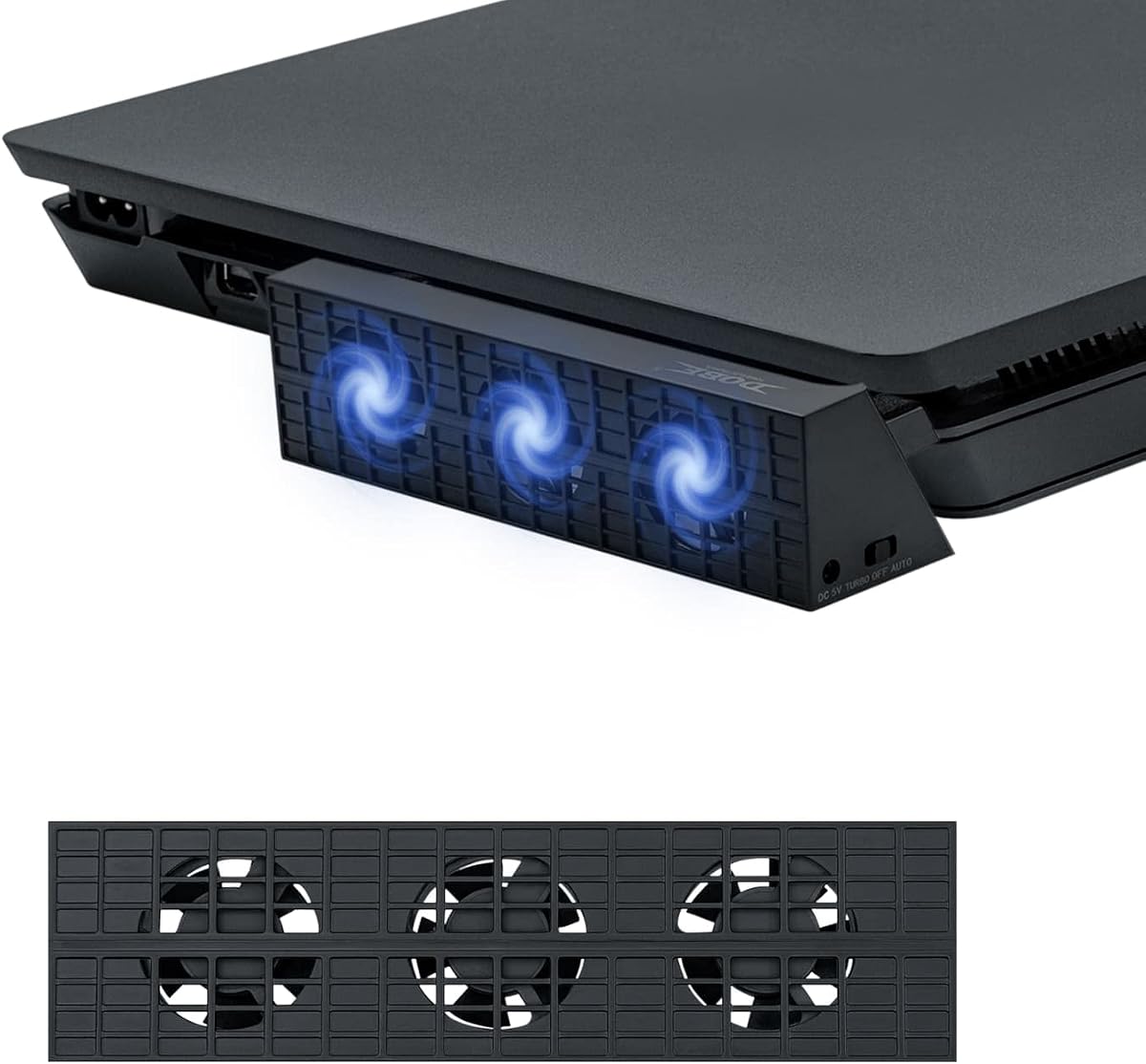
The Mcbazel Dobe Intelligent External Auto Temperature Control 3-Fan Cooling Fan is built specifically for the PS4 Slim and has a 4.2 rating. Its three-fan horizontal layout and light stand design make it a purpose-built alternative to a general USB fan, particularly for Slim owners who want automatic control.
We may earn a commission when you buy through this link, at no additional cost to you.
The standout feature is a clearly defined automatic mode. According to the product information, the fans switch on when the console reaches 40 degrees Celsius or above and stop as it cools. Manual users can choose a high-speed turbo setting or a slower option, allowing a balance between stronger airflow and lower output during lighter play.
Installation is designed around a compact stand that can be mounted and removed without taking up an additional outlet position. The included USB-to-DC cable draws power from the PS4 Slim itself, avoiding batteries and a separate adapter. It is a third-party item rather than an official Sony accessory, and compatibility does not extend to the original PS4 or PS4 Pro.
This is a sensible pick for a PS4 Slim owner who prefers automatic cooling without closely managing fan speed. It may be less appealing if you own another console model, need one cooler to support several devices, or want more than the three included fans.
The built-in behavior is straightforward: automatic operation starts the fans at the stated temperature threshold and stops them as the console cools. That convenience makes the product suitable for players who do not want to adjust settings manually.
The removable stand is designed to keep the PS4 Slim stable while using minimal space. Because the enclosure and mounting approach are model-specific, buyers should confirm their exact console version.
We may earn a commission when you buy through this link, at no additional cost to you.
The ELUTENG Dual Cooling Fan is the most broadly compatible option here, earning a 4.4 rating and offering two synchronized 80mm fans. Unlike the dedicated PS4 products, it is designed to cool routers, laptops, TV boxes, receivers, projectors, hard drive enclosures, game consoles, and other heat-generating electronics.
We may earn a commission when you buy through this link, at no additional cost to you.
Its three-speed controller provides a more granular response than a simple on/off accessory. Listed speeds are 2050, 2400, and 2750 RPM for each fan, with stated airflow values of 23.9, 27.90, and 31.98 CFM. The product information reports noise levels from 25.6dB in weak mode to 32.5dB in strong mode and describes support for continuous operation.
Unlike temperature-controlled PS4 coolers, this fan runs at the speed selected by the user. It also does not attach directly to a console. Instead, its 3.15-inch dimensions, one-meter cable, and horizontal or vertical positioning let you direct airflow toward the PS4 or another device from an appropriate distance.
Choose this option if you want a reusable fan for several electronics or if your PS4's available USB power location makes a dedicated clip-on cooler awkward. It is less attractive when automatic shutdown, a close-fitting console mount, or model-specific temperature management is the priority.
The broad device list makes this a practical shared accessory for a home entertainment setup. It can be moved from a console to a router or media component whenever another device needs additional airflow.
Three speed levels allow users to tune output rather than running the fan continuously at maximum speed. Four removable rubber feet help keep the unit stable, while metal side grids provide added protection around the blades.
We may earn a commission when you buy through this link, at no additional cost to you.
The Acogedor USB Host Cooling Fan is a compact accessory for the PS4 Slim with a 4.1 rating. It combines three mini fans with a tool-free snap-on mounting design, making it a direct-fit choice for Slim owners who want cooling without changing the console's orientation.
We may earn a commission when you buy through this link, at no additional cost to you.
The product supports both automatic and manual operation. Automatic mode uses a built-in sensor and is described as starting above 38 degrees Celsius before turning off after the console cools. Manual mode offers turbo and automatic settings, giving users the option to run the fans directly when they want stronger cooling.
Power comes from the PS4's USB port at DC 5V, eliminating the need for a separate power supply. Its compact, close-fitting design is intended to preserve the surrounding space required by the console, and the product information also notes compatibility with most PlayStation stand chargers.
This cooler is best for a PS4 Slim owner who values quick installation and automatic control more than a large number of fans. Buyers should not expect compatibility with the original PS4 or PS4 Pro, and the three mini-fan layout may be less substantial than a five-fan design.
The snap-on structure reduces installation work compared with a full cooling stand. It also keeps the product visually close to the console, which is useful where shelf depth is limited.
Automatic operation is designed around a stated 38-degree Celsius threshold. A manual turbo setting remains available for players who want immediate fan activity without waiting for the sensor.
We may earn a commission when you buy through this link, at no additional cost to you.
The Linkhood Cooling Fan for PS4 Slim has a 3.9 rating and differentiates itself with an extra USB 3.0 port. Its three turbo fans and automatic temperature control fit the core cooling-bundle format, while the added port may be useful for a Slim setup that has limited USB connectivity.
We may earn a commission when you buy through this link, at no additional cost to you.
Automatic mode is described as activating when the console exceeds 40 degrees Celsius and stopping after cooling. Manual turbo mode provides direct control. The unit draws DC 5V from the console's USB port and can be positioned in either vertical or horizontal orientation, allowing it to suit different media arrangements.
The product information describes the design as quiet, light, and compact, with a mounting structure that can be attached and removed easily. It requires no additional power supply, which makes placement simpler than a cooler requiring a separate adapter or powered stand.
The extra USB port and orientation flexibility make this worth comparing with other PS4 Slim coolers. However, the lower rating and lack of a detailed acoustic measurement mean buyers should consider customer feedback carefully, particularly if near-silent operation is essential. It remains most appropriate for a PS4 Slim owner who values the extra connection.
The extra USB 3.0 port is the clearest differentiator in this design. It allows a connected device or controller to retain access to a USB connection while the cooler occupies the console's primary port.
Support for vertical and horizontal use makes the cooler adaptable to both upright shelf arrangements and flat media centers. Its compact construction is intended to preserve usable space around the console.
We may earn a commission when you buy through this link, at no additional cost to you.
The Linkhood Cooling Fan for PS4 is a five-fan accessory made for the original, non-Slim PS4, with a 3.9 rating. It provides a substantial cooling array and two speed levels, making it a practical option for owners of that specific console generation who want more fans than a three-fan unit.
We may earn a commission when you buy through this link, at no additional cost to you.
Normal speed offers a lower-output alternative, while turbo mode is intended for heavy games and faster cooling. An automatic working mode uses the built-in sensor to begin operation when the console becomes hot and reduce activity as it cools. The cooler takes DC 5V power from the console's USB port, so it can operate without a separate supply.
The design can be used in vertical or horizontal orientation and is compatible with most PlayStation vertical charger stands. The included package contains the cooling fan, a USB power cable, a 12-month warranty, and customer service support. It is not intended to fit the PS4 Slim or PS4 Pro.
This product makes sense for an original PS4 owner seeking a high count of small fans and both manual and automatic modes. It is less suitable for newer console models or for gamers who need a confirmed maximum-noise specification, as the listing does not provide a numerical sound level.
The five-fan layout is aimed at substantial airflow without requiring a larger stand. It is a model-specific solution rather than a universal accessory, so identifying the console version is essential.
Players can move between normal and turbo cooling or let the temperature sensor manage the fan. This combination provides more control than a fixed-speed product while retaining useful automation.
We may earn a commission when you buy through this link, at no additional cost to you.
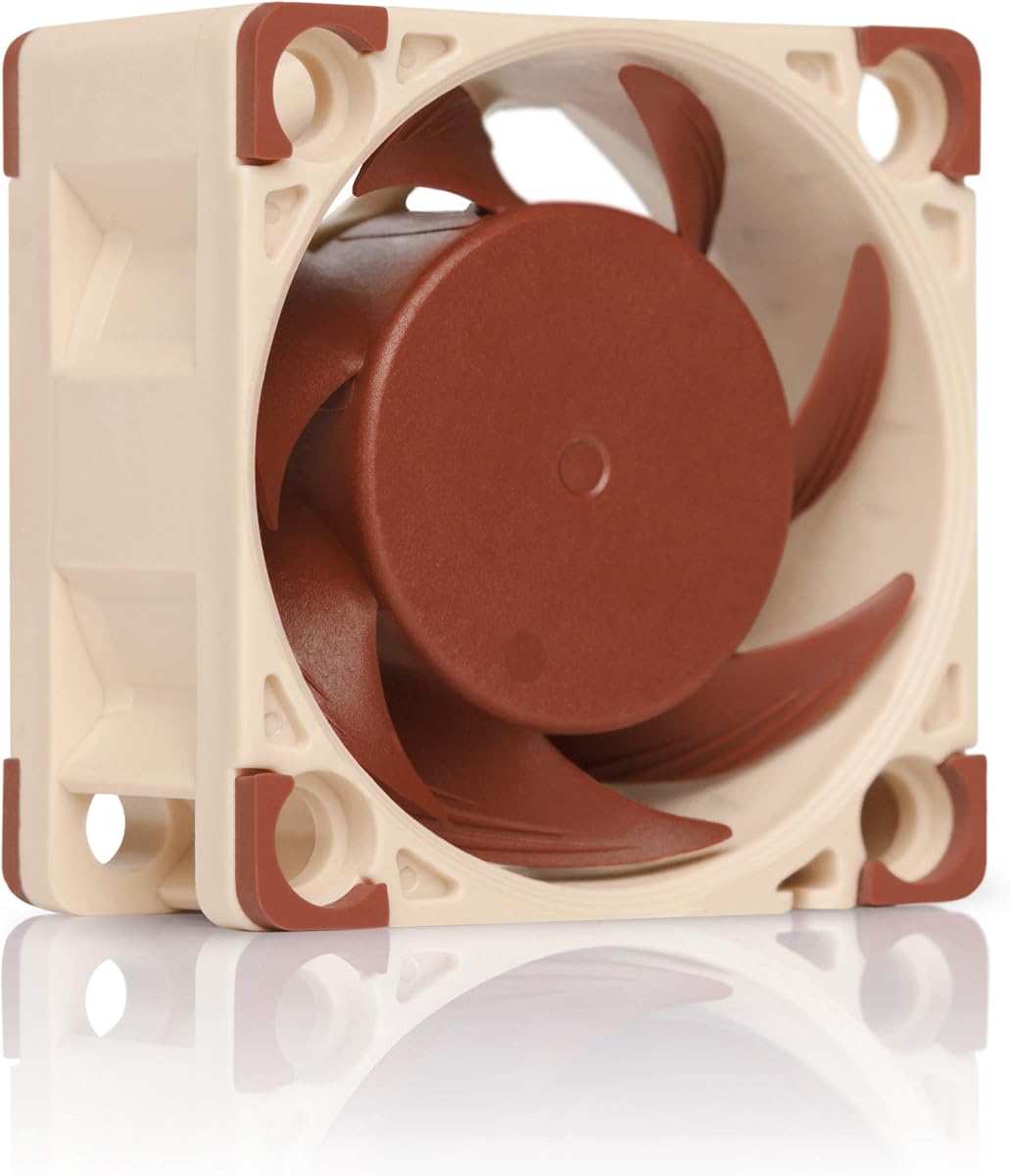
The Noctua NF-A4x20 PWM is a premium 40mm fan with a 4.8 rating and a maximum stated noise level of 14.9dB(A). It is not a PS4-specific enclosure, but its compact dimensions, PWM control, and low-noise design make it a strong component for advanced external cooling setups.
We may earn a commission when you buy through this link, at no additional cost to you.
This model reaches a maximum of 5000 RPM and includes a low-noise adapter that can reduce the maximum speed to 4400 RPM. Its four-pin PWM connection allows automatic speed control when paired with a suitable four-pin PWM header. The fan is 40 by 40 by 20 millimeters, giving it more depth than a 10mm model while remaining small.
The package includes anti-vibration mounts, screws, an extension cable, a Y-cable, and an OmniJoin adapter set for proprietary headers. Its stated mean time to failure exceeds 150,000 hours, and the advanced frame and flow-acceleration design are intended to support strong airflow with low acoustic output.
This is the premium choice for an experienced user willing to arrange compatible 12V PWM power and position the fan carefully. It offers a quieter specification than the dedicated PS4 coolers in this list, but it does not offer automatic console-temperature control or a simple model-specific mount.
The listed maximum of 14.9dB(A) is the strongest published acoustic figure among these products. The supplied low-noise adapter can also lower maximum speed, providing another way to tune the operating experience.
Four-pin PWM control allows compatible systems to manage fan speed automatically. An extensive accessory set supports installation in equipment with standard or proprietary fan headers.
We may earn a commission when you buy through this link, at no additional cost to you.
The Noctua NF-A4x10 FLX is a 10mm-thick premium fan with a 4.8 rating. Its extremely slim profile makes it useful where depth is constrained, although a PS4 cooling project using this model requires more electrical and mounting work than a dedicated USB cooler.
We may earn a commission when you buy through this link, at no additional cost to you.
The three-pin 12V FLX connection can operate at 4500 or 3700 RPM using the supplied low-noise adapters. Maximum noise is listed at 17.9dB(A), while mean time to failure exceeds 150,000 hours. Its 40 by 40 by 10 millimeter dimensions make it smaller in depth than the NF-A4x20 PWM.
Included accessories include anti-vibration mounts, fan screws, a low-noise adapter, an extension cable, and an OmniJoin adapter set. These parts allow the fan to be mounted in network, storage, DVR, and other compatible devices, making it a reusable component rather than a PS4-specific product.
The NF-A4x10 FLX is best for technically inclined users who need a very slim, quiet fan and can provide suitable three-pin power. It is less convenient for a plug-and-play PS4 setup because it lacks a direct console mount, USB controller, and temperature-triggered operation.
The 10mm profile is the key advantage in restricted spaces. It can fit where a standard 20mm fan would create clearance problems, provided the enclosure and mounting location are appropriate.
The supplied low-noise adapters allow operation at either 4500 or 3700 RPM. This provides a simple choice between greater output and reduced acoustic performance.
We may earn a commission when you buy through this link, at no additional cost to you.
The Noctua NF-A4x10 5V PWM combines a 5V fan with a USB power adaptor, earning a 4.7 rating. Although it requires more sophisticated setup than a console-shaped cooler, it provides a practical bridge between a Noctua PWM fan and a PS4's USB power.
We may earn a commission when you buy through this link, at no additional cost to you.
The fan measures 40 by 40 by 10 millimeters and can reach 5000 RPM. Maximum stated noise is 19.6dB(A), and polarity protection is included for 5V applications with PWM speed control. The USB adaptor allows operation with USB host ports, power banks, or compatible USB power supplies.
Anti-vibration mounts, fan screws, an extension cable, and an OmniJoin adapter set come in the package. This makes the product adaptable to projects where a conventional USB fan would not offer the same PWM control. Its stated mean time to failure exceeds 150,000 hours.
This model is best for an experienced builder who wants a premium compact fan, USB power, and PWM speed control in one package. It is not the easiest option for a casual PS4 owner because a suitable PWM controller or header arrangement is still needed, and it does not automatically respond to console temperature.
The included USB adaptor makes five-volt operation possible from common USB power sources. Pairing that supply with a compatible PWM connection provides more nuanced speed control than a basic fixed-speed accessory.
The 10mm-thick fan preserves clearance in tight builds while retaining a 5000 RPM maximum. Polarity protection adds an important safeguard for users assembling the fan into a five-volt setup.
We may earn a commission when you buy through this link, at no additional cost to you.
The right PS4 external cooling fan depends on console model, available power, placement, and the amount of automation you want. Match the accessory to the hardware first, then compare airflow, controls, noise specifications, and installation requirements.
PS4 external cooling accessories are not interchangeable across the original PS4, PS4 Slim, and PS4 Pro. The Linkhood five-fan product in this guide fits the original PS4, while the separate PS4 Pro model is exclusive to that console, and three of the dedicated slim designs specifically target the PS4 Slim. Some products, such as the OIVO stand and ELUTENG USB fan, support several models or a broader range of devices.
A model-specific cooler may offer a more secure fit and simpler installation, but a universal or general-purpose fan provides more flexibility. Always compare the model names and compatibility statements rather than assuming every accessory marked for PlayStation fits every PS4 version.
More fans do not automatically mean better cooling, but they can create a broader stream of air around the console. Five-fan designs provide a visibly substantial array, while the three-fan products offer a smaller footprint and more focused airflow. The ELUTENG model uses two larger 80mm fans, and the compact Noctua products use one 40mm fan each with high rotational speed and carefully optimized blade and frame design.
Published RPM and airflow figures are useful when comparing different fan types, but they are not directly comparable across every product because the data comes from different designs. Consider the shape of the airflow path, fan size, and mounting position in addition to a raw number.
Automatic control is convenient for long gaming sessions because the accessory can respond when the console reaches a stated temperature threshold and stop after cooling. The Mcbazel, Acogedor, and both Linkhood five-fan products provide sensor-based behavior. Manual modes remain useful when you want immediate cooling, a particular noise level, or full control over fan output.
The ELUTENG fan and Noctua models do not automatically read PS4 temperature. Their output must be managed through speed controls or a compatible PWM system. Decide whether hands-off operation is worth more than the simple adjustment and direct feedback offered by manual products.
Most dedicated PS4 coolers draw DC 5V from the console's USB port, avoiding the need for a separate adapter. The Mcbazel product uses an included USB-to-DC cable, while the Acogedor and Linkhood models also state that console USB power is sufficient. The ELUTENG fan similarly uses plug-and-play USB power.
The Noctua NF-A4x20 PWM and NF-A4x10 FLX require suitable 12V connections, and the NF-A4x10 5V PWM needs a more advanced setup involving USB power and a compatible PWM header. These component fans can be excellent in a custom setup but are less convenient for a simple console accessory.
Noise depends on fan design, speed, mounting quality, and how the airflow interacts with the console and surrounding furniture. Some PS4-specific listings describe their operation as quiet without publishing a numerical measurement, so those claims are less precise. The ELUTENG product lists a range from 25.6dB to 32.5dB, while the three Noctua models provide maximum figures of 14.9dB(A), 17.9dB(A), and 19.6dB(A).
For a shared room or late-night gaming, a published decibel specification gives a more useful starting point. For every option, soft anti-vibration mounting, unobstructed airflow, and careful cable placement can also affect the sound heard in practice.
A dedicated clip-on or stand-mounted cooler can look tidier and keep the fans close to the console, but it may obstruct vents or require a specific model shape. A general USB fan can be placed farther away and aimed toward the console, though it is not a direct-fit accessory. The Noctua products require an enclosure, bracket, controller, or another suitable installation point.
Measure the space around the console before buying. Check whether the stand must accommodate a horizontal or vertical console, whether nearby furniture can block the airflow path, and whether you have a free USB port. Also consider cable length and whether the cable can be routed without creating a trip hazard.
A cooling accessory can be more than a fan. The OIVO stand includes vertical console support, a cooling fan, two controller charging positions, LED charging indicators, and twelve game slots. The Linkhood PS4 Slim cooler adds a USB 3.0 port, while several products support vertical and horizontal placement. These extras can simplify an entertainment center without requiring separate accessories.
Integrated features are most valuable when they solve a problem you already have. A game organizer is useful for a physical-game collection, an extra port helps a controller connection, and a vertical stand saves shelf depth. Avoid paying for complexity if your main need is simply a quiet stream of air.
Before installation, identify the exact PS4 model and compare it with the product's compatibility statement. Place the console in an open area where furniture or enclosed shelves do not block the console's vents. For a dedicated cooler, connect the supplied power cable to the appropriate PS4 USB port only after fitting the fan or stand securely.
Read the available operating controls before starting a long session. Products with automatic temperature sensing can be left in automatic mode, while manual and turbo settings are better tested briefly to understand the sound and cooling output. For general USB fans, position the airflow toward the console without placing the fan where it can fall, obstruct a vent, or interfere with controller access.
Clean the cooler periodically by unplugging it and removing accumulated dust from the fan openings with a soft brush or compressed air used carefully. Keep cables away from hot surfaces and sharp edges, do not block the blades, and avoid operating a damaged or improperly powered unit. Confirm that mounts remain secure and that the console's ventilation paths stay open.
A compatible external fan can improve airflow around the console and may help keep operating temperatures lower during extended use. It does not replace the PS4's internal cooling system, and its effectiveness depends on correct fit, placement, and unobstructed vents. A standalone fan also cannot diagnose a failing internal fan or a deeper hardware problem.
Usually not. Products specifically labeled for the PS4 Slim are shaped and positioned for that model, while the original PS4 and PS4 Pro have different dimensions and layouts. The OIVO stand in this guide supports all three major models, but dedicated clip-on coolers generally require exact model matching.
Most of the dedicated PS4 coolers listed here use DC 5V power from the console's USB port and do not require a separate supply. The OIVO stand can use several power sources, including a USB adapter, hub, wall adapter, or the console. The Noctua component fans require more specific 12V or 5V PWM arrangements.
Automatic control is more convenient because the fan can respond to the console's temperature and reduce operation after cooling. Manual control gives you immediate and predictable fan output, which can be useful for short bursts or when you want to manage noise yourself. The best choice depends on how often you play and how much intervention you prefer.
Yes, a general USB fan can provide useful airflow if it is stable, aimed toward the console, and positioned so that the console's vents remain open. It will not fit as closely or respond to console temperature automatically. The ELUTENG dual-fan model is a good example of this approach, with three speed settings and broad device compatibility.
Follow the cooler manufacturer's placement instructions and keep the console's intake and exhaust vents unobstructed. Dedicated models should be mounted in their intended position, while a freestanding fan should be stable and directed at the console without blocking a vent. Leave enough room around the hardware for airflow and avoid loose cables near the gaming area.
They can be used in a carefully planned external cooling project, but they are not direct-fit PS4 accessories. The NF-A4x20 PWM and NF-A4x10 FLX require suitable 12V connections, while the NF-A4x10 5V PWM includes a USB adaptor for five-volt power. Each also needs a suitable mounting arrangement and, for advanced control, a compatible PWM connection.
Start with automatic or a lower manual speed setting, then adjust based on console temperature and your room environment. Keep the fan stable, use anti-vibration mounting where available, and make sure airflow is not restricted by a tight shelf. Models with published maximum-decibel figures can make comparisons easier when sound is a priority.
The OIVO PS4 Cooling Stand is the leading all-around choice because it combines cooling with vertical support, controller charging, and twelve game slots while serving all three major PS4 models. The ELUTENG dual 80mm fan is the practical budget option for broad device use, and the Noctua NF-A4x10 5V PWM stands out as a premium component for users comfortable with a custom, USB-powered setup.
For a simpler dedicated purchase, console model should be the first filter. Original PS4 owners can consider the five-fan Linkhood cooler, PS4 Pro owners have a matching five-fan model, and PS4 Slim owners can compare the Mcbazel, Acogedor, and Linkhood three-fan designs. Choose automatic operation for convenience, manual modes for direct control, and measured noise specifications when quiet operation matters most.
Ratings, design details, and product listings can change over time, and current prices should always be checked before buying. Confirm compatibility, power needs, dimensions, and included mounting parts against the latest product information so the selected fan integrates cleanly with your console and gaming space.