
TVON TV Floor Stand
4.5Editor score
Supports 13–50 inch screens
Rotates portrait or landscape
Adjustable tilt and height
Four included caster wheels
A monitor and TV floor stand can turn an awkward viewing arrangement into a flexible setup for a bedroom, dorm, office, studio, classroom, or presentation area. A worthwhile model should securely support the screen while offering useful height, tilt, swivel, or rotation adjustments and fitting neatly into the available space.
This guide compares ten floor stands across screen-size range, weight capacity, VESA compatibility, base design, mobility, viewing controls, cable organization, and assembly considerations. It includes fixed metal stands, low-profile rolling carts, and taller models designed for larger flat-panel displays, with each pick evaluated using only the supplied product information.
The selections show that the right choice depends on the viewing environment rather than one universal feature set. Compact stands work well where footprint matters, wheeled carts suit rooms where screens move frequently, and low or high models address different viewing heights. Product availability and pricing can change, so confirm current specifications before purchasing.
4.5Editor score

4.6Editor score

4.5Editor score
As an Amazon Associate we earn from qualifying purchases.
The comparison below highlights the principal differences among these ten stands, including supported screen sizes, load limits, mounting ranges, movement, and viewing adjustments.


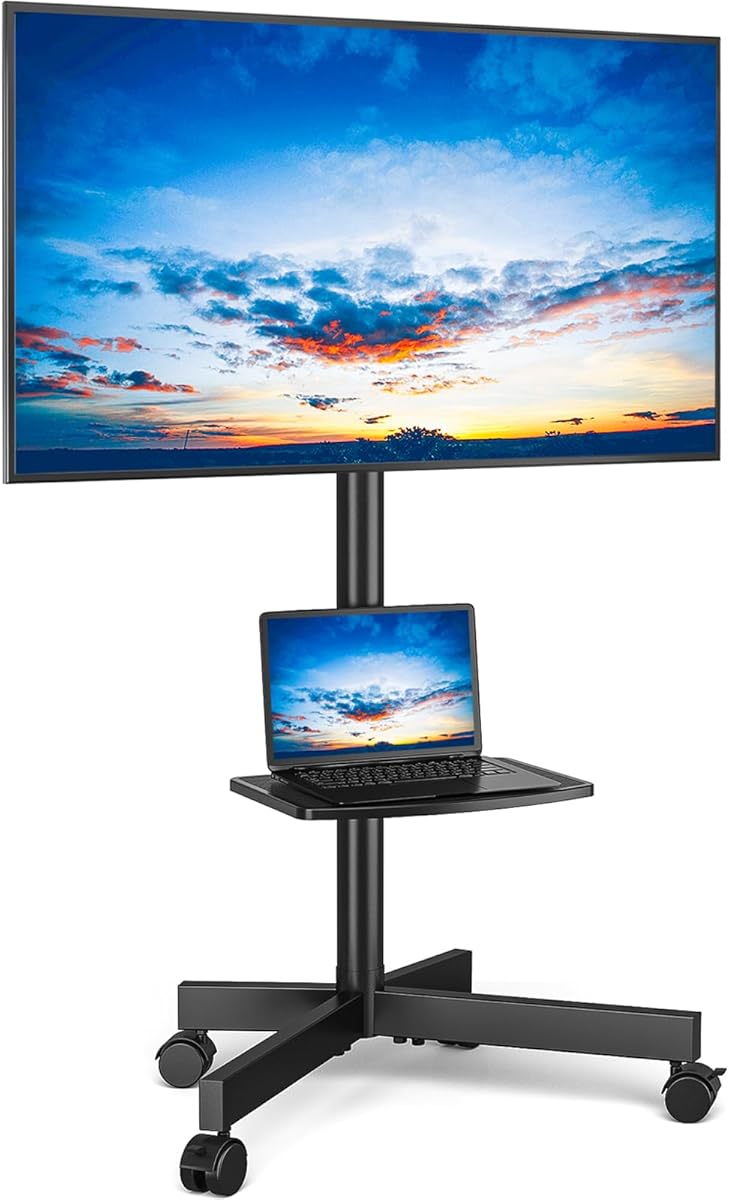

The TVON TV Floor Stand is a versatile fixed-stand option for smaller televisions and computer monitors, carrying a customer rating of 4.5. It accommodates screens from 13 to 50 inches, supports mounting patterns from 75×75 millimeters through 200×200 millimeters, and has a stated weight capacity of 44 pounds. Its most distinctive feature is the ability to rotate the mounted screen between portrait and landscape orientations.
We may earn a commission when you buy through this link, at no additional cost to you.
That rotation makes the stand more useful than its basic floor-mount format initially suggests. It can support portrait viewing for coding, online meetings, video recording, or vertically oriented content, while landscape orientation remains appropriate for conventional television viewing. The mount also provides a tilt range of negative 2 degrees to positive 20 degrees, and six height settings raise the screen from 44.6 to 52.4 inches. This combination lets users adapt the viewing angle to different seating positions and helps reduce glare.
The steel construction, adjustable feet, and included wheels make the stand adaptable to different floor conditions. The feet can be leveled, while the wheels add mobility when a screen needs to move between rooms. Cable management is also included to reduce visible cord clutter. The main limitation is its 44-pound capacity, which is lower than the limits offered by many competing models. It is also less appropriate for large displays because its VESA range tops out at 200×200 millimeters.
This is a practical recommendation for a buyer who wants more adjustment than a basic pedestal and values portrait support, a small footprint, and optional movement. It works especially well for compact bedrooms, dorm rooms, offices, and other areas where a larger base would be inconvenient. Those needing a larger television, heavier load, or built-in shelf should look toward one of the rolling or dual-column models in the guide.
The portrait-to-landscape rotation extends the stand beyond standard television use. It is particularly relevant for coding, online meetings, video recording, and vertically oriented displays, allowing the screen to be turned without moving the entire floor unit.
The narrow construction takes up little floor space and can sit behind furniture. Adjustable feet help maintain balance, while four included wheels provide a convenient way to reposition the display when needed.
We may earn a commission when you buy through this link, at no additional cost to you.
The PERLESMITH Rolling TV Stand is a mobile cart designed for flat-panel televisions from 23 to 65 inches, earning a customer rating of 4.6. Its mounting system supports VESA patterns from 100×100 millimeters to 400×400 millimeters, while the stated load capacity reaches 88 pounds. The stand therefore accommodates a wider selection of mainstream screen sizes and mounting arrangements than the smaller fixed stands near the top of the list.
We may earn a commission when you buy through this link, at no additional cost to you.
Mobility is the defining benefit. Locking PU wheels let the user move the television between a bedroom, living room, office, or presentation area and then secure it in place. The included shelf provides storage for a laptop, media player, gaming device, or other equipment. Tilt adjustment extends five degrees upward and ten degrees downward, allowing the screen angle to be refined for different seating positions without requiring a separate wall mount.
The frame uses cold-rolled steel pipe, and the product information describes a thick bracket and safety screw for load support. Assembly does not require drilling into a wall, which makes the stand practical for renters and for users who want flexibility without making permanent changes. The trade-off is that a wheeled cart needs more clearance to move than a narrow fixed stand. The available tilt range is also narrower than that of several fixed models, so it is less suitable when extreme angle adjustment is the main priority.
Choose this PERLESMITH cart when a television needs to move regularly, when media equipment benefits from a dedicated shelf, or when a 23-to-65-inch range and 400×400-millimeter mounting support are important. It is a balanced mobile option for households, offices, conference rooms, and temporary displays. Buyers focused primarily on maximum swivel, portrait rotation, or a very narrow footprint may prefer another model.
Locking wheels make this cart practical when one screen serves multiple spaces. The television can be moved for cleaning, rearranged furniture, or changed activities, then locked securely in its chosen location.
The integrated shelf keeps a laptop, DVD player, gaming system, or similar device close to the display. This makes the cart more useful than a bare wheeled bracket, particularly in offices and temporary presentation areas.
We may earn a commission when you buy through this link, at no additional cost to you.
The Low Height Mobile TV Stand is designed for displays positioned relatively close to the floor, and its 4.6 customer rating reflects a strong combination of compatibility and mobility. It fits screens from 26 to 65 inches and supports a stated capacity of 50 kilograms, equivalent to approximately 110 pounds. The unusually broad mounting range extends from 26×120 millimeters to 600×500 millimeters.
We may earn a commission when you buy through this link, at no additional cost to you.
Its low-profile configuration makes it interesting for confidence monitors, livestreaming displays, presentations, stage events, training rooms, and commercial environments where the screen needs to remain near floor level. The product information lists uses including malls, hospitals, schools, hotels, video conference rooms, churches, trade shows, and fitness areas. Heavy-duty 360-degree casters allow the cart to move smoothly, and all four wheels have brakes for stationary use.
Adjustment is another strength. The mounting bracket can tilt between 36 and 68 degrees, helping users avoid glare and select an appropriate optical angle. The frame uses ultra-thick steel, while the supplied hardware and instructions support quick installation. One important qualification is that the screen or monitor must have at least four mounting holes. The broad VESA range is a major benefit, but the low mounting position may not suit viewers who need a conventional eye-level television setup.
This is the top pick for buyers seeking a sturdy, mobile, low-height monitor stand with broad hardware compatibility. It is particularly well suited to confidence-monitor work, event production, and temporary display arrangements. For normal living-room television viewing where the screen should be higher, the PERLESMITH or Perlegear options may be easier to live with, but this model offers the most specialized low-position platform in the list.
A mounting range reaching 600×500 millimeters gives the stand flexibility with larger flat-panel displays. Buyers should still verify both the screen weight and the exact mounting-hole dimensions before ordering.
Four 360-degree caster wheels make repositioning straightforward, and individual brakes keep the cart stationary when needed. This is useful for presenters, livestream operators, and teams moving displays between rooms.
We may earn a commission when you buy through this link, at no additional cost to you.
The AX WABER TV Floor Stand combines a relatively strong load rating with a compact format for screens between 13 and 50 inches. It has a customer rating of 4.5 and supports up to 77 pounds. The mount accepts VESA patterns from 75×75 millimeters to 200×200 millimeters, covering many flat, curved, OLED, 4K, smart, and conventional LCD or LED displays as well as computer monitors.
We may earn a commission when you buy through this link, at no additional cost to you.
The stand offers eight height settings and a tilt range of negative 10 degrees to positive 10 degrees. That gives users meaningful control over screen position, which is helpful in dorm rooms and compact offices where furniture and seating arrangements vary. A heavy-duty H-shaped base provides a broad support structure, while four adjustable feet help keep the stand balanced on uneven floors. The listed construction uses metal components throughout.
Its main advantage is the balance between capacity and adjustability within a relatively narrow footprint. The 77-pound limit exceeds that of the TVON model, and the wider tilt range may be more useful for glare control. However, the maximum 200×200-millimeter VESA pattern rules out many larger mounting systems, and there is no integrated shelf for media devices. It is a screen-support solution rather than a complete entertainment center.
This AX WABER stand is a good fit for a bedroom, dorm, classroom, patio, or office using a display no larger than 50 inches. It suits buyers who want a strong fixed base, several height choices, and levelable feet without the footprint of a wheeled cart. Users with larger screens, wider VESA requirements, or a need for equipment storage should move up to one of the 65- or 75-inch compatible models.
Four independently adjustable feet help the H-shaped base remain stable when the floor is not perfectly level. The broad base also helps reduce the visual impression of bulk compared with a full-size rolling cart.
Eight height positions and a symmetrical 20-degree tilt range let users tune the display for different seats and reduce reflections. Those controls are particularly valuable in dorms, home offices, and multipurpose rooms.
We may earn a commission when you buy through this link, at no additional cost to you.
The Perlegear Universal Floor TV Stand is the most feature-rich premium selection here, combining a 32-to-75-inch screen range with a 110-pound capacity. Its customer rating is 4.5. The stand supports flat and curved televisions and accepts VESA mounting patterns from 100×100 millimeters to 400×400 millimeters, making it a strong option for larger displays that exceed the capacity of most compact floor stands.
We may earn a commission when you buy through this link, at no additional cost to you.
A dual-column structure forms the core of its support system. Combined with a solid wood base, extended anti-tip feet, and six non-slip pads, it is designed to resist the tipping concerns that can accompany tall stands. The base is visually substantial, but the extended feet can be removed when the stand is placed behind a console for a lower-profile arrangement. Built-in cable management behind the columns keeps wiring organized without requiring wall holes.
Viewing adjustments include nine height settings spanning 42.42 to 46.36 inches and a plus-or-minus 20-degree swivel. The swivel is useful when viewers sit on different sides of the room, in an open kitchen, on a bed, or at an outdoor gathering. The stated height and swivel range make this a more dedicated living-room option than the wheeled presentation carts. A labeled hardware kit and clear instructions are included for assembly.
This premium stand is best for a user who has a larger television, wants a permanent floor-mounted appearance, and values stability, swivel control, and tidy cable routing over convenient movement. Its reinforced construction makes it particularly appropriate for homes where children or pets may bump the screen. Those needing a small-screen stand, a low-profile cart, or frequent mobility should choose a different model from the list.
The dual-column frame, wood base, extended feet, and non-slip pads work together to improve balance for displays up to 75 inches. Removing the extended feet offers a simpler configuration when the stand is positioned behind furniture.
The plus-or-minus 20-degree swivel allows the image to follow viewers in different seating positions. That makes the stand useful in open-plan living areas, kitchens, and spaces where viewers are not always directly in front of the screen.
We may earn a commission when you buy through this link, at no additional cost to you.
The Universal TV Stand Monitor is built for smaller screens but provides unusually broad movement, with a 100-degree swivel capability. It has a customer rating of 4.6 and supports most televisions from 19 to 43 inches. The compatible VESA range runs from 75×75 millimeters to 200×200 millimeters, and the stated load capacity reaches 99 pounds.
We may earn a commission when you buy through this link, at no additional cost to you.
Eight height levels allow the screen to be positioned at a more suitable viewing height. Combined with the wide swivel and tilt function, those controls make it easy to redirect a display toward different seats in a bedroom, living room, or corner arrangement. The stand uses a 10-millimeter solid tempered-glass base connected to a steel pillar, combining a relatively small footprint with a modern appearance. A wire clip helps organize loose cables.
The product information says the included parts are individually numbered, making the hardware easier to identify during assembly, and states that installation can be completed within 15 minutes. Its strongest differentiator is the broad swivel, which can be especially useful for a compact room where the display must serve seating on more than one side. The trade-offs are the 43-inch maximum and the additional weight inherent in a glass-based design.
This stand is a strong option for a smaller LCD, LED, or OLED television, or for a monitor in a home office. It is less appropriate for buyers with larger screens or anyone seeking the broad size range and higher load limit of the Perlegear model. Its value lies in combining significant articulation, multiple height positions, and a visually light base in a relatively compact package.
The 100-degree swivel gives the display a much wider range of orientation than basic fixed stands. It is useful when the screen sits near a corner or when viewers are spread across a small bedroom or living area.
The tempered-glass platform creates a clean, contemporary appearance, while the steel pillar provides the vertical support. An included wire clip adds a simple way to keep cords gathered and the surrounding area orderly.
We may earn a commission when you buy through this link, at no additional cost to you.
The PERLESMITH Rolling TV Stand on Wheels is a shelf-equipped mobile cart for screens from 23 to 65 inches. It carries a 4.6 customer rating and supports up to 99 pounds. Its VESA options extend from 100×100 millimeters through 400×400 millimeters, covering a broad mix of flat and curved flat-panel televisions.
We may earn a commission when you buy through this link, at no additional cost to you.
The most useful distinguishing feature is the adjustable media shelf, which can sit between 12 and 24 inches above the floor. That space can hold a laptop, DVD player, gaming device, or other audiovisual equipment. The television mount is also height-adjustable, allowing the screen and shelf to be configured more closely to the intended viewing position. Tilt adjustment reaches five degrees downward and ten degrees upward.
A built-in wire-management solution in the metal column allows cables to be concealed, reducing the need to run cords through walls or leave them dangling. The base measures 20.8 by 15.7 inches and sits on four wheels with locking casters. These features make the cart appealing for bedrooms, offices, shopping areas, conference rooms, trade shows, and hotels where the display and its equipment need to move as one unit.
The primary limitation is floor space. A rolling cart with a media shelf requires more clearance than a narrow fixed pedestal, and the tilt range is smaller than that offered by the AX WABER or TVON stands. For buyers who regularly relocate their screen and want a lower shelf for media components, however, this is a particularly complete mobile arrangement. It is a sound middle ground between a basic wheel bracket and a dedicated presentation cart.
The shelf can move between 12 and 24 inches above the floor, giving users flexibility in how the display and supporting equipment are arranged. It is especially convenient for laptops, players, and compact gaming devices.
Concealed wire management helps keep connected equipment tidy while the cart is being repositioned. The design is therefore more practical for temporary displays and shared rooms than a stand with loose, exposed cords.
We may earn a commission when you buy through this link, at no additional cost to you.
The Rolling TV Stand is a large-screen confidence monitor platform with a customer rating of 4.3. It accommodates most flat-panel LED and LCD screens from 32 to 75 inches, supports displays up to 100 pounds, and accepts mounting patterns from 100×100 millimeters to 600×400 millimeters. That broad size and VESA range makes it relevant to production, presentation, and event environments.
We may earn a commission when you buy through this link, at no additional cost to you.
Four adjustable height stops are set at 650, 700, 750, and 800 millimeters. The display can also be angled from a 90-degree horizontal position to a vertical orientation, which is useful for video recording, livestreaming, stage work, and confidence monitoring. A thickened one-piece base provides stability, while smooth 360-degree wheels make the unit easy to move. Step-on brake pads allow the user to lock the stand without bending down to each wheel.
The stand is advertised for use in churches, training rooms, stages, presentations, video recording, and live streaming. Its vertical positioning and four height levels give production teams more configuration options than many basic television carts. On the other hand, four preset heights are less granular than the nine settings offered by the Perlegear stand, and the product information does not highlight a built-in equipment shelf or an extensive cable-management system.
This is a specialist option for users who need a confidence monitor, presentation display, or stage screen that can move and rotate. It is especially compelling for screens in the 60-to-75-inch range because of its high stated capacity and wide VESA coverage. Buyers seeking a polished home-entertainment base, extensive media shelf, or particularly low customer-reported rating may prefer one of the other choices.
The ability to move the screen from horizontal to vertical positioning supports camera checks, livestream production, and presentations where presenters may be off center. The tallest position reaches 800 millimeters for additional placement flexibility.
Step-on brake pads simplify locking the cart after it has been moved. The thickened one-piece base is intended to maintain stability while supporting larger screens, which is important in active production and event settings.
We may earn a commission when you buy through this link, at no additional cost to you.
The Rfiver Mobile TV Stand is an all-metal cart for 23-to-65-inch flat or curved televisions, with a customer rating of 4.6. Its bracket supports up to 88 pounds and VESA patterns as large as 400×400 millimeters. The stated compatibility also includes LCD, LED, OLED, plasma, smart, flat-screen, curved-screen, computer-monitor, and outdoor television options.
We may earn a commission when you buy through this link, at no additional cost to you.
The mobile design allows the screen to be moved between rooms, classrooms, offices, malls, conference areas, trade shows, and hotels. Height-adjustable brackets customize the viewing position, while a solid shelf can hold a laptop, DVD player, gaming system, speaker, or other audiovisual equipment. Wheel brakes help keep the cart stationary after it has been moved into place.
Assembly requires no drilling into a wall, making the stand attractive to renters and users seeking a temporary display arrangement. Cable management helps keep cords tidy, while the metal frame and safety screws are intended to provide dependable support. The product information also mentions a five-year manufacturer warranty and local service support. The optional media tray is an important distinction: buyers who require a shelf should make sure the selected configuration includes it.
This Rfiver cart is a sensible choice for a mainstream 23-to-65-inch screen that needs to travel between spaces. It combines solid construction, broad television compatibility, height adjustment, and manageable movement without reaching the 75-inch capability of the largest stands in the list. It is less suitable for mounting patterns above 400×400 millimeters, but it remains a versatile option for homes, offices, classrooms, and temporary events.
The stand is described as compatible with flat, curved, smart, LCD, LED, OLED, plasma, monitor, and outdoor television formats. Buyers should still confirm the weight and exact VESA pattern of their particular screen.
Wheels and locking brakes allow the display to move without attaching hardware to a wall. That flexibility is useful for renters, shared rooms, classrooms, and temporary presentation or event setups.
We may earn a commission when you buy through this link, at no additional cost to you.
The Floor TV Stand with Mount is a compact, adjustable stand intended for screens and monitors from 13 to 50 inches. It has a customer rating of 4.4, supports up to 77 pounds, and accepts VESA patterns from 75×75 millimeters to 200×200 millimeters. Like the TVON model, it can rotate the mounted screen from portrait to landscape orientation, making it suitable for coding, meetings, recording, and ordinary television viewing.
We may earn a commission when you buy through this link, at no additional cost to you.
Eight height settings and a tilt range of negative 10 degrees to positive 10 degrees provide useful control over the screen's final position. The product distinguishes itself from many narrow stands by including a shelf, which adds a place for a small media device, accessory, or peripheral. Its H-shaped metal base and four adjustable feet are designed to maintain balance, and the extended feet can help stabilize the structure.
The narrow profile is a meaningful benefit in rooms where floor area is limited. It can sit near a wall, tuck behind another piece of furniture, or be stored in a corner or closet. Assembly uses included, individually marked hardware and step-by-step instructions. The trade-offs include the relatively low 4.4 customer rating, the modest 200×200-millimeter maximum VESA pattern, and a fixed format that does not provide the mobility of a caster-equipped model.
This is a good option for a smaller television or computer monitor that needs both portrait flexibility and a little storage. It suits bedrooms, dorm rooms, offices, classrooms, patios, and studios where a slim footprint matters. Users with a screen above 50 inches, a wider mounting pattern, or a need to move the display frequently should consider the Perlegear, PERLESMITH, or Rfiver models instead.
Portrait-to-landscape rotation expands the stand's usefulness for work and creative tasks, while the shelf provides a small dedicated storage area. Together they offer more functionality than a basic monitor pedestal.
The slim profile can be placed close to a wall or behind furniture without demanding a large mobile-cart base. Adjustable feet help the stand remain balanced, making it practical where every inch of room matters.
We may earn a commission when you buy through this link, at no additional cost to you.
Choosing a monitor and TV floor stand requires balancing screen compatibility, structural support, mobility, adjustment range, and available space. The most important step is to measure the display and confirm its mounting pattern and weight before comparing features.
Start with the exact diagonal size and weight of the television or monitor rather than relying on a room impression. The ten stands cover different ranges, from compact models supporting 13- to 19-inch screens to larger carts accepting 65- or 75-inch displays. Weight is equally important because a stand may physically accept a large screen while remaining outside its stated load limit. Check the manufacturer's specifications for both the screen and the mount, and leave some margin rather than positioning a display directly at the maximum stated capacity.
VESA refers to the distance between the four mounting holes on the back of a display and the bracket. A stand is useful only when its supported pattern matches the holes on the screen. The options in this guide range from 75×75 millimeters to 200×200 millimeters, while larger mobile models extend to 400×400, 500×600, or 600×400 millimeters in different orientations. Measure both the horizontal and vertical spacing of the screen's mounting holes, then compare them with the listed range. Also confirm that the display has the required number and arrangement of holes.
Stability depends on more than the headline weight rating. Consider the base width, column construction, center of gravity, floor condition, and whether the stand is likely to be bumped. Wide H-shaped bases and dual-column frames can suit large or elevated screens, while low carts benefit from thick steel and a broad footprint. The heavy-duty rolling model uses a thickened one-piece base, and the Perlegear combines a solid wood base with anti-tip feet. No stand is completely immovable, so screens should still be handled carefully around children and pets.
Height adjustment determines whether the screen sits comfortably for the intended viewer. Some models emphasize a tall television-style position, while the low mobile stand sits close to the floor for confidence monitors and events. Fixed models commonly offer multiple height stops, but swivel and tilt can be just as important. Swivel is useful when viewers occupy different sides of a room, tilt helps reduce glare, and portrait rotation supports coding, meetings, and vertically oriented content. Choose the controls that match the actual viewing arrangement rather than assuming more adjustment is always necessary.
Wheels are valuable when one screen serves several rooms or needs to move out of the way for other activities. The PERLESMITH carts, Rfiver stand, confidence monitor cart, and low-height mobile model all provide rolling movement. Look for locking casters or step-on brakes so the stand remains stationary when positioned. Remember that wheels add footprint, weight, and potential noise, and they should not be rolled across surfaces that could damage them. A fixed stand is simpler and usually more compact when frequent movement is not expected.
A narrow floor stand can be positioned behind a console, close to a wall, or in a corner, while wheeled carts generally require more space to maneuver. Consider the room's traffic flow, not just the base dimensions. If the stand supports a shelf, check whether the shelf can hold the intended media device and whether its height interferes with seating. The Rfiver media tray is described as optional, so configuration matters. For closets and compact rooms, the folding or removable-foot concept offered by the Perlegear can make storage more convenient.
Cable management keeps a freestanding installation from becoming visually cluttered. Several models include concealed routing within the column, while others provide clips or a shelf where cords can be gathered. Consider where the television's power and signal cables will run, whether cords need to reach a nearby outlet, and whether a wheeled stand can move without pulling the screen off its base. Material and finish also influence the appearance: metal and glass bases create a modern appearance, while a solid wood base can coordinate more naturally with traditional furniture.
Most of these products are designed for assembly without drilling into walls, which is useful for renters and temporary installations. Check that the package includes the necessary hardware and instructions, and compare the number of parts with the amount of assembly experience available. The Universal TV Stand Monitor identifies and numbers its parts, while the Perlegear and AX WABER include labeled hardware bags. Warranty and support terms can also distinguish otherwise similar carts, as shown by the five-year manufacturer warranty listed for the Rfiver stand.
Begin by identifying the four mounting holes on the television or monitor and measuring their spacing. Compare those measurements with the stand's VESA range, check the screen weight against the stated capacity, and assemble the stand on a level floor before lifting the display. Fit the bracket and tighten all fasteners according to the included instructions. Keep fingers clear of hinge points, and never suspend the screen while the mount is only partially secured.
Once the screen is attached, route power and signal cables through the column or clip before moving the stand. For a wheeled model, unlock the brakes, move it slowly, and avoid pulling it by the television or attached wires. Apply the wheel brakes when the display reaches its final position. For fixed models, use the height, tilt, swivel, or rotation controls gently, ensuring the screen remains supported and does not strike nearby furniture.
Periodically inspect the mounting bolts, feet, wheel brakes, base connections, and cable clips for loosening or wear. Dust the base and column with a soft dry cloth, and avoid abrasive cleaners or excessive moisture around the tempered-glass and metal components. Move the stand before cleaning underneath it, and do not exceed the published screen size or weight limits. If a caster rolls unevenly or a fastener appears loose, stop using the stand until the issue is resolved.
A fixed floor stand stays in one location and generally has a smaller footprint, making it suitable for bedrooms, dorm rooms, and permanent entertainment arrangements. A rolling stand includes casters and is better when the display must move between rooms, presentation areas, or event spaces. Rolling models generally need more room to maneuver and often include locking brakes and a media shelf.
VESA is the horizontal and vertical distance between the four mounting holes on the back of a screen. Measure from the center of one hole to the center of the opposite hole, first horizontally and then vertically, and express both measurements in millimeters. Compare them with the stand's supported range, and also confirm the number and arrangement of the screen's mounting holes.
Yes, many models are described as compatible with computer monitors as well as televisions. The smaller 13-to-50-inch and 19-to-43-inch stands are especially likely to fit desktop monitors, provided the monitor's weight and VESA pattern fall within the listed limits. Check the stand's screen-size range rather than assuming every television stand can carry every monitor.
The TVON and AX WABER models are the most compact fixed options in this guide, while the Universal TV Stand Monitor also has a relatively narrow glass base. These stands fit within 50-, 43-, and 50-inch screen ranges and can sit close to furniture. Choose the one whose weight capacity and VESA range match the display, and leave enough clearance to adjust the mount safely.
The featured rolling stands use caster wheels, but performance depends on the wheel design and the floor surface. Hard, smooth floors generally allow easier movement than thick carpet, while gaps and thresholds can catch smaller wheels. Always move the cart slowly, avoid long pulls, and lock the brakes after positioning it. Check the manufacturer's care instructions if the floor is particularly soft, uneven, or easily scratched.
A low-height stand can be ideal for confidence monitors, livestreaming, stage work, or viewing from a low seated position. A standard-height model is usually more comfortable for watching television from a sofa or bed. The low mobile option in this guide also provides a broad 26- to 65-inch range and a 50-kilogram capacity, but its near-floor position will not suit every room.
Anti-tip feet can improve stability for taller or larger screens, particularly in homes with children or pets. The Perlegear model specifically uses extended anti-tip feet and non-slip pads, while other stands rely on their H-shaped bases, broad platforms, or one-piece lower frames. Stability also depends on correct assembly, level feet, appropriate weight distribution, and keeping the screen within the published capacity.
Route cables through the stand's built-in channel or use the included clips before operating the height, tilt, or swivel controls. Keep power and signal cables connected during movement, but do not use them to pull the cart. If the screen is moved regularly, leave enough slack in the cords and ensure the connections cannot catch on a wheel or base.
The TVON TV Floor Stand offers the strongest compact value because it combines rotation, tilt, six height settings, and optional wheels in a narrow design. The Low Height Mobile TV Stand is the most versatile specialist option for low-position displays, broad VESA support, heavy-duty construction, and braked movement. The Perlegear Universal Floor TV Stand is the premium choice for buyers with a larger screen who want a refined dual-column design, a solid wood base, swivel control, and organized cable management.
For most buyers, screen size, weight, and VESA compatibility should come before adjustment features. Narrow fixed stands make sense where footprint and appearance matter most; wheeled carts are better for frequent relocation, shared spaces, and temporary displays. Low stands suit confidence-monitor and event work, while taller dual-column or swivel models are more appropriate for conventional living-room viewing.
Before ordering, measure the display's mounting holes, verify its weight, and check the room's available floor space. Also consider where cables will run, whether the screen needs to move, and which viewing controls will be used regularly. Prices, availability, and product configurations can change over time, so confirm the latest specifications and current listing details before making a purchase.
