
Logitech G502 Hero
4.6Editor score
26,000 DPI tracking
Eleven programmable buttons
Adjustable weighted balance
Dual-mode scroll wheel
Our high DPI mouse for 4K gaming precision guide compares ten responsive gaming mice for tracking, polling, ergonomics, battery life, controls, and accuracy.
A high DPI mouse for 4K gaming precision must translate small hand movements into clean, immediate cursor motion while remaining stable across fast flicks, controlled corrections, and long sessions. The most important considerations include sensor accuracy, polling rate, lift-off behavior, switch response, weight, ergonomics, and dependable connectivity.
The ten mice in this guide represent wired, wireless, and tri-mode options with sensors ranging from 26,000 to 52,000 DPI. We compared their stated tracking specifications, latency capabilities, button layouts, battery claims, physical design, and customization options rather than claiming to have tested them personally.
Each review explains where a model stands out, where its specifications involve trade-offs, and which type of player may benefit from it. Ratings reflect the supplied customer feedback, while prices and availability can change, so readers should confirm current listings and feature compatibility before purchasing.
4.6Editor score

4.4Editor score
4.4Editor score
The comparison highlights sensor resolution, connection options, physical weight, control features, and intended competitive advantages across ten high-DPI gaming mice.
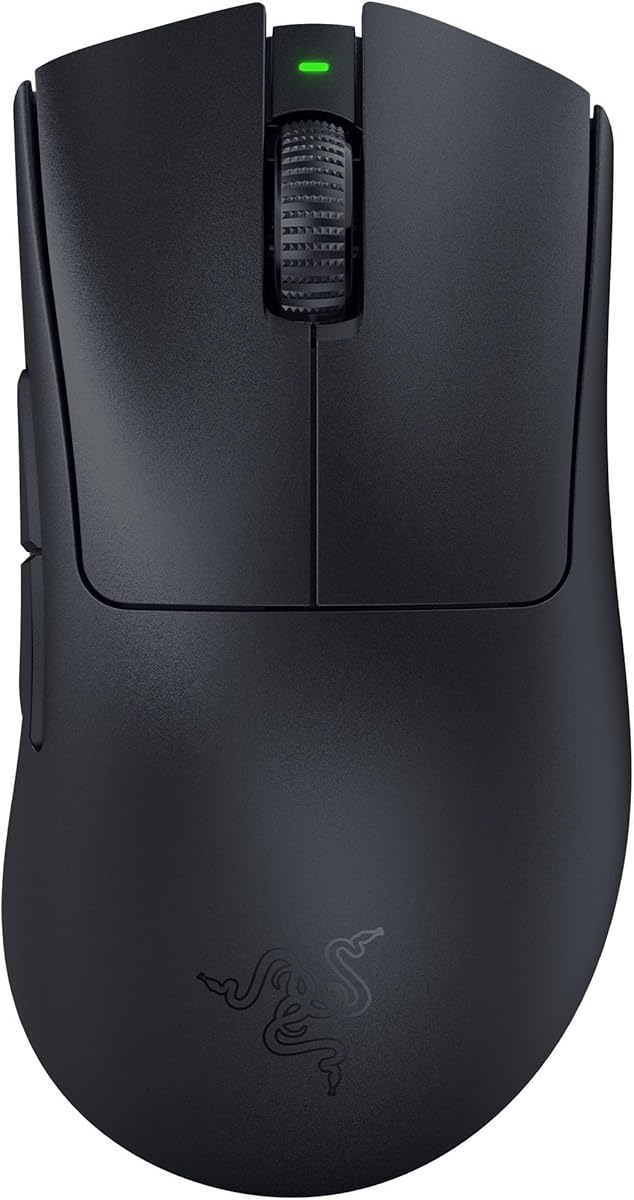




The Razer Basilisk V3 Pro is a well-rounded high DPI mouse for 4K gaming precision, combining a 35,000 DPI Focus Pro optical sensor with extensive configurability. Its 4.4 customer rating reflects a generally positive reception, while its standout qualities include flexible polling, a sophisticated scroll wheel, numerous controls, and broad lighting support.
We may earn a commission when you buy through this link, at no additional cost to you.
The second-generation Focus Pro sensor is designed to track accurately across a wider variety of surfaces, including glass, and supports 1-DPI adjustments for granular control. Razer also lists 13 easy-access controls, including a multifunction trigger, while the wheel can move between tactile, free-spinning, and Smart-Reel behavior. Razer Synapse provides access to these functions, and the 13-zone Chroma lighting can react within more than 200 integrated games.
Some of the strongest features require careful setup. True 8,000 Hz wireless polling depends on the separately sold Razer Mouse Dock Pro or HyperPolling Wireless Dongle, and the stated battery life varies with connection method and polling configuration. The ergonomic form is generous rather than compact, so players who favor fingertip control may want to compare its dimensions with the smaller DeathAdder options.
This mouse is a strong recommendation for a player who wants high sensor resolution, detailed button assignment, convenient wheel behavior, and dependable wireless operation in one package. It suits competitive shooters, MOBAs, and mixed productivity use particularly well. Even without the optional high-polling hardware, the 35K sensor and 13 programmable controls make it one of the most adaptable choices in this guide.
The 35K sensor and one-DPI step control give players a useful balance between broad sensitivity ranges and fine adjustments. Razer Synapse settings can further refine tracking behavior, while the optical switches provide a stated 0.2 ms actuation time.
The 13-control layout creates opportunities for game-specific shortcuts without forcing every action onto the main buttons. The ergonomic shape and full underglow also make this a practical choice for extended play and desk-based setups.
We may earn a commission when you buy through this link, at no additional cost to you.
The Razer DeathAdder V3 Pro emphasizes speed, a light 63-gram construction, and the established shape of Razer’s esports mouse line. Its 4.3 rating is slightly lower than the guide leader’s, but the supplied specifications position it as a focused competitive option for players who value quick swipes and responsive correction.
We may earn a commission when you buy through this link, at no additional cost to you.
Its 30,000 DPI Focus Pro optical sensor tracks across a wider range of surfaces, including glass, and works with intelligent functions intended to improve aim and control. The third-generation optical switches have a stated 90-million-click lifecycle and 0.2 ms actuation. HyperSpeed Wireless focuses on low-latency, stable connectivity, while the rechargeable battery is listed for up to 90 hours of continuous play.
The principal limitation is specialization. Unlike the Basilisk V3 Pro, this mouse does not list a 13-button layout, a dual-mode HyperScroll wheel, or optional 8,000 Hz polling. Those omissions are reasonable for an esports-focused user, but they may disappoint anyone who wants broad productivity features or extensive side-button macros. Windows pointer acceleration should also be disabled as recommended by Razer.
Choose the DeathAdder V3 Pro if you prefer a familiar right-handed ergonomic form, minimal mass, and dependable wireless tracking without extra multimedia controls. It is a particularly logical selection for competitive shooters and fast-paced arena games. Players who want a full peripheral with a large button array and advanced scrolling should examine the Basilisk alternative instead.
At 63 grams, the DeathAdder V3 Pro reduces the amount of hand movement required for fast swipes. Its shape was developed with esports professionals, helping preserve the familiar DeathAdder feel while emphasizing competitive control.
HyperSpeed Wireless is designed to maintain stable, low-latency performance in demanding environments. USB Type-C recharging and a stated 90-hour runtime reduce the need for frequent charging interruptions.
We may earn a commission when you buy through this link, at no additional cost to you.
The Razer Basilisk V3 Pro combines a 30,000 DPI sensor, wireless connectivity, and extensive customization in a familiar ergonomic shape. Its 4.4 rating aligns with the leading model, and the strongest attractions are its programmable controls, configurable wheel, full underglow, and flexible battery performance.
We may earn a commission when you buy through this link, at no additional cost to you.
Ten programmable buttons support common secondary actions, while 13-zone Chroma lighting provides extensive visual effects across more than 150 integrated games. The Focus Pro 30K sensor is designed for accurate tracking on varied surfaces, and Gen-3 optical switches are rated for 90 million clicks with 0.2 ms actuation. The HyperScroll tilt wheel can move between tactile and free-spinning modes.
The listed 8,000 Hz option also depends on the separately available Mouse Dock Pro or HyperPolling Wireless Dongle. Battery life depends on the selected mode: up to 150 hours over Bluetooth, up to 110 hours over HyperSpeed at 1,000 Hz, and up to 32 hours with the optional 8,000 Hz accessories. These figures show why connection and polling choices should be matched to the way you play.
This Basilisk is an excellent recommendation for players who want a full-size ergonomic mouse with rich controls but do not need the first model’s 35,000 DPI maximum or 13-button count. It works well for shooters, strategy games, and everyday productivity. Buyers who plan to use the highest polling mode should budget separately for the required Razer accessories.
Ten programmable buttons make it possible to bind abilities, communication commands, or application functions directly to the shell. Synapse-based management supports a structured setup that can be changed as games or workloads change.
The HyperScroll tilt wheel switches between tactile feedback and rapid free spinning. That flexibility helps during weapon selection, ability menus, long document scrolling, and other tasks where different resistance suits different actions.
We may earn a commission when you buy through this link, at no additional cost to you.
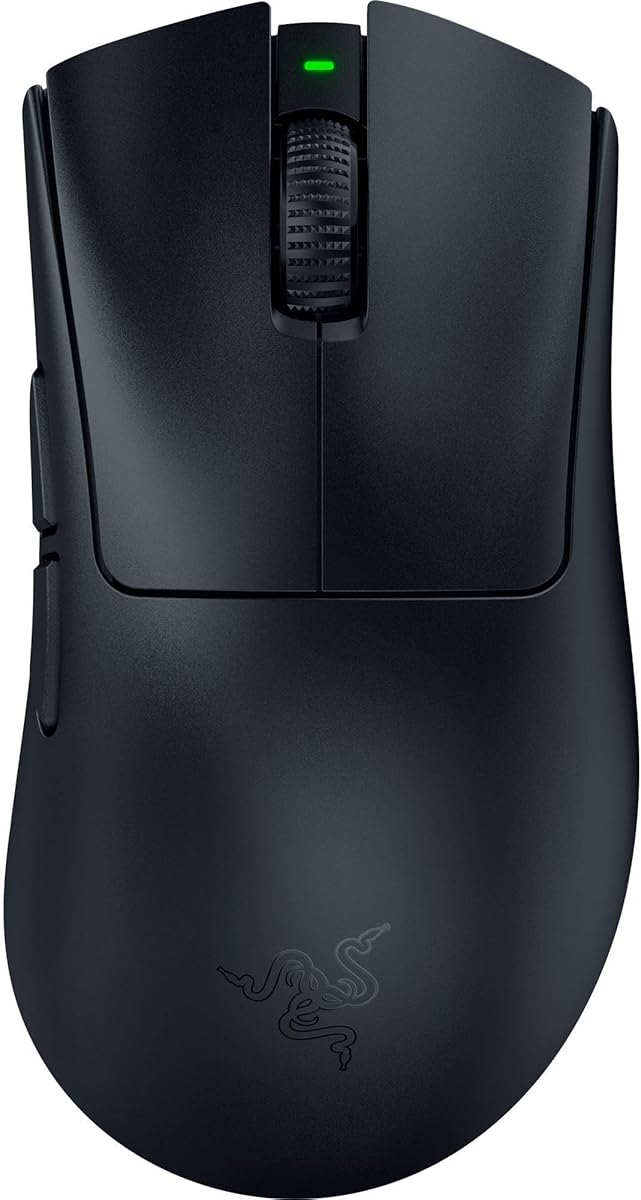
The Razer DeathAdder V4 Pro is the most aggressively specified esports mouse in this roundup, with a 56-gram body, a 45,000 DPI sensor, and up to 8,000 Hz polling. Its 4.4 rating suggests broad customer approval, while the supplied specifications distinguish it as a premium option for players who want minimal weight and very fast input.
We may earn a commission when you buy through this link, at no additional cost to you.
The second-generation Focus Pro optical sensor is listed at 45,000 DPI, 900 IPS, and 99.8 percent tracking accuracy. HyperSpeed Wireless Gen-2 supports up to 8,000 Hz, and USB-C wired mode can maintain the same polling rate. Gen-4 optical switches are rated for up to 100 million clicks, while the optical scroll wheel adds a different mode of wheel control.
The primary trade-off is complexity. Synapse exposes DPI, lift-off distance, polling rate, Dynamic Sensitivity, and Smart Tracking, which can produce a carefully tuned setup but may require more attention than a plug-and-play mouse. Its 56-gram weight also provides less physical feedback than heavier alternatives, and players accustomed to a substantial mouse may need time to adjust.
The DeathAdder V4 Pro is best suited to competitive players who value the lightest design in the guide, native high polling, and a top-resolution sensor. It can also switch to wired operation for a stable desktop setup. If you routinely use a high-refresh 4K display, appreciate low latency, and prefer a proven right-handed shape, it is an especially compelling choice.
The 56-gram construction supports rapid swipes, while up to 8,000 Hz polling reduces the interval between movement reports and computer input. Together, these specifications target competitive shooters where both speed and low latency matter.
Dynamic Sensitivity, Smart Tracking, and adjustable lift-off distance let players adapt the mouse to their game and sensitivity style. These options make the V4 Pro particularly suitable for users who enjoy refining their setup.
We may earn a commission when you buy through this link, at no additional cost to you.
The GravaStar Mercury M1 Pro stands out through its magnesium alloy construction, tri-mode connectivity, and stated 200-hour battery life. Its 4.5 rating is among the strongest customer scores in this guide, and its blend of 26,000 DPI tracking with 4,000 Hz polling makes it a balanced option for high-resolution gaming.
We may earn a commission when you buy through this link, at no additional cost to you.
The mouse can switch among 2.4 GHz wireless, low-latency wired operation, and Bluetooth, allowing it to move between a gaming station and other devices. Its PAW3395 sensor supports the stated 26,000 DPI resolution, while the included receiver supports 4,000 Hz polling. Software controls allow button remapping, macro assignment, and performance tuning, and GlowSync RGB adds multiple configurable lighting zones.
At 88 grams, the M1 Pro is not as light as the leading esports-focused choices. Its magnesium shell contributes a firm, substantial feel that some players may appreciate, while others may prefer quicker hand movement. Bluetooth operation and one of the other connection modes may also produce different battery or polling characteristics from the most performance-oriented wired setting.
Choose the Mercury M1 Pro for a desk setup that includes gaming, work, and travel. It suits users who want one device across several connection methods and value battery endurance without giving up a 26K sensor. Competitive players seeking the absolute lightest shell or the highest polling rate may prefer models built more narrowly around tournament performance.
The combination of 2.4 GHz, wired, and Bluetooth modes makes the M1 Pro adaptable to different computers and daily tasks. The included 4,000 Hz receiver is designed for low-lag gaming when a wireless connection is preferred.
The magnesium alloy shell provides a different tactile experience from lightweight honeycomb designs. Programmable controls and GlowSync lighting let users tailor both utility and appearance to their setup.
We may earn a commission when you buy through this link, at no additional cost to you.
The ATTACK SHARK RS3 ULTRA offers an unusually dense combination of specifications, including a 52,000 DPI PAW3955MAX sensor, up to 8,000 Hz polling, and a 63-gram carbon-fiber hybrid shell. Its 4.6 rating is tied for the highest customer rating among the products, making it an especially interesting precision option.
We may earn a commission when you buy through this link, at no additional cost to you.
The listed tracking figures include 850 IPS, 75G, and 20,000 FPS, with one-DPI adjustment for close control. Nordic 54L15 processing and the SHARK 8K receiver support low-latency operation in both 2.4 GHz wireless and USB-C wired modes, with click latency stated as low as 0.168 ms under supported settings. The 500 mAh battery is listed for up to 800 hours at 1,000 Hz.
Its physical simplicity is the principal counterpoint. There are six programmable buttons rather than a large competitive layout, and configuration takes place through a browser-based driver that avoids a desktop installation. This may be convenient for some users, but it can be less comprehensive than a full control suite. The extreme battery figure also depends on polling and usage conditions, so it should not be treated as an 8,000 Hz runtime.
The RS3 ULTRA is a strong recommendation for competitive players who prioritize sensor resolution, low click latency, low weight, and long battery life more than extra buttons. It also appeals to users who want a quick web-based setup. The dual-layer skates and 52K tracking specification make it particularly relevant to the search for precise 4K-display control.
With support up to 52,000 DPI, the sensor provides ample sensitivity range for fast games and large displays. One-DPI adjustment and configurable lift-off levels help players fine-tune how the pointer behaves during small corrections.
The web driver lets users assign six buttons, choose DPI and polling settings, create macros, and adjust lift-off distance. Browser-based access can simplify setup and may suit users who prefer not to install another background application.
We may earn a commission when you buy through this link, at no additional cost to you.
The Logitech G502 Hero remains a compelling high DPI mouse for 4K gaming precision because it combines a 25,600 DPI HERO sensor with a wired connection and extensive control options. Its 4.6 customer rating is among the best in the guide, reflecting the enduring appeal of its sensor, shape, and customization.
We may earn a commission when you buy through this link, at no additional cost to you.
The HERO sensor is listed as capable of tracking up to 25,600 DPI without smoothing, filtering, or acceleration. Eleven programmable buttons, a dual-mode hyper-fast scroll wheel, and LIGHTSYNC lighting make the mouse useful across shooters, MOBAs, productivity applications, and everyday navigation. Up to five removable 3.6-gram weights can be arranged to alter mass and balance.
The fixed cable is the clearest limitation for buyers who want a clean desk or the flexibility to move between computers. It also lacks the wireless latency, battery-life, and portability advantages found in most premium competitors. The weight system adds bulk, although that can be an advantage for players who prefer a planted, controlled feel over an extremely light shell.
Choose the G502 Hero if you want a proven precision platform, a generous number of programmable inputs, and no battery or wireless pairing concerns. It remains particularly appropriate for 4K displays because high sensor resolution is useful when the screen is large and visual targets occupy more pixels. Players prioritizing travel convenience should choose a wireless alternative.
The HERO sensor offers a high maximum DPI without applying smoothing, filtering, or acceleration. That direct movement response is valuable for precise aiming and controlled desktop navigation.
Eleven programmable buttons support detailed setups, while the removable weights let the player tune mass and center of gravity. This makes the mouse adaptable to different grip styles and game genres.
We may earn a commission when you buy through this link, at no additional cost to you.
The Redragon M916 delivers an unusually light 49-gram design, a 26,000 DPI sensor, and 4,000 Hz wireless polling. Its 4.5 rating indicates a strong customer reception, and the specifications make it a practical option for competitive players who want a light mouse without moving into the smallest ergonomic category.
We may earn a commission when you buy through this link, at no additional cost to you.
Redragon’s 4K transmission technology and Nordic chipset are designed to support rapid, stable movement, while the 2.4 GHz nano receiver and Bluetooth provide connection flexibility. Five DPI presets default to 1,000, 2,000, 4,000, 8,000, and 26,000, with the software allowing additional adjustment from 100 to 26,000. Five programmable buttons can be remapped for tactical keybinds and other functions.
The main limitation is its modest control count. Players who rely on multiple side buttons, macros, or a thumb rest may find the layout less accommodating than the Basilisk, G502, or other multi-button choices. The supplied information also does not specify a wired mode, so the M916 is less versatile for players who prefer a permanent cable or use systems where wireless receivers can be inconvenient.
Choose the Redragon M916 for fast 4K gaming, a lightweight feel, and simple on-the-fly DPI changes. It is a good fit for players who value a high sensor maximum and low weight but do not need extensive shortcut arrays. For MOBAs, strategy games, and productivity, its limited number of programmable buttons is the most important limitation to consider.
The 49-gram housing is among the lightest designs listed in this guide. A low mass can reduce the effort required for rapid repositioning, particularly in games that combine wide tracking with small aiming corrections.
The 2.4 GHz receiver supports 4,000 Hz polling, while Bluetooth serves as a secondary wireless option. Five preset DPI levels allow quick changes between slower precision work and fast competitive movement.
We may earn a commission when you buy through this link, at no additional cost to you.
The Razer Basilisk V3 is a wired ergonomic mouse that combines a 26,000 DPI Focus Plus sensor with 11 programmable buttons and a versatile HyperScroll tilt wheel. Its 4.6 rating places it among the best-reviewed options here, and its thumb-rest shape and broad control set suit both gaming and extended productivity use.
We may earn a commission when you buy through this link, at no additional cost to you.
The sensor tracks with zero smoothing according to the supplied specifications, supporting crisp, pixel-precise response on a high-resolution display. The scroll wheel can free-spin for rapid movement or use tactile mode for precise feedback, including menu navigation and ability selection. Eleven programmable buttons can carry macros and secondary functions, while 11 Chroma lighting zones support more than 16.8 million colors and reactions in over 150 integrated games.
As a wired model, it does not offer the desk flexibility or freedom from cable management associated with the wireless models in this list. Its Gen-2 optical switches are listed for up to 70 million clicks and 0.2 ms actuation, which is strong, but the guide’s premium wireless options offer newer generations and higher stated polling capabilities. The full-size ergonomic body may also feel less natural for fingertip-only players.
The Basilisk V3 is an excellent recommendation for a stationary gaming setup, office, or hybrid workstation that benefits from many shortcuts and a precise wheel. Its 26K sensor and thumb support are well suited to 4K display use, while the fixed cable avoids charging and wireless interference. It is especially attractive to users who want Razer customization without relying on wireless accessories.
The 26,000 DPI sensor provides strong tracking resolution, while the palm and thumb support encourage a stable hand position. This combination can reduce the strain associated with reaching for a separate pointing device during long sessions.
Eleven programmable buttons and the dual-mode tilt wheel make the Basilisk V3 useful for editing, communication shortcuts, and productivity tools. Chroma lighting adds customization without changing the core pointing experience.
We may earn a commission when you buy through this link, at no additional cost to you.
The Logitech G703 Lightspeed is a comfort-focused wireless mouse with a 25,600 DPI HERO 25K sensor, 95-gram construction, and six programmable buttons. Its 4.5 rating suggests a solid customer reception, and the product offers accurate tracking for users who prefer a fuller shape over minimal-weight esports designs.
We may earn a commission when you buy through this link, at no additional cost to you.
The sensor provides one-to-one tracking at speeds above 400 IPS, with zero smoothing, filtering, or acceleration. Rubber side grips support a secure hold, and an optional 10-gram weight lets players tune the feel. LIGHTSYNC RGB can respond to in-game action, audio, and screen color, while metal-spring button tensioning is designed to reduce the force required for primary clicks.
The stated battery life of up to 35 hours with default lighting is shorter than the wireless runtimes listed for several newer alternatives. Its six-button layout is also smaller than the G502 and Basilisk configurations, limiting how many direct game commands can be assigned. The 95-gram body is comfortable but offers little appeal to players seeking the lightest possible shell.
Choose the G703 Lightspeed if dependable tracking, tactile click feel, and a full, comfortable shape matter more than a very large button array or extreme battery endurance. It works well for 4K gaming because a 25,600 DPI sensor provides ample sensitivity range and clean one-to-one movement. Players can also add the separately sold POWERPLAY charging system for at-rest charging.
The G703 combines rubber grips, a substantial body, and precise one-to-one tracking. Its shape may be more approachable for players who find very lightweight mice uncomfortable during long sessions.
LIGHTSPEED wireless, LIGHTSYNC lighting, and G HUB customization create a consistent software experience. Six programmable buttons provide core shortcuts without making the shell excessively busy.
We may earn a commission when you buy through this link, at no additional cost to you.
The right high DPI mouse balances raw sensor specifications with control, latency, comfort, and the way you play. The following factors are more useful than chasing the largest advertised number alone.
Sensor resolution determines the range of sensitivity available, but the more important questions are how consistently the sensor tracks and whether it introduces unwanted smoothing, filtering, or acceleration. The models here advertise maximum ratings from 25,600 to 52,000 DPI, with the ATTACK SHARK RS3 ULTRA offering the highest listed figure. However, maximum DPI is not the same as the sensitivity you should use. Players should choose a step size that permits comfortable corrections without excessive hand movement.
In short, prioritize consistent tracking and usable DPI adjustments rather than choosing solely by the largest headline specification.
Polling rate describes how often the mouse reports movement to the computer. The most advanced options in this guide support up to 8,000 Hz, while the Redragon M916 and GravaStar Mercury M1 Pro list 4,000 Hz rates. Higher polling can reduce the interval between movement reports and onscreen responses, which may matter in fast competitive games. Wired and wireless systems can behave differently, and some Razer models require a separate dock or dongle to reach their highest listed wireless rate.
In short, check the required connection mode and any accessory requirements before judging the advertised polling rate.
A lighter mouse generally requires less effort to move rapidly, which can benefit players who make large swipes. The guide includes options from 49 grams through 95 grams, plus models with removable or adjustable weights. Very light designs may feel less stable to users accustomed to substantial mice, while heavier shells can provide a planted feel. Grip style also matters: palm grip often benefits from support and weight, claw grip favors balanced control, and fingertip grip may prefer smaller, more compact shapes.
In short, choose a mass and shape that match your grip and movement habits rather than assuming the lightest option is always best.
A precise sensor cannot compensate for an uncomfortable shape. The ergonomic Razer models include palm and thumb support, while lighter esports designs may prioritize a narrower or more competition-focused form. Buttons should be easy to reach without disrupting the primary click rhythm. The 13-button Basilisk V3 Pro and 11-button G502 and Basilisk V3 offer more shortcut capacity, whereas the G703 and ATTACK SHARK RS3 ULTRA keep the layout simpler.
In short, select a shape that supports the hand and a button layout that reflects the number of commands you actually use.
Wired mice remove wireless pairing and charging concerns and keep the desk straightforward. Wireless models provide freedom of movement and cleaner workspaces, although battery life and receiver compatibility deserve attention. Tri-mode products add Bluetooth for travel or productivity and may also include a wired option. The Razer DeathAdder V4 Pro can sustain its highest polling rate in both wireless and wired modes, while other high-polling configurations may depend on specific accessories.
In short, compare connection modes according to your desk, computer setup, latency priorities, and tolerance for battery management.
Fast actuation can make clicks feel immediate, while optical switches are designed to resist common issues associated with mechanical contact points. The Razer options list Gen-3 optical switches with a 90-million-click lifecycle and 0.2 ms actuation. The DeathAdder V4 Pro uses Gen-4 optical switches rated for 100 million clicks, while the ATTACK SHARK RS3 ULTRA also lists a 100-million-click figure. Actual feel can vary by shape and button tension, so specifications should be considered alongside comfort.
In short, favor low actuation times and credible switch longevity, but confirm that the button shape and tension suit your grip.
Battery claims are most meaningful when tied to a specific connection method, polling rate, and lighting configuration. The guide includes stated runtimes ranging from 32 hours at an 8,000 Hz Razer configuration to 800 hours for the ATTACK SHARK RS3 ULTRA at 1,000 Hz. Higher polling, active movement, and RGB lighting can reduce runtime. Wireless charging accessories, if compatible, can improve convenience, but the selected connection mode should still match the game’s latency requirements.
In short, compare like-for-like battery figures and remember that maximum polling may require more frequent charging than a lower-rate setting.
Useful customization includes DPI selection, button remapping, macros, lift-off distance, and sometimes polling or lighting behavior. Razer Synapse offers extensive control, Logitech G HUB supports its wired and wireless models, Redragon provides dedicated customization software, and the ATTACK SHARK RS3 ULTRA uses a browser-based driver. Lift-off calibration is especially relevant on 4K displays because it can prevent brief unwanted movement when the mouse is repositioned. Players should also disable operating-system pointer acceleration when aiming for direct 1:1 movement.
In short, choose software you find understandable and adjust acceleration, lift-off, and DPI before entering a competitive match.
Begin by placing the mouse on a clean, consistent tracking surface and connecting it through its intended mode. For wireless models, charge the battery fully before the first extended session, install the supplied receiver where the signal has a clear path, and verify that the computer recognizes the device. Open the relevant control software, select the appropriate DPI range, assign only the buttons you can use comfortably, and confirm the polling setting supported by the chosen connection.
Tune the experience in short practice sessions rather than changing several settings at once. Test tracking with a familiar aiming trainer or sandbox, compare micro-corrections with wide flicks, and adjust lift-off behavior if the cursor moves while the mouse is raised. Disable Windows pointer acceleration for direct input. If a mouse includes selectable DPI buttons, assign those steps to sensible ranges: a low setting for controlled precision, a middle setting for general play, and a high setting for rapid movement.
For care, clean the sensor lens gently with a soft, dry cloth and remove grit from the skates before it causes tracking inconsistencies. Keep the charging port, receiver, and wireless surfaces free of moisture. Do not aggressively compress the scroll wheel or repeatedly force unusual button combinations, and follow the manufacturer’s guidance for firmware and software updates. Replace the battery or inspect the connection if tracking becomes intermittent, and avoid using a cable other than the specified one unless the manufacturer explicitly permits it.
A 4K mouse is simply a mouse suited to use on a display with a 3840-by-2160 resolution. The term does not define a unique sensor specification. What matters is whether the mouse offers enough sensitivity, consistent tracking, and practical control for a high-resolution workspace. Even a 25,600 DPI sensor can be excellent when paired with a well-chosen sensitivity setting and an uncluttered display.
No. Higher maximum DPI provides more sensitivity range, but the best setting depends on mousepad size, display dimensions, camera distance, and personal preference. Many competitive players use moderate sensitivities because they produce larger, more deliberate corrections. A mouse with 26,000 to 45,000 DPI is useful, but consistent sensor tracking and direct input matter more than maximizing the headline number.
Both can provide very responsive input, but the practical difference depends on the system, game, connection method, and whether the mouse supports the rate in the chosen mode. Some Razer models require a separate dock or dongle to reach 8,000 Hz wirelessly. Players should test lower and higher rates with the same sensitivity, then keep the setting that feels more consistent rather than assuming the highest rate is automatically best.
A lighter mouse can make rapid swipes and repositioning easier, but it is not inherently more accurate. Precision depends on the sensor, surface, sensitivity settings, grip, and the player’s consistency. Some users find a heavier mouse easier to stop accurately. The guide includes models from 49 to 95 grams, plus adjustable-weight options, so matching the mouse to your grip is more useful than choosing by weight alone.
Yes, disabling unwanted operating-system acceleration is advisable for a direct 1:1 relationship between physical mouse movement and cursor movement. The Razer models in this guide specifically recommend disabling Windows’ Enhance Pointer Precision option. After changing the setting, test your preferred sensitivity because the feel may differ from the accelerated setting you previously used.
Modern wireless mice can offer excellent low-latency performance, particularly when a high polling rate is supported in wireless mode. Wired operation can simplify setup, eliminate charging requirements, and guarantee a stable physical connection. The right choice depends on the mouse, your desk, and your sensitivity to visual latency. Models that maintain 8,000 Hz in both modes offer greater flexibility.
Choose a surface with consistent texture and enough room for the movement style you use. A large cloth pad can suit broad swipes, while a smaller control-oriented surface can reduce travel and make corrections easier. Avoid visibly dusty, uneven, or overly slippery materials. The sensor should be tested on the actual pad because tracking can vary between glass, fabric, and plastic surfaces.
Check for updates before major game releases or after adding a new accessory, especially when a device includes firmware-dependent polling, lighting, or button features. Updates can improve configuration, but they are not a substitute for careful calibration. Keep your preferred sensitivity, lift-off setting, and button layout backed up if the software permits custom profiles.
The Razer Basilisk V3 Pro is the most complete all-round choice, combining a 35K sensor, 13 controls, a dual-mode wheel, strong battery endurance, and optional 8,000 Hz operation. The Logitech G502 Hero stands out as a budget-minded wired option with dependable tracking and extensive personalization, while the Razer DeathAdder V4 Pro represents the premium performance choice for players seeking a 56-gram body, 45K sensor, and native high polling.
The right mouse for 4K gaming is the one whose sensitivity, weight, shape, and controls fit your habits. Competitive players may prioritize low mass and high polling, while general users may value a fuller ergonomic shape, more buttons, and a comfortable wheel. Regardless of model, use a large enough tracking area, disable pointer acceleration, and test lift-off behavior before settling on a final sensitivity.
Ratings, feature bundles, accessories, and prices can change over time. Review the current product listing to confirm specifications, operating-system support, included components, and compatibility with your monitor and setup. That final check helps ensure the high-DPI performance you selected remains useful in the way you actually play.