
MAIWO Dual-Bay SATA Cloner
4.5Editor score
Two SATA drive bays
Standalone offline cloning
Three USB hub ports
Up to 48TB combined
A hard drive duplicator cloner docking station combines convenient drive access with a standalone way to copy one disk to another. The strongest options support common SATA hard drives and SSDs, provide clear progress indicators, and offer enough power and connectivity for backups, migrations, data recovery, or IT service work.
This guide compares ten products based on supported drive formats, bay count, cloning method, host interface, capacity claims, power requirements, portability, and useful extras. It covers conventional two-bay SATA docks, multi-bay professional systems, and hybrid models that also accept M.2 NVMe or SATA SSDs.
Each review identifies the product's strongest use case and any meaningful limitations, helping you choose between simple offline duplication, fast everyday docking, broad drive compatibility, or a feature-rich professional appliance. Product details and availability can change, so confirm current specifications and prices before purchasing.
4.5Editor score

4.5Editor score

4.5Editor score
As an Amazon Associate we earn from qualifying purchases.
The comparison below highlights the most important differences in drive compatibility, bay count, cloning features, connectivity, and intended use across all ten models.





The SABRENT EC-HD2B is a straightforward dual-bay docking station that also performs standalone disk duplication. Its 4.5 rating reflects a well-balanced combination of simple installation, familiar SATA compatibility, and useful cloning functionality. It suits users who need to access two bare hard drives or SSDs and occasionally copy one disk to another without involving a computer.
We may earn a commission when you buy through this link, at no additional cost to you.
Both bays accept standard 2.5-inch and 3.5-inch SATA hard drives and SATA SSDs, and the stated capacity reaches 10TB. The USB 3.0 interface is specified at up to 5Gbps, with backward compatibility for USB 2.0 and USB 1.1. Standalone cloning operates at up to 60Mbps and is initiated without a host connection, making the unit practical for routine backups, drive provisioning, and straightforward migrations.
The main limitation is its age and focus on conventional SATA media. It does not add USB-C convenience, and its 10TB maximum is lower than the capacity claims of several newer alternatives. Mechanical drives will also operate far below the interface's headline transfer rate, so actual throughput depends primarily on the installed disks. Even so, the core function is easy to understand and the product does not demand advanced setup.
This is a strong choice for a home office, repair bench, or small IT environment that primarily handles standard SATA storage. Choose it when straightforward offline cloning, broad drive-format familiarity, and a compact two-bay footprint matter more than newer connectors or very high cloning throughput. It is less suitable for NVMe workflows or large-capacity archival arrays.
The EC-HD2B is built around the drives most desktop and laptop users still rely on: 2.5-inch and 3.5-inch SATA hard drives and SATA SSDs. That focused format support keeps the decision simple and reduces the need for adapters.
Offline cloning at up to 60Mbps provides a practical way to copy a source disk to a target without reconstructing the copy through a desktop operating system, which can be valuable for migrations and repeat deployments.
We may earn a commission when you buy through this link, at no additional cost to you.
The SABRENT EC-CH2B updates the basic dual-bay duplicator formula with a USB-C host connection and a clearly described offline cloning mode. Its 4.4 rating makes it an attractive option for users who regularly move between laptops and desktops and want a compact dock that can read two SATA drives at once.
We may earn a commission when you buy through this link, at no additional cost to you.
The station accepts bare 2.5-inch and 3.5-inch SATA hard drives and SATA SSDs. When connected to Windows or Mac, both bays mount as separate volumes, allowing convenient file movement and simultaneous access. Hot-swapping and tool-free insertion make drive changes quick, while individual access LEDs provide visible status for each bay. The included cable is USB-C at the dock end, so a computer without that port requires a suitable USB-C-to-USB-A cable.
Standalone cloning can copy one SATA drive to another at up to 60MBps without a computer. The target must equal or exceed the source in size. This model does not support IDE or PATA drives, four-pin Molex power connectors, M.2 SSDs, or NVMe media, and no drives are included. The stated 5Gbps host interface is a theoretical ceiling, not a promise that a mechanical hard drive will achieve it.
It is a good match for users who want an uncomplicated modern connector and two-bay SATA access. The dock is less appealing if your workflow depends on NVMe, unusually large disks, or high-speed sector copying. Confirm your computer's port and the physical interface of any older drive before ordering.
When linked to a computer, the two drives appear separately, which simplifies transfers, comparison of contents, and work involving multiple bare disks without requiring a multi-bay external enclosure.
The EC-CH2B concentrates on SATA rather than trying to accommodate legacy PATA or modern NVMe formats, making it predictable for users whose storage inventory consists entirely of conventional hard drives and SATA SSDs.
We may earn a commission when you buy through this link, at no additional cost to you.
The ICY BOX TripleBay stands out by combining one M.2 slot with support for 2.5-inch and 3.5-inch SATA SSDs and hard drives. Its 4.5 rating and broad format support make it a strong all-around choice for technicians or advanced users who need to move between NVMe and SATA storage rather than managing only one legacy format.
We may earn a commission when you buy through this link, at no additional cost to you.
One-touch offline cloning removes the need to install software or configure a computer before duplication. The station can clone between NVMe drives, SATA drives, or from SATA to NVMe, offering flexibility that a conventional two-bay SATA dock cannot provide. Three independent slots allow multiple drives to remain connected at once, and the tool-free arrangement is intended to make swapping media fast and uncomplicated.
USB 3.2 Gen 2 provides a stated host interface of up to 10Gbps, and the included two-in-one cable covers USB-C-to-USB-C and USB-C-to-USB-A connections. The product is designed for Windows and macOS and is also presented as usable with PCs, laptops, and game consoles. As with any dock, headline interface speed does not override the speed of the source and target media.
This is a compelling option for system builders, data-recovery professionals, and users accumulating a mixture of NVMe and SATA drives. Its three-bay format is less compact than the simplest dual-bay units, and the supplied information does not state a maximum drive capacity. Confirm the physical and protocol requirements of every drive before relying on the mixed cloning workflow.
Supporting M.2 PCIe NVMe alongside SATA SSDs and hard drives is the defining advantage. A technician can move an NVMe system drive and a SATA archive through the same compact station instead of maintaining separate adapters.
The one-touch offline workflow is particularly useful for repeat provisioning, fresh system setup, and quick replacement duties because the duplication process does not depend on an operating system or driver installation.
We may earn a commission when you buy through this link, at no additional cost to you.
The MAIWO Dual-Bay Hub combines standalone disk duplication, two-bay SATA access, and a three-port USB hub in one unit. Its 4.5 rating indicates a strong feature-to-price proposition, while the built-in hub makes it especially useful at a shared desk, repair bench, or workstation where peripheral ports are limited.
We may earn a commission when you buy through this link, at no additional cost to you.
Both bays support 2.5-inch and 3.5-inch SATA hard drives and SSDs, with a stated combined capacity of 48TB and up to 24TB per bay. Offline cloning works without a computer, and four LED stages mark progress at 25, 50, 75, and 100 percent. The USB 3.0 interface is stated at up to 5Gbps and is backward compatible with older USB generations.
Three USB 3.0 Type-A ports expand the dock into a hub, and one supports 2.4A charging for a compatible phone. A dedicated 12V 3A supply is designed to provide stable power when multiple drives are running. The tradeoff is that this is entirely a SATA-oriented design: it does not offer M.2 or NVMe support, and the host connection centers on USB Type-A rather than USB-C.
For someone building a simple disk-copying station on a limited budget, the MAIWO is persuasive. It is less appropriate for modern NVMe-heavy workflows, very portable setups, or users who need USB-C as their primary computer connection. The integrated hub is the feature that sets it apart from other straightforward two-bay clones.
The three USB-A ports reduce desk clutter by providing a convenient place for flash drives, controllers, or other peripherals. One port also offers higher charging output for compatible mobile devices.
Four percentage-based indicators make it easier to tell when a standalone copy has started and how far it has progressed, which is useful in unattended backup and drive-preparation routines.
We may earn a commission when you buy through this link, at no additional cost to you.
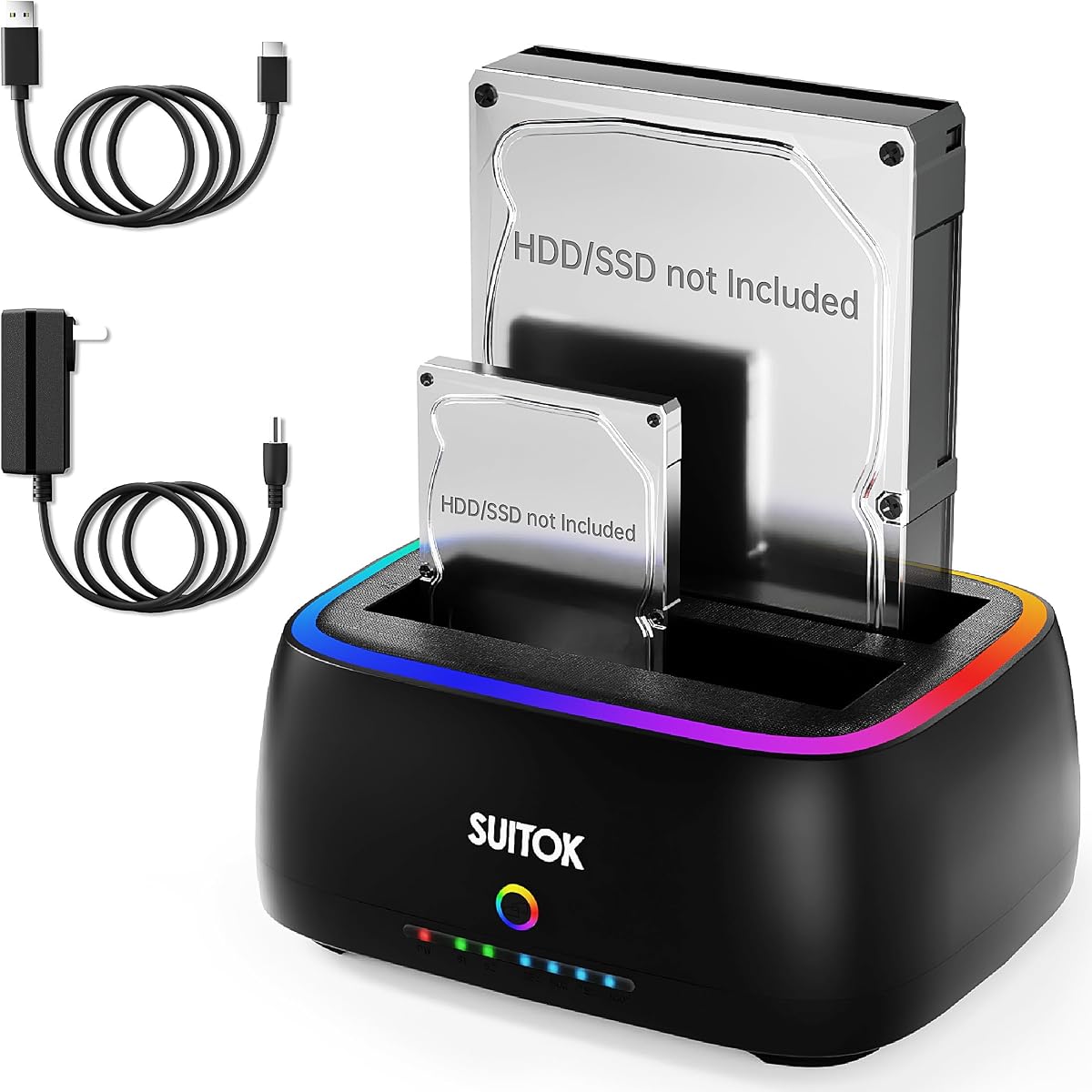
The Dual-Bay 40TB Cloner combines standalone duplication with a feature set usually associated with more elaborate desktop docks. Its 4.3 rating reflects a capable, modern package, and the combination of USB-C, UASP, TRIM, S.M.A.R.T., and broad OS support makes it appealing for users who want more than basic file access.
We may earn a commission when you buy through this link, at no additional cost to you.
The RTL9201DP bridge supports a stated SATA III transfer rate of 5Gbps, while the included USB 3.2 Gen 1 cable provides a 5Gbps host connection. Both bays take 2.5-inch or 3.5-inch SATA hard drives and SSDs, with up to 20TB per bay and 40TB combined. The interface speed remains a theoretical maximum and will vary with the installed media.
A one-key offline clone function can duplicate a source disk without a computer, and the integrated LED bar indicates 25, 50, 75, and 100 percent progress. The vertical open-air structure, bottom cooling vents, and anti-slip pads are intended to improve heat dissipation and stability. Compatibility includes Windows, macOS, Linux, Chrome OS, and Android with OTG, along with devices such as smart TVs, projectors, and routers.
The model is well suited to a permanent desktop storage hub, especially for users who appreciate visual customization and broad platform support. It does not accept M.2 or NVMe drives, and the RGB lighting is a stylistic preference rather than a functional advantage. This is a feature-rich SATA dock rather than a universal storage adapter.
UASP can improve transfer efficiency for compatible systems, TRIM helps maintain SSD performance, and S.M.A.R.T. access provides health information. These utilities make the dock more useful for ongoing drive management.
The vertical open-air arrangement, cooling vents, and anti-slip base are practical for a dock intended to remain connected while multiple larger hard drives are active, with less emphasis on packing it into a small travel bag.
We may earn a commission when you buy through this link, at no additional cost to you.
The StarTech SDOCK2U313R is built for users who take drive duplication seriously. Its 4.4 rating and stated cloning rate of up to 28GB per minute distinguish it from entry-level docks that copy at tens of megabytes per second. It is especially relevant to IT departments, computer builders, and service technicians who repeatedly prepare replacement disks.
We may earn a commission when you buy through this link, at no additional cost to you.
Standalone duplication works sector by sector and copies the entire source, including empty sectors, regardless of the file system. The target must be equal to or larger than the source. The dock also functions as a USB-to-SATA adapter for regular access. It supports 2.5-inch and 3.5-inch SATA hard drives and SSDs of any capacity, plus 4Kn drives and SATA I or II media.
The host interface supports USB 3.2 Gen 2 at up to 10Gbps, while drive communication uses SATA III at 6Gbps. A tool-less, top-loading design with drive doors and eject buttons makes repeated swaps efficient, and multi-function LEDs display power and status. The product includes USB-C and USB-A cables and a universal power adapter, although an IDE adapter is sold separately.
This is an excellent choice for high-volume provisioning and professional service work where cloning time affects productivity. It is less compelling for occasional users who only need a basic file-transfer dock or need to work with M.2 media. Its specialized controls and performance justify the premium positioning for the right workflow.
Sector-by-sector duplication reproduces the entire source disk rather than relying on a file-by-file transfer, preserving a closer representation of the original installation for system migration or repair work.
Top-loading trays, eject buttons, independent status lights, and a fast standalone mode reduce friction when the dock is used repeatedly to prepare or inspect multiple SATA drives.
We may earn a commission when you buy through this link, at no additional cost to you.
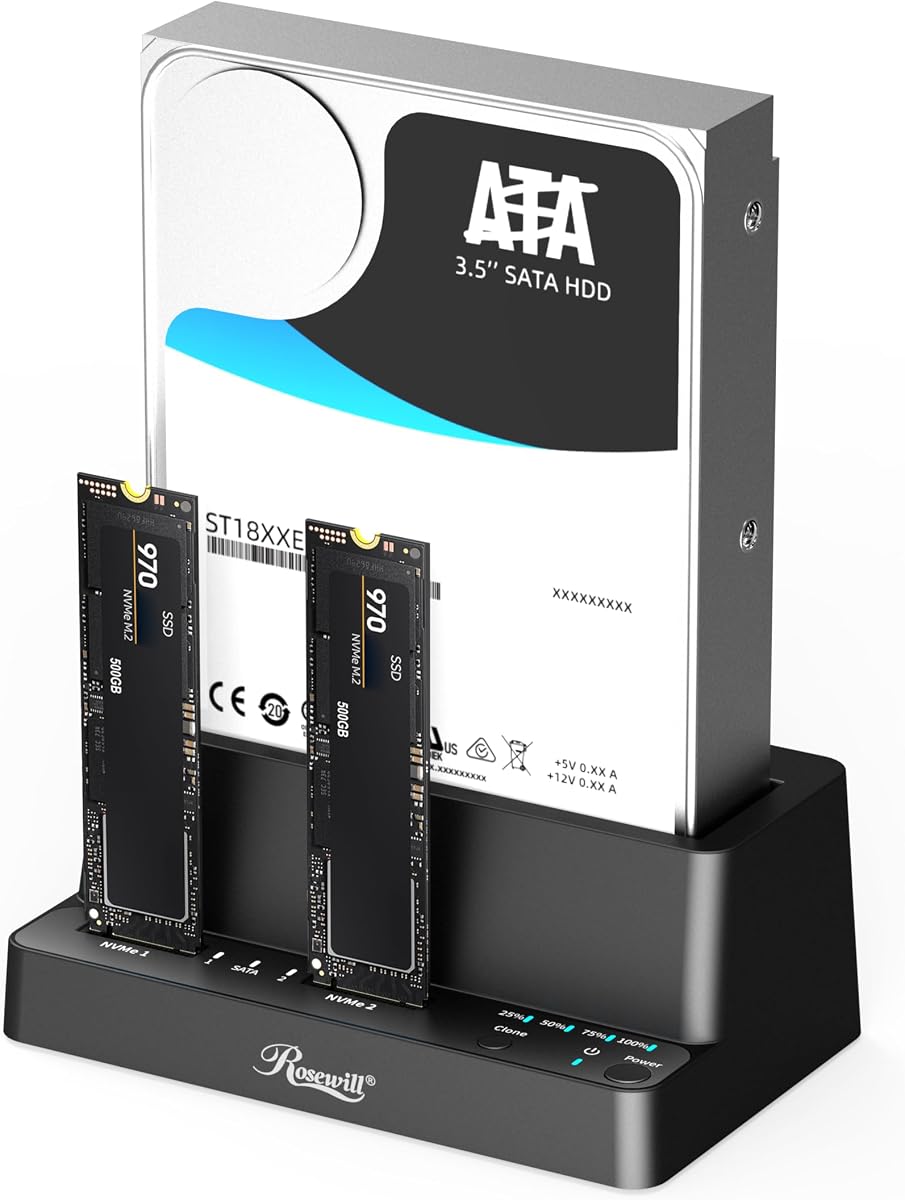
The Rosewill RS-N2S-CL combines a docking station, reader, and offline cloner in a compact three-bay enclosure. Its 4.5 rating reflects a flexible feature set, particularly the ability to work with M.2 NVMe as well as 2.5-inch and 3.5-inch SATA hard drives and SSDs.
We may earn a commission when you buy through this link, at no additional cost to you.
The USB 3.2 Gen 2×1 interface is specified at up to 10Gbps, providing a modern host connection for everyday access. The dock can clone without a host computer, giving technicians a direct path for data migration and disk duplication. Tool-free installation is intended to reduce the time and frustration involved in repeatedly changing M.2 and SATA media.
Compared with a basic SATA-only dual-bay unit, the Rosewill offers more format flexibility and an extra bay while remaining described as lightweight and compact. The supplied information does not specify maximum capacity, exact cloning speed, supported M.2 lengths, or the precise SATA-to-NVMe combinations permitted. Those details should be verified before using the product for a critical deployment.
The RS-N2S-CL is well suited to mobile technicians, system builders, and users who want a compact dock capable of handling current NVMe alongside traditional SATA storage. It is a stronger choice than a narrow legacy dock when your drive collection is mixed, provided you confirm the specific protocol and physical-fit requirements of your drives.
Accepting both M.2 NVMe and SATA media lets one device cover fast system drives, conventional SSDs, and mechanical hard drives, reducing the need to carry multiple specialized adapters.
Three independently usable slots give the model more flexibility than a two-bay dock without expanding to the footprint and power requirements of a large multi-bay storage appliance.
We may earn a commission when you buy through this link, at no additional cost to you.
The ORICO 5-Bay Dock is built for high-volume storage workflows, with five SATA bays and a standout one-to-four offline duplication mode. Its 3.9 rating is the lowest in this group, so buyers should examine current user feedback carefully, but the core concept is distinctive for photographers, media teams, and professional users who need several identical copies.
We may earn a commission when you buy through this link, at no additional cost to you.
The one-button duplication mode can create four copies at the same time without connection to a computer. It supports S.M.A.R.T. and TRIM, while an aluminum-alloy vertical enclosure is designed to dissipate heat. The dock accepts 2.5-inch and 3.5-inch SATA SSDs and hard drives, with a claimed maximum of five 20TB drives, or 100TB combined.
A USB 3.2 Gen 1 interface and included USB-C-to-C or USB-C-to-A cable provide broad access from laptops, desktops, consoles, and routers. Compatibility is listed for Windows XP through Windows 11 and Mac OS 10 or later. Anti-vibration pads help reduce movement, and LED indicators show operating status. As the product warns, targets are overwritten during cloning, so a backup should exist before the operation begins.
The ORICO is appropriate for batch duplication and high-capacity workflows where creating multiple copies is worth the larger enclosure and power draw. It is not the simplest choice for a small desk or a one-off migration. Its lower rating and less detailed cloning-speed information warrant more careful evaluation than the higher-rated alternatives.
One-to-four duplication can dramatically reduce the number of separate copy procedures needed for media distribution, client deliverables, or repeated backup media, provided suitable source and target drives are installed.
The vertical aluminum-alloy construction and anti-vibration pads address two common concerns in multi-drive docks: heat from tightly packed drives and movement of larger 3.5-inch hard drives.
We may earn a commission when you buy through this link, at no additional cost to you.
The WAVLINK Dual-Bay UASP is a flexible SATA docking station with both USB 3.0 and USB-C support, along with offline cloning. Its 4.4 rating reflects a dependable general-purpose design, and the choice of host connections makes it useful across a wider range of computers than docks that commit to a single connector.
We may earn a commission when you buy through this link, at no additional cost to you.
It supports 2.5-inch and 3.5-inch SATA hard drives and SSDs, with 16TB capacity per bay. UASP is specified at up to 6Gbps, while the conventional USB 3.0 path reaches 5Gbps. Backward compatibility with USB 2.0 and USB 1.1 is also listed. Tool-free installation, hot-swapping, and no required drivers simplify everyday access from supported systems.
Offline duplication is handled without a computer at up to 60Mbps, but the target must be at least equal in capacity to the source. Online cloning is not supported, so a copy cannot be created as a live computer-managed task. A built-in power switch and 12V 3A supply provide control and stable power, while automatic sleep after 30 minutes of inactivity reduces energy use.
The product is a sound choice for Windows, Linux, Unix, and compatible Mac systems that need flexible access to two SATA drives. The stated lack of compatibility with M1- and M2-based Macs is a significant limitation for modern Apple users. It also remains limited to SATA rather than NVMe or legacy PATA media.
Supporting USB-C and USB-A at the host side reduces adapter friction and makes the dock easier to move between modern ultraportables, legacy desktops, and systems with limited port availability.
A dedicated power control switch and automatic inactivity sleep offer convenient ways to manage connected disks, particularly in a busy workspace where drives are not always needed.
We may earn a commission when you buy through this link, at no additional cost to you.
The StarTech SATDOCK4U3RE is the most specialized and feature-rich product in this roundup. Its 4.5 rating reflects a well-established professional appliance that combines four-bay standalone duplication, secure erasure, and ordinary disk docking in a single unit.
We may earn a commission when you buy through this link, at no additional cost to you.
It can duplicate one source drive to three target drives independently, copying entire 2.5-inch or 3.5-inch SATA disks at up to 4.2GB per minute. The target must be equal to or larger. It also provides Quick Erase and NIST SP 800-88 Rev 1 Purge functions, giving it value for reuse workflows, data sanitization, and preparing drives for transfer or disposal.
The LCD screen and push-button navigation let an operator review drive information and select modes without a computer. USB 3.2 Gen 1 at 5Gbps and eSATA at 3Gbps provide host access for mounting, file transfers, backups, and recovery. Top-loading doors, eject buttons, multi-function LEDs, included cables, and a universal power adapter support a professional workflow. IDE adapters for older 40-pin and 44-pin drives are included.
This device makes the most sense for IT departments, forensic or refurbishment operations, and organizations that must sanitize or deploy multiple drives regularly. It is less attractive for ordinary home use, particularly when a simpler two-bay SATA dock would satisfy the task. Its specialized erase modes, LCD controls, and four-bay capacity justify the premium for professional buyers.
Quick Erase offers a faster reset, while NIST SP 800-88 Rev 1 Purge provides a more formal sanitization option. Both are valuable when drives must be reused or responsibly released after an assignment.
The LCD and standalone controls allow operators to inspect disks, choose a copy mode, and monitor progress without installing software or involving a host operating system.
We may earn a commission when you buy through this link, at no additional cost to you.
The right choice depends first on the media you need to handle, followed by cloning method, throughput, capacity, connectivity, power, and whether you need basic access or professional disk-management features.
In short, match the dock's format list to your actual collection of drives and avoid assuming every similarly shaped module uses the same protocol.
In short, choose full-image or sector-level cloning for exact deployments and one-button offline copying for straightforward, repeatable duplication.
In short, prioritize stated copy throughput for intensive deployments, while recognizing that the slowest installed drive often determines the real result.
In short, select the connector that matches your equipment and use the fastest compatible host port available, while keeping realistic expectations for mechanical media.
In short, buy enough bays for simultaneous work and verify the maximum supported capacity, particularly for future storage upgrades.
In short, prioritize stable power and cooling for desktop work, and choose a smaller enclosure only when both portability and hard-drive power demands fit your needs.
In short, consider sanitization, health monitoring, and clear controls when drives will be reused or managed as part of a professional workflow.
In short, verify both computer compatibility and the platforms you need the dock to support, especially if your system relies on Apple silicon.
Before inserting media, identify the source and target and confirm that the target is equal to or larger than the source. Check whether the clone will erase existing target contents, then make a separate backup of anything that must not be lost. Use the manufacturer's guide to select standalone duplication, verify the drive orientation, and insert the source into the designated bay.
Connect the appropriate power adapter and host cable when the dock will also be used for file access. For offline cloning, start the dedicated clone or copy control and watch the LEDs or display for progress. Do not unplug power, remove a disk, or press another control while copying. If a drive is new, confirm that the selected method creates a complete, bootable image rather than merely transferring selected folders.
After a successful copy, power down the system before removing media. Keep the enclosure ventilated, use the supplied or specified power supply, and avoid stacking the dock beneath heavy objects. For long storage, periodically check drive health and replace cables or power supplies that show damage. Clean the exterior with a dry, soft cloth and keep liquids away from the drive bays and electrical connections.
Yes. Every product highlighted here supports standalone or offline duplication, allowing a source disk to be copied to a target without an operating system involved. The target generally must be equal to or larger than the source. Always back up the target before starting because its previous contents may be overwritten.
Docking makes a bare drive available to a computer as an external storage volume, allowing ordinary file access. Offline cloning instead performs a disk-level duplication directly through the dock's hardware. The latter is useful for migrations and system deployments because it can reproduce an entire installation rather than just selected files.
Some can, including the ICY BOX TripleBay and Rosewill RS-N2S-CL, which support M.2 NVMe alongside SATA media. Their supported cloning combinations are not necessarily identical, so check the manufacturer documentation for the exact source and target types. Most other models in this roundup support only 2.5-inch and 3.5-inch SATA drives and SATA SSDs.
No, not necessarily. The 5Gbps figure describes the theoretical connection speed, while the installed hard drive, SSD, drive controller, host system, and file type determine real performance. A mechanical hard drive is generally much slower than a modern SATA or NVMe SSD, and offline cloning rates may be deliberately lower than normal docking speeds.
A successful data copy does not always guarantee that the target will boot because cloning methods, partition layouts, firmware, encryption, and operating-system requirements can differ. Confirm that the dock uses a full disk or sector-level clone, verify that the target partition is visible, and check whether the original system uses hardware-encrypted storage. Restoring a known-good image may be more reliable than a simple file copy.
Yes, a larger target is generally acceptable because unused capacity can remain unallocated. The target must not be smaller than the source. After cloning, check the partition size and use the operating system's disk management tools if you want the new capacity incorporated into the existing partition.
Quick erase generally resets a drive quickly so it can be reused, while secure erase follows a more formal sanitization process designed to make recovery much more difficult. Among these products, the StarTech SATDOCK4U3RE offers both Quick Erase and NIST SP 800-88 Rev 1 Purge. The appropriate method depends on your organization's reuse and disposal policy.
Most models include an external power adapter because two 3.5-inch hard drives can draw more current than a single USB port reliably provides. Even when a computer supplies USB power, the supplied adapter is usually the correct and safest choice. Follow the included power instructions and avoid substitute adapters with inadequate voltage or current.
The ICY BOX TripleBay is the most versatile general recommendation because it supports NVMe and SATA media across three bays and offers one-touch offline cloning. The MAIWO Dual-Bay Hub is the best budget-oriented choice when two SATA bays, a built-in USB hub, and useful capacity make it a better value. For professional work, the StarTech SATDOCK4U3RE stands out with four-bay duplication, secure erasure, and an LCD interface.
Most buyers should begin with the drives they already own rather than paying for advanced features they will never use. SATA-only users can select a simple two-bay model, while anyone working with M.2 NVMe should favor a mixed-format dock. High-volume IT teams should examine clone speed, target support, cooling, erase modes, and whether the enclosure can be run continuously without creating a bottleneck.
Before buying, confirm the physical connector, protocol, maximum capacity, operating-system support, power requirements, and meaning of online versus offline cloning. Product specifications and availability can change, and current prices fluctuate, so review the latest listing and manufacturer guidance before making a final purchase.