
MSI Thin 15.6
4.6Editor score
RTX 4060 Laptop GPU
Compact 144Hz IPS display
16GB DDR4 and NVMe storage
Gaming laptops with RTX 40 Series graphics combine capable NVIDIA GPUs with portable PC designs, but the best choice depends on display quality, cooling, memory, storage, and the games you play. A capable GPU alone does not guarantee a satisfying experience if the rest of the system is poorly balanced.
This guide compares ten RTX 40 Series gaming laptops across processor performance, dedicated graphics memory, refresh rate, panel resolution, memory, storage, connectivity, and practical features. The list includes RTX 4050, RTX 4060, and RTX 5060 models spanning different sizes and performance tiers.
Each review explains the strongest features, practical trade-offs, and likely buyer profile. The first three selections represent the overall, budget, and premium choices, while the remaining entries provide worthwhile alternatives. Availability, configurations, and prices can change, so verify the current listing before purchasing.
4.6Editor score

4.4Editor score

4.2Editor score
As an Amazon Associate we earn from qualifying purchases.
The comparison below highlights the major hardware differences among all ten laptops, including their processors, NVIDIA graphics, displays, memory, and storage. These specifications make it easier to identify the model that best fits your performance, portability, and everyday computing priorities.




The MSI Thin 15.6 is a compact RTX 4060 laptop that combines a capable gaming GPU with a fast Full HD display. Its 4.6 rating reflects a favorable balance of specifications, portability, and general usability, making it an appealing option for gamers who do not need a large desktop-replacement chassis.
We may earn a commission when you buy through this link, at no additional cost to you.
Its Intel Core i5-13420H processor supplies enough computing power for mainstream gaming, streaming, schoolwork, and regular creative applications. The NVIDIA GeForce RTX 4060 includes 8GB of dedicated laptop GPU memory, which is useful for modern titles, ray-traced effects, and graphics-intensive software. The 16GB DDR4 configuration supports multitasking, while the 512GB NVMe SSD provides fast startup and load times.
The main limitation is the use of DDR4 memory rather than newer DDR5, along with a relatively compact 512GB drive. These constraints matter if you want to expand storage, run memory-intensive professional applications, or keep a very large game library installed. Nevertheless, the core gaming package is strong for the overall size of the machine.
This is a good choice for students, commuters, and mainstream gamers who prioritize a capable GPU without carrying a large 16-inch gaming laptop. It also works well for someone who wants a 144Hz panel, 8GB VRAM, and a conventional 15.6-inch footprint. For these priorities, the MSI Thin offers one of the most straightforward packages in the roundup.
The RTX 4060 brings enough graphics performance for a broad selection of current games without requiring the largest chassis in the category. Its 8GB of video memory also provides more breathing room than the 6GB configurations found in several alternatives.
The 15.6-inch Full HD IPS panel refreshes at 144Hz, giving competitive and action-oriented games a noticeably smoother presentation. Its thin bezel design helps the system feel modern despite the conventional screen size.
We may earn a commission when you buy through this link, at no additional cost to you.
The 2025 ASUS ROG Strix G16 is the most advanced model in this guide, using the RTX 5060 Laptop GPU based on NVIDIA Blackwell architecture. Its 4.4 rating reflects a robust combination of new graphics technology, a 165Hz 16:10 display, strong cooling, and generous storage, although it remains a substantial gaming laptop.
We may earn a commission when you buy through this link, at no additional cost to you.
The Intel Core i7-14650HX provides substantial multicore performance, while the RTX 5060 supports DLSS 4 and Max-Q technologies. The 16GB of DDR5-5600 memory and 1TB PCIe Gen 4 SSD create a modern foundation, and Wi-Fi 7 prepares the laptop for compatible high-speed networks. The display also includes a 3ms response specification and an anti-glare film intended to improve contrast and reduce reflections.
Thermal engineering is a central strength. The system combines an end-to-end vapor chamber, three fans, and Conductonaut Extreme liquid metal on the chipset, all of which are designed to support stable performance during extended gaming sessions. The trade-offs are the large 16-inch chassis, the weight associated with premium gaming hardware, and only 16GB of memory in a configuration this advanced.
Buyers who want the strongest graphics option in the list, a modern high-refresh display, and a comprehensive gaming feature set will find this model especially compelling. It is best suited to enthusiasts who value GPU headroom and cooling over a compact footprint. Users who can upgrade memory later may also find the 16GB starting point acceptable.
The RTX 5060 is the headline feature, bringing Blackwell architecture and DLSS 4 into this configuration. It is the logical choice for a buyer who wants more modern graphics capability than the RTX 4050 and RTX 4060 alternatives provide.
An end-to-end vapor chamber, tri-fan arrangement, and liquid-metal thermal compound provide a stronger foundation for sustained performance. These features are particularly relevant for competitive games, creation, and extended play rather than short bursts of activity.
We may earn a commission when you buy through this link, at no additional cost to you.
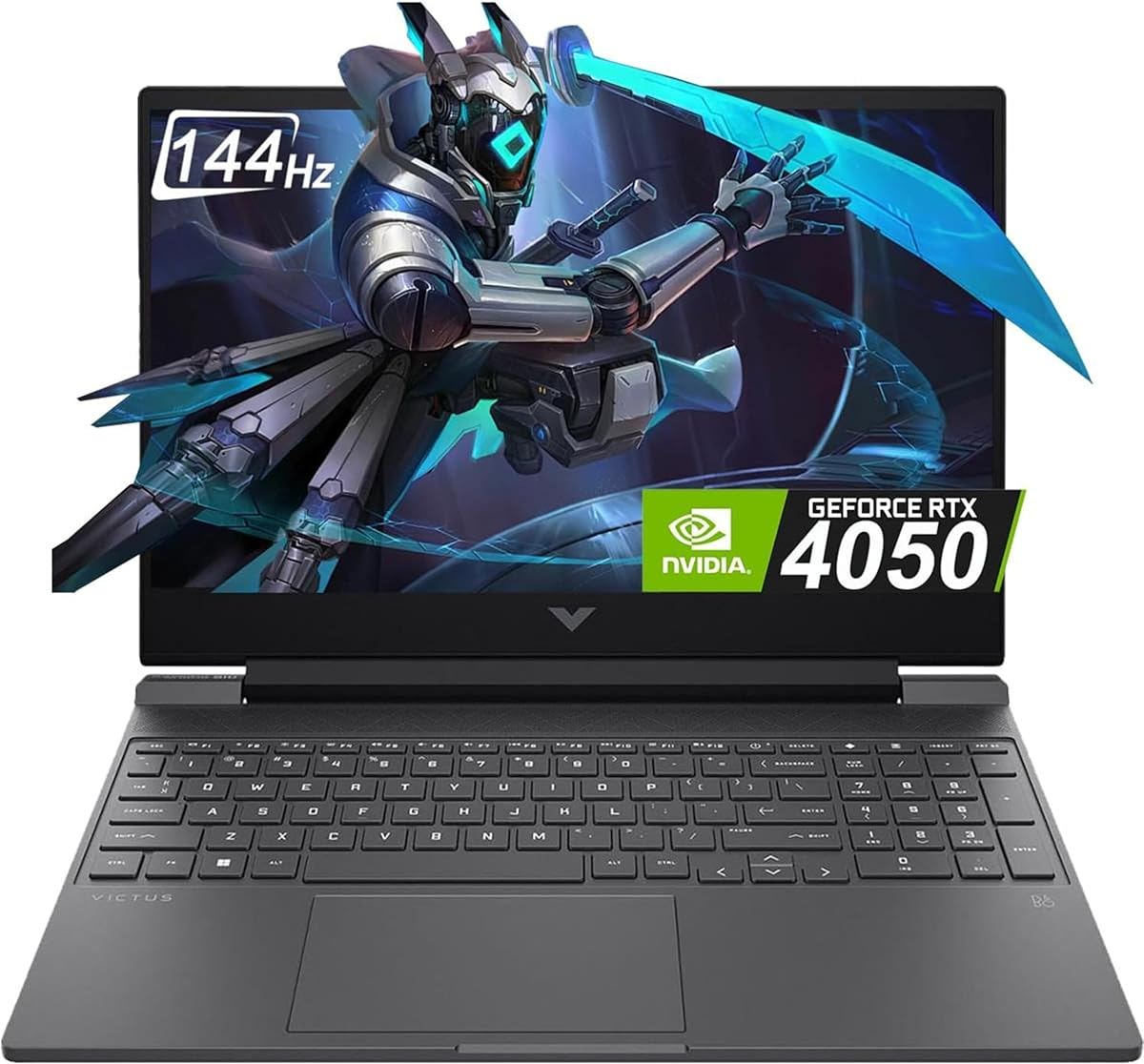
This HP Victus 15 stands out with a 5.0 rating, 32GB of DDR5 memory, and 1TB of SSD storage. It pairs those practical specifications with the AMD Ryzen 7 7445HS and RTX 4050, creating a well-rounded laptop for gamers who prioritize memory capacity, storage, and connectivity over a higher-tier GPU.
We may earn a commission when you buy through this link, at no additional cost to you.
The Ryzen 7 7445HS offers six cores and 12 threads with speeds reaching 4.7GHz, according to the supplied specifications. The RTX 4050 includes 6GB of dedicated GDDR6 memory and supports modern gaming features. A 144Hz Full HD IPS panel includes anti-glare coating, AMD FreeSync Premium, micro-edge bezels, and 300-nit brightness.
Connectivity is particularly thorough. The laptop includes Wi-Fi 6E, Bluetooth 5.3, Gigabit Ethernet, two USB-A ports, a USB-C port with DisplayPort and Power Delivery, HDMI 2.1, and a combined audio jack. Its trade-offs are the 6GB graphics memory, moderate panel brightness, and the fact that the 32GB and 1TB configuration may not appear in every market.
This Victus configuration is a strong fit for students, creators, and gamers who run many applications at once or want a large library of games ready to launch. It is also attractive for people who value Ethernet and broad port selection. Choose it when the generous memory and storage outweigh the need for the newer RTX 5060 or higher-resolution display found elsewhere.
The unusual strength of this configuration is its 32GB DDR5 allocation. That capacity is helpful when gaming is combined with streaming, browser tabs, creative software, or numerous background applications.
HDMI 2.1, USB-C DisplayPort, Gigabit Ethernet, multiple USB-A connections, and an audio jack cover most peripheral needs. The inclusion of wired networking is useful for online games and stable transfers.
We may earn a commission when you buy through this link, at no additional cost to you.
The HP Victus 15 Ryzen combines a Ryzen 7 7445HS processor with an RTX 4050 and a 144Hz Full HD panel. Its 4.4 rating reflects a versatile configuration for gaming, streaming, content creation, school, and work, with enough power for a wide range of modern titles.
We may earn a commission when you buy through this link, at no additional cost to you.
The processor includes six cores and can boost to 4.7GHz, while the RTX 4050 brings hardware-accelerated ray tracing, DLSS 3 frame generation, AV1 encoding, and NVENC acceleration. A 16GB DDR5 memory module and 512GB SSD provide a conventional balance for everyday use. The display's anti-glare surface and 300-nit brightness are practical, though not exceptional.
The supplied listing includes an important disclosure that the computer was resealed to upgrade memory and storage, with a three-year warranty on those components and a one-year manufacturer warranty on remaining components. Buyers should read the exact warranty terms carefully. The 512GB capacity is also the most obvious limitation for large game libraries.
This model makes sense for a buyer who wants the Ryzen 7 and RTX 4050 combination in a conventional 15.6-inch design. It works particularly well for competitive multiplayer, mainstream AAA gaming, streaming, and video editing. It is less compelling when large storage or a higher-resolution panel is a priority.
AV1 encoding and NVENC acceleration make the RTX 4050 more than a gaming component. Streamers and editors can use these dedicated hardware features to improve video workflows and reduce the processing burden on the CPU.
The 144Hz Full HD display offers a useful balance of smoothness and familiar screen size. Support for two external monitors through HDMI or USB Type-C also expands the laptop's usefulness as a workstation.
We may earn a commission when you buy through this link, at no additional cost to you.
The ASUS ROG Strix G16 offers an RTX 4060 rated at up to 140W, a 165Hz display, and an Intel Core i7-13650HX processor. Its 4.4 rating reflects a well-balanced premium gaming system, particularly attractive to buyers who care about display color and sustained performance.
We may earn a commission when you buy through this link, at no additional cost to you.
The supplied specifications highlight 16GB of DDR5-4800 memory and a 1TB PCIe Gen 4 SSD. The RTX 4060's 140W maximum power setting provides a higher performance ceiling than many lower-powered laptop configurations. Thermal Grizzly Conductonaut Extreme liquid metal on the CPU and a third intake fan support more stable performance during long sessions.
The display is one of the model's defining features. It combines a 165Hz refresh rate with 100% sRGB coverage and Pantone Validation, making it suitable for games as well as color-sensitive creative work. The trade-offs are the large chassis and the relatively standard 16GB memory amount, which may be worth increasing if the application permits it.
This Strix G16 is ideal for a dedicated gaming setup, a high-refresh desktop replacement, and buyers who also edit photos or video. It provides more display polish than many conventional 15.6-inch options and a more mature RTX 4060 power configuration than the smaller models in this guide.
The stated 140W maximum total graphics power allows the RTX 4060 to operate closer to its full laptop performance envelope. That is valuable when maximizing frame rates in demanding games or maintaining performance as internal temperatures rise.
A 100% sRGB panel with Pantone Validation differentiates this model from displays designed only for fast gameplay. It offers a more credible option for editing, media consumption, and design-related tasks.
We may earn a commission when you buy through this link, at no additional cost to you.
The Acer Predator Helios 16 differentiates itself with a 2560 by 1600 display, 165Hz refresh rate, and 3ms overdrive response. Its 4.2 rating reflects a high-resolution, feature-rich gaming laptop equipped with an RTX 4060 and a powerful Intel Core i7-13700HX processor.
We may earn a commission when you buy through this link, at no additional cost to you.
The RTX 4060 operates with up to 140W maximum graphics power and is paired with 16GB of DDR5 memory and a 1TB PCIe Gen 4 SSD. The 16-inch 16:10 panel provides more working area than a standard Full HD screen, while G-SYNC, NVIDIA Advanced Optimus, and the fast response specification support smooth play.
Connectivity includes Intel Killer E2600 Ethernet, Killer Wi-Fi 6E, two Thunderbolt 4 USB-C ports, HDMI 2.1, USB 3.2 Gen 2 connections, and a microSD card reader. The principal trade-off is the substantial power draw and battery capacity associated with a large, high-performance chassis. A 6GB graphics memory pool also limits some future-facing settings compared with 8GB alternatives.
Choose the Helios 16 when image clarity, a large screen, premium connectivity, and high-refresh gaming matter more than maximum portability. It is particularly well suited to creative work because the high-resolution 16:10 panel provides useful screen space. Its advanced graphics and processor make it a compelling desktop-like gaming machine.
The WQXGA panel offers noticeably more pixels than a Full HD display while retaining a 16:10 aspect ratio. This extra space benefits open-world games, creative applications, video previews, and side-by-side multitasking.
Thunderbolt 4, HDMI 2.1, fast USB ports, Ethernet, and Wi-Fi 6E provide a comprehensive connection platform. The Mini LED per-key RGB keyboard and PredatorSense controls add further customization for dedicated gaming setups.
We may earn a commission when you buy through this link, at no additional cost to you.
The HP Victus 15 i5 is a straightforward entry point into dedicated RTX gaming. It combines an Intel Core i5-13420H processor, RTX 4050 with 6GB of GDDR6 memory, 16GB of DDR4 RAM, and a 512GB PCIe Gen 4 NVMe drive. Its 4.3 rating reflects a recognizable and practical configuration.
We may earn a commission when you buy through this link, at no additional cost to you.
The primary attraction is the 15.6-inch Full HD IPS display with a 144Hz refresh rate. That resolution provides a manageable workload for the RTX 4050 while retaining a smooth refresh rate for competitive and fast-paced games. Windows 11 Home is included, so the laptop is ready for general use after setup.
Compared with newer alternatives, DDR4 memory and a 512GB drive look dated. The RTX 4050's 6GB of VRAM can also become restrictive in demanding future games at high texture settings. These limitations make careful settings management and occasional storage management important, but they do not prevent the laptop from delivering a useful RTX gaming experience.
This is a sensible option for buyers who understand the RTX 40 Series tier, want a conventional HP Victus design, and need dedicated NVIDIA graphics for gaming or GPU-accelerated work. It may also appeal to students and general users who value the 144Hz display. For maximum longevity, compare it with a DDR5 model offering more memory or storage.
A 144Hz Full HD IPS panel is a sensible pairing for an RTX 4050 because it offers a high-refresh target without requiring a graphics card to drive an unusually demanding resolution.
The 15.6-inch design, Windows 11 Home, Intel processor, and dedicated GeForce GPU create a conventional package. It should appeal to buyers who want recognizable components rather than cutting-edge enthusiast hardware.
We may earn a commission when you buy through this link, at no additional cost to you.
The Acer Nitro V i7 combines an Intel Core i7-13620H with an RTX 4050 and a 165Hz Full HD IPS display. Its 4.6 rating makes it one of the strongest rated options here, particularly for buyers who want a fast display and modern storage without moving to a larger premium chassis.
We may earn a commission when you buy through this link, at no additional cost to you.
The supplied specifications report 194 AI TOPS for the RTX 4050 and support for DLSS 3.5. Its 16GB of DDR5 memory can reach 32GB according to the listed internal specifications, while the 1TB PCIe Gen 4 SSD occupies one of two M.2 slots. That expansion potential makes the configuration more adaptable than many sealed alternatives.
The 15.6-inch Full HD panel delivers a 165Hz refresh rate with an 82.64% screen-to-body ratio. A Thunderbolt 4 port supports charging, data transfer, and display output, while Killer Gigabit Ethernet and Wi-Fi 6 cover networking. The trade-off is that the GPU has 6GB of VRAM, and Full HD provides less working space than the Helios 16's high-resolution screen.
Choose this Nitro V for high-refresh 15.6-inch gaming, strong multitasking, and a generous storage foundation. It suits gamers, streamers, and students who want a capable processor and fast display. It is also a better fit than smaller configurations for buyers planning to add memory or a second SSD.
The 165Hz Full HD display provides a high frame-rate target without the additional GPU burden associated with a higher-resolution panel. It is a well-matched combination for fast competitive games and mainstream AAA titles.
Two memory slots and two M.2 positions provide useful upgrade paths. Starting with 16GB DDR5 and 1TB of storage gives buyers a generous foundation while allowing further customization when needed.
We may earn a commission when you buy through this link, at no additional cost to you.
The Acer Nitro V i5 is a cost-conscious RTX 4050 laptop with a particularly attractive display specification. Its 4.5 rating reflects a solid combination of a 165Hz Full HD IPS panel, an Intel Core i5 processor, DLSS 3.5 support, and a familiar 15.6-inch form.
We may earn a commission when you buy through this link, at no additional cost to you.
The RTX 4050 has 6GB of dedicated memory and supports AI-enhanced graphics technologies. Storage comes from a 512GB PCIe Gen 4 SSD, while the 8GB DDR5 memory occupies one of two slots and can be expanded to 32GB according to the listed specifications. The Intel Core i5-13420H should be adequate for mainstream gaming and regular productivity.
Its most significant weakness is the 8GB memory allocation, which can become restrictive when running a game alongside streaming software, a browser, and other applications. The 512GB drive also leaves little room for modern game libraries. Both limitations can be reduced by upgrading memory and storage, although that adds cost beyond the base purchase.
This model is best for a buyer who values the RTX 4050 and unusually high refresh rate in a 15.6-inch laptop, but who can upgrade the specifications. It also works well for a secondary gaming machine, lighter esports title, or general-purpose PC with occasional gaming.
A 165Hz panel is a notable feature at this level. It provides a smooth target for compatible games, although the RTX 4050 must still render enough frames for the improvement to be visible.
The two-slot memory arrangement offers a straightforward path to 32GB. Adding memory is particularly valuable for multitasking, content creation, and background applications while a game is running.
We may earn a commission when you buy through this link, at no additional cost to you.
The Lenovo LOQ brings an RTX 4050 together with the AMD Ryzen 5 7235HS in a 15.6-inch gaming chassis. Its 4.2 rating reflects a practical entry configuration with a fast IPS display, expandable internals, and broad connectivity rather than top-tier graphics performance.
We may earn a commission when you buy through this link, at no additional cost to you.
The Ryzen 5 7235HS includes four cores and eight threads, with a 3.2GHz base frequency and up to 4.2GHz boost. The RTX 4050 provides 6GB of GDDR6 memory. A 144Hz Full HD IPS display includes anti-glare treatment, 300-nit brightness, and G-SYNC, making it well suited to competitive play and everyday use.
The major advantage is expansion potential. The supplied information states support for up to 64GB DDR5 RAM and up to 8TB of PCIe M.2 storage, allowing the entry-level memory and drive to be upgraded. The trade-off is the lower processor tier and the limited 6GB graphics memory, which will demand more careful settings in demanding games.
The LOQ is a good fit for first-time gaming-laptop buyers, students, and users who want a repairable or expandable system. It is also useful for a dedicated gaming machine in a household or a portable PC for esports and lighter titles. Buyers seeking maximum frame rates in demanding AAA games should consider a more powerful GPU option.
Support for up to 64GB of DDR5 memory and as much as 8TB of M.2 storage makes the LOQ adaptable over time. This is valuable for buyers who want to start modestly and increase capacity later.
The 144Hz IPS panel includes G-SYNC support to help coordinate frame delivery and reduce visual tearing. Full HD resolution keeps the workload reasonable for the RTX 4050 while supporting fast-paced gameplay.
We may earn a commission when you buy through this link, at no additional cost to you.
Choosing a gaming laptop means balancing graphics performance, display quality, cooling, memory, storage, portability, and connectivity. The RTX 40 Series badge identifies the GPU family, but the complete configuration determines how well the machine handles your games and everyday workloads.
The RTX 4050 models in this guide provide dedicated graphics, hardware-accelerated ray tracing, and DLSS support, making them suitable for mainstream gaming, esports, and many creative applications. Their 6GB of video memory can become a constraint in demanding titles with elaborate texture packs or high settings. The RTX 4060 offers 8GB of VRAM in the configurations reviewed, along with greater graphics headroom for modern games and higher graphics settings.
Choose the RTX 4050 when your priority is a lower-cost, established platform and your games are not consistently demanding. Choose the RTX 4060 when you want more texture room, better performance in demanding titles, and a stronger foundation for mixed gaming and creation workloads.
The ASUS ROG Strix G16 with RTX 5060 is the only Blackwell-based option in this roundup. Its GPU supports DLSS 4 and Max-Q technologies, while the Intel Core i7-14650HX supplies strong complementary processing performance. This makes it the logical choice for buyers prioritizing the newest NVIDIA architecture available among these selections.
The RTX 5060 model is less about basic gaming adequacy and more about additional headroom, modern AI-assisted features, and a premium feature set. Buyers should still consider the larger chassis and whether the advanced GPU serves their needs better than spending on a higher-resolution display, more memory, or a lighter design.
The majority of these laptops use Full HD panels, which pair efficiently with the available GPUs and keep text and desktop interfaces comfortable at a 15.6-inch size. Their refresh rates range from 144Hz to 165Hz, which provides a smoother target for fast-moving games. The Predator Helios 16 raises the visual-resolution ceiling with a 2560 by 1600 panel, offering more detail and working space.
Prioritize a 144Hz or 165Hz panel for competitive and action-oriented games. Consider a higher resolution when editing, media consumption, and visual detail matter more than maximum frame rates. Check brightness and anti-glare properties as well, particularly if you plan to use the laptop away from a controlled desk.
Modern gaming benefits from a capable processor because the CPU handles game logic, background applications, streaming tools, and operating-system tasks. The Intel Core i7-13650HX and i7-13700HX, the Ryzen 7 7445HS, and the Core i7-14650HX provide strong multi-core capability. The Core i5 models remain suitable for many mainstream games, especially when paired with an RTX 4050 or RTX 4060.
Choose a higher-tier Core i7 or Ryzen 7 when gaming is combined with streaming, video editing, or heavy multitasking. The Ryzen 5 7235HS in the LOQ is more modest, so consider that laptop's upgrade path and intended workload carefully. A faster GPU is often more important for pure frame-rate gains, but the processor still affects the whole experience.
Memory determines how comfortably a system can run a game while also handling a browser, voice chat, recording software, and other background tasks. The configurations in this guide range from 8GB DDR5 to 32GB DDR5. The 8GB models should be treated as a starting point, especially for streaming or heavy multitasking, while 16GB represents a more comfortable baseline.
Prefer DDR5 when purchasing a new system, although DDR4 can still provide adequate performance. Pay close attention to whether memory slots are accessible and the maximum supported capacity. Upgrading to 16GB or 32GB can be one of the most effective ways to improve a laptop's multitasking experience without changing the display or graphics.
PCIe Gen 4 NVMe storage provides fast game loading, application startup, and file transfers. A 512GB drive may fill quickly with several modern games, while 1TB offers a more comfortable library without requiring continual file management. The included capacity is also separate from maximum upgrade support, so buyers can consider the listed memory and storage limits.
Look for at least one terabyte if you expect to install large games, retain creative project files, or keep multiple applications locally. Multiple M.2 slots can make expansion easier, but storage upgrades still cost money and require transferring data. For a secondary PC with cloud-based habits, 512GB may be sufficient.
Gaming laptops generate substantial heat, and sustained performance depends on how effectively the chassis removes it. The ROG Strix G16 models use enhanced cooling features, including additional fans and liquid-metal thermal compound, while the Predator Helios 16 can drive the RTX 4060 at up to 140W. These details are especially important for long sessions and demanding games.
A strong cooling system can reduce throttling, preserve a consistent frame rate, and improve the experience of using the keyboard and chassis. Look for multiple fans, effective heat pipes or vapor chambers, and manufacturer performance modes. Also consider fan noise and surface temperatures, which may not be fully described in a specification list.
A gaming laptop should also work as a dependable everyday computer. The alternatives provide a mix of USB-A and USB-C ports, HDMI, Ethernet, Wi-Fi, Bluetooth, and audio connections. USB-C DisplayPort and Thunderbolt 4 can simplify external-monitor setups, while Gigabit Ethernet remains useful for low-latency online gaming. The ROG G16 and Helios 16 are large systems, whereas the MSI Thin and standard Victus configurations are easier to carry.
Choose the port layout based on your peripherals rather than relying only on GPU specifications. Check whether you need Ethernet, card-reader access, USB charging, or support for multiple external displays. If you travel frequently, balance screen size, weight, battery behavior, and keyboard comfort against the benefits of a large premium chassis.
After setup, install the latest operating-system and graphics-driver updates through the manufacturer's official software or NVIDIA's driver tools. Choose a graphics mode appropriate to the workload, enable features such as DLSS when supported, and confirm that the system is using the dedicated NVIDIA GPU for games. Use the vendor performance application to balance fan speed, power, and display behavior.
For maintenance, keep intake and exhaust openings unobstructed and avoid placing the laptop on soft fabric that can cover its ventilation paths. Clean the vents with compressed air, power the system down first, and avoid pulling loose debris into the fans. Monitor temperatures and storage health through trusted utilities, and keep the operating system and drivers current.
When traveling, carry the system in a padded case and allow ventilation on both upper and lower surfaces. During intense workloads, save frequently, use a stable surface, and take short breaks to let the chassis cool. Upgrading memory or storage should follow the manufacturer's compatibility and warranty instructions, especially for systems with tightly integrated components.
An RTX 4050 laptop is well suited to esports, indie games, and many mainstream AAA titles when graphics settings are managed appropriately. The listed models pair it with modern processors, fast displays, and 144Hz or 165Hz panels for smooth competitive play. The main limitation is 6GB of VRAM, which can constrain some demanding games at high texture settings.
An RTX 4060 generally offers more graphics performance and 8GB of dedicated memory compared with the 6GB configuration of the RTX 4050 models reviewed here. That additional VRAM can help with higher texture settings and demanding modern games. The processor, display, cooling, and graphics power configuration also influence results, so a higher-tier GPU is only one part of the comparison.
The RTX 5060 configuration is worth considering for buyers who prioritize the newest architecture, DLSS 4, Max-Q support, and additional graphics headroom. It also combines a powerful processor, 165Hz 16:10 display, advanced cooling, and one terabyte of storage. Its larger chassis and premium positioning make it less compelling if portability or a simpler configuration is the priority.
Eight gigabytes can handle a game alone, but it is limited when a browser, voice chat, streaming software, and other applications run simultaneously. Sixteen gigabytes is a more comfortable starting point, while 32GB is ideal for heavy multitasking and creative work. Several reviewed models support memory expansion, making an 8GB configuration less concerning when upgrades are possible.
A higher refresh rate can make fast motion and mouse movement appear smoother, especially in competitive shooters and sports games. The benefit is greatest when the GPU can consistently produce frame rates near the panel's refresh rate. Resolution, settings, thermal performance, and the game itself all influence how much difference you will see.
A 15.6-inch model is generally easier to carry and works well with Full HD panels. A 16-inch model often provides a larger viewing area, more room for cooling, and sometimes a higher-resolution display, as seen with the Predator Helios 16. Choose based on portability, screen real estate, keyboard comfort, and your gaming resolution preferences.
Requirements vary by title and installation options, but many modern games benefit from at least 1TB of fast SSD storage when combined with a system drive. A 512GB drive can work for a smaller library, though regular file management may be necessary. Look for NVMe storage and consider available M.2 slots if you expect the library to grow.
They can be useful for editing because supported NVIDIA GPUs provide dedicated encoding features, including NVENC and AV1 acceleration on the relevant models. Processor power, memory, display color accuracy, and storage also influence the editing experience. The ASUS ROG Strix G16 with its 100% sRGB, Pantone-validated display is particularly well aligned with color-sensitive creative work.
The ASUS ROG Strix G16 with RTX 5060 offers the newest graphics architecture and most advanced feature set, while the MSI Thin 15.6 provides a compact and balanced RTX 4060 package. The 32GB HP Victus 15 stands out for generous memory, large storage, and strong everyday connectivity. These three choices cover premium, balanced, and high-memory buying priorities.
Prioritize the GPU and display as a pair, but do not overlook memory, cooling, storage, and ports. A slower GPU paired with a fast panel can be excellent for competitive gaming, while a capable GPU benefits from sufficient system memory and a well-designed thermal system. Choose the configuration that matches your actual games, workload, and preferred portability.
Before purchasing, verify the current listing, exact component specifications, upgrade support, and warranty terms. Retailer configurations can change, and displayed prices or promotions are subject to variation. Checking the live product page helps ensure the selected RTX 40 Series laptop still offers the hardware and features covered in this guide.