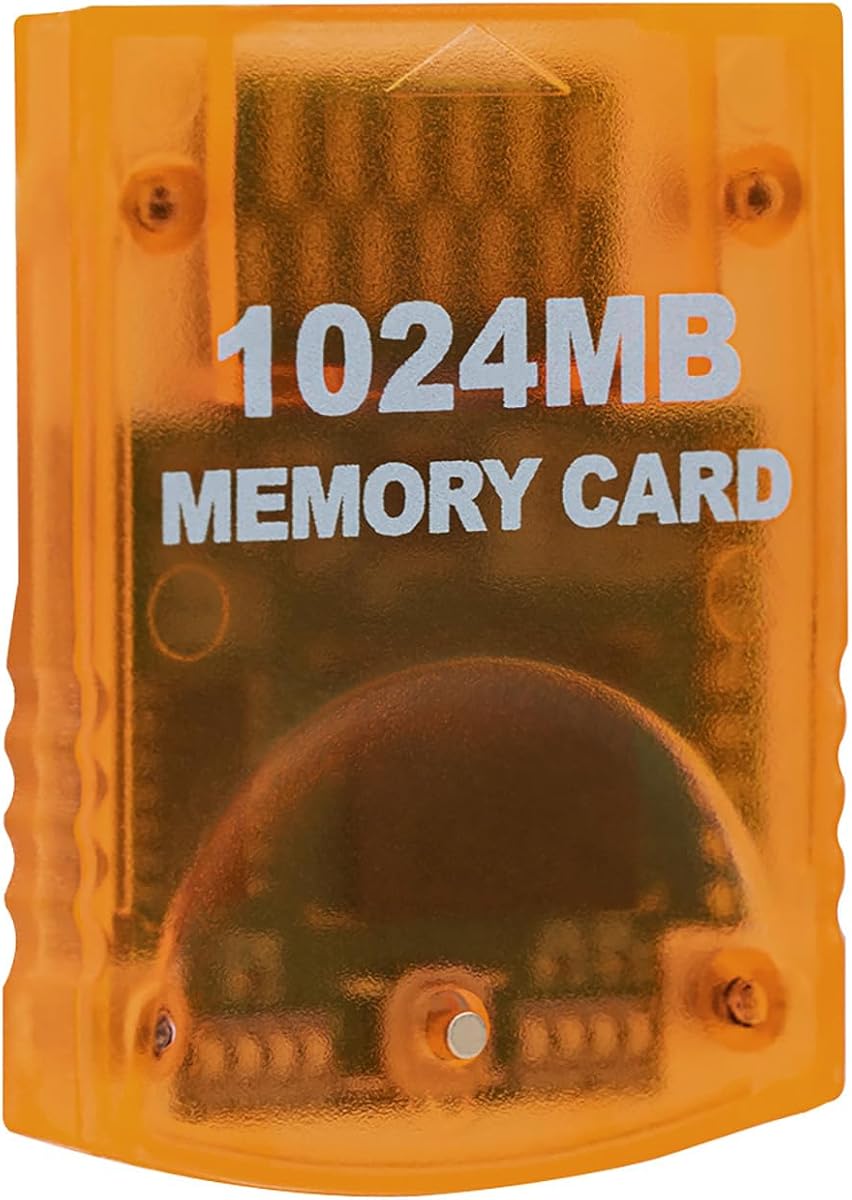
Mcbazel 1024MB Memory Card
4.7Editor score
1024MB total storage capacity
Eight independent 128MB areas
16,344 uncompressed save blocks
Our GameCube Memory Card guide compares capacities, block counts, console compatibility, storage banks, save organization, and setup for classic GameCube and
A GameCube Memory Card is the essential companion for preserving progress, unlockable content, character records, and other saved data from compatible classic games. The right card depends on your console model, preferred capacity, need for multiple save banks, and willingness to use a third-party product rather than an official accessory.
This guide compares ten available options based on the supplied compatibility information, storage capacity, block count, number of selectable areas, design, and intended use. It covers standard 16MB and 16MB flash cards, larger 256MB, 512MB, and 1024MB banks, and a microSD-based adapter for specific homebrew loaders.
Each review explains the product's standout features, practical limitations, and best-fit buyer. The leading choices range from a straightforward 16MB card for individual games to high-capacity multi-area cards for large collections. Product ratings and availability can change, so check the current listing and console model before purchasing.
4.7Editor score

4.8Editor score

4.7Editor score
The table below compares the ten products by capacity, block count, storage organization, and console support, making it easier to match a card to your GameCube or compatible Wii setup.


The Mcbazel 1024MB card combines an unusually large capacity with a straightforward bank-switching design. Its 4.7 rating reflects a generally favorable response, and the supplied specifications identify 16,344 real uncompressed blocks divided into eight 128MB parts. That makes it the most substantial conventional memory card in this guide for players who want room to preserve saves from a wide selection of compatible games.
We may earn a commission when you buy through this link, at no additional cost to you.
The card's eight areas are its defining feature. A button on the front moves between individual storage areas, allowing separate collections of games to be kept in different banks without constantly overwriting the same space. This is useful for players who alternate among action games, role-playing games, multiplayer titles, and a large library of smaller GameCube discs. The 1024MB headline capacity is divided among the areas rather than being presented as one enormous single save region.
The uncompressed 16,344-block specification is also important. The product information specifically distinguishes real uncompressed blocks from cards that reach a large number by compressing saved data. Compression can create compatibility problems with certain titles, so a card built around genuine blocks is a safer choice when broad software support matters. The high-speed design further supports quick saving and loading without changing the familiar GameCube memory-card format.
Compatibility is narrower than the capacity may suggest. The card works with GameCube consoles and the original Wii with model number RVL-001. It does not support the Wii Family Edition, Wii Mini, or Wii U, none of which have the required GameCube memory-card slot. This is the ideal premium pick for a collector with a GameCube or launch Wii who values capacity, authentic block counts, and the convenience of multiple independent banks.
The 1024MB total capacity provides substantially more room than a conventional 16MB card. It suits players who own many compatible games and want their progress retained without constant file deletion or card changes.
Eight switchable areas let you separate games or save types. The front button and indicators make it possible to identify and select the appropriate bank without treating all saved data as one crowded collection.
We may earn a commission when you buy through this link, at no additional cost to you.
The Tolesum 512MB card offers a middle ground between standard 16MB cards and the largest options in the guide. Its 4.5 rating is slightly lower than the leaders, but the core specifications are attractive for collectors: 512MB of total capacity, 8,192 uncompressed blocks, and four independently selectable 128MB areas. The blue card is designed to fit naturally into the familiar GameCube and launch-Wii slots.
We may earn a commission when you buy through this link, at no additional cost to you.
A four-area layout gives the card more flexibility than a single-bank card. Players can dedicate areas to different groups of games, making it easier to locate saves and reducing the chance of overwriting unrelated data. The selection process is handled with a button on the card, so there is no need to reformat or move files when switching between banks. The product is presented as a plug-and-play accessory for straightforward setup.
The stated 8,192 real uncompressed blocks distinguish this model from compressed high-capacity alternatives. That can matter because some compressed cards are not accepted reliably by every game. The plug-and-play approach and high-speed operation also make the card attractive for restoring a GameCube that has lost its original memory card or for use with a launch Wii that still includes the slot.
The trade-offs are straightforward. This is a third-party accessory, and compatibility does not extend beyond GameCube consoles and Wii model RVL-001. Its four areas are fewer than the eight offered by the highest-capacity cards, although the total space remains ample for most collections. It is a strong pick for buyers who want more room and better organization than a 16MB card without carrying the largest available format.
At 512MB, the card provides ample room for a broad selection of GameCube saves while remaining less substantial than the 1024MB options. It works especially well for players who want multiple banks but do not need the maximum amount of space.
The advertised 8,192 blocks are real and uncompressed, which helps avoid the recognition issues associated with compressed alternatives. This makes the card a sensible option for varied software libraries.
We may earn a commission when you buy through this link, at no additional cost to you.
The Tolesum 1024MB card stands out for a clear explanation of how its capacity is divided. It has a 4.7 rating and stores 16,344 real uncompressed blocks across eight independent 128MB areas. Each area holds 2,043 blocks, and eight indicator lights show which section is active. The result is a flexible card designed for large, organized GameCube collections.
We may earn a commission when you buy through this link, at no additional cost to you.
Because the console reads one area at a time, the eight sections should be understood as selectable banks rather than a single unified pool visible at once. Players can move between them using the front button. This arrangement is especially helpful for owners of many discs, since each group of games can occupy a dedicated area without interfering with saves stored in another bank.
The product information places particular emphasis on real rather than compressed blocks. Compressed cards can sometimes advertise impressive totals while failing with particular titles, so the 16,344 uncompressed figure is meaningful for compatibility. The card also retains the expected GameCube and original-Wii format, giving it the familiar shape, button, and indicators expected by the supported consoles.
The Tolesum card is a third-party product because no official option is offered at this capacity. It fits GameCube consoles and the original Wii model RVL-001, but not the Family Edition, Mini, or Wii U. This is an excellent choice for a dedicated collector who values both capacity and orderly bank separation and who is comfortable operating the physical area selector.
Eight indicator lights display the currently selected area. That visual feedback reduces uncertainty when moving between banks, particularly when each area holds a different category of games.
Eight 128MB sections give this card the same high-capacity scale as other 1024MB choices. The practical benefit is room to preserve many saves while keeping titles and collections logically separated.
We may earn a commission when you buy through this link, at no additional cost to you.
This black 16MB card follows the traditional GameCube memory-card format while providing a modern third-party alternative. Its 4.6 rating comes from a straightforward design that focuses on the original 251-block capacity. For a player who wants to preserve progress in a few compatible games, that familiar size is often easier to manage than a multi-bank high-capacity card.
We may earn a commission when you buy through this link, at no additional cost to you.
The product information describes a snug-fitting plug-and-play design intended to reduce the looseness associated with generic alternatives. It supports Nintendo GameCube consoles and the launch edition of the Wii, identified by model number RVL-001. Compatibility with both platforms makes it useful for owners who use a GameCube and a launch Wii to play compatible GameCube discs.
The 251-block capacity matches the format used by standard 16MB cards, so games that expect a conventional memory card should have no unusual storage requirement to satisfy. The card is marketed as a practical replacement for an aging original, preserving save data for classics without adding unusual setup steps. Its relatively compact footprint also makes it convenient to carry between the two supported systems.
The limitation is capacity. A 16MB card is best for a small number of games, especially if you do not mind occasionally moving or deleting data. It does not offer independent banks like the larger options, and the Wii Mini, Family Edition, and Wii U remain incompatible. Choose it for simplicity and authentic-sized storage rather than for a comprehensive collection.
The 251-block format closely follows the standard 16MB layout familiar to GameCube players. It is a practical choice when compatibility with ordinary save expectations matters more than large-scale collection management.
The streamlined profile is designed to sit securely in supported console slots. Its plug-and-play format makes it convenient for replacing an aging card or sharing saves across a GameCube and launch-model Wii.
We may earn a commission when you buy through this link, at no additional cost to you.
The Tomee 16MB Memory Card is a simple, focused option for preserving progress in compatible GameCube games. It carries a 4.7 rating, one of the strongest ratings in the group, and follows the familiar 16MB, 251-block format. That makes it a sensible budget-oriented purchase for a player who primarily wants a working card rather than advanced storage management.
We may earn a commission when you buy through this link, at no additional cost to you.
The stated functions cover the complete basic save workflow: loading, saving, copying, and deleting game data. The product is also described as fully compatible with GameCube games that offer a save option. It does not introduce compressed block claims, multiple banks, or unusual adapters, which keeps the experience direct and easy to understand.
For many players, 16MB is still enough. A focused library of role-playing games, action titles, and multiplayer favorites can fit within the available space, particularly if the buyer is willing to manage older files. The Tomee card is also easier to carry and less visually bulky than the largest multi-area alternatives, making it a sensible option for use between compatible GameCube and Wii hardware.
Its limitations come from the traditional format rather than any unusual restriction. There is no independent bank system for separating game collections, and large libraries may eventually require file deletion. The best buyer is someone with a handful of save-enabled games, a restricted budget, or a preference for the conventional 16MB card format.
Load, save, copy, and delete functions cover the normal tasks expected from a GameCube memory card. The uncomplicated design avoids unnecessary features for buyers who want dependable everyday storage.
The standard 251-block capacity suits a small set of games well. It is particularly attractive when the priority is preserving essential progress rather than maintaining a large archival collection.
We may earn a commission when you buy through this link, at no additional cost to you.
The Mcbazel 256MB card provides a useful middle tier between conventional 16MB cards and the 512MB and 1024MB options. It has a 4.7 rating and divides its storage into two independent 128MB sections. A front button switches between them, while individual LEDs identify the active bank. That makes it easier to organize saves than a single fixed area without requiring an oversized card.
We may earn a commission when you buy through this link, at no additional cost to you.
High-speed operation is a major part of the product's positioning. The card is designed for quick saves, fast loads, and efficient management of game data, preserving the responsive experience expected from the GameCube era. Its plug-and-play design also reduces setup complexity, so users can insert the card, select a bank, and begin using compatible games without a separate configuration process.
Two banks provide a practical compromise for a moderate collection. One section can hold saves for one category of games while another stores a separate group, helping avoid unnecessary deletion. The individual indicators are particularly useful because they clarify the current selection at a glance. The pink finish also makes the card easy to distinguish from other accessories.
The card is compatible with GameCube consoles and the original Wii model RVL-001, but it is not compatible with the Wii U. It remains a third-party product and has less total space than the four-area and eight-area cards in the guide. It is best for players who want simple bank separation and more space than 16MB without carrying the largest format.
The 256MB total capacity is split into two independent sections, making it possible to separate different types of games. This is a useful middle ground for moderate libraries that do not need four or eight areas.
The front button changes banks, and individual LEDs show which one is active. Combining quick selection with clear feedback helps keep save organization understandable.
We may earn a commission when you buy through this link, at no additional cost to you.
The Gamecube Memory Card 251 uses the traditional 16MB flash-memory layout associated with the original console generation. Its 4.7 rating shows a favorable reception, while the 251-block specification makes it immediately recognizable to GameCube players. It is built for storing games and settings rather than providing a large archival or multi-bank system.
We may earn a commission when you buy through this link, at no additional cost to you.
Flash memory is the defining technical feature, and the card's straightforward design avoids unnecessary complexity. It is a natural option for owners who lost an original memory card, need a second card for a separate game, or want a simple way to preserve progress in a small number of titles. The conventional footprint is especially convenient for carrying between compatible hardware.
Because it uses a single standard-sized area, the card is less flexible for collectors than the 256MB, 512MB, and 1024MB options. There are no independent banks to separate different games, and 251 blocks can fill quickly when several larger games are involved. Nevertheless, for a narrow collection or a backup card, simplicity can be a genuine advantage.
The product is best suited to someone who values a familiar card format and the straightforward 16MB capacity rather than extensive organization. It can preserve levels, characters, records, and other saved data in compatible GameCube games, but buyers with a broad library should consider a higher-capacity alternative. Its main appeal is dependable access to the traditional format with a strong customer rating.
The 16MB flash layout and 251-block capacity align with the standard expectations of GameCube software. This familiarity is valuable for simple backups and individual games.
This card is most useful when a player has only a few save-enabled titles or needs a separate card for one game. Its straightforward design avoids the management demands of larger multi-area products.
We may earn a commission when you buy through this link, at no additional cost to you.
The Suncala 1024MB card combines a large capacity with a strong 4.7 rating and several collector-friendly features. It stores up to 16,344 blocks across eight improved storage sections, and an upgraded chip is said to process and save games 20% faster than older versions. The result is a card positioned for smooth operation across a broad GameCube library.
We may earn a commission when you buy through this link, at no additional cost to you.
A front switch button changes the active section, allowing different groups of games to be kept apart. The newly designed package is intended to make insertion and removal easier, which is a meaningful detail because improper handling can contribute to save problems. Its sleek presentation also gives the product a more refined appearance than many generic memory cards.
The 60-month warranty provides a differentiator not mentioned for most alternatives. It offers buyers a longer stated period of coverage and access to customer support. This does not change the need to identify the console model, but it can add confidence when purchasing a third-party accessory for an older console.
Compatibility covers GameCube consoles and the launch Wii with model RVL-001. The card should not be assumed to work with later Wii models that removed the memory-card slot, or with the Wii U. It is an attractive high-capacity option for a collector who values speed, sectional organization, packaging, and warranty coverage, although it offers fewer visible active-area indicators than some competing 1024MB cards.
The product information states that its upgraded chip can process and save games 20% faster than older versions. That emphasis on responsiveness suits players who frequently save during longer sessions.
A stated 60-month warranty and packaging designed for easier insertion and removal complement the storage features. These details make the card more attractive for regular use and long-term ownership.
We may earn a commission when you buy through this link, at no additional cost to you.
The MAYFLASH 512MB card has the highest listed rating in this guide at 4.8, making it the strongest all-around choice. It combines 512MB of total capacity with four storage areas, each assigned 2,043 blocks. The result balances meaningful collection space, organized bank selection, and a less bulky format than the largest 1024MB cards.
We may earn a commission when you buy through this link, at no additional cost to you.
Bank switching is handled by a button on the memory card, so separate areas can be used for different games or groups of saves. The card remains compatible with GameCube systems and the original Wii model RVL001. Its plug-and-play approach keeps setup uncomplicated, which is valuable for owners restoring a working setup or adding a second memory card to a compatible console.
The 512MB capacity makes the card practical for a substantial library without creating an oversized accessory. Four sections offer more flexibility than a single 16MB card and enough organization for many players without requiring the eight-bank arrangement found in the largest options. It is also a logical middle choice for collectors who want generous space but do not need the maximum available capacity.
The essential caveat is console support. Because it is designed for GameCube and launch-model Wii hardware, it will not work in the Wii Family Edition, Wii Mini, or Wii U. It is also a third-party product. Even with those limitations, its 4.8 rating, four areas, and balanced capacity make it the most well-rounded conventional card for a broad range of compatible users.
The 4.8 rating is the highest listed for any product in the guide. Combined with four usable areas and a 512MB total, it provides a particularly balanced feature set.
Four banks are enough to separate several categories of games without moving to a larger eight-area design. The front button makes changing sections straightforward and easy to repeat.
We may earn a commission when you buy through this link, at no additional cost to you.
The AreMe GC2SD is a different kind of GameCube storage solution. Rather than reproducing the standard memory-card format, it acts as a microSD adapter for storing games and loading content. Its 4.4 rating is the lowest in the guide, but that does not make it a poor choice for the right audience; it serves a specialized homebrew role rather than ordinary game-save preservation.
We may earn a commission when you buy through this link, at no additional cost to you.
The adapter can run on any version of GameCube and Wii, making it more broadly compatible with console revisions than the conventional cards in this guide. It uses an idle microSD card, with support stated up to 512GB. That capacity makes it useful for housing a sizeable homebrew collection in a single removable card rather than relying on the limited space of a traditional 251-block GameCube card.
Important software is required. The GC2SD must be used with swiss, xeno, GCloader Lite, or pcioboot, and it automatically loads the game list from the TF card. This makes the product best suited to users who already understand the homebrew setup process and can install or prepare the necessary loader. It should not be confused with a normal memory card that automatically saves progress in standard games.
For ordinary players, one of the plug-and-play memory cards in the guide is the safer purchase. For experienced GameCube and Wii enthusiasts, however, the AreMe adapter offers removable storage, broad hardware support, and a very large potential library. Its lower rating reflects a specialized accessory with extra setup requirements rather than a lack of a clear purpose.
Unlike conventional cards limited to GameCube and launch-model Wii, the GC2SD can operate across any GameCube and Wii version. That makes it particularly useful for owners with varied hardware.
The adapter requires swiss, xeno, GCloader Lite, or pcioboot. Users should confirm that they can prepare one of these loaders before choosing it, because it is not a substitute for ordinary in-game save storage.
We may earn a commission when you buy through this link, at no additional cost to you.
The right GameCube Memory Card depends first on console compatibility, then on the amount and organization of save data you need. A standard card, a multi-area high-capacity model, or a homebrew adapter serves very different purposes.
Most standard GameCube Memory Cards fit Nintendo GameCube consoles and the original Wii with model RVL-001. The original Wii placed the memory-card slot near the controller ports, allowing GameCube discs and compatible accessories to use it. The Wii Family Edition and Wii Mini removed that slot, while the Wii U used a different approach and is explicitly unsupported by the Mcbazel 256MB card. Check the model printed on the underside of the console before ordering, especially if you are buying a card for a launch Wii.
Confirm the slot and model before buying. Compatibility with GameCube games does not mean every Wii revision can use a GameCube memory card.
A conventional memory card stores progress, characters, records, unlockables, and settings for compatible GameCube software. The AreMe GC2SD is different because it is a microSD adapter intended primarily for storing games and working with homebrew loaders. It requires compatible software such as swiss, xeno, GCloader Lite, or pcioboot and does not replace a standard save card. Decide whether you need ordinary save support, homebrew game loading, or both.
Choose a standard card for normal saves. Choose the adapter only for a prepared homebrew setup.
Block count provides a more technical view of storage than the headline megabyte figure. A traditional 16MB card uses 251 blocks, while the larger options in this guide advertise totals ranging from 8,172 to 16,344 blocks. The Tolesum cards and Mcbazel 1024MB product specify uncompressed blocks, which can be important because some compressed high-capacity cards encounter problems with particular titles. Always distinguish the physical size of the card from the number of blocks a game can actually recognize.
Favor genuine block specifications for broad compatibility. Treat a large compressed claim cautiously.
A 16MB card is adequate for a small number of games and can be the most straightforward option for a single title or a backup. A 256MB card adds useful room and two banks, while 512MB and 1024MB models suit collectors and owners of larger libraries. Capacity alone does not guarantee that every game will use all advertised space, so think in terms of how many compatible games you want to keep active at once.
Choose 16MB for a focused library. Move up to 512MB or 1024MB for extensive collections.
Multi-area cards split their total capacity into independently selectable banks. The Mcbazel 256MB has two areas, the Tolesum 512MB and MAYFLASH 512MB have four, and the 1024MB choices generally provide eight. A front button changes the active area, while LEDs on some models indicate which bank is selected. This arrangement reduces crowding and lets you separate games, but you will only see saves from one area at a time.
More areas improve organization, not total compatibility. Choose the number of banks that matches how you organize saves.
All conventional cards should fit the standard GameCube memory-card slot, but physical quality can still influence removal and insertion. The Suncala card emphasizes new packaging designed for easier handling, while the 16MB black card promotes a snug profile that reduces wobble. A card that feels secure and operates without forcing is preferable. Always insert or remove cards only when the console is powered off to reduce the risk of interrupting a save.
Choose a secure-fitting design and never swap cards during an active save operation.
Third-party cards are the norm for the high-capacity options in this guide, so comparing warranty coverage and customer support can add useful reassurance. Suncala states that its card includes a 60-month warranty, while the other descriptions focus on compatibility, speed, and storage organization. Ratings provide another signal of buyer satisfaction, with the MAYFLASH 512MB holding the highest listed rating at 4.8. Neither rating nor warranty replaces checking the product's actual specifications.
Use ratings and warranty terms as supporting evidence. Verify capacity, bank layout, and console support first.
Before inserting a new card, power the GameCube or compatible RVL-001 Wii completely off. Confirm that the console is not still running a game, and make sure no save is in progress. Hold the console securely and insert the card straight into the memory-card slot without twisting it. The card should sit firmly in place without forcing the console or the card.
After inserting the card, turn on the console and use a compatible game with a save option. Let the game create its initial save file, then load that file before closing the software. On multi-area cards, use the front button to select the desired area before launching a game. Keep in mind that the console reads one bank at a time, so the game will display saves from the currently active area.
For ongoing care, power the console down before changing cards or moving a microSD adapter. Do not remove a card during a save, reset the console while data is being written, or expose the card to moisture, impacts, and static discharge. Back up important saves when possible, especially when using third-party cards or experimenting with homebrew software, and keep the original card if it still functions reliably.
No. The standard memory cards covered in this guide work with GameCube consoles and the original Wii model RVL-001. The Wii Family Edition and Wii Mini removed the memory-card slot, and the Wii U is not compatible with the standard GameCube memory-card format. Always check the model number on the underside of the Wii before ordering.
It can be enough for a small collection or a single game. Standard 16MB cards provide 251 blocks, which is familiar to many compatible titles. A large library is more likely to fill that space, making 256MB, 512MB, or 1024MB options with separate areas more convenient for collectors.
A storage area is an independent bank within the same physical card. You select one bank at a time with the front button, and the console shows saves from that active area. Multiple banks help organize different games, but they do not make all areas visible or selectable simultaneously.
They may not be. The product information for the Tolesum and Mcbazel cards emphasizes real, uncompressed blocks, noting that compressed alternatives can fall out with certain titles. If you play a varied library, a card advertising genuine uncompressed blocks is generally the safer choice.
The extra capacity provides more room for compatible save files, but it does not change the basic memory-card standard. A game must support GameCube memory-card saves, and the console must be a compatible model. Some Wii titles use internal memory or SD storage rather than a GameCube memory-card slot.
No. It is a microSD adapter designed primarily for storing games and working with homebrew loaders such as swiss, xeno, GCloader Lite, or pcioboot. It supports broad console compatibility and large microSD cards, but it requires additional setup and is not the simplest option for preserving ordinary in-game saves.
You should not. The product guidance recommends inserting or removing cards only when the console is powered off. Removing a card while the system is writing a save can interrupt the operation and potentially damage or lose that save. Exit the game, shut the console down fully, and then change the card.
A standard 16MB card is best for a few games, a backup, or a straightforward replacement. High-capacity cards make more sense for collectors, frequent players, and anyone who wants to separate games into multiple banks. Consider the number of titles you play, whether you need organization features, and whether your console supports the required slot.
The MAYFLASH 512MB is the strongest all-around option, combining the guide's highest listed rating with four manageable storage areas. The Mcbazel 1024MB and Tolesum 1024MB cards take the lead for collectors who want eight independent banks and 16,344 uncompressed blocks, while the Tomee 16MB remains a simple, budget-friendly choice for a focused set of games.
Prioritize console compatibility before capacity. Every conventional card in the main group requires a GameCube or original RVL-001 Wii, and none will solve that limitation with extra storage. Then choose between a standard 251-block layout, a moderate multi-bank card, or a high-capacity model based on the size of your game library and your need to organize saves into separate areas.
Current ratings, product details, and prices can change, so review the latest listing before purchasing. Check the console model, confirm that the card stores the type of data you need, and follow the power-off rule whenever inserting, removing, or switching storage areas.