
BOSGAME P3 Pro
4.6Editor score
Ryzen 9 7940HS processor
16GB upgradeable DDR5 memory
Oculink external GPU support
Our October 2026 guide compares the 10 best Mini Pcs with Amd Processors, covering performance, memory, displays, connectivity, expansion, and value for every
Mini PCs with AMD processors combine capable desktop-class components with a remarkably compact footprint. They can replace a full-size office tower, support multiple high-resolution displays, and handle browsing, media, business applications, development, and light creative work. The right model depends on processor generation, memory capacity, graphics, cooling, ports, and expansion options.
This guide compares ten AMD-based mini PCs across core specifications and practical features. The list covers entry-level, business, productivity, and premium systems with processors from Ryzen 3000, 5000, and 7000 families, as well as Ryzen PRO hardware. It also examines display support, networking, storage, upgradeability, cooling, and the information provided by each manufacturer.
The selections show that the best mini PC is rarely determined by processor model alone. A system with balanced memory, fast storage, good connectivity, and quiet cooling may serve more users than a faster model with limited expansion. Ratings reflect the supplied customer feedback, while configurations and availability can change. Current prices should always be checked before purchasing.
4.6Editor score

4.4Editor score
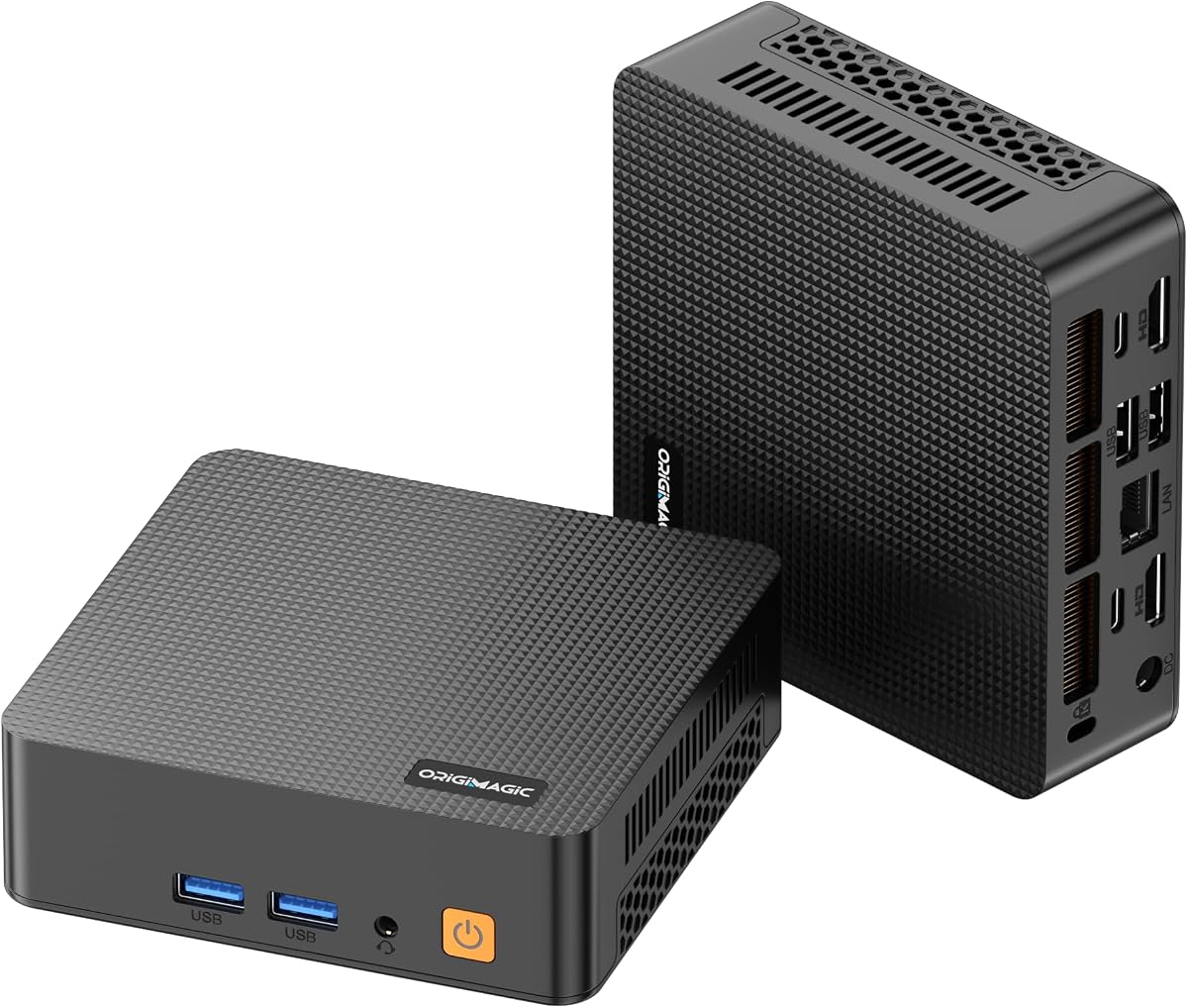
4.2Editor score
The table below places all ten systems side by side, highlighting their processors, memory, storage, display capabilities, and defining connectivity features. Use it as a fast way to identify the configuration that matches your workload, monitor arrangement, and need for future upgrades.


The Beelink SER5 combines the Ryzen 5 5500U with 16GB of dual-channel DDR4 memory and a 480GB NVMe SSD, creating one of the most balanced configurations in this guide. Its supplied customer rating is 4.4, and its standout qualities are processor capability, flexible memory expansion, fast networking, and support for three 4K displays.
We may earn a commission when you buy through this link, at no additional cost to you.
The six-core, twelve-thread Ryzen 5 5500U operates from a 2.1GHz base frequency and can boost to 4.0GHz. Integrated Radeon graphics with seven compute cores at 1800MHz are suitable for media playback, browser work, office applications, photo editing, and light games. Dual-channel memory is especially useful because it provides greater bandwidth than a single-channel configuration of the same capacity.
Connectivity is one of the SER5's strongest arguments. It includes WiFi 6, Bluetooth 5.2, 2.5GbE Ethernet, three USB 3.2 ports, one USB 2.0 port, a full-featured USB-C port, HDMI, DisplayPort, and a 3.5mm audio jack. Memory can be expanded to 64GB, while a 2.5-inch SATA drive can supplement the included M.2 storage, although that drive is not included.
The main compromises are the relatively small initial storage capacity and the age of the processor architecture. Neither undermines the SER5 for office productivity, education, media use, or a multi-monitor workspace, where the combination of six cores, 16GB of RAM, and fast connectivity is especially valuable. It is the strongest all-around recommendation for buyers who want flexibility without moving to a premium platform.
The Ryzen 5 5500U offers enough core and thread capacity for document-heavy work, many browser tabs, video calls, and media applications. Its 16GB starting memory is comfortable for general productivity, while the 64GB expansion ceiling gives long-term users room to grow.
Triple 4K output, 2.5GbE Ethernet, WiFi 6, and a generous collection of USB ports make the SER5 easy to integrate into a modern desk. The port selection supports external storage, peripherals, wired networking, and multiple displays without relying on a large tower.
We may earn a commission when you buy through this link, at no additional cost to you.
The ACEMAGIC K1 Ryzen 3 uses a Ryzen 3 7330U processor with four cores, eight threads, a 2.3GHz base frequency, and boost capability up to 4.3GHz. It carries a supplied rating of 4.4 and stands out for efficient operation, a compact 5-by-5-by-1.6-inch body, and extensive display and USB connectivity.
We may earn a commission when you buy through this link, at no additional cost to you.
Six USB 3.2 Type-A ports, a 10Gbps USB-C port with DisplayPort, HDMI 2.0, DisplayPort 1.4, and Gigabit Ethernet give the system an unusually broad interface selection. The integrated power supply means only one power cable is needed, which is convenient for travel. A VESA bracket also allows the computer to be mounted behind a monitor or on a wall.
The main limitation is that its 16GB LPDDR4 memory cannot be expanded. The included 256GB M.2 SSD is also modest, although a second compatible M.2 drive can be added for expansion up to the stated 2TB capacity. Users expecting significant future memory upgrades should therefore consider a system with replaceable DIMMs or user-accessible soldered-memory options.
For office work, school, business travel, family use, and multi-monitor productivity, the K1 Ryzen 3 is a well-balanced option. Its processor, abundant fast USB ports, quiet cooling design, and triple-display support compensate for the fixed memory and smaller starting storage. It is particularly suitable for buyers who value a clean, simple setup over future component upgrades.
The built-in power supply eliminates the external adapter brick normally found beside a mini PC. Combined with VESA mounting, it is easy to place behind a display and keep the main desk uncluttered, making the K1 convenient for offices, reception areas, and temporary workstations.
Six USB 3.2 Type-A ports can accommodate keyboards, mice, storage devices, webcams, and other accessories. The 10Gbps USB-C port adds fast data transfer and another display option, reducing reliance on adapters for a typical professional setup.
We may earn a commission when you buy through this link, at no additional cost to you.
The BOSGAME P3 Pro is the premium performance option in this list, combining the Ryzen 9 7940HS with Radeon 780M graphics, 16GB of DDR5 memory, and a 1TB PCIe 4.0 NVMe SSD. Its 4.6 supplied rating is the highest among the products with published customer feedback, and its major attraction is the unusual combination of compact size and high-end Ryzen performance.
We may earn a commission when you buy through this link, at no additional cost to you.
The eight-core, sixteen-thread processor can boost to 5.2GHz, while Radeon 780M graphics operate at up to 2700MHz. That level of integrated performance makes the system better suited to design work, heavier multitasking, emulation, light gaming, and compact workstation tasks than the lower-power 15-watt and 28-watt alternatives. Windows 11 Pro is preinstalled, with the ability to install another operating system.
Its display and expansion features reinforce the premium position. HDMI 2.0, DisplayPort 1.4, and USB-C each support 4K at 60Hz, with Oculink available for direct external GPU connections. Memory can be raised to 64GB, and storage can be expanded with another M.2 2280 PCIe 4.0 drive. WiFi 6E, Bluetooth 5.2, and Gigabit Ethernet provide modern wireless and wired connectivity.
Its drawback is straightforward: the advanced processor, large storage capacity, and modern platform command a higher tier than the other selections. Buyers who do not need this processing power may find more value in the SER5 or K1. For a compact creator workstation, gaming enthusiast seeking integrated graphics, or business user planning substantial upgrades, however, the P3 Pro offers the strongest headroom in the roundup.
Eight CPU cores, sixteen threads, and Radeon 780M graphics bring substantial capability to a palm-sized enclosure. This makes the P3 Pro a better fit than entry-level mini PCs for demanding multitasking, design applications, media work, and casual gaming.
Oculink provides a direct route to an external GPU, allowing the P3 Pro to serve as the center of a more specialized gaming or graphics setup. It is a distinctive advantage among the systems in this guide, though it requires a compatible enclosure and graphics hardware.
We may earn a commission when you buy through this link, at no additional cost to you.
The Glorlin Mini PC combines a Ryzen 5 3500U with 16GB of DDR4 memory and a 512GB NVMe SSD. No published customer rating was supplied for this model, so its value assessment depends primarily on its specifications. Its strongest features include expandable memory, substantial starting storage, three 4K displays, and modern wireless connectivity.
We may earn a commission when you buy through this link, at no additional cost to you.
The four-core, eight-thread processor runs from 2.1GHz to 3.7GHz and has a stated power envelope of 15W to 25W. That makes it suitable for daily computing, web browsing, media streaming, and business applications. The 16GB memory configuration supports multiple programs and browser tabs, while memory can be expanded to 32GB for more demanding workflows.
Display connectivity is unusually flexible. One full-featured USB-C port and two HDMI ports support three 4K screens, allowing separate applications or reference material to occupy different displays. USB options include two USB 3.2 ports, two USB 2.0 ports, a second USB-C port, and the display-capable USB-C connection. WiFi 6 and Bluetooth 5.3 cover modern wireless peripherals.
The Ryzen 5 3500U is an older design, so buyers should not expect performance comparable to the Ryzen 9 7940HS in the P3 Pro. Within its class, however, the Glorlin offers a practical and flexible package. It is well suited to home-office productivity, display-heavy administrative work, and users who want 16GB of memory and 512GB of storage in a compact enclosure.
Starting with 16GB of RAM and a 512GB NVMe drive gives the system enough room for common productivity tasks without an immediate storage upgrade. The stated expansion to 32GB also provides a straightforward path for heavier multitasking later.
Two HDMI outputs and a full-featured USB-C connection allow the mini PC to drive up to three 4K displays. This is particularly useful for stock monitoring, document comparison, creative reference screens, and productivity software that benefits from extra desktop area.
We may earn a commission when you buy through this link, at no additional cost to you.
The KAMRUI Pinova P2 pairs the Ryzen 4300U with 16GB of LPDDR4 memory and a 512GB SSD. Its supplied rating is 4.4, and the system's defining strengths are dual M.2 storage slots, three-display support, a compact 5.05-inch-square chassis, and a broad selection of modern USB connections.
We may earn a commission when you buy through this link, at no additional cost to you.
The four-core, eight-thread Ryzen 4300U uses a 28-watt design and reaches up to 3.7GHz. AMD Radeon Vega 5 integrated graphics support the three 4K at 60Hz output arrangement provided by HDMI 2.0, DisplayPort 1.4, and USB 3.2 Gen2 Type-C. The processor is positioned for home-office work, conference rooms, home entertainment, and light creative tasks.
Storage is a notable strength. One M.2 2280 slot accepts SATA or PCIe 3.0 NVMe drives, while a second M.2 2280 SATA slot provides additional internal expansion. The two drives can be combined for up to 4TB according to the supplied information, although the drives themselves are not included. The 16GB of LPDDR4 is fast but fixed rather than user-upgradeable.
The cooling system is described as quiet at light load and fairly quiet under load, which is desirable in a small office or study space. Its main limitation is that the 28-watt processor and compact enclosure are not designed for the sustained performance demands of the premium Ryzen 9 system. Even so, the P2 offers a generous storage design, solid connectivity, and an attractive balance for routine productivity.
A second M.2 slot makes it easier to retain the operating system and applications on one drive while placing media or project files elsewhere. This is more flexible than a system with only one internal SSD position, especially for file-heavy users.
The 5.05-by-5.05-by-1.73-inch silver chassis saves desk area and can be carried between locations. A VESA mount supports installation behind a monitor, while the revised case shape is intended to improve heat dissipation.
We may earn a commission when you buy through this link, at no additional cost to you.
The Getorli Mini PC is built around the Ryzen 5 3501U, with four cores, eight threads, and speeds from 2.1GHz up to 3.7GHz. No published customer rating was supplied. Its practical configuration includes 16GB of expandable DDR4 memory, a 512GB NVMe SSD, dual HDMI display support, and current-generation wireless connectivity.
We may earn a commission when you buy through this link, at no additional cost to you.
For home-office work, online learning, browsing, media streaming, and business applications, the included memory and fast solid-state drive form a capable foundation. The RAM can be expanded to 32GB, which adds flexibility for users who expect to run more applications simultaneously. The mini PC is described as operating quietly, making it suitable for a bedroom, study, or shared workspace.
Two HDMI ports can each support a 4K display, giving users a straightforward dual-screen arrangement without complex adapters. The port selection includes two USB 3.0 ports, two USB 2.0 ports, a USB-C 2.0 port, and a full-featured USB-C 3.2 port. WiFi 6 and Bluetooth 5.3 provide modern connections for wireless keyboards, mice, headphones, and other accessories.
Compared with models offering three displays, this system is less suited to elaborate multi-screen workflows. Its older Ryzen 5 3500U-family processor also limits heavy creative and gaming ambitions. For a straightforward dual-monitor office or home system, however, the generous 16GB memory, 512GB SSD, and compact enclosure make the Getorli an appealing general-purpose option.
Sixteen gigabytes of memory and a 512GB NVMe drive exceed the minimum requirements of a basic office computer. The result is a configuration suited to browser-heavy work, document processing, communication, and media playback without demanding a large desktop.
Two dedicated HDMI outputs simplify a two-screen office arrangement. The full-featured USB-C port adds data and accessory options, even though the system's headline display configuration centers on the two HDMI connectors.
We may earn a commission when you buy through this link, at no additional cost to you.
The GMKtec M8 is a feature-oriented mini PC built around the Ryzen PRO 6650H, a six-core, twelve-thread processor that boosts to 4.5GHz. No published customer rating was supplied. Its standout attributes include Radeon 660M graphics, LPDDR5 memory, dual 2.5GbE Ethernet, USB4, Oculink, extensive storage expansion, and configurable performance modes.
We may earn a commission when you buy through this link, at no additional cost to you.
The Ryzen PRO 6650H is positioned for business, office, and professional workflows, while Radeon 660M provides stronger integrated graphics than the systems based on older 15-watt Ryzen processors. Sixteen gigabytes of LPDDR5 at 6400MT/s supports responsive multitasking. The included 512GB NVMe SSD provides fast storage, and dual M.2 2280 slots support a combined capacity of up to 8TB according to the supplied data.
Networking is the major specialty. Two 2.5GbE ports can serve advanced workstation requirements, link aggregation, or compact server duties. WiFi 6E, Bluetooth 5.2, USB 3.2 Gen2, and USB4 at 40Gbps complement the wired connections. Oculink offers a direct external graphics route, while HDMI 2.0 and DisplayPort 1.4 enable a three-display workstation.
The cooling design uses larger fans and copper pipes, and the BIOS offers Quiet, Balance, and Performance modes at 28W, 35W, and 40W. Some users may find those settings and the professional feature set more than they need, and the LPDDR5 memory cannot be replaced. For networked business users, creators, or enthusiasts who value flexible connectivity, the M8 is one of the most sophisticated systems here.
Dual 2.5GbE ports distinguish the M8 from typical consumer mini PCs with a single gigabit Ethernet port. They can support advanced networking, aggregation, or server-style use while remaining compact enough for an office or home workstation.
Quiet, Balance, and Performance modes allow users to trade energy use and fan activity for processing speed. Auto Power On and Wake-on-LAN options add convenience for unattended or remotely accessed systems.
We may earn a commission when you buy through this link, at no additional cost to you.
The BOSGAME E5 combines a Ryzen 5 5300U with 16GB of DDR4 memory and a 1TB M.2 NVMe SSD. Its supplied rating is 4.3, while its primary appeal lies in generous storage, a full complement of fast USB ports, dual Gigabit Ethernet, and support for three 4K displays in a business-oriented mini PC.
We may earn a commission when you buy through this link, at no additional cost to you.
The four-core, eight-thread Ryzen 5 5300U reaches up to 3.8GHz and uses Radeon graphics with a maximum frequency of 1500MHz. That configuration is aimed at daily design work, office productivity, communication, and most low-power games rather than intensive content creation. The one-terabyte SSD is more substantial than the starting storage offered by several competitors.
The E5 includes three USB 3.2 Type-A ports, one USB 2.0 port, two Gigabit Ethernet ports, HDMI 2.0, DisplayPort, and a full-featured USB-C connection for a third 4K at 60Hz display. A 3.5mm combo jack supports headset connections. This broad selection makes it practical for offices that need several wired devices or more than one network link.
The processor is not as quick as the six- and eight-core alternatives, and there is no Oculink connection for adding an external graphics card. Nevertheless, the E5 delivers a useful balance of memory and storage. It is a compelling choice for users who want room to install applications and retain media files, while still needing a compact system with multiple displays and fast USB peripherals.
The 1TB NVMe drive offers considerable room for Windows, business software, virtual environments, media libraries, and project files. Scalability is stated up to 4TB, allowing the storage footprint to grow when needed.
Three USB 3.2 Type-A ports support fast external storage and other modern peripherals, while dual Gigabit Ethernet provides options beyond the single-port arrangement common on compact computers. Triple display output improves workflow flexibility.
We may earn a commission when you buy through this link, at no additional cost to you.
The C5 Mini PC is the budget-oriented recommendation, pairing a Ryzen 5 3500U with 8GB of DDR4 memory and a 256GB M.2 NVMe SSD. Its supplied rating is 4.2. Despite the lower-tier specifications, the system provides four cores, eight threads, expandable memory, an additional storage slot, and three independent 4K displays.
We may earn a commission when you buy through this link, at no additional cost to you.
The Ryzen 5 3500U reaches up to 3.7GHz and includes Radeon Vega 8 integrated graphics. It is suited to office work, browsing, online meetings, spreadsheets, business applications, media playback, and retro or casual gaming. The most important upgrade consideration is memory: dual SODIMM slots allow the included capacity to be raised to 32GB.
The additional M.2 2242 PCIe 3.0 slot lets a user add another solid-state drive, addressing the limited 256GB starting capacity. For displays, two HDMI 2.0 ports and a full-function USB-C port support up to three independent 4K at 60Hz monitors. Two 10Gbps USB 3.2 Gen2 ports, two USB 2.0 ports, and a 3.5mm audio jack cover typical peripheral needs.
The trade-off is that 8GB of memory is modest for advanced multitasking, particularly with many browser tabs or demanding applications. WiFi 5 and Bluetooth 5.0 also trail newer systems in the roundup. Nevertheless, the C5's upgradeable memory, dual storage capability, quiet design, and unusually strong three-display support make it a sensible starting point for a budget mini PC.
The dual SODIMM design prevents the initial 8GB allocation from becoming a permanent limitation. Buyers can install larger modules later and create a more capable everyday system without replacing the entire computer.
Two HDMI connectors and one full-featured USB-C port support three 4K at 60Hz displays. This makes the C5 useful for monitoring, research, document comparison, and home-theater arrangements despite its budget positioning.
We may earn a commission when you buy through this link, at no additional cost to you.
The ACEMAGIC K1 Gaming uses the Ryzen 7 7735HS, an eight-core, sixteen-thread processor based on Zen 3 architecture, with Radeon 680M integrated graphics. Its supplied rating is 4.3. The system stands out with 24GB of LPDDR5 memory, a 512GB SSD, dual M.2 storage slots, and a compact chassis designed for both productivity and light gaming.
We may earn a commission when you buy through this link, at no additional cost to you.
The processor includes 16MB of cache and boosts up to 4.75GHz. Radeon 680M graphics run at up to 2200MHz, making the K1 suitable for casual games such as DOTA2 as well as office work, media, and general content creation. The 24GB memory capacity is unusually generous for a compact system and provides considerable room for browser tabs, office applications, media tools, and light virtual machines.
Two M.2 2280 slots allow an additional NVMe drive to be installed for storage expansion up to 4TB. The included 512GB drive provides a practical starting point. Triple display output is available through HDMI, DisplayPort, and USB-C, while the compact 5-by-5-by-1.6-inch chassis can be mounted behind a monitor using the included VESA bracket.
Its main limitation is fixed onboard memory, which means buyers should choose carefully if they expect to need more than 24GB. It also offers no dedicated gaming design beyond compact dimensions, and it cannot match the processing power of the Ryzen 9 7940HS model. Within its category, though, the balance of CPU cores, graphics, memory, and storage makes the K1 Gaming a strong option for a small productivity-and-gaming desktop.
Twenty-four gigabytes of LPDDR5 is a meaningful advantage for users who keep many applications open or run light virtual machines. Its 5500MT/s speed supports responsive operation without requiring a separate tower.
Radeon 680M graphics give the Ryzen 7 7735HS a capable foundation for light gaming and richer visual workloads. The compact dimensions and VESA mounting also make it easy to combine entertainment with a tidy workstation.
We may earn a commission when you buy through this link, at no additional cost to you.
A useful mini PC purchase should balance processing power, usable memory, fast storage, display options, and reliable connectivity. Reviewing those factors alongside your workload prevents an attractive specification list from masking a weak upgrade path or unsuitable port arrangement.
Processor generation, core count, boost speed, and power limits determine how comfortably a mini PC handles parallel work. The Ryzen 3 7330U, Ryzen 5 3500U, Ryzen 5 3501U, Ryzen 5 5300U, and Ryzen 4300U are practical for browsing, office applications, communication, and media, while the six-core Ryzen PRO 6650H and eight-core Ryzen 7 7735HS provide more headroom for multitasking and light content creation. The Ryzen 9 7940HS is the clear performance leader for heavier workloads and stronger integrated graphics.
Choose a processor that matches the tasks you actually perform. A four-core model is usually sufficient for routine productivity, but more cores benefit compiling, virtual machines, image editing, and running many demanding applications at once.
Memory affects how many applications remain responsive at once. Eight gigabytes is the bare minimum for current productivity use, 16GB is a more comfortable baseline, and 24GB offers additional room for browser-heavy sessions or light virtual machines. Replaceable SODIMM modules provide the strongest upgrade path, as seen in the C5, Getorli, and Glorlin, while LPDDR memory is compact and efficient but normally cannot be replaced after purchase.
Check both the included capacity and the maximum supported capacity. If you expect to retain a mini PC for several years, 16GB with accessible expansion is often a safer purchase than 8GB with an unclear upgrade path.
A 256GB SSD can feel restrictive once operating systems, applications, updates, and media files are stored, while 512GB and 1TB configurations provide more freedom. NVMe drives are substantially faster for boot time, application loading, and file transfers than conventional hard drives. Systems with two M.2 slots are especially flexible because one drive can hold the operating system while another stores project files or a larger game library.
Prefer at least 512GB if you plan to keep the computer for several years, but also consider whether you can add storage yourself. Confirm the supported interface, physical drive size, and whether any additional drive is included with the system.
The number of video outputs matters for trading, media editing, research, and general productivity. Triple-display configurations use combinations of HDMI, DisplayPort, and USB-C, while some dual-display systems provide dedicated HDMI ports for a simpler setup. Look for 4K at 60Hz support, but note that reaching three displays may require specific USB-C capabilities, adapters, or docking arrangements. Integrated graphics performance also influences whether a demanding monitor setup will remain smooth.
Match the output count and resolution to your actual screens. Two well-chosen 4K displays may be more useful than three outputs if the third screen is intended for simple status information or a static document.
Modern mini PCs should provide enough USB ports for a keyboard, mouse, external storage, headset, webcam, and any other daily accessories. USB 3.2 and USB4 improve transfer speed, while full-featured USB-C can support data, display output, and power delivery. For wired networks, gigabit Ethernet is standard on the listed models, while 2.5GbE on the Beelink SER5 and GMKtec M8 supports faster transfers and more advanced network configurations. WiFi 6 or 6E and recent Bluetooth versions improve wireless flexibility.
Consider how peripherals and network services will be connected before choosing. A single wired port may be sufficient at home, whereas dual Ethernet can be valuable for small servers, specialized workflows, or network aggregation.
Oculink can provide a direct connection to an external GPU, making mini PCs such as the BOSGAME P3 Pro and GMKtec M8 suitable for compact gaming or graphics builds that otherwise need a full-size desktop. This capability requires compatible hardware and adds complexity, cost, and additional equipment. More conventional users should prioritize memory, storage, and cooling rather than paying for a specialized port they will not use.
Choose Oculink only if you have a clear plan for external graphics or specialized connectivity. For ordinary office and home use, the included USB, display, and network ports offer more practical value.
Compact processors create heat in a restricted space, so the cooling design affects sustained performance and acoustic comfort. Systems in this guide use active fans, with some models offering quiet behavior at light loads and configurable performance modes. The Ryzen 5 3500U-based C5 is oriented toward routine work and light gaming, whereas the larger 28- to 40-watt configurations support stronger workloads but require more effective heat dissipation. A VESA mount, stable chassis, and well-placed ventilation are also useful indicators of a practical design.
Pay attention to the intended power level and the manufacturer's cooling claims. Quiet operation is valuable in offices and bedrooms, while users running sustained heavy workloads should prioritize a more robust cooling design and sufficient power limits.
Many models in this guide arrive with Windows 11 or Windows 11 Pro preinstalled, while the BOSGAME P3 Pro is also described as supporting installation of another operating system. Check which edition is included, as Pro features can matter for business networking, security, and device management. Warranty terms vary: the Beelink and ACEMAGIC systems list three-year coverage, while several other products provide one-year warranties with additional component support. Lifetime technical assistance is advertised by multiple brands.
Review the package contents and support terms before buying. A longer warranty can improve confidence, but a preinstalled professional operating system and useful BIOS features may provide more practical value for business users than warranty length alone.
Begin by placing the system on a stable surface with airflow around the vents, then connect the display, keyboard, mouse, network, and power cables. If the computer includes a VESA bracket, attach the appropriate hardware before the system is fully positioned behind a monitor. Connect peripherals directly where possible, and use a powered hub or dock if the available USB ports do not meet your needs.
After the operating system starts, complete its setup process, connect to a secure network, and install the required updates and applications. Confirm the correct display arrangement, resolution, and refresh rate in the operating system's display settings. For network-heavy users, test the Ethernet or wireless connection and review any remote-access or auto-power settings in the BIOS before relying on unattended operation.
Keep the mini PC away from direct sunlight, enclosed cabinets, dust, and moisture. Periodically clean the vents with soft, dry air or a carefully positioned vacuum, especially on systems that run continuously. Check available storage space and maintain a reasonable amount of free capacity for updates. When upgrading memory or storage, shut the system down, disconnect power, and follow the manufacturer's instructions.
The best processor depends on your workload and upgrade goals. The Ryzen 9 7940HS offers the strongest overall performance and integrated graphics in this group, while the Ryzen 7 7735HS is a balanced option for light gaming and heavy multitasking. For standard office tasks, a Ryzen 5 5300U, 5500U, or comparable model is usually sufficient. Memory capacity and cooling should be considered alongside the processor.
Yes, AMD mini PCs are well suited to email, document processing, web browsing, spreadsheets, video calls, and business applications. Systems with at least 16GB of memory generally provide a more comfortable experience than 8GB configurations, particularly when many browser tabs are open. A 512GB or 1TB NVMe drive also reduces the likelihood of running out of storage.
It depends on the resolution of your monitors. A 4K-capable system is valuable if you use 4K displays, edit media, or want sharp text and more desktop space. For basic 1080p productivity, output resolution is less demanding, but choosing modern HDMI, DisplayPort, or full-featured USB-C connections still improves future compatibility.
Some models use replaceable SODIMM slots, while others ship with fixed LPDDR memory. The C5, Glorlin, and Getorli list expandable memory, and several systems offer two M.2 storage positions. The Beelink SER5 supports DDR4 expansion and a 2.5-inch SATA drive. Always confirm the exact supported memory format, drive interface, and maximum capacity before purchasing parts.
No. Oculink is useful only when you plan to connect a compatible external graphics enclosure and dedicated GPU. For casual gaming, the Radeon 780M in the BOSGAME P3 Pro and Radeon 680M in the ACEMAGIC K1 Gaming may be sufficient. Oculink adds cost and complexity, so it is better treated as a specialized expansion rather than a standard requirement.
Most ordinary home users do not need two 2.5GbE connections, but they can benefit NAS transfers, large file backups, network aggregation, virtual machines, and small server arrangements. The GMKtec M8 is the standout option in this roundup for that reason. The Beelink SER5 also includes 2.5GbE, although it has only one listed Ethernet connection.
A mini PC can replace a tower for browsing, office work, media playback, communication, and many light creative tasks. It is especially useful when desk space, portability, or multiple displays matter. A full-size desktop may still be preferable for heavy gaming, extensive internal expansion, high-end cooling, or a large collection of specialized PCIe devices.
A 512GB NVMe drive is a practical starting point for general use, while 1TB is preferable for large application libraries, media collections, and long-term ownership. A 256GB model can work if you use cloud storage and add a second drive later. Prioritize NVMe for speed, and check whether the mini PC has a free M.2 slot or another supported expansion method.
The Beelink SER5 is the strongest all-around choice because its Ryzen 5 5500U, 16GB dual-channel memory, 2.5GbE networking, and three-display support form a balanced package. The BOSGAME P3 Pro takes the premium position with Ryzen 9 performance, Radeon 780M graphics, fast storage, and Oculink, while the C5 provides the most accessible route into a compact three-display AMD system.
Prioritize the components that affect your daily experience: enough memory for your applications, fast and expandable storage, the correct display outputs, ports that match your peripherals, and cooling suited to the workload. A lower-power Ryzen 5 may be more than enough for office productivity, while compact Ryzen 7 or Ryzen 9 systems make more sense for demanding multitasking, light gaming, and creative work.
Ratings, configurations, and availability can change, and current prices should be checked on the linked product pages before buying. Compare the final system specification carefully, especially for memory type, storage expansion, operating system edition, display support, and included accessories, so the selected mini PC remains suitable as your needs evolve.
