
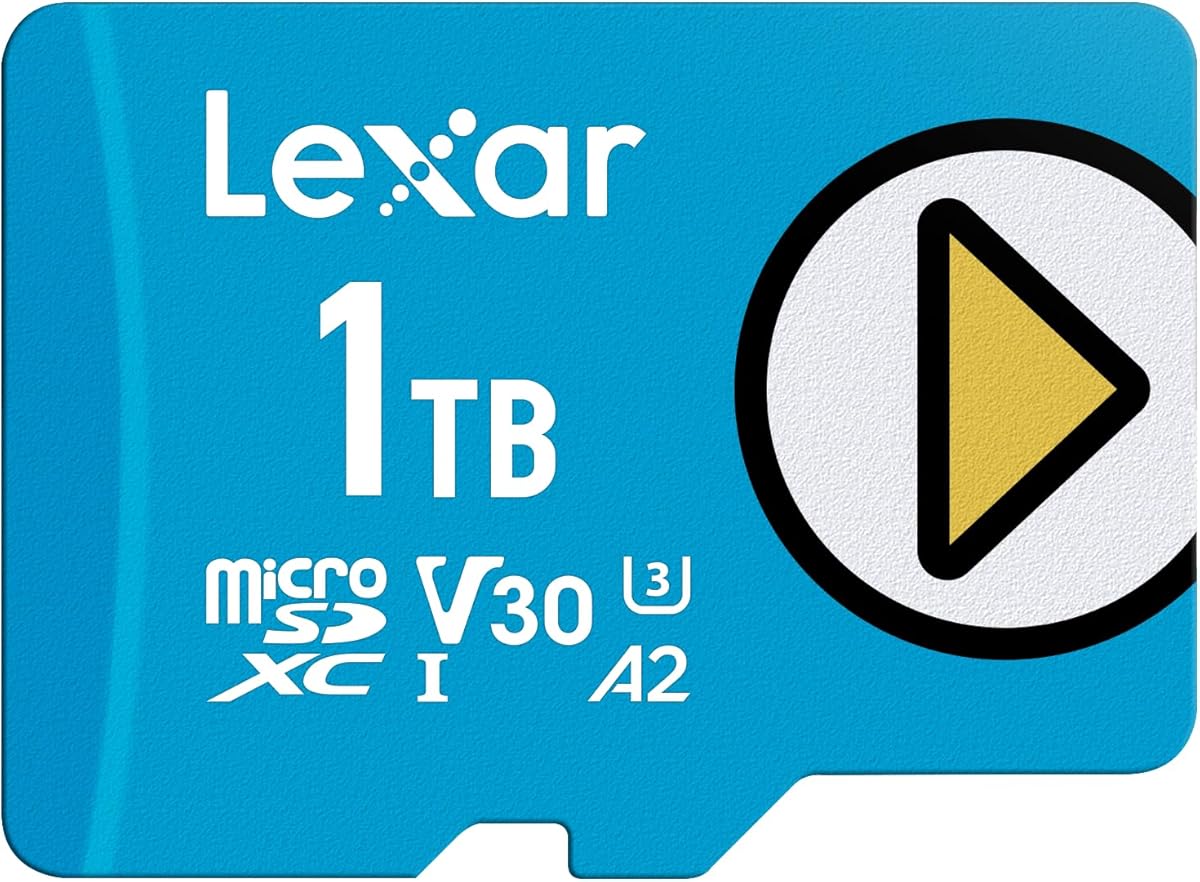
Lexar 1TB Blue Micro SD Card
4.7Editor score
One terabyte storage capacity
Up to 160MB/s read speeds
A2 and V30 performance classes
Our expert guide compares the best large micro SD cards for Nintendo Switch, covering capacity, speed, compatibility, durability, and value for everyday use.
Large microSD cards give Nintendo Switch owners more room for downloaded games, updates, screenshots, and captured video without constantly moving files to a computer. The right card should combine ample capacity, dependable performance, and compatibility with the original Switch, Switch OLED, and Switch Lite systems.
We compared all ten products by examining storage capacity, stated read and write speeds, video and application speed classes, physical protections, warranty coverage, and device compatibility. The list includes licensed Nintendo storage, general-purpose high-capacity cards, and more affordable options, with special attention to Nintendo Switch 2 limitations.
Each entry explains who the card is best suited for, what its specifications contribute to daily use, and where its trade-offs may matter. Ratings reflect the supplied customer feedback, while specifications and availability can change, so shoppers should confirm current details and prices before buying.
4.7Editor score

4.8Editor score

4.7Editor score
The table below compares every card's capacity, headline performance, physical characteristics, and Nintendo Switch compatibility so you can identify the most suitable storage option for your library.




The SANDISK 256GB microSD Card, Super Mario Super Star Edition, is an appealing all-around choice for original Nintendo Switch, Switch OLED, and Switch Lite owners. Its 4.8 rating is among the highest in this guide, while its official Nintendo licensing gives buyers a clear assurance that the card is intended for use with the listed Switch systems.
We may earn a commission when you buy through this link, at no additional cost to you.
Stated read speeds reach up to 100MB/s and write speeds reach up to 90MB/s, providing ample headroom for game installation, loading, and routine file management. The 256GB capacity is substantial for a portable console and can hold downloaded games, screenshots, and video captures in one location. Its Super Mario styling also makes it easier to distinguish from cards used in cameras, phones, or other devices.
The main limitation is capacity relative to the one-terabyte cards in this list, particularly for users who own many digital games. It is also explicitly not designed for Nintendo Switch 2, even though it works with the original Switch family. Those constraints make it less suitable for extremely large libraries, but they do not weaken its case for a typical console user.
This is the strongest general recommendation for someone who values official compatibility, recognizable Nintendo branding, and reliable everyday performance without moving to a premium one-terabyte model. It is particularly attractive for families, children, or anyone who wants storage that feels purpose-built for the console rather than repurposed from another device.
The card is officially licensed for Nintendo Switch, Nintendo OLED, and Nintendo Switch Lite systems. That focused compatibility makes it a straightforward choice for owners who do not need the card to double as a high-end camera or drone storage device.
At 256GB, the card provides meaningful room for downloaded Switch games and media while remaining easy to manage. Users with dozens of large digital titles may eventually need more space, but most buyers will find this capacity a practical starting point.
We may earn a commission when you buy through this link, at no additional cost to you.
The Lexar 1TB Play Blue Micro SD Card is designed for users who want to keep a large game library on one card. Its 1TB capacity dwarfs the 256GB and 512GB alternatives, while the 4.5 rating indicates generally favorable customer feedback. The advertised read speed of up to 160MB/s makes it one of the faster options in the lineup.
We may earn a commission when you buy through this link, at no additional cost to you.
Its UHS-I interface, A2 rating, and V30 video speed class support quick game access, app responsiveness, and 4K media handling. Lexar also highlights resistance to temperature, water, and X-rays, making the card suitable for portable use beyond the console. The same 1TB product family extends to capacities up to 2TB, although the specific card reviewed here is 1TB.
It is not designed for Nintendo Switch 2 gaming, and buyers should not confuse its strong specifications with support for every newer console standard. The 1TB capacity may also be unnecessary for casual users, while the Lexar Play line may offer less visual branding appeal than the licensed Super Mario card. Actual transfer results can vary depending on the host device and reader.
The card is best for Nintendo Switch owners with extensive digital libraries, frequent travel, or a preference for keeping games, screenshots, and video captures together. It is a strong premium pick when maximum capacity and high stated read performance matter more than official Nintendo licensing or a lower-capacity design.
A single 1TB card reduces the need to rotate games between multiple cards. It is particularly useful for travel because a large collection of installed software, saved media, and captured footage can remain together on one portable device.
The combination of UHS-I, A2, and V30 makes the card suitable for more than game storage. It can also handle demanding file transfers and 4K media workflows when paired with compatible equipment.
We may earn a commission when you buy through this link, at no additional cost to you.
GIGASTONE Gaming Plus is a 256GB microSD card aimed at console owners and other users who need dependable everyday performance. The card has a 4.8 rating, matching the strongest customer feedback among the products reviewed, and its specifications include a gaming focus, UHS-I A1 U3 V30 C10 classes, and an included adapter.
We may earn a commission when you buy through this link, at no additional cost to you.
Read speeds are stated at up to 100MB/s and write speeds at up to 60MB/s. These figures are more than sufficient for Nintendo Switch game installation and loading, while V30 support also makes the card reasonable for 4K video recording. Compatibility extends to laptops, tablets, PCs, phones, cameras, and e-readers, adding versatility beyond the console.
The A1 application rating is not as advanced as the A2 class offered by several competing cards, although its effect on Switch game loading is less important than on a phone running many background applications. It is also specifically excluded from Nintendo Switch 2 gaming. Buyers should account for both points, especially if they plan to upgrade consoles later.
The Gaming Plus is a balanced recommendation for a Nintendo Switch 1, Steam Deck, or other compatible device owner who wants a durable 256GB card with an adapter and warranty. It is best for users who value ratings, broad compatibility, and a conservative performance profile over maximum capacity or newer A2 certification.
The A1, U3, V30, and C10 classifications cover common expectations for game storage and media recording. A bundled adapter makes transfers to a laptop or desktop more convenient without requiring a separate accessory.
Compatibility with cameras, tablets, PCs, and smartphones makes the card practical for mixed-device households. Its environmental protections also suit travel and other conditions where a portable card may be handled frequently.
We may earn a commission when you buy through this link, at no additional cost to you.
The Lexar Blue combines 1TB of storage with a 4.7 customer rating, making it one of the strongest choices for a large Nintendo Switch game collection. Its headline performance is an advertised read speed of up to 160MB/s, supported by UHS-I, V30, and A2 specifications for games, applications, and 4K media.
We may earn a commission when you buy through this link, at no additional cost to you.
The card's durability story is unusually comprehensive. Lexar describes testing against temperature, water, X-rays, vibration, magnets, shocks, drops up to 1.5 meters, and wear. A 10-year limited warranty and lifetime access to the Lexar Recovery Tool add further value, particularly for users who keep important screenshots, recordings, or other irreplaceable files on the card.
Lexar notes that peak read speeds require select Lexar 2-in-1 USB 3.1 card readers and that real-world results can vary. The card is also not specifically presented as a Nintendo Switch 2 product, making it more suitable for the original Switch family. Although 1TB is ample, some of the product family's capacity options extend to 2TB, which could be relevant to unusually large libraries.
This is an excellent match for Switch users who want high capacity, strong stated read performance, and substantial physical protection. It is a particularly attractive choice for people who also use the same card in cameras or computers and want one high-capacity storage solution across several compatible devices.
The 1TB capacity gives a large buffer for installed games and captured media. Lifetime access to the recovery tool can also help users retrieve accidentally deleted or formatted files, although no recovery system replaces routine backups.
Eight listed proof points address common travel and handling risks. The protections are especially relevant for portable game libraries, where cards are repeatedly inserted, removed, and carried between locations.
We may earn a commission when you buy through this link, at no additional cost to you.
The Samsung EVO Plus 512GB combines a 4.6 rating with a versatile set of performance classes and broad device support. Its advertised read speed reaches up to 160MB/s, while U3, V30, A2, UHS-I, and Class 10 specifications cover fast transfers, 4K UHD recording, and application access.
We may earn a commission when you buy through this link, at no additional cost to you.
Capacity is the main reason to choose it over smaller cards. At 512GB, it accommodates a substantial Switch library plus screenshots and captured video without reaching the space constraints of a 256GB model. The included Samsung adapter works with computers, handheld consoles, tablets, and cameras, making file management straightforward across compatible devices.
This card is not advertised as a Nintendo Switch 2 product, so it should be treated as storage for the original Switch family unless current manufacturer guidance says otherwise. Buyers who only need 256GB may find the larger capacity unnecessary, and peak performance varies according to the host device. Its broad compatibility remains a major strength for users who want more than a dedicated game card.
The EVO Plus is best for a Nintendo Switch owner who wants more breathing room than a 256GB card without moving all the way to 1TB. It is also a strong general-purpose choice for cameras, tablets, and PCs that support microSDXC, making it one of the most flexible options in the guide.
The 512GB format sits between compact 256GB cards and maximum-capacity 1TB models. It is a practical middle ground for users who regularly install games but do not need to keep every possible title installed.
The bundled full-size adapter makes the card usable in compatible computers and cameras without a separate adapter. That convenience is useful for moving screenshots, saved data, or game files without repeatedly using a small card reader.
We may earn a commission when you buy through this link, at no additional cost to you.
The Samsung EVO Plus 512GB UHS-I U3 card is a dependable middle-ground option with a strong 4.8 rating. Its transfer speed is stated at up to 100MB/s, and Samsung notes that performance can vary by capacity. For Nintendo Switch game storage, that level of speed is more than adequate for practical loading and installation.
We may earn a commission when you buy through this link, at no additional cost to you.
The card supports Full HD and 4K UHD media, uses the UHS-I U3 interface, and includes a full-size adapter for cameras, laptops, and desktop computers. Four listed protections cover water, temperature, X-rays, and magnets, while a 10-year limited warranty adds long-term reassurance.
Unlike some newer entries in this guide, it does not list A2 certification, so its application-loading credentials are less advanced. Its maximum advertised transfer speed also trails cards claiming 150MB/s or 160MB/s. Those differences matter more in cameras, phones, and specialized media workflows than in ordinary Switch game storage.
This card is best for users who want 512GB, a high customer rating, and a well-established Samsung model with a long warranty. It is a sensible choice for a mixed household that needs reliable 4K support and computer compatibility without paying for the very largest-capacity option in the guide.
A stated transfer rate of up to 100MB/s is comfortably suited to installing and loading Nintendo Switch games. The U3 classification also supports the card's use with high-bitrate Full HD and 4K UHD media.
The 10-year limited warranty pairs with water, temperature, X-ray, and magnet resistance. Together, these features suit a portable card that will be moved among a console, computer, camera, or tablet.
We may earn a commission when you buy through this link, at no additional cost to you.
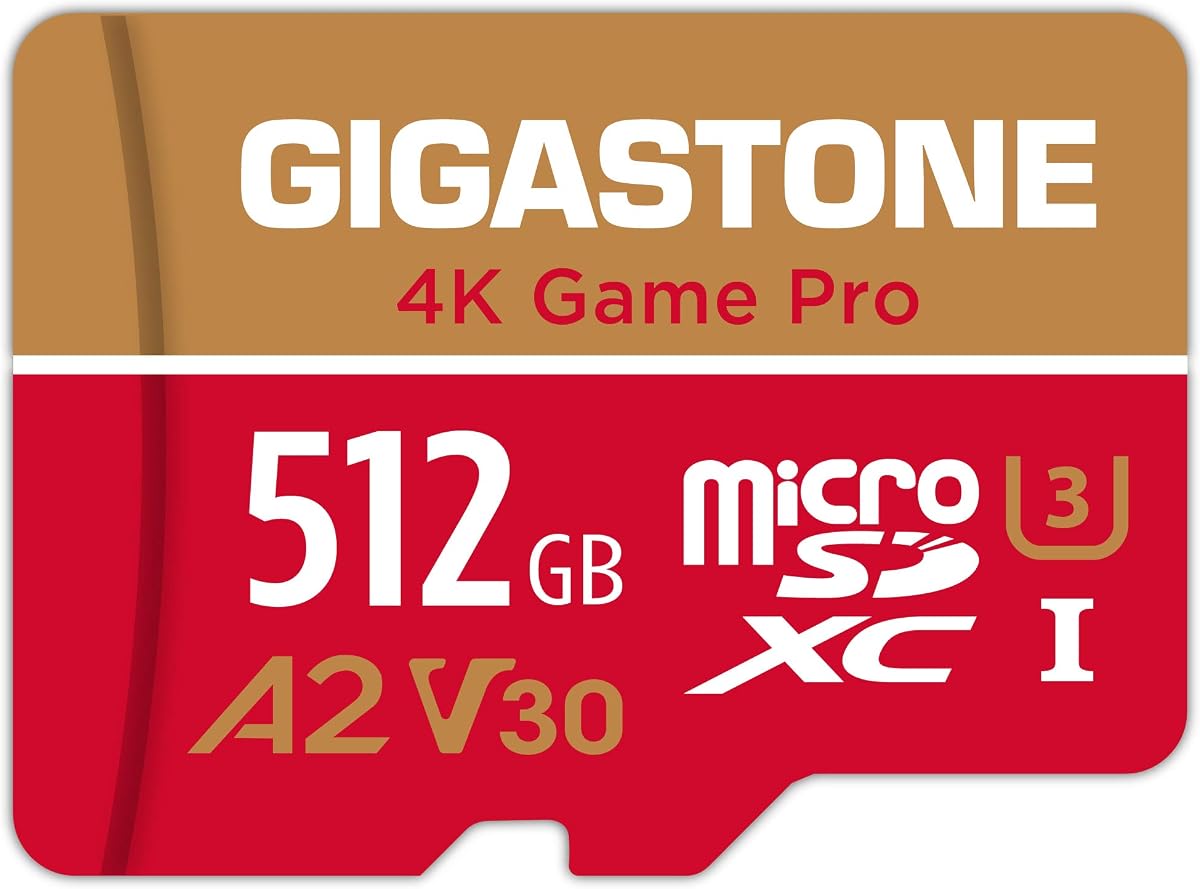
GIGASTONE 4K Game Pro is a 512GB card positioned for console gaming, action cameras, and UHD video. It carries a 4.7 rating and lists read and write speeds of up to 150MB/s and 120MB/s. Its UHS-I U3 A2 V30 C10 performance combination gives it more than enough capability for Nintendo Switch games and high-resolution media.
We may earn a commission when you buy through this link, at no additional cost to you.
The A2 class supports faster app access on compatible phones and tablets, while V30 facilitates 4K video recording. The card also works with laptops, PCs, drones, cameras, dash cams, and other compatible equipment. Waterproof, shockproof, temperature-proof, and X-ray-proof characteristics add useful protection in mobile applications.
The listing expressly limits gaming compatibility to Nintendo Switch 1, which is a significant caveat for anyone considering a future console upgrade. Sustained results also depend on the device, reader, and workload, so peak figures should not be treated as guaranteed in every setting. A smaller or less specialized card could serve users with modest storage needs.
This is a strong recommendation for owners of the original Switch, Switch OLED, or Switch Lite who want more than 256GB and value faster specifications. It is particularly appealing to buyers who also intend to use the card for 4K action-camera footage or other high-bitrate media.
The stated write speed of up to 120MB/s is valuable when moving sizable batches of media to or from the card. It can also make game installation feel more responsive when the console is handling substantial data transfers.
GIGASTONE includes free data recovery with its five-year limited warranty. This is a welcome extra for important captures, though responsible users should still maintain separate backups of irreplaceable files.
We may earn a commission when you buy through this link, at no additional cost to you.
GIGASTONE 4K Game Pro MAX is the highest-capacity and highest-speed GIGASTONE option in this guide. Its 1TB capacity is well suited to large Nintendo Switch libraries, and its stated read and write speeds of up to 170MB/s and 140MB/s top the figures advertised for the other GIGASTONE models. The 4.6 rating remains favorable.
We may earn a commission when you buy through this link, at no additional cost to you.
A2, V30, U3, and C10 ratings create a strong feature set for consoles, smartphones, action cameras, drones, and other compatible equipment. The card is also described as waterproof, shockproof, temperature-proof, and X-ray-proof, which suits demanding mobile use. A five-year limited warranty includes data recovery for eligible files.
Its specifications are most useful when paired with compatible, high-performance host devices. In a standard Nintendo Switch, users may not perceive the full benefit of the highest read and write figures, so paying for extra headroom should be weighed against actual storage needs. The product is also explicitly incompatible with Nintendo Switch 2 gaming.
This model makes the most sense for original Switch-family owners with extensive game collections or additional 4K media needs. It is also attractive to buyers who want one high-capacity card for several compatible devices, provided they understand that maximum performance depends on the reader and other equipment.
A 1TB card can reduce the inconvenience of repeatedly uninstalling games or swapping cards. It also leaves generous room for screenshots, video captures, and other files that would otherwise consume valuable game-storage space.
Up to 170MB/s reads and 140MB/s writes provide impressive headroom for demanding transfers. A capable reader is necessary to realize similar results, so these specifications should be matched with suitable host equipment.
We may earn a commission when you buy through this link, at no additional cost to you.
The SANDISK Ultra 256GB is a familiar, widely applicable storage option for Nintendo Switch and other compatible devices. It has a 4.7 rating, up to 150MB/s stated read performance, and an A1 rating for app use on supported devices. The included adapter makes it convenient to transfer files with a full-size SD slot.
We may earn a commission when you buy through this link, at no additional cost to you.
The card can also expand storage in Android smartphones, tablets, Chromebooks, and Windows laptops. Its broader product family supports capacity options up to 1.5TB, and the included SanDisk MobileMate USB micro 3.0 reader is referenced for achieving advertised transfer performance. The Memory Zone app provides a way to view, access, and back up compatible phone files.
The 256GB version may feel modest beside the 512GB and 1TB cards here, especially for users with extensive libraries. Unlike several alternatives, its listed performance emphasizes A1 rather than A2 or V30, and it is not compatible with Nintendo Switch 2. It also lacks the official Nintendo licensing of the Super Mario edition.
The Ultra is a good fit for a buyer who already trusts SANDISK's general-purpose storage line and wants a 256GB card for games, phones, tablets, or computers. It is especially useful for users who do not need advanced video classes but appreciate a high stated read speed, adapter, and long warranty.
Support for phones, tablets, Chromebooks, and laptops broadens the card's usefulness beyond the console. The adapter provides a convenient path for moving files without requiring a separate full-size reader.
The up-to-150MB/s read claim offers plenty of performance for game loading and routine file access. A 10-year limited warranty adds confidence for long-term ownership, subject to the manufacturer's terms.
We may earn a commission when you buy through this link, at no additional cost to you.
The Amazon Basics microSDXC is a well-rounded budget pick for Nintendo Switch owners who want 256GB, modern performance classes, and a useful set of physical protections. Its 4.7 customer rating provides positive evidence of buyer satisfaction, while the included full-size adapter makes it easy to transfer files to compatible computers.
We may earn a commission when you buy through this link, at no additional cost to you.
Up to 100MB/s read speed is adequate for game loading, and the UHS-I U3, V30, and A2 specifications add support for high-bitrate video and faster application access on Android devices. The card is also described as suitable for RAW files, time-lapse sequences, and smooth 4K UHD playback, making it more versatile than a purely game-focused card.
The stated usable capacity for the 256GB version is at least 232GB because operating-system formatting and decimal-versus-binary calculations affect the reported amount of available space. It is not compatible with Nintendo Switch 2, and buyers with large libraries may eventually prefer 512GB or 1TB. The 100MB/s headline is also lower than the fastest models in the guide.
This is the strongest budget-oriented recommendation for users who want useful specifications without moving to the largest capacity tier. It suits anyone needing a dependable 256GB card for a Switch, phone, camera, or compatible computer, particularly when the bundled adapter and modern A2 rating are priorities.
A2, U3, and V30 ratings provide a capable specification set for a 256GB card. They make it suitable for console storage, application access, and high-resolution media when the host device supports the relevant features.
Shock resistance, IPX6 water resistance, extreme-temperature tolerance, and resistance to X-rays and magnetic fields suit a portable card. These protections reduce everyday concern without eliminating the need for sensible handling.
We may earn a commission when you buy through this link, at no additional cost to you.
Capacity is only the first consideration for Nintendo Switch storage. A useful purchase should also match the console generation, provide sufficient performance, and include protections appropriate for a card that is regularly inserted, removed, and carried.
A 256GB card is a sensible starting point for owners with a moderate digital library, downloaded media, and occasional screenshots. A 512GB card gives large collections more breathing room without reaching the highest capacity tier, while 1TB options are better for users who install many games, record frequent video, or prefer to keep one card for everything. The actual space shown by the console may be lower than the labeled capacity because of formatting and operating-system conventions.
Every card described as suitable for the original Nintendo Switch should be checked against the console's supported capacity and speed requirements. Several products in this guide explicitly state that they are not designed for Nintendo Switch 2 gaming. The original Switch, Nintendo OLED, and Nintendo Switch Lite share broad compatibility with microSDXC cards, but a card designed for the original console should not automatically be assumed to support the newer model.
The listed read speeds range from up to 100MB/s to as high as 170MB/s, while write figures vary by model. Nintendo Switch game storage generally benefits from responsive sequential performance, and faster cards can also help when transferring large media files. Peak laboratory figures do not guarantee identical results in every console, phone, camera, or card reader, so advertised speed should be treated as a maximum under supported conditions.
U3 and V30 indicate suitability for demanding high-bitrate media, while A1 and A2 relate to application performance on compatible devices. These classes are not interchangeable, and a card with strong read speed may still have a less advanced application rating. The Nintendo Switch benefits most from consistent game access, but users who share the card with cameras, drones, phones, or tablets may appreciate a broader combination of performance classes.
Portable cards benefit from water, shock, temperature, X-ray, magnet, dust, or drop resistance, depending on the model. Some options also list data-recovery support, while others offer long limited warranties. These protections reduce risk during normal travel and handling, but they do not make a card immune to damage. Important screenshots, recordings, and other irreplaceable files should always be backed up separately.
A full-size SD adapter can make file management easier because it allows the card to fit directly into compatible laptops, desktop computers, and cameras. It is particularly useful for moving screenshots, saved media, or larger collections to external storage. Some products also reference compatible USB card readers that are needed to achieve the highest stated transfer speeds, so shoppers should confirm whether an adapter or reader is included and whether it supports the desired interface.
Warranty terms range from five years on the GIGASTONE products to 10 years on several Samsung, Lexar, and SANDISK models. A longer warranty can provide useful reassurance for frequently used storage, but coverage should be read carefully because exclusions, proof-of-purchase requirements, and regional terms may apply. Warranty length should complement, rather than replace, careful file management and regular backups.
The largest and fastest cards are not automatically the right choice for every player. A 256GB model may be enough for a small collection, while 1TB can simplify management for a large one. Consider how often you uninstall games, whether you save video captures, if the card will be shared with other devices, and whether you need advanced media features. This prevents you from paying for capacity or speed that your routine never uses.
Before inserting a new card, confirm that it is formatted by the Nintendo Switch and follow the console's on-screen formatting instructions. Back up any important files first, because formatting can erase existing content. Power the console off completely before inserting or removing the card, and avoid forcing the card into the slot.
After formatting, move eligible downloaded games to the card through the Switch storage menu. Keep the console's internal storage available for system files and essential data, and periodically check free space. If you remove a card, eject or safely exit the relevant software first to reduce the chance of interrupted file activity.
Treat the card as the only copy of important captures. Copy screenshots and video recordings to a computer or another storage device, and retain the original card for the game library. Store the card in a protective case, keep it away from moisture and extreme heat, and replace it if the console reports read errors, corrupted files, or repeated formatting problems.
A 256GB card is a practical choice for many owners with a moderate digital game library. A 512GB card offers more room for larger collections and captured media, while 1TB is convenient for extensive libraries and users who prefer not to manage several cards. The console's reported usable capacity will be lower than the labeled amount because of formatting conventions.
The capacity and specifications of the card matter, and the manufacturer's compatibility instructions should always be checked. The 1TB Lexar and GIGASTONE products in this guide are positioned for the original Nintendo Switch family, not Nintendo Switch 2 gaming. They are also rated for compatible devices such as laptops, phones, cameras, and tablets.
No. Several cards in this guide explicitly state that they are compatible with the original Nintendo Switch, Nintendo OLED, and Switch Lite but are not designed for Nintendo Switch 2. A Switch 2 buyer should choose a card specifically identified for that console rather than assuming that high capacity or fast UHS-I performance guarantees compatibility.
A2 is mainly associated with application performance on supported phones and tablets, while V30 is a video speed class for sustained high-bitrate recording. For ordinary Switch game storage, reliable capacity, appropriate compatibility, and adequate transfer performance are central. These ratings become more relevant when the same card is used for demanding applications, action cameras, drones, or 4K media.
A faster card can improve file-transfer and loading performance, but the difference may be modest on the original Switch because game data, internal storage, and the console's own processing contribute to overall responsiveness. The highest stated speeds in this guide also require compatible host equipment. A 100MB/s card can still provide sufficient performance for normal game use.
Yes, Nintendo Switch cards can store downloaded games, screenshots, and video captures, and the products in this guide are designed for that combined use. Keep an eye on free space because media consumes room that could otherwise be used for games. Maintain separate backups of irreplaceable captures in case the card is lost, damaged, or corrupted.
Formatting the card through the Nintendo Switch creates the appropriate file structure and helps the console recognize the available storage. Any existing contents may be erased, so back them up before starting. If the console repeatedly reports an unreadable card, verify compatibility and try a fresh format before considering the card defective.
Common warning signs include games failing to launch, corrupted files, repeated formatting prompts, missing screenshots, or unusually slow transfers. Stop using the card for important data if errors continue, copy recoverable files elsewhere, and replace it with a compatible card. Continuing to rely on a failing card can put additional data at risk.
The SANDISK 256GB Super Mario Super Star Edition is the most balanced overall recommendation because it is officially licensed for the original Switch, Switch OLED, and Switch Lite. The Lexar Blue stands out for owners who want 1TB of space and extensive durability features, while the Amazon Basics microSDXC is a capable budget-oriented 256GB option.
Prioritize confirmed console compatibility first, then choose capacity that reflects the size of your digital library. Consider the included adapter, speed classes, warranty, and environmental protections if the card will also be used in cameras, phones, tablets, or computers. Higher speeds are useful, but they should complement rather than replace sensible capacity planning and regular backups.
Customer ratings and product details can change over time, so check the current listing, device requirements, warranty terms, and prices before making a final purchase. Keeping the card's intended console model in view will prevent an otherwise capable microSD card from being chosen for an incompatible system.