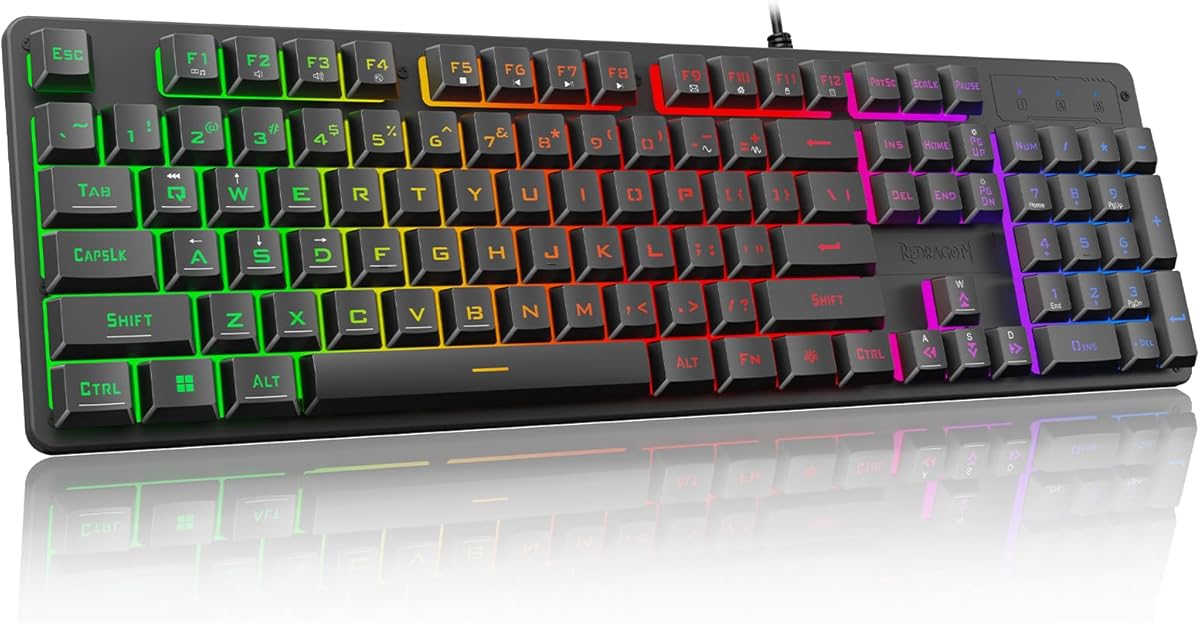
Redragon K521
4.3Editor score
Rainbow LED backlighting
19-key anti-ghosting
Twelve multimedia shortcuts
Broad platform compatibility
No driver required
Our Redragon Gaming Keyboard guide compares ten of the brand’s best wired, wireless, mechanical, and membrane models for switch feel, lighting, macros, build
A Redragon gaming keyboard can deliver a surprisingly capable upgrade without requiring a large, complicated setup. The important differences lie in switch type, layout, connectivity, lighting, anti-ghosting support, macro controls, and build construction, which means the best model depends on how you play and work.
This guide compares ten Redragon keyboards using their published ratings, stated specifications, connectivity options, key layouts, lighting features, customization support, and practical design details. It covers tenkeyless and full-size boards, mechanical and membrane models, wired and wireless designs, and several keyboard-and-mouse combinations.
Each selection reveals a different path for gamers, including compact layouts, quiet linear switches, extensive RGB lighting, onboard macro recording, and flexible multi-device control. Ratings and product details may change over time, and current prices and availability can also vary, so verify the latest listing before purchasing.
4.3Editor score

4.6Editor score

4.6Editor score
The table below compares all ten Redragon gaming keyboards across their most decision-relevant traits, including layout, switch or key technology, connection method, lighting, and customization support.






The Redragon K552 is a compact tenkeyless mechanical keyboard rated 4.4 out of 5, and it stands out for combining red linear switches, a sturdy metal top plate, software customization, and a layout that avoids a separate number pad. That combination makes it well suited to competitive games, fast typing, and desks where every centimeter matters.
We may earn a commission when you buy through this link, at no additional cost to you.
Its red switches are designed for rapid actuation and smooth operation without the pronounced tactile bump associated with brown or blue switches. All 87 keys support full anti-ghosting and N-key rollover, which helps when several commands are pressed simultaneously. The six preset rainbow lighting modes add visual appeal, and brightness can be adjusted with keyboard shortcuts, although the listed lighting patterns are fixed rather than individually programmable.
The K552 also supports remapping and macro assignments through dedicated drivers. That makes it more versatile than a basic gaming keyboard, even though the absence of a number pad will frustrate users who need one for spreadsheets, data entry, or numeric shortcuts. Because it is wired, it avoids battery management and pairing complications, making it dependable for a stationary desk.
This is a strong choice for gamers who prefer fast linear switches, a compact footprint, and useful software without needing a premium wireless board. It works particularly well for first-time mechanical keyboard buyers and competitive players who want rollover and macro support. Office users should confirm that they can manage without a numeric keypad before choosing it.
The tenkeyless format preserves the essential gaming and editing keys while removing the number pad. It is especially useful for small desks, competitive setups, and players who keep their mouse close to the keyboard.
Software-based remapping and macro commands add flexibility beyond the onboard lighting controls. The wired design also means there is no battery to charge and no wireless receiver to pair.
We may earn a commission when you buy through this link, at no additional cost to you.
The Redragon K671 is a compact wired mechanical keyboard rated 4.3 out of 5. Its most significant advantage is the hot-swappable switch system, allowing compatible red switches to be replaced without soldering. It combines that flexibility with full-key anti-ghosting, programmable backlighting, macro editing, and double-shot PBT keycaps.
We may earn a commission when you buy through this link, at no additional cost to you.
The supplied red linear switches require relatively little actuation force and are described as smooth and easy to use. Four spare red switches and two replacement red keycaps are included, making the package approachable for new mechanical keyboard owners. The keyboard also supports full simultaneous key input, while twelve multimedia shortcuts provide convenient access to common functions such as media controls, calculator access, email, and volume.
Its eleven backlight modes offer several lighting choices, and users can select among five brightness levels. Color itself cannot be changed according to the product information, so buyers seeking a broader RGB palette should choose a different model. Macro editing is available through the software, allowing functions to be remapped, shortcuts to be created, and several actions to be combined into one key.
The K671 is a good fit for gamers who want hot-swappable mechanical construction in a compact package and do not need true per-key RGB color freedom. It also suits users who want anti-ghosting and media controls without moving to a full-size keyboard. Its wired connection keeps setup straightforward for PC and Mac users.
Hot-swappable sockets let users replace compatible 3-pin or 5-pin-style switches without soldering. Including spare switches and keycaps makes it easier to experiment with the keyboard immediately.
The smaller footprint reduces desk clutter, while full-key anti-ghosting and twelve multimedia shortcuts preserve many of the conveniences associated with a larger board.
We may earn a commission when you buy through this link, at no additional cost to you.
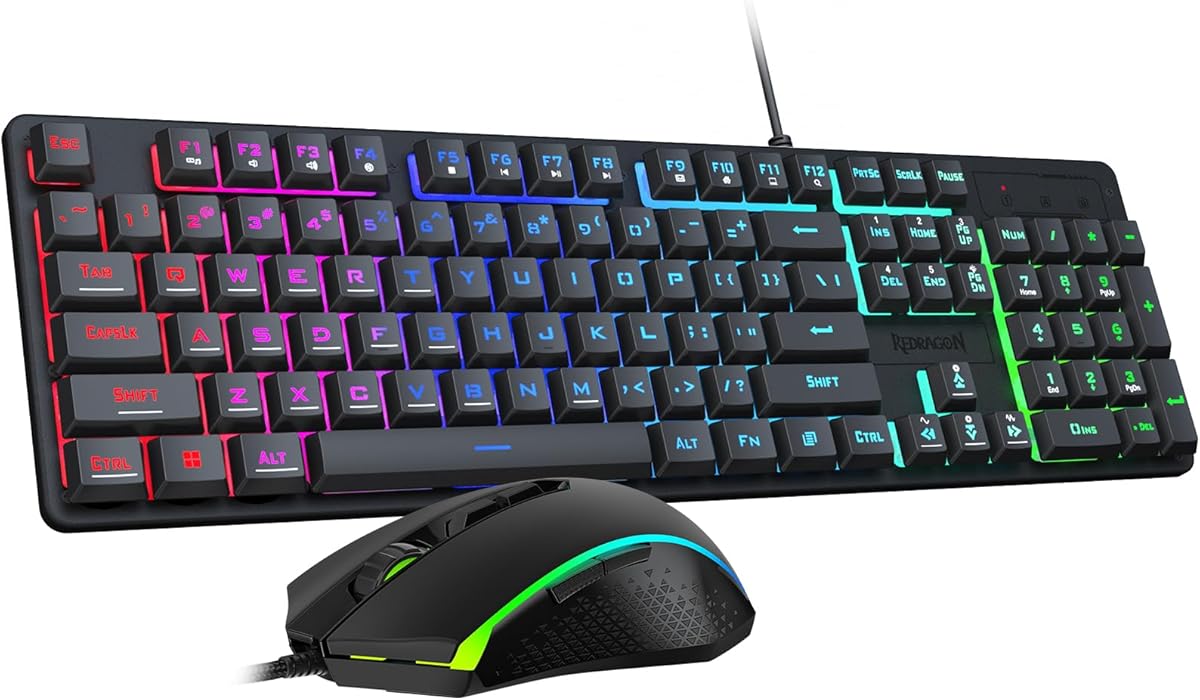
The Redragon S101-3 PRO is a full-size keyboard-and-mouse set rated 4.5 out of 5. It offers a complete, approachable gaming package with an RGB keyboard, adjustable mouse sensitivity, dedicated macro recording, onboard setting storage, and a detachable ergonomic wrist rest.
We may earn a commission when you buy through this link, at no additional cost to you.
The keyboard uses soft-touch membrane keys designed to deliver satisfying feedback with less noise than many mechanical alternatives. Its six RGB modes can be customized through downloadable software, while the mouse offers ten lighting effects. Five independent macro keys provide direct access to recorded command sequences, and the anti-ghosting support is intended to keep simultaneous inputs responsive during active play.
The mouse offers sensitivity settings from 800 to 7200 DPI and a dedicated button for changing levels. Settings are stored directly in the hardware so they persist after a restart. This broad software-assisted feature set is appealing for beginners, although the membrane construction does not provide the sharper feel or switch-level customization associated with the mechanical Redragon keyboards in this guide.
Choose the S101-3 PRO when you want a complete wired gaming setup for Windows 10 or 11 rather than a single specialist keyboard. It is well suited to students, shared spaces, first-time gamers, and users who value quiet operation, a wrist rest, and hardware profile storage. Mechanical keyboard enthusiasts will likely prefer one of the hot-swappable options.
The included mouse makes this a convenient all-in-one option for a new gaming setup. Both devices support lighting effects and adjustable controls through the same general customization approach.
Soft-touch membrane construction is designed for quieter feedback than conventional mechanical keyboards. That can be useful in offices, shared rooms, or late-night sessions.
We may earn a commission when you buy through this link, at no additional cost to you.
The Redragon K556 is a full-size wired mechanical keyboard rated 4.6 out of 5. It pairs a brushed aluminum body, tactile brown switches, hot-swappable sockets, a 104-key layout, and extensive RGB lighting, making it one of the most balanced all-around models in the guide.
We may earn a commission when you buy through this link, at no additional cost to you.
The aluminum construction is designed to resist flex and wobble during sustained play. Brown switches provide a soft tactile bump that can feel more noticeable than linear alternatives, particularly when typing longer passages. Hot-swappable sockets accept nearly any 3-pin or 5-pin switch, giving users a straightforward path to changing the feel without a soldering iron.
Its lighting system includes 20 preset modes with adjustable brightness and flow speed. Companion software adds custom RGB effects, macros, and personal keybindings. Full anti-ghosting covers the entire 104-key layout, and the keyboard operates across Windows and Mac without requiring drivers for ordinary use.
The K556 is the strongest general recommendation for a gamer who wants a substantial mechanical board with premium-looking construction but does not need wireless connectivity. It is also appropriate for office users because brown switches and the full number pad balance gaming features with daily productivity. Its main compromises are the permanent cable and the space occupied by the standard layout.
The brushed aluminum top plate gives the keyboard a more solid foundation than many plastic gaming boards. Its weight and construction are intended to prevent unwanted movement during intensive play.
The included brown switches provide a modest tactile event for users who want clearer feedback than linear switches. Hot-swappable sockets allow compatible alternatives to be added later.
We may earn a commission when you buy through this link, at no additional cost to you.
The Redragon K521 is a full-size wired keyboard rated 4.3 out of 5 that emphasizes affordability, broad compatibility, and colorful lighting. It uses a mechanical-feel key design rather than actual mechanical switches, making it one of the simplest ways to add a gaming-oriented keyboard to a desk.
We may earn a commission when you buy through this link, at no additional cost to you.
Rainbow backlighting includes a one-touch control for turning illumination on or off, a three-position breathing adjustment, and four brightness levels. The 104-key arrangement comes with 19-key anti-ghosting, which supports multiple commands in eligible key combinations without the same input conflicts found on basic membrane boards.
Twelve multimedia combination keys improve access to common commands during games and everyday work. Plug-and-play operation removes the need for drivers, and the listed compatibility includes multiple Windows versions, macOS, PS4, PS5, and Xbox. That makes the K521 unusually adaptable for a multi-device household, although console-specific function behavior should be confirmed for the exact game and title.
This is the top budget selection for users who want lighting, gaming styling, and convenient media controls without paying for a true mechanical board or wireless features. It suits students, casual players, and office users. Anyone who values switch feel, extensive programmability, or full rollover should examine the mechanical alternatives instead.
Lighting, brightness, and multimedia controls are accessible directly from the keyboard. Plug-and-play operation also keeps initial setup straightforward across the listed platforms.
Compatibility with Windows, macOS, PlayStation, and Xbox makes this a versatile choice for users who move between different gaming systems and a daily office computer.
We may earn a commission when you buy through this link, at no additional cost to you.
The Redragon S101M-KS is a wireless keyboard-and-mouse combination rated 4.5 out of 5. Its defining feature is tri-mode connectivity, allowing the keyboard and mouse to operate through Bluetooth, a 2.4 GHz receiver, or a wired USB-C connection.
We may earn a commission when you buy through this link, at no additional cost to you.
The 2.4 GHz receiver uses a two-in-one design that can control both included devices, reducing the number of receivers occupying a USB port. RGB lighting offers eight keyboard patterns, with adjustable brightness and speed, while the mouse provides five listed DPI levels from 800 to 4800. Software adds free DPI adjustment, a polling-rate range of 125 to 1000 Hz, and remapping for seven mouse buttons.
The keyboard includes ten independent multimedia keys and twelve combination shortcuts, a splash-resistant design, a Windows lock function, and a detachable six-foot USB-C cable. Its rechargeable battery is rated for up to 300 hours with RGB lighting turned off, while a battery indicator provides a quick status check.
Choose the S101M-KS when you want a tidy, cable-free setup and need one combo to serve several computers. It is particularly useful for hybrid workers, laptop users, and players who value multi-device switching. Keep the brightness modest if battery longevity matters, and note that wireless operation involves more controls than a basic plug-and-play keyboard.
Bluetooth, 2.4 GHz wireless, and wired USB-C modes cover different desk and travel needs. The shared receiver simplifies wireless use, while the cable remains available for a stable connection.
The included mouse supports multiple sensitivity levels, adjustable polling, and seven programmable buttons. This makes the combination useful for both games and general productivity.
We may earn a commission when you buy through this link, at no additional cost to you.
The Redragon K512 is a full-size RGB membrane keyboard rated 4.5 out of 5. It targets users who want gaming features, dedicated macro control, and good everyday comfort without moving into more specialized mechanical or wireless designs.
We may earn a commission when you buy through this link, at no additional cost to you.
Six onboard macro keys can record and reassign shortcuts directly on the keyboard, allowing common game commands and work sequences to be activated without immediately opening a configuration utility. The keyboard also includes a dedicated media wheel, 26-key anti-ghosting, and a detachable magnetic wrist rest. Double-shot injection-molded keycaps are designed to resist fading during regular use.
Its lighting includes seven preset modes and six customizable slots, with brightness control extending down to completely off. Companion software is optional for users who want more advanced lighting or macro configuration, but it is not necessary to begin using the primary features. The membrane layout gives the K512 a different feel from a mechanical Redragon board.
The K512 is well suited to players who use macros regularly but prioritize quiet, approachable key operation and physical comfort. It can also serve as a general productivity keyboard, particularly with its media controls and wrist rest. Its limitations are the absence of hot-swappable switches and the fact that anti-ghosting applies to 26 keys rather than the entire board.
The six dedicated macro keys can record and reassign commands directly from the board. Software is useful for deeper configuration but is not needed for the most convenient onboarding.
A magnetic wrist rest can be positioned where it feels best, while the media wheel provides quick access to common playback commands. The construction also aims to preserve keycap appearance over time.
We may earn a commission when you buy through this link, at no additional cost to you.
The updated Redragon S107 is a wired gaming keyboard-and-mouse combination rated 4.5 out of 5. It provides a broad software feature set, including macro configuration, RGB controls, mouse polling changes, and a high sensitivity ceiling for the included mouse.
We may earn a commission when you buy through this link, at no additional cost to you.
The keyboard offers six lighting modes, while the mouse has eight effects, and both can have their speed and brightness adjusted. Mouse sensitivity reaches 5000 DPI through the dedicated button and up to 10000 through software. The customization utility also supports a polling rate of up to 1000 Hz, macro editing, and button configuration.
Everyday convenience comes from twelve multimedia function keys and plug-and-play operation. The keyboard has a foldable stand, skin-friendly coating, and floating keycaps intended to improve typing comfort. Anti-ghosting covers 25 keys, which is useful for common combinations but is not a full-board rollover specification.
The S107 is a good match for a gamer who wants the keyboard and mouse to work as a coordinated package and values customization over wireless freedom. It is also practical for everyday office use because of the media shortcuts and mouse sensitivity controls. Buyers who require complete rollover, mechanical switches, or multi-device connectivity should consider other options in the comparison.
The mouse supports several quick DPI levels and an expanded software setting up to 10000 DPI. Adjustable polling and programmable buttons make it adaptable to different gaming styles.
Keyboard and mouse lighting can be coordinated through the customization software. Macro support and multimedia keys help combine fast competitive controls with everyday convenience.
We may earn a commission when you buy through this link, at no additional cost to you.
The Redragon K742 is a 98% compact wireless mechanical keyboard rated 4.6 out of 5. It is the most advanced model in this guide, combining a gasket structure, five layers of sound-absorbing padding, pre-lubed linear switches, hot-swappable sockets, multi-device wireless connectivity, and QMK/VIA programmability.
We may earn a commission when you buy through this link, at no additional cost to you.
Its RPC linear switches operate at a listed 40 plus or minus 10 grams of force with 3.6 mm total travel and a rated keystroke life of 50 million presses. The sound-focused structure is designed to produce a creamy, relatively quiet typing experience. A knob handles volume and media functions, while the 98% layout retains essential navigation keys while reducing desk use.
Connectivity options include Bluetooth 5.0, 2.4 GHz wireless, and USB-C wired. The keyboard can connect to up to three devices, with one-click switching and dedicated shortcuts for Windows and macOS. A built-in receiver-storage design helps keep the dongle safe. Its 4000 mAh battery is rated for up to 53 hours with the backlight off or 16 hours with it on.
The K742 is the premium choice for enthusiasts who care about sound, modular construction, flexible firmware, and the ability to move between devices. QMK/VIA support allows remapping, layers, and automated macros, while the supplied puller makes hot-swapping switches and keycaps accessible. It is less convenient for buyers who want a simple wired board or maximum battery life with continuous RGB lighting.
A gasket-mounted structure and five layers of padding help control resonance and produce a softer acoustic profile. Pre-lubed linear switches provide a smooth feel without requiring immediate switch tuning.
Bluetooth, 2.4 GHz, and wired modes allow the keyboard to move among several computers. The 98% arrangement preserves productivity keys while the knob provides fast volume and media adjustment.
We may earn a commission when you buy through this link, at no additional cost to you.
The Redragon K668 is a 108-key wired mechanical keyboard rated 4.5 out of 5. It combines a standard full-size arrangement, four extra shortcut keys, hot-swappable red linear switches, extensive RGB lighting, and software customization in a design aimed at gamers who want a complete layout.
We may earn a commission when you buy through this link, at no additional cost to you.
The four dedicated hotkeys default to mute, calculator, screen lock, and desktop functions, but software allows them to be reassigned. Its 104 standard keys support accurate input during rapid multi-key combinations, while the supplied red linear switches are intended to keep noise relatively discreet in shared spaces.
Lighting includes as many as 19 preset modes with adjustable brightness and flow speed. A music-synchronized effect reacts to desktop audio, offering a more dynamic presentation than a fixed single-color backlight. Two-stage feet allow changes in typing angle, and the package includes two sets of mixed-color keycaps for visual variety.
Choose the K668 if you need a number pad, dedicated hotkeys, and easy switch customization in one full-size board. It is especially appropriate for hybrid gaming and productivity setups where gaming shortcuts and everyday shortcuts both matter. It does not offer wireless connectivity, and its expanded 108-key footprint will take up more desk space than the K742 or K552.
The standard number pad is joined by four dedicated hotkeys. Those keys provide useful defaults immediately and can be reassigned through the software for individual games or workflows.
Quiet red linear switches, music-reactive lighting, and interchangeable keycap sets allow the keyboard’s look and feel to be adjusted. Two-stage feet provide additional positioning choices.
We may earn a commission when you buy through this link, at no additional cost to you.
The right Redragon gaming keyboard depends on your preferred switch feel, layout, connection method, customization habits, and the balance between gaming performance and everyday typing.
Mechanical switches provide a more distinct keypress and usually support greater customization, while membrane keys offer a softer, quieter, and generally simpler experience. Red linear switches actuate quickly without a tactile bump and suit fast gameplay. Brown switches add a light tactile event that can help typists locate keys by feel. Models described as mechanical-feel do not necessarily contain mechanical switches, so check the construction carefully rather than relying on the appearance alone.
Choose red linear switches for rapid actions, brown switches for a balance of gaming and typing, and membrane construction when quiet operation and straightforward use matter most.
A full-size layout includes a number pad and generally offers the widest set of everyday functions. A tenkeyless layout removes that block for a more compact desk. A 98% board is similar in spirit but retains a more useful navigation cluster, often with a knob. Compact layouts can create more room for mouse movement, but users who regularly enter numbers may miss a dedicated keypad.
Pick a full-size model for spreadsheets and data entry, a tenkeyless model for competitive gaming, or a 98% layout when you want a balance of productivity and compactness.
Wired keyboards provide a stable connection without battery charging, receiver storage, or pairing steps. Wireless models offer a cleaner desk and can switch among computers, making them useful for hybrid work setups. Consider battery life carefully because RGB lighting can shorten wireless endurance. Bluetooth is convenient for switching devices, while a 2.4 GHz receiver is often favored for responsive gaming and straightforward low-latency use.
Stay with wired control for the simplest dependable setup, or choose tri-mode wireless if desk flexibility and multi-device switching are priorities.
Anti-ghosting prevents compatible key combinations from interfering with one another, which matters during actions that require multiple inputs. N-key rollover is the more comprehensive version because it allows all keys to register simultaneously. Some Redragon models support anti-ghosting across only a defined group of keys, while the K552 states full 87-key N-key rollover. Buyers should compare the exact number rather than treating every anti-ghosting specification as equivalent.
Favor full-board rollover or N-key support for competitive play, and note the supported key count when comparing membrane and anti-ghosting keyboards.
Customization can include remapped keys, macros, lighting effects, mouse buttons, DPI, and polling rate. Onboard macro recording is convenient when you want immediate control without installing software. Companion software provides deeper configuration but may require an additional download. QMK and VIA support offer advanced firmware-level control for users who want layers and portable configurations. Think about how much configuration you realistically need before choosing a more complex board.
Choose onboard controls for quick setup, conventional software for gaming profiles, and QMK/VIA when you value advanced remapping and layers.
Aluminum construction can reduce flex and provide a steadier platform, while gasket structures and internal padding can influence sound and feel. Keycap material, switch choice, feet, and wrist rests also affect daily comfort. A detachable or magnetic wrist rest may be useful for long sessions, whereas a compact tenkeyless design can reduce wrist extension. The best choice is one whose physical design fits your desk and typing habits.
Look beyond appearance: consider chassis rigidity, switch feel, keycap texture, desk space, wrist support, and adjustable feet before deciding.
Lighting ranges from fixed rainbow effects to broad RGB customization with brightness and speed controls. Some models include music-reactive modes, while others offer only preset patterns or a single selectable color. Keycaps can influence both the look and the perceived quality of a keyboard. Redragon models such as the K668 include alternate keycap sets, allowing the appearance to change without replacing the entire board.
Select true RGB if lighting color is important, but favor fixed rainbow or single-color systems when a simpler visual style and less complexity are preferable.
A keyboard-and-mouse combination supplies two coordinated peripherals and can be more convenient than buying each separately. Combo models vary widely: some use membrane keys, some emphasize wireless connectivity, and others focus on programmable mouse controls. A standalone keyboard may be better if you already own a mouse or need specific switch, layout, or connectivity features. Compare the included mouse rather than treating every combo as equivalent.
Choose a combo for a convenient new setup and a standalone keyboard when your existing mouse already meets your gaming needs.
Begin by connecting the keyboard according to its listed interface. Wired models can generally be used with the supplied USB cable, while wireless combinations may use Bluetooth, their included 2.4 GHz receiver, or a cable. Update any required customization software from Redragon before assigning macros, changing lighting, or modifying mouse settings. If the keyboard works without software, keep the basic controls available and only install extra configuration when needed.
Set up profiles for the games and applications you use most. Assign macros to keys that are easy to reach without interfering with movement controls, and make sure each shortcut performs the intended action. Adjust brightness to a level that remains visible without creating glare, particularly in a dark room. For wireless models, check the battery indicator and reduce lighting when longer intervals away from the charger are expected.
For maintenance, disconnect the cable or switch the keyboard off before cleaning it. Use a soft, lightly dampened cloth for the case and avoid spraying liquid directly onto the keys. Remove loose dust with gentle airflow or a soft brush. Hot-swappable boards should be powered down before changing switches, and the included puller can help remove switches or keycaps without applying excessive force.
Yes, many Redragon keyboards are suitable for both work and gaming. Membrane models such as the K512 emphasize quiet, approachable operation, while mechanical options provide more tactile feedback and switch customization. The best choice depends on your preference for key feel, noise level, and typing speed.
Red mechanical switches are linear, meaning they do not provide a tactile bump during actuation. Brown mechanical switches include a light tactile event that many typists find helpful for locating keys. Red switches generally favor quick, unobstructed input, while brown switches often provide a more noticeable typing experience.
No. Anti-ghosting coverage differs between models. The K552 supports N-key rollover across all 87 keys, while several other keyboards list anti-ghosting for a specified subset such as 19, 25, or 26 keys. Check the exact specification when frequent multi-key commands matter to you.
A wireless model can suit gaming when it offers a stable low-latency mode such as 2.4 GHz. The K742 supports Bluetooth, 2.4 GHz, and wired connectivity, while the S101M-KS combines keyboard and mouse tri-mode options. Wired use remains available on these designs for users who prioritize an uninterrupted connection.
Not on every model. The K512 can record its six onboard macro keys without mandatory software, and many lighting and anti-ghosting features work directly through the keyboard. Software is needed for deeper options such as custom lighting effects, detailed remapping, certain macros, mouse polling settings, or advanced firmware functions.
Hot-swappable keyboards use sockets that allow compatible switches to be removed and replaced without soldering. This makes it easier to change from linear to tactile or clicky switches according to personal preference. The K671, K556, K668, and K742 all feature hot-swappable switch systems, though their included switches and supported layout details differ.
Choose full-size if you use a number pad frequently for spreadsheets, accounting, or data entry. Choose tenkeyless if you want more desk space and keep your mouse close to the keyboard. The K742 offers a middle path through its 98% layout, which preserves most navigation keys while remaining relatively compact.
A combo is convenient when you need both peripherals and want coordinated lighting and controls. A standalone keyboard is often more flexible if you already have a preferred mouse or need a particular layout, switch type, or connection method. Compare the mouse specifications because their polling rates, DPI ranges, and programmability vary considerably.
The Redragon K556 is the most balanced standalone choice, combining a metal chassis, tactile brown switches, hot-swappable sockets, a full number pad, and 20 RGB modes. The K742 stands apart for users who want wireless multi-device control, advanced programmability, refined construction, and a compact 98% layout.
Budget-focused buyers can consider the K521 for its broad platform compatibility and no-driver setup, while the K512 offers more onboard macro control for regular gaming. The S101-3 PRO and S101M-KS are practical combinations for buyers who also need a mouse, with the former emphasizing quiet membrane keys and the latter offering wireless flexibility.
Before buying, verify the current listing, rating, platform requirements, software availability, and accessory details, since product information and prices can change. The most important priorities are switch feel, layout, connection stability, anti-ghosting coverage, and the amount of customization you genuinely need.