
W5500 RJ45 Module
5.0Editor score
Standard full-size RJ45 connector
Broad microcontroller compatibility
TCP and UDP network support
SPI-based integration
Compare 10 Arduino Lan Ethernet Module options for Arduino, comparing W5500, W5100, ENC28J60, and LAN8720 networking features and microcontroller compatibility.
Arduino Lan Ethernet modules add dependable wired connectivity to projects that need more consistency than Wi-Fi can provide. The right board combines an appropriate network controller, accessible SPI or shield connections, manageable power requirements, and a library ecosystem that fits the programmer’s experience.
This guide compares ten W5500, W5100, ENC28J60, and LAN8720 products on controller type, socket support, interface, voltage, form factor, stated compatibility, and multi-unit availability. It covers both plug-in Ethernet shields and bare modules designed for flexible prototyping across Arduino and other microcontroller platforms.
The selections show why W5500 remains a versatile general-purpose choice, how ENC28J60 suits compact or educational builds, and when a W5100 shield offers the simplest Arduino integration. Ratings and availability can change, so readers should verify current product details, board requirements, and seller information before purchasing.
5.0Editor score

4.2Editor score

4.3Editor score
The comparison covers controller architecture, connection method, voltage requirements, socket or PHY capabilities, supported platforms, and practical project suitability across ten Arduino-compatible wired networking options.





This two-module W5500 package is a strong all-around choice for Arduino projects that need wired networking without adopting a full shield. It carries a 4.2 rating, while its most useful distinction is the W5500 controller’s hardware-assisted TCP/IP handling, which moves much of the network workload away from the microcontroller.
We may earn a commission when you buy through this link, at no additional cost to you.
The controller supports eight independent sockets at the same time, making the board appropriate for servers, monitoring stations, and devices that open several local or remote connections. Thirty-two kilobytes of internal transmit and receive buffering helps absorb bursts, while Wake on LAN over UDP adds a practical option for waking sleeping devices. The stated 3.3V and 5V compatibility also gives makers more freedom when matching a board.
Its main limitation is that this is a bare network module rather than an Arduino shield. The user must handle SPI wiring, grounding, pin selection, and any required decoupling or level considerations. Its 4.2 rating is respectable rather than exceptional, so buyer reviews should be consulted for clues about seller quality, documentation, and real-world consistency.
This is a strong recommendation for builders who want the W5500 feature set, more than one board, or the flexibility to use the same networking design across Arduino, STM32, and other SPI-capable microcontrollers. Choose it when concurrent connections and hardware-based TCP/IP matter more than a zero-wiring shield format.
Eight simultaneous sockets give a project room to handle multiple clients or services. The dedicated network controller is particularly valuable on boards with limited processing capacity because it manages protocol details in hardware.
Thirty-two kilobytes of transmit and receive memory can help sustain bursts of network traffic. Wake on LAN over UDP is also useful for remote power management and scheduled device activation.
We may earn a commission when you buy through this link, at no additional cost to you.
This single HiLetgo W5500 module offers a focused way to add a wired network interface to an Arduino, STM32, or another compatible SPI controller. Its 4.3 rating places it slightly above the first two-pack option, and the compact board can be valuable where one network connection is enough and a shield would be excessive.
We may earn a commission when you buy through this link, at no additional cost to you.
The most important technical detail is the requirement for a stable 3.3V external supply capable of delivering more than 200mA. Although the listing includes 3.3V and 5V in its broader compatibility language, the specified control interface is a 3.3V TTL-level SPI connection. That makes careful power planning essential when pairing the module with an Arduino board.
The W5500 is recognized for offloading TCP/IP processing from the host controller, and its SPI interface keeps the connection method straightforward. The trade-off is that the module does not plug directly into an Arduino header, so the project needs a stable ground, appropriate signal wiring, and attention to whether the selected library and board support the intended electrical arrangement.
Buyers who want a proven controller family, familiar SPI integration, and cross-platform potential should give this option serious consideration. It is best suited to a single-purpose connected device, prototype, or custom embedded system where a full Ethernet shield would not fit.
A continuous and stable 3.3V supply with more than 200mA available is central to reliable operation. Check the board’s regulator and wiring before use, especially when connecting multiple peripherals or long leads.
SPI keeps the module practical for Arduino and STM32 development. The same controller family can also simplify migration between prototypes and custom controller boards when the library configuration is designed for it.
We may earn a commission when you buy through this link, at no additional cost to you.
The ACEIRMC five-pack is aimed at makers who need several W5500 modules, whether for classroom exercises, concurrent device deployments, spares, or parallel prototypes. Its 4.3 rating is solid, and the five-module format makes it more versatile for group learning than a single-board purchase.
We may earn a commission when you buy through this link, at no additional cost to you.
Each PCB measures 23 by 25 millimeters, a compact size that should be easier to incorporate into small enclosures than a standard shield. The 3.3V TTL-level SPI interface and 200mA minimum current requirement are clearly stated, giving builders useful information for power planning. Arduino and STM32 compatibility makes the pack suitable for mixed teaching or demonstration environments.
The obvious trade-off is that a project requiring only one connection may have more hardware than necessary. Five modules also multiply the amount of wiring, labeling, and testing involved in a deployment. Because the listing mixes broader 3.3V and 5V language with a specified 3.3V interface, a cautious buyer should confirm the electrical expectations of the exact board and host board before wiring.
This pack is a sensible choice for workshops, teams, or an enthusiast planning several networked controllers. It is less compelling for a one-off experiment, but its combination of compact boards, a capable W5500, and multi-platform positioning makes it a flexible investment for repeated builds.
Multiple identical modules help standardize classroom benches or a sequence of related projects. Having spare boards also makes it easier to diagnose whether a fault lies in software, wiring, or a damaged module.
The stated 23 by 25 millimeter footprint leaves more room for wiring, sensors, and power components. It remains important to measure available space and maintain clearance around the RJ45 connector.
We may earn a commission when you buy through this link, at no additional cost to you.
This two-pack stands out on paper for a highly specific set of capabilities, including a hardware TCP/IP stack, mode 0 and mode 3 SPI support, an advertised 80MHz SPI rate, and an integrated 10/100Mbps Ethernet PHY with auto-negotiation. However, its 1.0 rating is a major warning that buyer feedback is weak or potentially negative.
We may earn a commission when you buy through this link, at no additional cost to you.
On the technical side, the module combines TCP, UDP, ICMP, IPv4, and PPPoE support with 32KB transmit and receive buffers. It can manage eight sockets and supports Wake on LAN over UDP. The 3.3V core and 5V I/O tolerance could make it versatile with different controller boards, while full- and half-duplex negotiation is useful for ordinary local network connections.
The difficult issue is confidence. A very low rating means the listing has little customer history, and the attractive specifications cannot compensate for an unknown user experience. Possible concerns could involve documentation, board revision, component quality, seller fulfillment, or an early listing, but the supplied information does not establish which issue is responsible. Reviewing recent customer comments and seller messages would be essential.
This module may appeal to technically confident buyers who specifically value its stated 80MHz SPI support and comprehensive protocol handling. For most Arduino projects, though, a better-established W5500 option offers a more reassuring combination of ratings, documentation familiarity, and community examples. Consider this only after checking the current listing details closely.
The stated protocol coverage includes TCP, UDP, ICMP, IPv4, and PPPoE. An integrated 10/100Mbps PHY with auto-negotiation simplifies connection to common local networks.
A 1.0 rating provides a much weaker buying signal than the technical feature list. Review customer feedback, request documentation, and confirm seller support before committing to a project.
We may earn a commission when you buy through this link, at no additional cost to you.
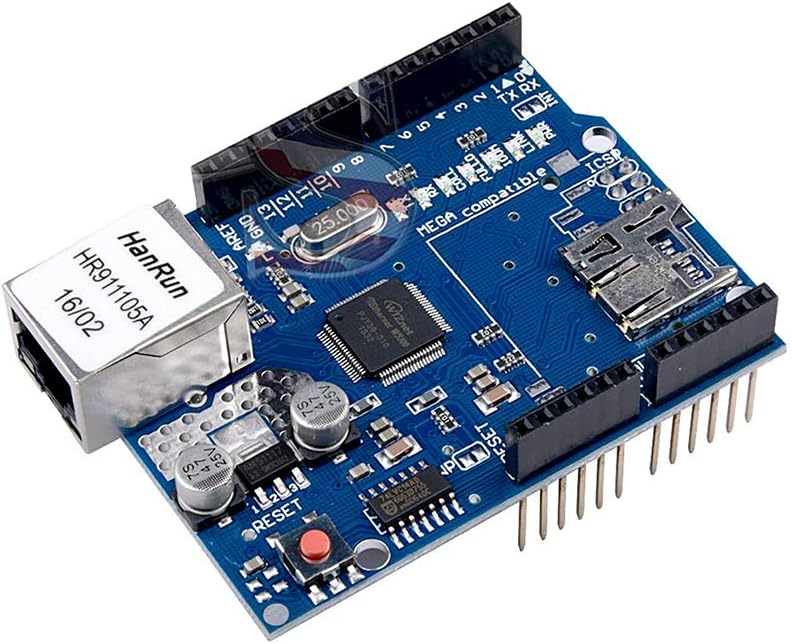
The DEVMO W5100 is the most conventional Arduino Ethernet solution in this group because it is a shield rather than a loose module. Its 3.8 rating is the second-lowest among the selections, but the physical design can still be ideal for beginners who want to connect an UNO R3 or a compatible board without manually wiring SPI lines.
We may earn a commission when you buy through this link, at no additional cost to you.
The Wiznet W5100 supplies a network IP stack with both TCP and UDP support. A standard RJ45 jack connects the board to a router or local network, and the listing emphasizes quick installation. Its SD card slot is an additional convenience for projects that need to log sensor readings, store web assets, or retain configuration data on a memory card.
The trade-off is board fit and flexibility. A shield normally uses fixed Arduino Uno-style headers, so it may not mate correctly with every modern board, especially those with unusual pin layouts. It also offers fewer socket-related features than the W5500 options and occupies more vertical space. Buyers should confirm the board’s dimensions, header arrangement, voltage, and any pin conflicts.
This is a practical recommendation for a first Ethernet project using a clearly compatible Arduino Uno-format board, especially when the SD slot is useful. More advanced or space-constrained builds may prefer a bare W5500 or ENC28J60 module because those offer more control over wiring and enclosure placement.
The shield format removes most of the uncertainty associated with SPI wiring and pin selection. A compatible Arduino and a standard Ethernet cable are the central hardware requirements.
The SD card slot can complement web servers, data loggers, and projects that keep local files. Confirm the library support and card format required by the intended sketch.
We may earn a commission when you buy through this link, at no additional cost to you.
The HiLetgo ENC28J60 is a strong budget-oriented module for simple local network projects, telemetry links, and Arduino experiments. Its 4.3 rating is solid, and the board combines the ENC28J60-I/SO controller with a 25MHz crystal and HR911105A RJ45 connector containing an isolation transformer.
We may earn a commission when you buy through this link, at no additional cost to you.
The module operates from 3.3V and communicates through SPI, making it compatible with a wide range of Arduino, AVR, PIC, LPC, and STM32 projects. The isolated RJ45 magnetics are important for a usable Ethernet connection, while the integrated crystal provides the timing reference expected by the controller.
Unlike W5500 hardware, the ENC28J60 performs more networking work in software on the host microcontroller. That can make it less suitable for demanding servers, multiple simultaneous connections, or projects where the Arduino has limited processor time. The board also needs a 3.3V supply and appropriate SPI wiring, so it is not as beginner-simple as a shield.
Choose this module when the project needs one Ethernet connection, the ENC28J60 library is familiar, and a compact, established controller is preferred over a high-throughput W5500. It is a good value for learning, sensors, and modest control traffic, particularly when the system can spare microcontroller resources for networking.
ENC28J60 modules have an established history in Arduino networking experiments. Their available examples and libraries make them approachable for simple clients, servers, and sensor gateways.
The controller offloads less networking work than a W5500, so the sketch and microcontroller must handle more protocol overhead. For low-volume traffic this can be entirely practical, but it matters for busy or timing-sensitive builds.
We may earn a commission when you buy through this link, at no additional cost to you.
This five-module ENC28J60 package combines an attractive customer rating of 4.7 with a format that suits educational labs and teams. It is one of the strongest choices in the guide for building several comparable Ethernet nodes, each using the same ENC28J60-I/SO controller and 25MHz crystal.
We may earn a commission when you buy through this link, at no additional cost to you.
The HR911105A RJ45 connector includes isolation transformer components, and the controller is described as IEEE 802.3 compatible. Its SPI interface and stated compatibility with Arduino, AVR, PIC, LPC, and STM32 devices make it useful for demonstrations involving different controller families. Five matching units also provide spares for troubleshooting.
As with other ENC28J60 designs, the networking burden is greater on the host microcontroller than on a W5500. That makes these modules most appropriate for modest traffic, classroom clients, basic servers, and educational experiments. They also need manual connections and a suitable 3.3V supply, so a large classroom deployment requires careful labeling and power planning.
This is a compelling pick for instructors, club leaders, or makers building several nodes at once. The combination of a 4.7 rating, five identical boards, and a familiar Ethernet controller makes it easier to standardize an experiment and keep spare hardware available.
Five matching modules let participants use consistent hardware while learning to configure SPI, addressing, TCP, and UDP. Having a spare can also keep a class moving if one board fails.
The ENC28J60 works well for sensor readings, commands, and educational exchanges. Projects expecting constant bulk transfer or many simultaneous clients should consider a W5500 instead.
We may earn a commission when you buy through this link, at no additional cost to you.
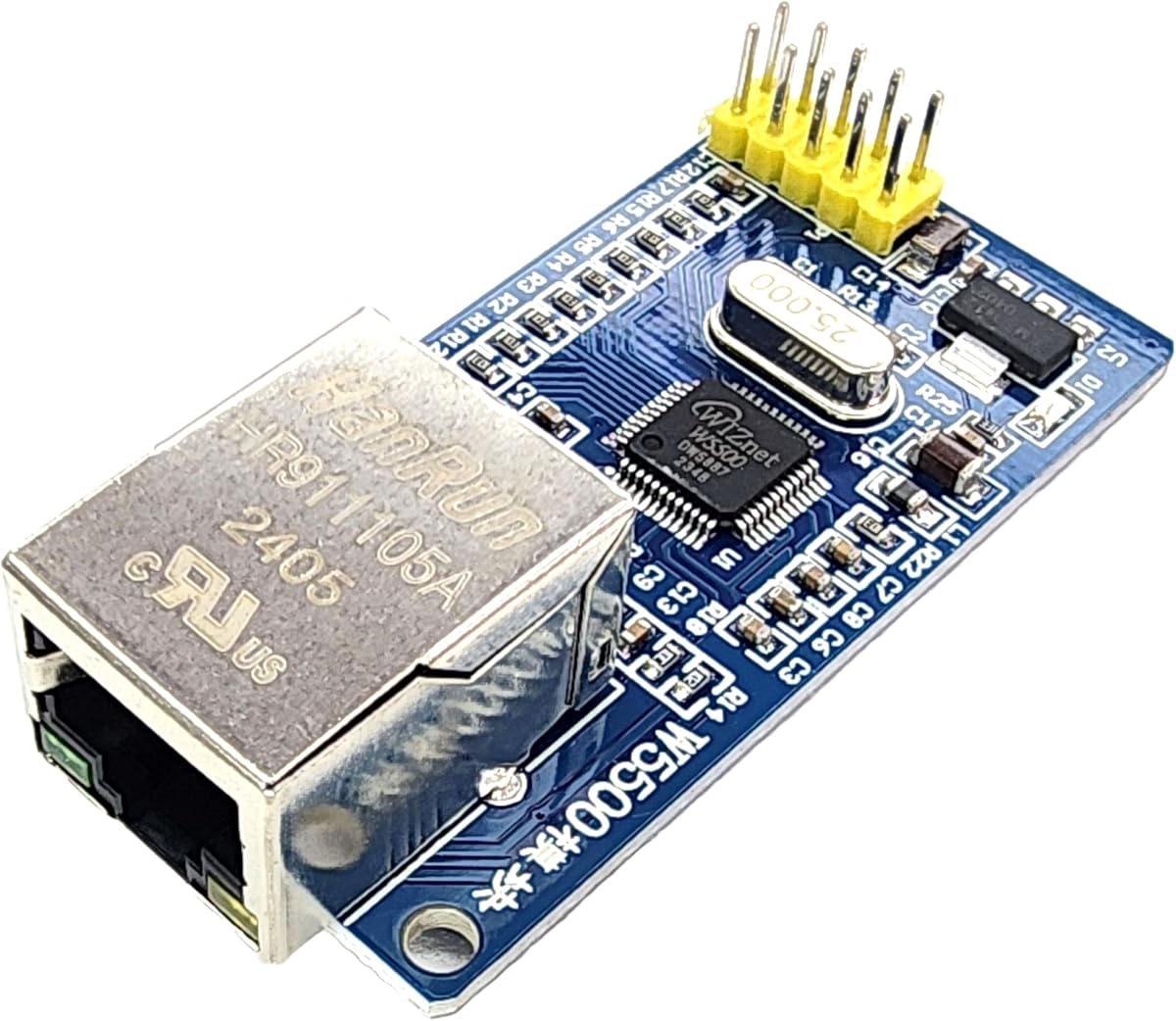
This W5500 module is the standout choice for builders who want one wired networking design to work across Arduino, ESP32, ESP8266, and other 5V or 3.3V microcontrollers. Its 5.0 rating is the highest in the group, although the available customer history may be less extensive than that of older listings.
We may earn a commission when you buy through this link, at no additional cost to you.
The full-size standard RJ45 port provides a familiar connection point for local networks and internet-connected projects. SPI keeps the data interface efficient and relatively easy to connect to popular development boards. TCP and UDP support covers the two common transport choices for command channels, telemetry, web servers, and device-to-device communication.
The module’s broad voltage language makes it appealing for mixed-platform prototypes, but users should still verify the board’s pin arrangement and library configuration before connecting it. As a bare module, it needs manual SPI, ground, and power connections. A full-size jack also requires adequate enclosure space, and final projects should avoid placing the module where connector strain can affect the board.
This is the best recommendation for a flexible general-purpose Arduino LAN module, especially when the same product may be used with an ESP32 or ESP8266 later. Its excellent rating and clearly stated integration method make it an attractive option, provided the buyer confirms electrical details and has a suitable example library.
W5500 compatibility across Arduino, ESP32, and ESP8266 platforms means a network protocol can remain consistent when the host controller changes. This can simplify learning, prototyping, and product iteration.
The standard RJ45 port accepts ordinary Ethernet cabling and avoids a proprietary connection. In an enclosure, allow sufficient clearance for the plug and protect the board from cable movement.
We may earn a commission when you buy through this link, at no additional cost to you.
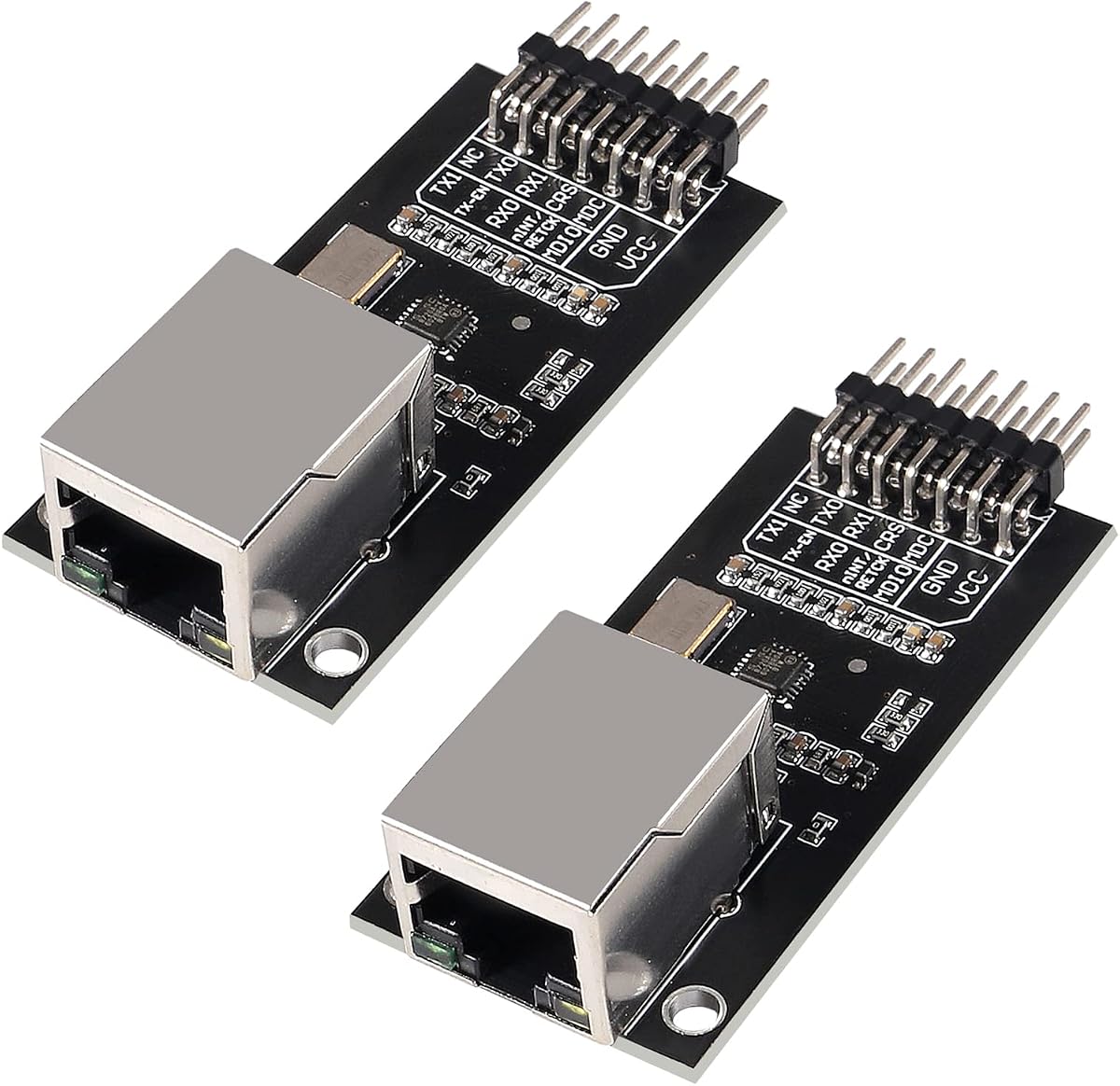
The ACEIRMC LAN8720 pair is a specialized alternative for creators whose host microcontroller already handles network protocols. Rather than including a full TCP/IP controller, the board provides a 10/100 Ethernet physical layer transceiver for embedded servers and development-board Ethernet interfaces.
We may earn a commission when you buy through this link, at no additional cost to you.
Its high-performance PHY design is intended to be efficient, and the module can run from a single 3.3V supply. Support for HP Auto-MDIX is useful because it can simplify the relationship between transmit and receive pairs. The integrated 1.2V regulator and stated I/O voltage range add flexibility at the physical interface level.
The critical distinction is that a PHY does not provide the complete TCP/IP stack found in a W5500 or ENC28J60. The host must communicate through a Media Access Control interface and run or receive the required network stack. This makes the board better for experienced embedded developers and certain ESP-class platforms than for a standard Arduino beginner project.
Its 3.9 rating and two-board format make it a credible option for specialized projects. Choose it when the platform expects a LAN8720 hardware design and you already understand MAC addressing and network software. For a conventional Arduino, a module with an integrated TCP/IP controller is generally easier to implement.
The LAN8720 handles the physical Ethernet layer, while the host platform manages MAC-level communication and the network stack. This division of labor can produce efficient designs in platforms designed around that architecture.
A dedicated PHY board is appropriate when the controller board expects that interface or the designer needs a specific Ethernet front end. It is less convenient when the goal is a quick Arduino connection with minimal networking code.
We may earn a commission when you buy through this link, at no additional cost to you.
The Hailege ENC28J60 offers a well-regarded single-board option for Arduino and microcontroller projects needing a straightforward 3.3V Ethernet module. Its 4.6 rating is the second-highest among all selections, giving it a stronger customer-feedback signal than most entries in the guide.
We may earn a commission when you buy through this link, at no additional cost to you.
The board uses a DIP28 ENC28J60-I/SO controller, a 25MHz crystal, and an HR911105A RJ45 connector with an isolation transformer. Its SPI interface and compatibility with 51-series, AVR, LPC, and STM32 controllers provide a broad platform foundation. The design is especially familiar in educational and lightweight networking projects.
As with other ENC28J60 modules, the host microcontroller performs more of the TCP/IP work. The controller should therefore be paired with a project that has adequate processing capacity and modest traffic requirements. Manual SPI wiring and a stable 3.3V supply are also necessary, and this single module has no included spare for classroom-scale builds.
This is a good recommendation for a maker who values a strong rating, knows the ENC28J60 ecosystem, and needs a modest Ethernet link. Choose the Hailege over the similarly rated HiLetgo version when a single board is sufficient, or consider the five-pack alternative when several identical units are needed.
The ENC28J60-I/SO and 25MHz crystal form a recognizable combination with substantial community familiarity. Many examples and libraries help developers establish a working connection more quickly.
Because protocol handling places more demand on the host, use this module for moderate traffic and non-ultralight timing constraints. A W5500 is usually the better fit when throughput or concurrent connections become important.
We may earn a commission when you buy through this link, at no additional cost to you.
The most important choice is whether the module provides a complete TCP/IP controller or only a physical layer, followed by a careful review of voltage, wiring, connector size, library support, and intended network workload.
A complete network controller such as the W5500, W5100, or ENC28J60 handles more of the networking stack on the module itself, which simplifies software development on an Arduino. The W5500 and W5100 use a dedicated hardware TCP/IP approach, while the ENC28J60 demands more processing from the host microcontroller. A LAN8720 is only a physical layer transceiver, so the attached controller must provide the MAC interface and network software. This architectural distinction should be decided before comparing size or connector features.
Voltage compatibility has to be checked at three levels: module power, SPI signal levels, and the Arduino board’s available regulator capacity. Many modules operate from 3.3V even when the product title mentions 5V support, and the W5500 listing at rank two explicitly calls for a continuous 3.3V supply capable of providing more than 200mA. Connecting several modules or other peripherals can overload a board regulator, so the project may need an external supply. Signal-level confirmation prevents damage or unreliable communication.
A plug-in shield is the fastest option for an Uno R3 or a board with matching headers, while a bare module offers more flexibility in custom circuits and compact enclosures. Check the Arduino board’s SPI pins, header spacing, operating voltage, and available space. ESP32, ESP8266, STM32, AVR, PIC, and LPC compatibility may be stated, but the necessary libraries and pin configuration can differ. The most reliable approach is to identify the exact host board and confirm that a working example exists for the intended combination.
A W5500 module that supports eight independent sockets can host several simultaneous services, clients, or remote links. The W5100 is appropriate for conventional TCP and UDP projects, while the ENC28J60 is best for lighter traffic because the host handles more protocol work. Consider not only transfer volume but also connection count, latency requirements, and the remaining processing time on the Arduino. A network module that meets the basic connection need can still be unsuitable for a busy server or timing-sensitive control loop.
A standard RJ45 port is convenient for ordinary Ethernet cables, but it occupies more space than a miniature connector and needs clearance for the plug and strain relief. A shield may also be too tall for a small enclosure. Measure the available interior, check the jack’s orientation, and avoid forcing the connector against internal components. If the board will move or operate near vibration, secure the cable rather than placing all strain on the module’s header or solder joints.
A module’s hardware is only one part of a successful project. The network controller needs suitable drivers, and the sketch needs working examples for the chosen Arduino core or other platform. W5500 and ENC28J60 are widely represented in online tutorials, although library naming, initialization routines, and recent core compatibility can vary. The rank-eight listing also notes that example code can be found by searching for “DIYables W5500 Ethernet Module.” Review the current code and library before purchasing so that setup complexity is understood.
Wake on LAN can be valuable for remotely waking sleeping devices, while multiple sockets can simplify multi-client services. These features should be distinguished from security capabilities: TCP and UDP provide transport, not encryption or strong authentication. Internet-facing devices should include application-level authentication, access controls, input validation, and appropriate firewall behavior. A physical Ethernet link also does not guarantee that a router permits inbound connections, so the network topology and port-forwarding requirements must be understood.
Multi-packs can be economical for classrooms, group prototypes, and deployments that need matching hardware, while a single board is usually more appropriate for a one-off build. Customer ratings and review volume provide different signals: a high rating with few reviews may indicate a new or lightly reviewed listing, while a lower-rated established product may have extensive feedback. Compare recent reviews, check whether the seller supports the exact application, and confirm the module’s documented dimensions, pinout, and included accessories before ordering.
Begin by identifying the host board, its operating voltage, and its SPI pins. Install the appropriate Ethernet library, connect the module to a stable ground, and follow the product-specific SPI and power instructions. Never rely solely on a listing’s broad 3.3V and 5V wording. Use a short, organized power path, verify logic levels, and keep the Ethernet cable clear of moving parts. Testing on a bench with a wired router is preferable to assembling the complete project before connectivity is confirmed.
After power-up, upload a minimal example that prints the assigned IP address, then test basic UDP messaging and a simple TCP connection on the local network. Confirm that the host can reach the module and that the module can reach a known service. Add application features gradually rather than combining networking, sensors, displays, and actuators in the first test. For public deployments, change default credentials, restrict access, validate incoming data, and configure the router deliberately.
Care for the module by keeping the RJ45 connector clean and dry, avoiding forceful cable insertion, and providing strain relief so that movement does not stress the PCB. Maintain clearance around voltage regulators and heat-producing components. If communication becomes intermittent, inspect solder joints, power integrity, cable condition, and connector seating before changing software. A spare matching module is valuable for separating a hardware fault from a sketch or network configuration issue.
Choose the W5500 for demanding projects, multiple simultaneous connections, or heavier TCP and UDP traffic because its dedicated controller handles more protocol work. The ENC28J60 is well suited to simple telemetry, control, educational, and low-volume projects. Its larger software workload can become a limitation on boards with limited processing power. Library support and the developer’s familiarity should also influence the choice.
A LAN8720 module is primarily a physical layer transceiver and does not contain the complete TCP/IP controller found in a W5500 or ENC28J60. Using it with a standard Arduino therefore requires the appropriate MAC and network-stack support. It makes more sense for a host platform specifically designed around a LAN8720 interface. A W5500 module is generally the easier choice for conventional Arduino networking.
No. Some product titles mention both 3.3V and 5V while the detailed interface remains 3.3V. The HiLetgo W5500 at rank two specifically requires a stable 3.3V external supply with more than 200mA available. Check the exact module, the Arduino board’s regulator, and the SPI signal levels before connecting anything. Treating the title as the only specification can lead to unstable or unsafe operation.
An Ethernet shield is generally easier for a compatible UNO R3 because it uses a fixed header arrangement and minimizes SPI wiring. A bare module offers more freedom for custom boards, smaller enclosures, and alternate microcontrollers, but the maker must handle connections, grounding, power, and library configuration. The easier option depends on the host board and whether the shield physically fits the project.
Yes, when the router provides DHCP and the Arduino sketch is configured to retrieve its address. A local network connection works immediately in many cases, while an inbound internet connection may require router configuration, port forwarding, and a stable public address. The module’s TCP or UDP support does not automatically expose it to the internet, and the application should include suitable security controls.
One socket is enough for a typical client or a server handling one connection at a time. Eight simultaneous sockets allow a W5500 device to maintain several active client or service connections without closing the others. This is useful for multi-client servers, monitoring tools, and device fleets. Actual application performance still depends on traffic, the Arduino’s remaining processing capacity, and the software design.
It depends on the Arduino board, the number of modules, and the current drawn by other components. A W5500 module can require more than 200mA at 3.3V, which may exceed the comfortable capacity of a board regulator or a USB connection when additional devices are attached. Measure the project’s demand, use a stable regulated source where needed, and join all grounds correctly.
The ACEIRMC ENC28J60 five-pack is particularly convenient because it supplies five matching modules and carries a strong customer rating. The ACEIRMC W5500 five-pack is the alternative when students need more capable network controllers or plan to build concurrent connections. Either pack should be paired with clear labeling, individual power planning, and a simple verified example sketch before beginning complex assignments.
The HiLetgo W5500 two-pack is the most balanced recommendation for Arduino makers who value hardware TCP/IP handling, eight sockets, useful buffering, and the option to build more than one device. The W5500 RJ45 module is the leading choice for broad platform flexibility, while the HiLetgo ENC28J60 stands out as a budget-friendly module for education and light network traffic.
Prioritize the architecture that matches the workload, then confirm power, logic levels, library support, and physical fit. Use a shield for straightforward UNO-style integration, a W5500 for concurrent or busier services, and an ENC28J60 when host processing and traffic remain modest. LAN8720 boards belong in designs whose host platform is intentionally built around a PHY-only network interface.
Ratings, stock levels, and seller information can change, so check the current listing before ordering. Review recent customer questions, verify the included quantity and dimensions, and compare the module documentation with the intended board. With those checks completed, any of the recommended options can provide a dependable foundation for a wired Arduino network project.
